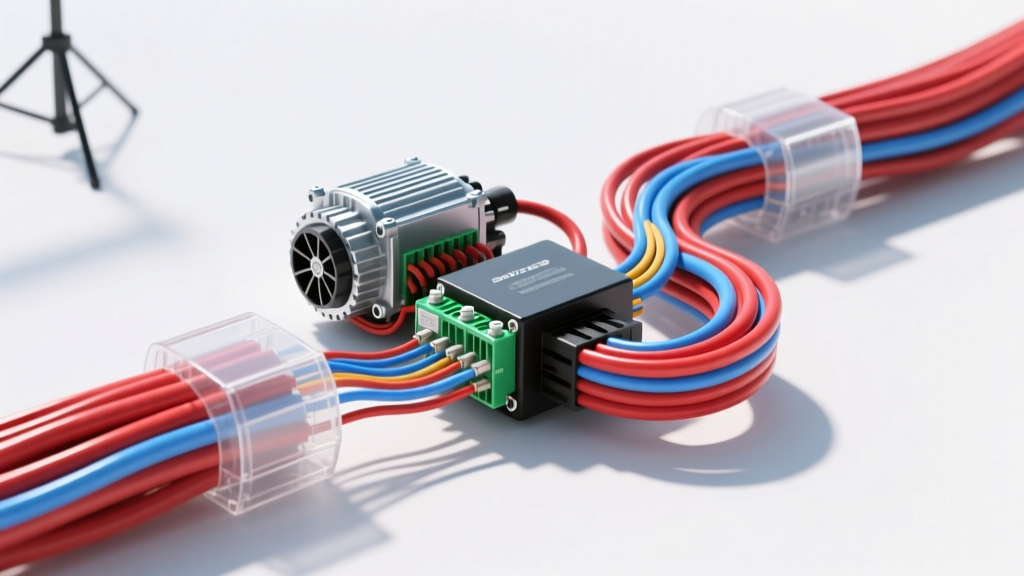
Bridging 2D Schematics and 3D Harness Manufacturing
In modern automotive engineering and high-performance EV conversions, relying solely on flat schematics is insufficient for physical harness fabrication. Translating a traditional 2D wiring diagram into SolidWorks 3D routing environments allows engineers to validate physical fitment, calculate precise wire cut lengths, and ensure strict adherence to bend radius limitations before a single wire is crimped. This technical reference outlines the methodology for importing wiring diagram data into SolidWorks Electrical and Routing, specifically focusing on EV motor controller harnesses utilizing TE Connectivity AMPSEAL connectors. When migrating a legacy wiring diagram, SolidWorks Electrical allows engineers to map logical connections to physical 3D routes, ensuring that signal integrity and high-current thermal requirements are met in the physical space of the engine bay or battery enclosure.
Wire Specification Mapping and Routing Library Setup
The foundation of any accurate 3D harness model is the routing library. Automotive wire is not generic; it must conform to specific insulation thicknesses and temperature ratings. For low-voltage (12V/24V) control and logic circuits in EV conversions, SAE J1128 defines the standard for low-tension cables. The most common insulation types used in motorsport and EV harnesses are TXL (Thin Wall), GXL (General Purpose), and SXL (Standard Wall). TXL is heavily preferred in SolidWorks routing due to its reduced outer diameter (OD), which allows for tighter bend radii and lighter harness weight.
When setting up your SolidWorks Routing library, each wire must be assigned a specific Route Property that defines its nominal diameter, bend radius multiplier, and maximum current capacity. According to the SAE J1128 Low Tension Cable Standard, the minimum bend radius for a single conductor is typically 4 times the cable's outer diameter, while shielded cables or high-voltage lines require a minimum of 6 times the OD to prevent insulation cracking and shield braid deformation.
Table 1: SolidWorks Routing Library Parameters (SAE J1128 TXL)
| Wire Type | AWG | Cross-Section (mm²) | Nominal OD (mm) | Min Bend Radius (mm) | Max Current (A) | SolidWorks Route ID |
|---|---|---|---|---|---|---|
| TXL | 22 AWG | 0.35 | 1.20 | 4.80 | 5 | TXL-22-LOGIC |
| TXL | 20 AWG | 0.50 | 1.40 | 5.60 | 7 | TXL-20-CAN |
| TXL | 18 AWG | 0.80 | 1.65 | 6.60 | 10 | TXL-18-SIGNAL |
| TXL | 16 AWG | 1.30 | 1.95 | 7.80 | 15 | TXL-16-PWR |
| TXL | 12 AWG | 3.00 | 2.80 | 11.20 | 25 | TXL-12-HVIL |
| TXL | 8 AWG | 8.00 | 4.20 | 16.80 | 50 | TXL-08-MAIN |
Twisted Pair Routing for CAN Bus and Resolver Signals
A critical aspect of translating an EV motor controller wiring diagram into SolidWorks is handling differential signaling and noise-sensitive analog inputs. Motor controllers rely on CAN bus (ISO 11898-2) for telemetry and resolver sensors for rotor position tracking. These signals are highly susceptible to Electromagnetic Interference (EMI) from the high-voltage inverter switching frequencies.
In the SolidWorks Electrical Routing environment, you must define these circuits as twisted pairs rather than individual parallel wires. When utilizing the SolidWorks Electrical Design Suite, you can assign a twist pitch to the electrical cable assembly. For standard automotive CAN-H and CAN-L (typically 20 AWG TXL), a twist pitch of 20mm to 25mm is optimal. For motor resolver signals (which operate at higher frequencies and lower voltages), a tighter twist pitch of 10mm to 15mm is required. SolidWorks calculates the additional wire length consumed by the helical twist, ensuring your cut-list is accurate. Failing to account for the twist pitch in the 3D model will result in wires that are 5-8% too short when flattened on the manufacturing formboard.
Connector Integration: TE Connectivity AMPSEAL 35-Pin
The physical interface between the wiring harness and the motor controller is often a high-density, environmentally sealed connector. The TE Connectivity AMPSEAL 35-pin connector is an industry standard for Cascadia Motion, Rinehart, and BorgWarner motor controllers. Integrating this connector into SolidWorks requires not just the 3D CAD model of the housing, but the precise mapping of the internal cavity matrix, seal sizes, and terminal types.
When importing the connector model, ensure that the Route Points (RPoints) are located exactly at the rear seal entry plane, not at the terminal crimp barrel. This ensures the software calculates the wire length up to the exact point where the insulation strip begins. The AMPSEAL series utilizes different silicone cavity seals depending on the wire gauge. Using the wrong seal in the BOM will result in IP67 waterproofing failure.
Table 2: AMPSEAL 35-Pin Cavity Mapping & Seal Matrix
| Cavity Range | Signal Function | Wire Spec | Color Code | Seal Cavity Size | TE Seal Part Number |
|---|---|---|---|---|---|
| 1, 2 | CAN-H, CAN-L | 20 AWG TXL | White/Green, White/Blue | 2.7mm (Yellow) | 206043-1 |
| 3, 4 | Resolver SIN+, SIN- | 22 AWG Shielded | Black/Red, Black/White | 2.7mm (Yellow) | 206043-1 |
| 5, 6 | Resolver COS+, COS- | 22 AWG Shielded | Blue/Red, Blue/White | 2.7mm (Yellow) | 206043-1 |
| 7, 8 | Resolver REF+, REF- | 22 AWG Shielded | Green/Red, Green/White | 2.7mm (Yellow) | 206043-1 |
| 9-14 | Digital Inputs (Hall) | 18 AWG TXL | Orange, Yellow, Violet | 3.3mm (Red) | 206044-1 |
| 15, 16 | 12V Logic Power/GND | 14 AWG TXL | Red, Black | 4.5mm (Blue) | 206045-1 |
| 34, 35 | HVIL Loop In/Out | 12 AWG TXL | Orange/Black Stripe | 5.2mm (Green) | 169932-1 |
High-Current Lugs and Thermal Clearances
While the 35-pin logic connector handles low-voltage signaling, the motor controller also requires massive high-current DC bus connections (typically 2/0 AWG or 70mm² to 95mm² shielded high-voltage cable). In SolidWorks Routing, high-voltage cables must be routed in a separate physical pathway from the low-voltage logic harness to prevent inductive coupling and comply with SAE J2954 and FMVSS 305 safety standards.
When routing 2/0 AWG battery cables to the inverter busbars, the bend radius becomes a major mechanical constraint. SolidWorks allows you to apply a 'Route Penalty' or stiffness factor to these large cables. The software will automatically prevent the route from violating the minimum bend radius (usually 5x to 6x the OD for HV shielded cables). Furthermore, you must model the heat shrink tubing and the crimp barrel of the ring terminal. The transition point between the flexible wire and the rigid terminal must be modeled as a 'Rigid Fitting' in the Route Property to prevent the software from attempting to bend the wire inside the crimp barrel during the flattening process.
Formboard Generation and Flattening
The final and most critical step in the SolidWorks wiring diagram integration is generating the 2D formboard (or nail board) drawing for the assembly technicians. Using the 'Flatten Route' feature, SolidWorks unrolls the 3D paths into a precise 1:1 scale 2D drawing. This drawing dictates where the technician will place the physical nails on the plywood assembly board.
During the flattening process, SolidWorks accounts for the wire shrinkage that occurs when wires are twisted, bundled in braided sleeving (like PET expandable sleeving), or bent around tight corners. It is highly recommended to add a 2% global shrinkage allowance in the Flatten Route properties for harnesses that will be tightly taped with Tesa 51036 cloth tape. The resulting formboard drawing must include detailed callouts for splice locations, breakout points for twisted pairs, and the exact orientation of connector backshells. By rigorously defining the wiring diagram within SolidWorks, EV conversion shops and motorsport teams eliminate the guesswork, reduce wire scrap by up to 15%, and ensure that every harness perfectly mates with the TE Connectivity Automotive Connectors and motor controller interfaces on the first attempt.