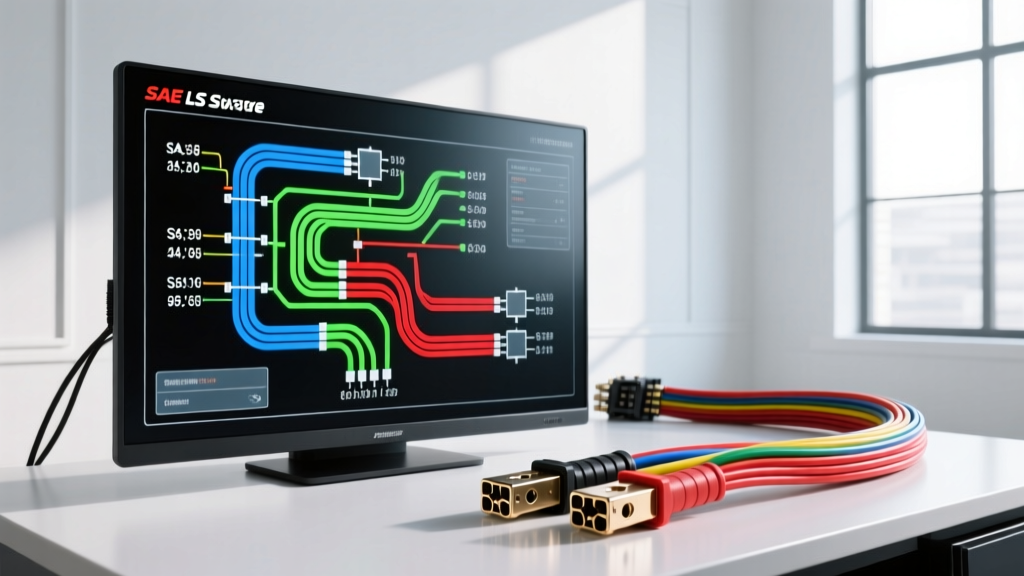
Why Beginners Must Ditch the Napkin Sketch
When tackling your first engine swap, auxiliary lighting setup, or custom gauge cluster installation, the temptation to sketch a wiring plan on a napkin or scrap cardboard is high. However, modern vehicle electrical systems operate on precise logic gates, multiplexed data lines, and strict amperage thresholds. Relying on hand-drawn sketches inevitably leads to misrouted grounds, blown fuses, and catastrophic ECU failures. This is where dedicated wiring diagram drawing software becomes an indispensable tool for beginners and seasoned fabricators alike.
Transitioning to digital schematics allows you to validate your circuit logic before cutting a single inch of expensive copper. By utilizing proper wiring diagram drawing software, you can track wire gauges, assign standard automotive color codes, and generate accurate Bills of Materials (BOM). This guide will walk you through the fundamentals of using these digital tools, focusing on real-world automotive applications like a GM LS-engine swap cooling fan circuit.
Essential Features in Automotive Wiring Diagram Drawing Software
Not all schematic tools are created equal. Software designed for residential house wiring or basic PCB design often lacks the specific symbol libraries required for 12V automotive DC systems. When evaluating wiring diagram drawing software for vehicle harnesses, prioritize the following features:
SAE and DIN Symbol Libraries
Automotive schematics rely heavily on standardized symbols. Your software must support SAE (Society of Automotive Engineers) and DIN (Deutsches Institut für Normung) standards. This includes specific symbols for Bosch-style ISO mini relays, NTC thermistors (used in coolant temperature sensors), and Hall-effect sensors. Without these, you will waste hours drawing custom boxes and manually labeling pins.
Wire Gauge (AWG) and Insulation Tracking
According to the SAE J1128 Standard, automotive primary cables are categorized by insulation thickness and temperature ratings (e.g., TXL, GXL, SGT). Advanced wiring diagram drawing software allows you to assign an AWG size and insulation type to every wire path. This is critical for calculating voltage drop over long harness runs, such as routing power from the battery to a rear-mounted fuel cell pump.
Netlisting and Short-Circuit Validation
Netlisting is a feature that checks the logical connections in your diagram. If you accidentally route a 12V ignition-switched source into a 5V sensor reference circuit on your digital canvas, the software will flag the error. This virtual troubleshooting saves you from frying a $1,500 standalone engine management ECU on the workbench.
Step-by-Step: Drafting a GM LS1 Cooling Fan Circuit
To understand how to apply wiring diagram drawing software practically, let us map out a cooling fan circuit for a classic GM LS1 (1999-2002 F-Body) engine swap. This circuit requires both a low-current control side and a high-current power side, utilizing a standard ISO mini relay.
The Control Circuit (Low Current Logic)
The LS1 PCM (Powertrain Control Module) uses a low-side driver to control the cooling fan relay. This means the PCM provides the ground path, not the 12V power.
- PCM Connection: Connector C2 (Blue), Pin 33.
- Wire Spec: 18 AWG TXL, Dark Green (Circuit 409).
- Relay Pin 85: The Dark Green wire connects from PCM Pin 33 to Relay Pin 85 (Coil Ground).
- Relay Pin 86: Requires ignition-switched 12V. Use 18 AWG Pink wire routed from your ignition fuse block to Relay Pin 86 (Coil Power).
In your wiring diagram drawing software, you would drag a PCM connector symbol onto the canvas, assign Pin 33, and draw a netline to Pin 85 of a 4-pin ISO relay symbol. The software will prompt you to define the wire color and gauge, automatically logging it in your harness documentation.
The Power Circuit (High Current Load)
Electric cooling fans draw massive current, often spiking to 25+ amps on startup. Wiring this incorrectly will melt standard 14 AWG wire and cause a vehicle fire.
- Main Power Feed: 10 AWG Red wire (Circuit 1409) from the main underhood fuse block (protected by a 30A MAXI fuse) to Relay Pin 30 (Normally Open Contact).
- Load Output: 10 AWG Red wire from Relay Pin 87 (Contact Output) to the cooling fan positive terminal.
- Ground Path: 10 AWG Black wire from the fan negative terminal to a dedicated, clean chassis ground point.
By referencing the ISO 7588-1 Relay Standard, you can ensure your software's relay symbol correctly maps Pins 30, 85, 86, and 87. When the PCM grounds Pin 85, the electromagnetic coil pulls the internal switch, connecting Pin 30 to Pin 87 and sending 12V to the fan motor.
Software Comparison Chart for Automotive Beginners
Choosing the right wiring diagram drawing software depends on your budget and technical expertise. Below is a comparison of top tools suited for automotive harness design.
| Software Platform | Best Use Case | Auto-Symbol Library | BOM Generation | Learning Curve |
|---|---|---|---|---|
| EdrawMax | Complete beginners, visual diagrams | Good (Basic SAE/Bosch) | Manual Export | Low |
| ProfiCAD | Hobbyists, quick relay schematics | Excellent (Customizable) | Yes (CSV) | Medium |
| Scheme-it (Digi-Key) | Prototyping, basic logic mapping | Fair (Electronic focus) | No | Low |
| AutoCAD Electrical | Professional shops, OEM harnesses | Industry Standard | Yes (Advanced) | High |
Generating a Harness Bill of Materials (BOM)
One of the most powerful features of premium wiring diagram drawing software is the automated BOM. Once your LS1 fan circuit is complete, the software calculates the exact materials needed. A proper automotive BOM goes beyond just wire length; it includes terminal crimps and connector housings.
For example, connecting to the GM PCM C2 connector requires specific terminals. Using Aptiv (formerly Delphi) Connection Systems documentation, your software should specify Metri-Pack 150 Series female terminals for the 18 AWG Dark Green wire. For the high-current fan motor connection, the BOM should list Metri-Pack 630 Series terminals to handle the 10 AWG wire and high amperage. Generating this list digitally ensures you do not find yourself missing a single 20-amp fuse or a specific weather-pack seal when you are elbow-deep in the engine bay at 11 PM.
Bridging the Gap Between Software and the Workbench
Even the best wiring diagram drawing software cannot account for physical routing hazards. A digital schematic shows a clean, direct line from the alternator to the battery. In reality, that 4 AWG charging wire must navigate around exhaust headers, steering shafts, and sharp sheet metal.
Troubleshooting Tip: Always add 15% to 20% extra wire length to your software-generated measurements to account for physical routing, drip loops, and service loops. Furthermore, when your software specifies a ground connection, physically verify that the chosen chassis location is free of paint, powder coating, and rust. Use a serrated lock washer and an anti-oxidant paste to ensure the millivolt drop across the ground junction remains below 0.1V under peak load.
Conclusion
Mastering wiring diagram drawing software is a fundamental milestone for any automotive electrical enthusiast. By moving away from guesswork and embracing digital schematics, you ensure your custom harnesses are safe, serviceable, and logically sound. Whether you are wiring a simple set of off-road lights or a fully sequential standalone fuel injection system, the discipline of mapping your AWG sizes, pinouts, and SAE color codes in software will pay dividends the moment you turn the ignition key.