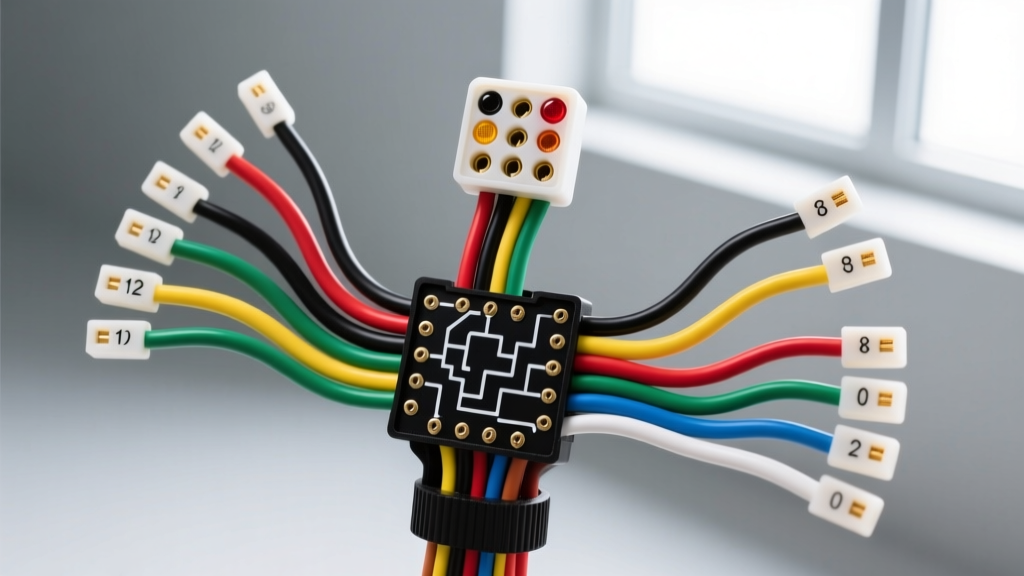
Introduction to GM Column Wiring Fundamentals
Whether you are performing an LS engine swap, restoring a classic C10 square body, or wiring a custom hot rod, the GM steering column remains one of the most reused and adapted components in the automotive aftermarket. Because Saginaw-manufactured GM columns were used across millions of vehicles from the late 1960s through the 1990s, understanding the color code gm steering column wiring harness is an essential skill for any beginner or intermediate automotive fabricator.
Unlike modern vehicles that rely on multiplexed CAN-bus networks and body control modules (BCMs), classic and mid-era GM columns utilize a direct, hardwired analog system. This means every switch position physically routes 12-volt power through specific copper pathways. In this beginner-friendly guide, we will break down the standard GM 12-pin turn signal connector, secondary ignition harnesses, internal switch logic, and real-world troubleshooting techniques to get your lights, horn, and wipers functioning flawlessly.
The Standard GM 12-Pin Turn Signal Connector
The most critical connection point on a classic GM column is the rectangular 12-pin connector that mates the column-mounted turn signal and hazard switch to the vehicle's main body harness. This connector handles exterior lighting, brake light interruption, and the horn relay ground. Below is the definitive pinout and wire color specification chart for the standard GM 12-pin harness (commonly found on 1978-1990 G-Body, F-Body, and C/K trucks).
| Pin | Wire Color | Function | AWG Size | Terminal Type |
|---|---|---|---|---|
| 1 | Dark Green | Right Rear Stop / Turn Signal | 14 AWG | Packard 56 Series Female |
| 2 | Light Blue | Right Front Turn Signal | 14 AWG | Packard 56 Series Female |
| 3 | Brown | Hazard Flasher Feed (12V+) | 14 AWG | Packard 56 Series Female |
| 4 | Dark Blue | Left Front Turn Signal | 14 AWG | Packard 56 Series Female |
| 5 | Yellow | Left Rear Stop / Turn Signal | 14 AWG | Packard 56 Series Female |
| 6 | Purple | Turn Signal Flasher Feed (12V+) | 14 AWG | Packard 56 Series Female |
| 7 | White | Brake Light Switch Feed (12V+) | 14 AWG | Packard 56 Series Female |
| 8 | Black | Horn Relay Ground Trigger | 16 AWG | Packard 56 Series Female |
| 9 | Gray | Instrument Panel Dimmer (Headlight Switch) | 18 AWG | Packard 56 Series Female |
| 10 | Light Green | Cruise Control Vent / Release (If Equipped) | 18 AWG | Packard 56 Series Female |
| 11 | Dark Blue / White Stripe | Cruise Control Set / Coast (If Equipped) | 18 AWG | Packard 56 Series Female |
| 12 | Pink | Ignition Feed (Accessory / Run) | 12 AWG | Packard 56 Series Female |
Note: Wire colors and pin assignments can vary slightly depending on the exact year and whether the column was sourced from a tilt or non-tilt application. Always verify with a multimeter before applying 12V power.
Understanding the Internal Switch Logic: Why Brake Lights and Turn Signals Share Wires
One of the most confusing aspects for beginners working with a GM steering column wiring harness is the shared circuit for the rear brake lights and turn signals. In a GM column, the rear turn signal bulbs double as the brake lights.
Here is how the internal cam mechanism works:
- The Default State (Brakes Applied): When you press the brake pedal, 12V power travels up the White wire (Pin 7) from the brake light switch on the pedal arm. Inside the column switch, this power is split and sent out through the Dark Green (Pin 1) and Yellow (Pin 5) wires, illuminating both rear bulbs solidly.
- The Turn Signal Override: When you activate the turn signal lever, 12V pulsed power enters via the Purple wire (Pin 6) from the turn signal flasher can. The mechanical cam inside the column physically disconnects the White brake feed from the side you are turning toward, and connects the Purple flasher feed instead. For example, a left turn signal interrupts the Yellow wire's brake feed and replaces it with the pulsing Purple feed, while the Dark Green wire continues to receive steady brake power.
Understanding this mechanical logic is crucial. If your brake lights do not work, but your rear turn signals do, the issue is almost certainly upstream of the column on the White wire circuit.
Secondary Column Connections: Ignition and Wipers
While the 12-pin connector handles lighting, the column also houses the ignition switch actuator rod and the wiper switch washer pump wiring. According to Haynes Automotive Repair Manuals, the ignition switch on classic GM vehicles is actually mounted on the lower steering column tube (near the floorboard), not up by the key cylinder.
- Ignition Harness: Look for a heavy Pink wire (10-12 AWG) supplying 12V+ from the battery via the firewall bulkhead connector to the ignition switch. The switch outputs to a Purple wire (10 AWG) that runs to the starter solenoid 'S' terminal, and secondary feeds (Brown for Accessory, Pink for IGN).
- Wiper/Washer Harness: The wiper switch typically utilizes a 3-pin or 4-pin connector. The washer pump is a ground-switched motor; it receives constant 12V+ from the wiper fuse, and the column switch provides the ground path via a Black wire to complete the circuit.
Step-by-Step Troubleshooting Decision Tree
When diagnosing a faulty GM steering column harness, avoid guessing. Use this symptom-cause-fix decision tree to isolate the failure point quickly.
Symptom: Turn Signals Flash Rapidly, but Brake Lights Work
- Cause: The flasher can is not seeing enough resistance (load), usually due to a blown bulb, a bad ground at the tail light housing, or a corroded Packard 56 terminal on Pin 1 or Pin 5.
- Fix: Check the tail light bulbs first. If bulbs are good, use a test light at the column connector (Pins 1 and 5) while the turn signal is engaged. If power is leaving the column but not reaching the bulb, repair the body harness ground or clean the socket.
Symptom: Horn Does Not Work, but Lights Function
- Cause: The horn button on the steering wheel completes a ground circuit. The Black wire (Pin 8) travels down the column to the horn relay under the hood. If the relay clicks but the horn doesn't sound, the issue is at the relay or horn motor. If the relay does not click, the column's internal copper contact ring or the Black wire is broken.
- Fix: Jump the Black wire pin directly to chassis ground with the key on. If the horn sounds, the column's internal horn contact is faulty or the steering wheel is not seated properly to engage the contact pin.
Symptom: Hazard Flashers Work, but Turn Signals Do Nothing
- Cause: GM columns utilize two separate flasher cans: one for hazards (fed by the Brown wire, Pin 3) and one for turn signals (fed by the Purple wire, Pin 6). If hazards work, the switch cam and exterior bulbs are fine.
- Fix: Locate the turn signal flasher can (usually clipped to the underside of the dash or near the fuse box). Check for 12V+ at the Purple wire. If there is no power, replace the turn signal flasher can or check the turn signal fuse.
Best Practices for Routing, Crimping, and Wire Selection
When repairing or fabricating a custom GM steering column wiring harness, adhering to automotive electrical standards is non-negotiable. The SAE J1128 Standard for Low Tension Primary Cable dictates that automotive wire must feature cross-linked polyethylene (XLPE) or PVC insulation capable of withstanding under-dash heat and vibration.
- Use the Correct Terminals: The GM 12-pin connector utilizes Delphi (formerly Packard) 56 series terminals. Never use generic open-barrel crimps or solder these connections directly. Use a proper ratcheting crimp tool designed for Packard 56 terminals to ensure a gas-tight connection.
- Protect the Clock Spring / Horn Wire: On older GM columns, the horn ground relies on a thin, coiled copper wire (often called a clock spring or horn contact strap) inside the upper bearing assembly. When routing your harness down the column, ensure you leave enough slack so the steering shaft rotation does not snap this delicate wire.
- Apply Dielectric Grease: The under-dash environment is prone to humidity and condensation. Apply a small amount of silicone dielectric grease to the male pins on the column switch before mating the 12-pin connector. This prevents galvanic corrosion, which is a primary cause of high-resistance voltage drops in the White and Purple feed circuits.
- Loom and Secure: Use split-loom tubing or non-adhesive friction tape (like Tesa tape) to bundle the harness to the column tube. Avoid zip-tightening wires directly against sharp stamped-metal column brackets, which will eventually slice through the 14 AWG insulation and cause a dead short to the steering shaft.
Conclusion
Mastering the GM steering column wiring harness color code layout transforms a frustrating web of copper into a logical, easy-to-manage system. By understanding the shared brake/turn signal logic, utilizing the correct Delphi Packard terminals, and following structured troubleshooting trees, you can confidently wire, swap, or restore any classic GM column. For further reference on factory pinouts and bulkhead connector layouts, consult your vehicle's specific Assembly Instruction Manual (AIM) or trusted Delphi Automotive Connector Systems documentation.