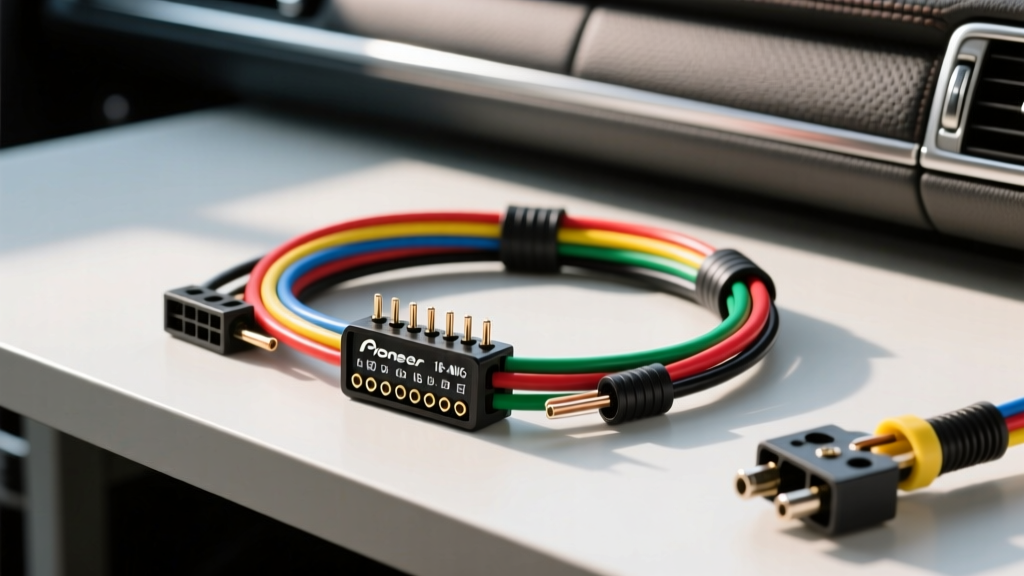
Why You Must Use a Pioneer Radio Wiring Harness Adapter
Upgrading to a Pioneer NEX series or standard double-DIN head unit is one of the most effective ways to modernize your vehicle's audio system. However, the most critical point of failure in any car audio installation is not the head unit itself, but the wiring interface. Splicing directly into your vehicle's factory wiring is a catastrophic mistake that can lead to CAN-bus communication errors, voided warranties, and severe electrical shorts. By utilizing a dedicated Pioneer radio wiring harness adapter, you bridge the gap between the aftermarket EIA/CEA standard color codes and the proprietary OEM wiring of your specific vehicle.
According to industry standards documented by Crutchfield's car stereo wiring guides, using a vehicle-specific harness adapter (such as those manufactured by Metra, Scosche, or PAC) ensures a plug-and-play connection at the factory radio plug while allowing you to safely prep and crimp the aftermarket Pioneer harness on a workbench.
EIA/CEA vs. Pioneer Proprietary Color Codes
Pioneer adheres strictly to the EIA/CEA (Consumer Technology Association) standard for their aftermarket head unit harnesses. This universal color-coding system ensures that regardless of the Pioneer model you are installing—whether it is an entry-level MVH-S21BT or a flagship DMH-W2770NEX—the primary power, ground, and speaker outputs remain consistent.
Below is the definitive pinout and color code reference for the standard 16-pin Pioneer ISO-style harness connector.
Standard Pioneer 16-Pin Harness Specification Chart
| Pin | Wire Color | Function | AWG Size | Technical Notes |
|---|---|---|---|---|
| 1 | Yellow | 12V Constant (Battery/Memory) | 18 AWG | Supplies power to maintain presets and clock. Must connect to an always-on 12V source. |
| 2 | Red | 12V Switched (Ignition/Accessory) | 18 AWG | Triggers the head unit on/off. In modern CAN-bus vehicles, this may require a data retention module. |
| 3 | Black | Chassis Ground | 18 AWG | Must terminate to a clean, unpainted metal surface if the factory ISO ground is insufficient. |
| 4 | Blue/White Stripe | Power Antenna / Amp Turn-On | 22 AWG | Critical: Do not confuse with solid Blue. Use this to trigger external amplifiers. |
| 5 | Blue | Motorized Antenna Trigger | 22 AWG | Only outputs 12V when the AM/FM tuner source is selected. |
| 6 | Orange/White Stripe | Illumination / Dimmer | 22 AWG | Connect to OEM dash lighting circuit for screen dimming when headlights are on. |
| 7 | White | Front Left Speaker (+) | 18 AWG | Ensure correct phase matching to prevent bass cancellation. |
| 8 | White/Black Stripe | Front Left Speaker (-) | 18 AWG | Never ground speaker negative wires to the chassis. |
| 9 | Gray | Front Right Speaker (+) | 18 AWG | Front Right positive output. |
| 10 | Gray/Black Stripe | Front Right Speaker (-) | 18 AWG | Front Right negative output. |
| 11 | Green | Rear Left Speaker (+) | 18 AWG | Rear Left positive output. |
| 12 | Green/Black Stripe | Rear Left Speaker (-) | 18 AWG | Rear Left negative output. |
| 13 | Purple | Rear Right Speaker (+) | 18 AWG | Rear Right positive output. |
| 14 | Purple/Black Stripe | Rear Right Speaker (-) | 18 AWG | Rear Right negative output. |
Tools Required for a Professional-Grade Connection
Do not use electrical tape or wire nuts. Automotive environments subject wiring to extreme thermal cycling and high-frequency vibration. To ensure a reliable connection between your Pioneer harness and the vehicle adapter harness, you will need:
- Wire Strippers: Precision strippers calibrated for 18 AWG and 22 AWG stranded copper wire.
- Crimping Tool: A ratcheting crimper designed for insulated butt connectors.
- Connectors: Nylon insulated butt connectors or, preferably, marine-grade adhesive-lined heat shrink butt connectors.
- Heat Gun: For shrinking the adhesive-lined connectors, creating a watertight and vibration-proof seal.
- Tesa Fleece Tape: To wrap the finished harness, eliminating dash rattles and providing abrasion resistance.
Step-by-Step Pioneer Radio Wiring Harness Installation
Follow this precise workflow to mate your Pioneer head unit harness to your vehicle-specific adapter (e.g., Metra 70-1761 or equivalent).
Step 1: Bench Prep and Wire Stripping
Before approaching the vehicle, lay the Pioneer harness and the vehicle adapter harness side-by-side on a workbench. Strip exactly 5/16-inch (8mm) of insulation from the ends of the wires. Stripping too much wire leaves exposed copper prone to shorting; stripping too little results in a weak crimp that will fail under thermal expansion.
Step 2: Match and Crimp the Power Circuit
Connect the Yellow (12V Constant), Red (12V Switched), and Black (Ground) wires first. Slide the heat shrink tubing over the wire, insert the stripped ends into the butt connector, and crimp firmly. Apply heat until the tubing shrinks and the adhesive oozes slightly from the ends. Note: If your vehicle uses a CAN-bus system where the radio does not have a traditional 12V switched wire, you will need to interface a PAC or iDatalink data module at this stage to generate the Red wire trigger.
Step 3: Interface the Amplifier Turn-On (The Blue/White Trap)
One of the most common installation errors is connecting an external amplifier's remote turn-on lead to the solid Blue wire instead of the Blue/White wire. On Pioneer units, the solid Blue wire is strictly for motorized antennas and drops to 0V when you switch to Bluetooth or USB. The Blue/White wire provides a continuous +12V remote signal whenever the head unit is powered on. Connect the Blue/White wire to your amplifier's remote terminal.
Step 4: Splice the Speaker Outputs
Match the EIA color codes (White, Gray, Green, Purple) to the corresponding colors on your vehicle adapter harness. If your vehicle's factory wiring uses non-standard colors (common in older Fords and GMs), consult the Metra Electronics vehicle fit guide to verify the pinout of the factory plug before crimping. Maintain strict phase polarity; swapping a positive and negative speaker wire will result in severe mid-bass cancellation.
Step 5: Harness Wrapping and Strain Relief
Once all connections are crimped and heat-shrunk, bundle the wires neatly. Wrap the entire length of the newly mated harness in Tesa fleece tape. This not only protects the wires from chafing against the metal dashboard substructure but also prevents the annoying buzzing sound that loose wires create while driving.
Advanced Integration: Steering Wheel Controls (SWC)
If your vehicle features factory steering wheel audio controls, the Pioneer radio wiring harness alone will not retain this functionality. Pioneer NEX and standard receivers utilize a hardwired 3.5mm SWC input or a dedicated 4-pin square connector on the rear chassis. You will need an interface module like the Axxess ASWC-1. This requires splicing the vehicle's SWC data wires (often found on the OEM radio plug or the vehicle's CAN-bus gateway) into the ASWC-1, and plugging the 3.5mm jack into the Pioneer head unit. Always update the ASWC-1 firmware via USB before final installation to ensure compatibility with the latest Pioneer software.
Common Troubleshooting: When the Head Unit Won't Power Up
Even with a perfect harness adapter, issues can arise. Use this diagnostic tree to resolve power and audio anomalies.
Symptom: Head Unit Powers Off Momentarily When Cranking the Engine
- Cause: The Red (Ignition) and Yellow (Constant) wires are either swapped, or the vehicle's accessory circuit drops voltage below 9V during engine cranking.
- Fix: Verify pinout with a multimeter. If wired correctly, install a 12V DC relay or a capacitor-based retention module on the Red wire to bridge the voltage drop during cranking.
Symptom: Alternator Whine in the Audio System
- Cause: A ground loop. This occurs when the Pioneer head unit ground and the external amplifier ground are at different electrical potentials.
- Fix: Do not rely solely on the factory ISO ground wire for high-draw setups. Run a dedicated 10 AWG ground wire from the Pioneer chassis grounding screw (located on the top or side of the metal casing) directly to a sanded, bare-metal bolt on the vehicle's chassis. Ensure all RCA cables are routed on the opposite side of the vehicle from the power cables.
Symptom: No Subwoofer Output, But Door Speakers Work
- Cause: The amplifier remote turn-on wire was connected to the solid Blue (Power Antenna) wire instead of Blue/White.
- Fix: Re-crimp the amplifier remote wire to the Blue/White stripe wire on the Pioneer harness. Verify +12V at the amp remote terminal while the Pioneer unit is in Bluetooth/USB mode.
For further technical specifications regarding Pioneer chassis dimensions and ISO standards, refer to the Pioneer USA Car Audio Video documentation portal. Proper harness preparation is the hallmark of a professional installation; take your time on the bench, and your Pioneer system will deliver flawless performance for the life of the vehicle.