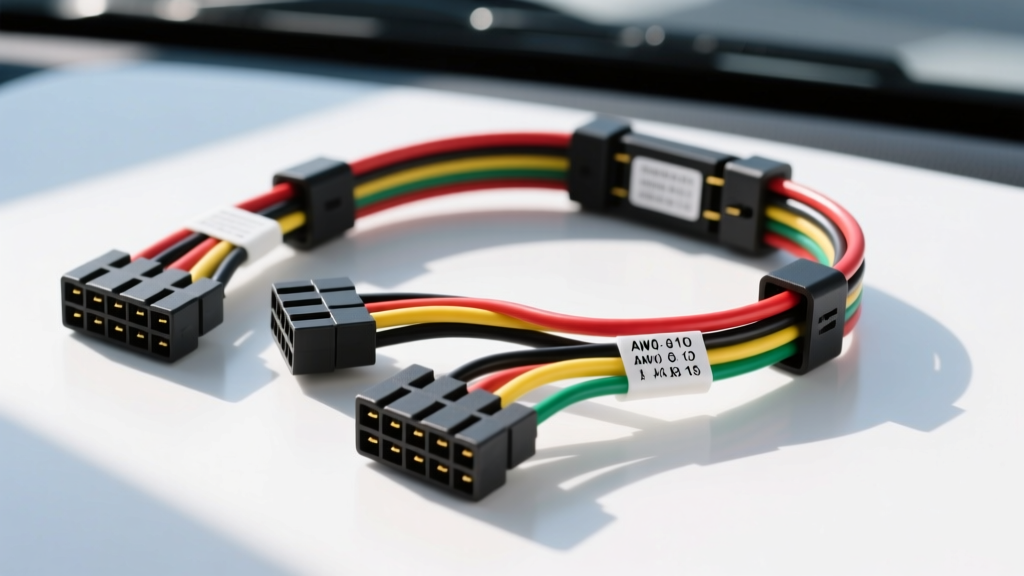
Understanding the Sony XAV-AX150 Wiring Harness Diagram
Upgrading to the Sony XAV-AX150 multimedia receiver brings Apple CarPlay and Android Auto to your dash, but a flawless installation hinges entirely on mastering the Sony XAV-AX150 wiring harness diagram. Unlike older single-DIN units, modern double-DIN receivers draw more current to power high-resolution displays and dual-zone amplification. Misinterpreting the 16-pin ISO-style connector or relying on outdated wire color assumptions can lead to blown fuses, CAN-bus interference, or parasitic battery drain. This guide provides the exact pinout specifications, AWG requirements, and bench-wiring protocols required for a professional-grade installation.
Sony 16-Pin Main Harness Pinout & Wire Colors
The XAV-AX150 utilizes a standardized 16-pin Molex-style block. While it visually resembles the ISO 10487 standard, Sony's internal pin assignment differs slightly, particularly regarding the illumination and remote turn-on circuits. Always verify your vehicle's adapter harness against this chart before applying solder or crimps.
| Pin | Wire Color | Function | Recommended AWG | Technical Notes |
|---|---|---|---|---|
| 1 | Yellow | 12V Constant (Memory) | 16 AWG | Connects to unswitched battery power. Draws ~5mA in standby. |
| 2 | Red | 12V Accessory (Switched) | 16 AWG | Must drop to 0V when ignition is off to prevent battery drain. |
| 3 | Black | Chassis Ground | 14 AWG | Do not rely on factory radio ground. Run direct to clean chassis. |
| 4 | Blue/White | System Remote Turn-On | 18 AWG | Outputs +12V (300mA max) for external amplifiers and DSPs. |
| 5 | Blue | Power Antenna Trigger | 18 AWG | Only active in AM/FM mode. Do not use for amp turn-on. |
| 6 | White | Front Left (+) | 18 AWG | 20W x 4 RMS internal amplifier output. |
| 7 | White/Black | Front Left (-) | 18 AWG | Do not ground negative speaker wires to the chassis. |
| 8 | Gray | Front Right (+) | 18 AWG | Ensure proper phase alignment with rear channels. |
| 9 | Gray/Black | Front Right (-) | 18 AWG | Keep isolated from chassis ground. |
| 10 | Green | Rear Left (+) | 18 AWG | Pre-out RCA voltage is 2V; speaker level is 20W RMS. |
| 11 | Green/Black | Rear Left (-) | 18 AWG | Isolate from chassis. |
| 12 | Purple | Rear Right (+) | 18 AWG | Verify polarity using a 9V battery pop-test if unsure. |
| 13 | Purple/Black | Rear Right (-) | 18 AWG | Isolate from chassis. |
| 14 | Orange | Illumination | 20 AWG | Accepts +12V for dimming. Many modern cars use CAN-bus dimming. |
| 15 | Brown | Mute Control | 22 AWG | Ground to mute. Rarely used in modern aftermarket installs. |
| 16 | N/C | Not Connected | N/A | Empty pin slot on the Sony harness block. |
Choosing the Right Vehicle-Specific Adapter Harness
Never cut the factory OEM radio harness. Splicing directly into factory wiring degrades resale value, voids warranties, and risks damaging sensitive multiplexed CAN-bus networks. Instead, use a vehicle-specific T-harness or adapter harness. For the XAV-AX150, you will mate the Sony 16-pin pigtail to the adapter harness on your workbench.
Common Adapter Harnesses by Automaker
- Ford / Lincoln / Mazda (2006-2015): Metra 70-1761 or Axxess 70-1761. Handles standard Class 2 data and basic power. For vehicles with MyFord Touch, a PAC GTR-7700 or Maestro RR module is required to retain SYNC functions.
- General Motors (1988-2005): Metra 70-1857. Standard Class 2 data bypass. Note that the Orange wire on the GM harness is often 12V switched, not illumination. Verify with a multimeter.
- Subaru (2008-2014): Metra 70-8901 or 70-1761 depending on the exact trim. Ensure the adapter includes the reverse trigger wire for the XAV-AX150 backup camera input.
Step-by-Step Bench Pre-Wiring Guide
The hallmark of a professional car audio installation is bench pre-wiring. Doing this on a clean workbench ensures strong solder joints and prevents the need to crimp wires upside-down inside a cramped dashboard cavity.
Phase 1: Wire Preparation and Soldering
- Strip the Wires: Use a precision wire stripper to remove exactly 3/8 inch of insulation from both the Sony harness and the vehicle adapter harness. Do not nick the copper strands; nicked 18 AWG wire loses up to 30% of its tensile strength and creates a high-resistance hot spot.
- Apply Heat Shrink First: Slide a piece of 3:1 dual-wall marine heat shrink (with internal adhesive) onto one side of the wire pair before twisting. Standard PVC electrical tape is strictly prohibited under SAE J1128 standards for under-dash automotive environments due to heat degradation and adhesive failure.
- The Twist and Solder: Twist the exposed copper strands in a linear fashion (not a pigtail twist). Apply 60/40 rosin-core solder. The solder should wick completely through the strands, creating a smooth, shiny, concave fillet. A dull, grainy joint indicates a cold solder joint which will eventually crack from vehicle vibration.
- Seal the Joint: Slide the dual-wall heat shrink over the joint and apply heat evenly. The adhesive should melt and squeeze out slightly from both ends, creating a waterproof, airtight seal that prevents copper oxidation.
Phase 2: Grounding and Power Verification
Before sliding the XAV-AX150 into the dash, test your power and ground. According to Crutchfield's car stereo wiring guidelines, relying on factory grounds in modern vehicles often introduces alternator whine due to shared ground paths with fuel pumps or HVAC blower motors. Run a dedicated 14 AWG or 16 AWG ground wire from the Sony harness black wire to a clean, unpainted metal bolt on the chassis. Use a digital multimeter to verify the resistance between your new ground point and the vehicle's battery negative terminal; it must read less than 0.05 ohms.
Dash Integration: Steering Wheel Controls (SWC) and Camera
The Sony XAV-AX150 features a dedicated 3.5mm steering wheel control input jack on the rear chassis. Unlike older head units that required hardwiring SWC resistors, the 3.5mm jack simplifies integration with modules like the PAC SWI-RC or Axxess ASWC-1.
Wiring the 3.5mm SWC Interface
The 3.5mm TRS (Tip-Ring-Sleeve) jack on the XAV-AX150 is configured as follows:
- Tip: SWC 1 (Resistor ladder network from factory steering wheel buttons)
- Ring: SWC 2 (Secondary button network, used on dual-zone steering wheels)
- Sleeve: Ground reference
When wiring a PAC SWI-RC module, connect the module's white wire to the Tip, and the module's ground to the Sleeve. Ensure the SWC ground is tied to the same clean chassis ground as the head unit to prevent ground loop voltage offsets, which cause erratic volume jumps or skipped tracks.
Backup Camera Trigger Isolation
The XAV-AX150 requires a +12V trigger on the Purple/White wire to activate the rear-view camera RCA input. Do not tap this directly into the reverse light bulb socket on modern vehicles equipped with PWM (Pulse Width Modulated) taillights. PWM circuits rapidly cycle power to extend bulb life, which will cause the Sony screen to flicker or fail to trigger. Install a 12V automotive relay or a dedicated PAC TR-4 trigger module to convert the PWM signal into a clean, steady +12V output for the head unit.
Troubleshooting Common XAV-AX150 Wiring Issues
Even with a perfect wiring harness diagram, real-world variables can cause anomalies. Use this symptom-cause-fix matrix to diagnose post-installation issues.
| Symptom | Probable Cause | Diagnostic Fix |
|---|---|---|
| Unit loses radio presets and clock every time the car is turned off. | Yellow (Constant) and Red (Accessory) wires are swapped at the adapter harness. | Swap the Yellow and Red wire connections on the adapter harness. Verify with a multimeter that Yellow has 12V at all times. |
| External amplifier turns on during AM/FM, but cuts out when switching to Bluetooth or USB. | Amplifier remote turn-on is wired to the Blue (Power Antenna) wire instead of Blue/White. | Re-wire the amp remote to the Blue/White (System Remote) wire, which maintains +12V across all media sources. |
| High-pitched alternator whine that increases with engine RPM through the speakers. | Ground loop caused by shared factory ground, or RCA cables routed parallel to power wires. | Run a dedicated 14 AWG ground to bare chassis. Re-route RCA interconnects down the opposite side of the vehicle's transmission tunnel from the 12V power wire. |
| Screen flickers or shuts down when volume is turned up past 35. | Voltage drop on the 12V power circuit due to undersized wiring or poor ground. | Upgrade the Yellow and Red power feed to 14 AWG. Clean the chassis ground point with sandpaper to bare metal. |
Authoritative References & Safety Standards
When executing automotive electrical modifications, adherence to established engineering standards is critical for vehicle safety and fire prevention. The wire gauge recommendations and soldering protocols outlined in this guide align with SAE J1128 (Low Tension Primary Cable) specifications for automotive environments, which dictate insulation thickness and temperature resistance up to 125°C. Furthermore, all bench soldering techniques conform to the IPC/WHMA-A-620 standard for soldered electrical assemblies, ensuring mechanical integrity against the high-frequency vibration profiles inherent in passenger vehicles. Always disconnect the vehicle's negative battery terminal before beginning any harness splicing or dash disassembly to prevent short circuits across the SRS (airbag) or CAN-bus modules.