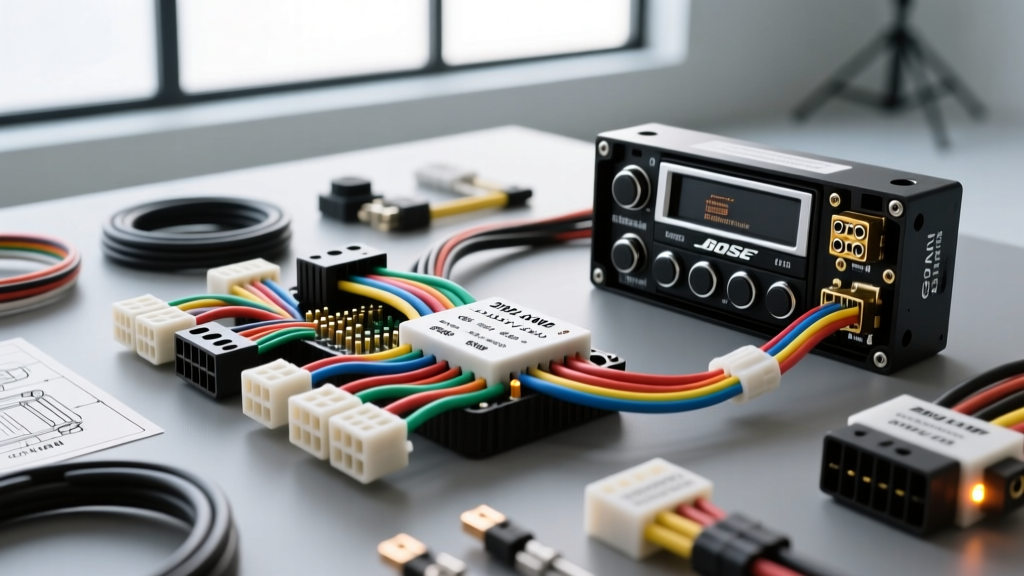
The GMT Lambda Platform Electrical Architecture
Upgrading the head unit in a 2012 GMC Acadia is not a simple plug-and-play affair. Built on General Motors' GMT Lambda platform, the 2012 Acadia relies heavily on the GMLAN (General Motors Local Area Network) single-wire CAN bus system to manage everything from the anti-theft deterrent system to the OnStar module and door chimes. When consulting a 2012 GMC Acadia radio wiring diagram, you are not just looking at power and speaker wires; you are interfacing with a multiplexed data network. According to SAE International's J2411 standard for single-wire CAN, improper termination or splicing into this data line can cause catastrophic network failures, resulting in a no-crank condition or severe parasitic battery drain.
Furthermore, if your Acadia is equipped with the premium Bose audio package, the factory head unit outputs low-level signals to a remote amplifier, and the vehicle utilizes Active Noise Cancellation (ANC) through the factory speaker array. This guide provides the exact pinouts, wire color codes, and modification steps required to successfully bypass the Bose amplifier, defeat the ANC system, and integrate an aftermarket double-DIN receiver without sacrificing critical vehicle telemetry.
2012 GMC Acadia Radio Wiring Diagram (16-Pin Harness)
The primary power, ground, and speaker outputs for the non-Bose (or Bose-bypassed) 2012 Acadia utilize the standard GM 16-pin connector. Below is the definitive pinout chart derived from Helm Incorporated GM Service Manuals. Always verify with a digital multimeter (DMM) before cutting or splicing, as previous owners or dealerships may have altered the harness.
| Pin | Function | Wire Color | AWG / Notes |
|---|---|---|---|
| A1 | Left Rear Speaker (+) | Brown | 18 AWG |
| A2 | Left Rear Speaker (-) | Yellow | 18 AWG |
| A3 | Right Rear Speaker (+) | Dark Blue | 18 AWG |
| A4 | Right Rear Speaker (-) | Light Blue | 18 AWG |
| A5 | Right Front Speaker (+) | Light Green | 18 AWG |
| A6 | Right Front Speaker (-) | Dark Green | 18 AWG |
| A7 | Left Front Speaker (+) | Tan | 18 AWG |
| A8 | Left Front Speaker (-) | Gray | 18 AWG |
| B1 | 12V Constant Battery | Yellow / Orange | 16 AWG (Min 10A) |
| B2 | 12V Switched Ignition | Brown | 18 AWG |
| B3 | Chassis Ground | Black / White | 16 AWG |
| B4 | Illumination | Gray | 20 AWG |
| B5 | Amp Turn-On / Power Ant | Pink / Blue | 18 AWG |
| B6 | Dash Dimmer Signal | Brown / White | 20 AWG |
| B7 | Vehicle Speed Sensor (VSS) | Dark Green / White | 20 AWG |
| B8 | GMLAN Data Bus | Light Green / Purple | 22 AWG (Shielded) |
The Bose Amplifier Bypass Project
If your 2012 Acadia features the Bose badge on the dash, the factory head unit sends line-level audio signals to the Bose amplifier, typically located behind the rear passenger-side quarter panel trim or under the front center console depending on the exact build month. An aftermarket head unit's high-level speaker outputs will overdrive and distort the factory Bose amp. To achieve high-fidelity audio, you must bypass the factory amp and run new speaker wires directly from your aftermarket receiver or a new aftermarket amplifier to the door speakers.
Step 1: Accessing and Disconnecting the Bose Amp
- Remove the rear passenger-side scuff plate and pull back the cargo area trim panel to expose the Bose amplifier bracket.
- Disconnect the negative terminal on the vehicle's 12V battery to prevent shorting the GMLAN bus while working on the audio harness.
- Unplug the three main harness connectors from the Bose amp. You will no longer use the factory speaker wiring that runs from the dash to this amplifier.
Step 2: Defeating Active Noise Cancellation (ANC)
The 2012 Acadia's Bose system includes an ANC module that uses microphones in the headliner to generate inverse sound waves through the factory speakers to cancel road noise. If you bypass the Bose amp but leave the ANC module active, the aftermarket system will attempt to play the ANC inverse frequencies, resulting in a loud, continuous low-frequency hum or howling feedback loop. Locate the ANC microphones (usually housed in the front and rear overhead consoles) and disconnect them, or utilize a dedicated ANC defeat harness to safely terminate the module's data loop.
Step 3: Running New 14 AWG Speaker Wire
Because the factory Bose wiring is incompatible with standard aftermarket high-level outputs, you must pull new wire. Use high-quality 14 AWG Oxygen-Free Copper (OFC) speaker wire. Route the wire from the dash, down the A-pillars (tucking it behind the weatherstripping), and through the factory rubber door boots. Use a flexible steel fish tape and apply a silicone-based wire pulling lubricant to navigate the tight GM door hinges. Solder all connections at the speaker terminals and seal them with adhesive-lined marine heat shrink to prevent corrosion from window condensation.
GMLAN Integration & Retaining Factory Features
You cannot simply wire the B1 (Constant), B2 (Ignition), and B3 (Ground) pins and expect the vehicle to function normally. In the 2012 Acadia, the Body Control Module (BCM) uses the GMLAN data bus (Pin B8) to send a digital 'wake' and 'sleep' command to the radio. Furthermore, critical safety alerts, OnStar audio, and the anti-theft Passlock system are routed through the factory radio's internal chime generator.
To retain these features, you must install a data integration interface such as the PAC Audio RP5-GM11 or the Axxess GMOS-LAN-04. These modules intercept the GMLAN signals, translate the digital door chime and OnStar audio into analog RCA or high-level signals, and generate the 12V accessory turn-on signal required by your aftermarket head unit. Splicing into the GMLAN wire requires a T-tap or a careful solder joint; do not strip the wire entirely, as altering the resistance of the single-wire CAN bus can corrupt network packets.
Troubleshooting Parasitic Battery Drain
A common failure mode in Lambda platform upgrades is a parasitic battery drain caused by the aftermarket radio failing to enter 'sleep' mode when the vehicle is locked. If your Acadia battery dies overnight after a stereo install, follow this diagnostic tree:
- Symptom: Battery voltage drops below 11.5V after 4 hours of sleep.
- Cause 1: The aftermarket radio's red accessory wire is wired directly to the yellow constant 12V wire instead of the interface module's switched output.
- Fix 1: Verify with a DMM that the red wire loses 12V exactly 10 minutes after the vehicle is locked and the BCM goes to sleep.
- Cause 2: The GMLAN interface module is not receiving the CAN-bus sleep signal due to a bad ground on the interface harness.
- Fix 2: Ensure the interface module's black ground wire is secured to a bare, unpainted metal chassis point using a ring terminal and a self-tapping sheet metal screw, torqued to 25 in-lbs. Do not rely on factory bolt grounds that may be painted or powder-coated.
- Cause 3: An aftermarket USB port or backup camera trigger wire is back-feeding 12V into the radio's accessory circuit.
- Fix 3: Isolate the camera trigger wire using a 12V SPDT relay so the camera only draws power from the reverse light circuit, completely isolating it from the radio's wake logic.
By strictly adhering to this 2012 GMC Acadia radio wiring diagram and respecting the GMLAN network architecture, you can achieve a modern, high-powered audio upgrade while maintaining the integrity of the vehicle's factory electronics and safety systems.