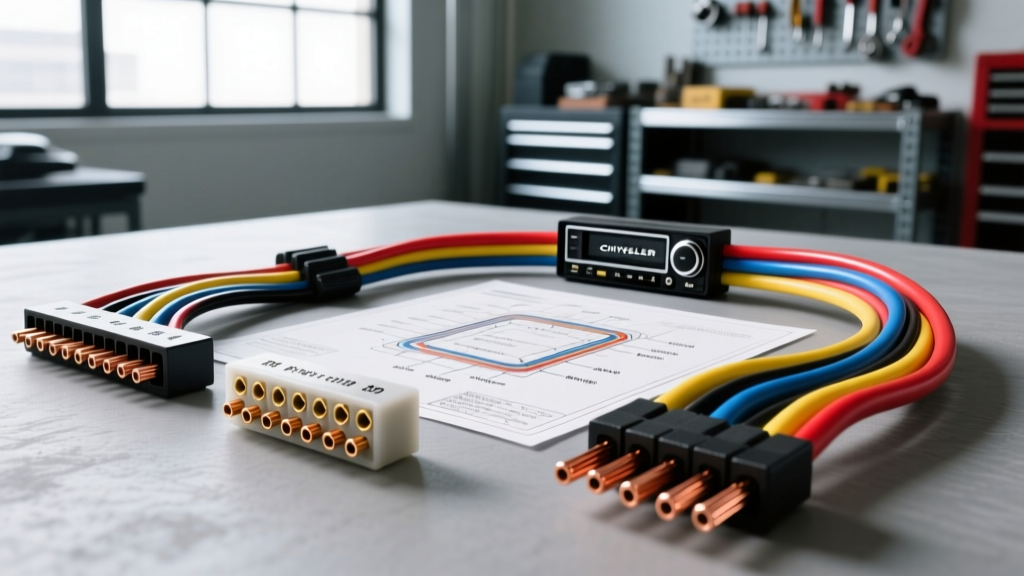
Introduction to Chrysler (FCA/Stellantis) Audio Wiring
Upgrading the stereo in a Dodge, Jeep, or Chrysler vehicle offers a massive leap in sound quality, but the factory wiring can be intimidating for first-time installers. Unlike older vehicles with simple analog 12V triggers and direct speaker outputs, modern Chrysler vehicles rely heavily on the Totally Integrated Power Module (TIPM) and CAN bus data networks. Finding a reliable, color code free Chrysler radio wiring diagram is the first step toward a successful installation, but understanding what those colors actually mean is where the real challenge lies.
This beginner-friendly guide breaks down the fundamental wiring architecture of Chrysler's most common 22-pin radio connectors. We will cover power distribution, speaker wire color coding, and the critical data lines that dictate whether your new head unit will turn on and produce sound.
Understanding the Standard Chrysler 22-Pin Connector
From the mid-2000s through the late 2010s, Chrysler utilized a standardized 22-pin connector (often split into two physical housings or combined into one large grey/black plug) for their base and mid-level audio systems. According to the ModifiedLife Chrysler Radio Wiring Database, this connector handles constant power, switched power, ground, illumination, and standard speaker outputs for non-amplified setups.
Chrysler 22-Pin Power and Ground Pinout
| Pin | Function | Standard Wire Color | AWG |
|---|---|---|---|
| 1 | Fused B+ (IOD - Ignition Off Draw) | Pink / Yellow Stripe | 18 AWG |
| 2 | Fused Ignition (Run/Start) | Red / White Stripe | 18 AWG |
| 3 | Chassis Ground | Black / Light Green Stripe | 18 AWG |
| 4 | Panel Illumination | Orange / Dark Blue Stripe | 22 AWG |
| 5 | Right Rear Speaker (+) | Dark Green / Orange Stripe | 18 AWG |
| 6 | Right Rear Speaker (-) | Dark Green / White Stripe | 18 AWG |
| 7 | Left Rear Speaker (+) | Dark Green / Light Green Stripe | 18 AWG |
| 8 | Left Rear Speaker (-) | Dark Green / Black Stripe | 18 AWG |
Note: Pinouts can vary slightly by model year and specific platform (e.g., WK2 Grand Cherokee vs. DS Ram 1500). Always verify with a multimeter before cutting factory wires.
Decoding the Colors: Beginner-Friendly Fundamentals
Chrysler's wire coloring system is highly logical once you understand their nomenclature. The base color usually indicates the circuit's origin or destination, while the tracer (stripe) indicates the specific pin or function.
1. The IOD Circuit (Pink/Yellow)
In Chrysler terminology, IOD stands for 'Ignition Off Draw'. This is your constant 12V memory wire, which keeps your radio presets and clock alive when the car is off. It is routed directly through the TIPM. If your aftermarket radio is losing its memory every time you turn off the truck, you have likely confused the IOD wire with the switched ignition wire.
2. Switched Ignition (Red/White)
This wire only receives 12V when the key is in the 'Run' or 'Accessory' position. Connecting your aftermarket head unit's red accessory wire to the Chrysler Red/White wire ensures the stereo turns on and off with the ignition.
3. Speaker Wire Tracers
Notice the pattern in the speaker wires: they almost all share a Dark Green base color. The tracer identifies the specific speaker location and polarity. For example, Dark Green with an Orange stripe is Right Rear Positive, while Dark Green with a White stripe is Right Rear Negative. Adhering to the SAE J1128 Standard for Low Tension Primary Cable, these 18 AWG wires are perfectly adequate for the 15-20 watt output of most aftermarket head units, but should be upgraded to 16 AWG if you are running high-power RCA preouts to an external amplifier.
Dealing with Chrysler's CAN Bus and Amplified Systems
The most common pitfall for beginners installing a stereo in a Dodge Charger, Jeep Wrangler, or Chrysler 300 is assuming the 22-pin connector contains everything needed for an amplified factory system. If your vehicle came with an Alpine, BeatsAudio, or Harman Kardon premium package, the standard analog speaker pins on the 22-pin connector will be dead.
Why You Need a CAN Bus Interface
Premium Chrysler systems use the CAN IHS (Interior High Speed) data bus to send turn-on signals, volume data, and digital audio to the factory amplifier. You cannot simply splice into these data wires to power an aftermarket radio. Doing so can corrupt the network and throw U-codes (like U0187 - Lost Communication with Radio). Instead, you must use a CAN bus interface module (such as those from PAC, Axxess, or iDatalink Maestro) which translates the digital CAN messages into a standard 12V remote turn-on signal and low-level RCA outputs. Resources like the Crutchfield Vehicle Fit Guide are invaluable for identifying exactly which interface module your specific VIN requires.
Step-by-Step: Using Your Free Diagram for Installation
Follow this structured approach to ensure a safe, reliable connection that respects the vehicle's sensitive TIPM electronics.
- Disconnect the Battery: Always disconnect the negative battery terminal and wait 10 minutes. Chrysler's airbag modules and TIPM are highly sensitive to voltage spikes caused by shorting live wires.
- Extract and Verify: Remove the factory radio. Using a digital multimeter (DMM), probe the Pink/Yellow wire for constant 12V, and the Red/White wire for switched 12V. Verify the Black/Light Green wire shows less than 0.5 ohms of resistance to a bare metal chassis ground.
- Prepare the Harness: Never cut the factory Chrysler harness. Purchase a vehicle-specific wiring harness adapter. This preserves the factory plugs and maintains the vehicle's resale value.
- Make the Connections: Match the colors from your color code free Chrysler radio wiring diagram to the adapter harness. Use adhesive-lined heat shrink butt connectors. Avoid twist-connectors and electrical tape, as the extreme temperature fluctuations inside a dashboard will cause tape to unravel and expose bare copper, leading to TIPM shorts.
- Secure the Wiring: Use Tesa tape (fleece automotive harness tape) to wrap the newly created harness. This prevents the wires from rattling against the metal HVAC housing behind the dash.
Troubleshooting Common Chrysler Stereo Issues
Symptom: Radio Turns On, But No Audio
Cause: If you are using a standard wiring harness on a vehicle with a premium amplified system, the factory amp is not receiving the CAN bus wake-up signal, and the analog speaker outputs are bypassed.
Fix: Install a CAN bus integration module to provide a 12V remote turn-on signal to the factory amplifier, or bypass the factory amp entirely and run new 16 AWG speaker wire directly from your aftermarket head unit to the door speakers.
Symptom: Battery Drain Overnight
Cause: The constant 12V (IOD) and switched 12V (Ignition) wires were swapped at the head unit or the harness adapter. The radio never 'goes to sleep' when the key is removed.
Fix: Re-verify the Pink/Yellow and Red/White wires with a multimeter. Ensure the head unit's yellow memory wire is connected to the Chrysler Pink/Yellow IOD circuit, and the red accessory wire is connected to the Red/White ignition circuit.
Symptom: Dash Illumination Flickers or Blows a Fuse
Cause: The Orange/Dark Blue illumination wire on Chrysler vehicles often carries a PWM (Pulse Width Modulation) dimming signal rather than a simple 12V on/off feed. Feeding this directly into some cheap aftermarket radios can cause feedback.
Fix: If your new head unit has a dedicated 'Dimmer' wire, connect it. If it only has a standard 'Illumination' trigger and causes flickering, isolate the Orange/Dark Blue wire and tap into the cigarette lighter's switched 12V circuit for a standard illumination trigger instead.