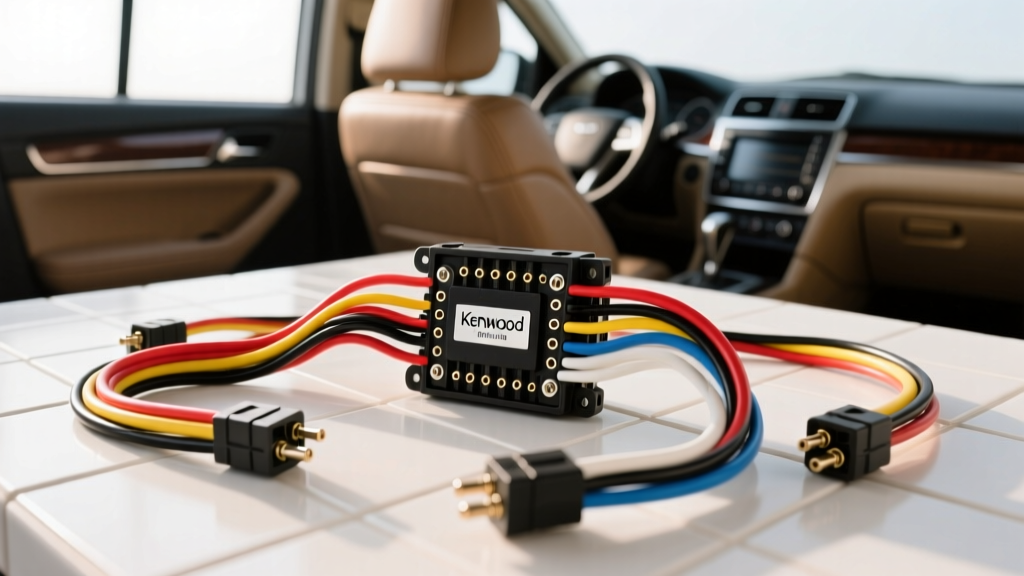
Understanding the Kenwood Stereo Wiring Diagram
Installing an aftermarket head unit requires more than just plugging in a few connectors; it demands a precise understanding of automotive electrical systems. Whether you are upgrading to a multimedia DMX series receiver or an audiophile-grade Excelon unit, mastering the Kenwood stereo wiring diagram is the foundation of a reliable, noise-free installation. Modern vehicles utilize complex multiplexed networks, including CAN-BUS and LIN-BUS architectures, which means a single miswired pin can trigger dashboard error codes or drain your battery. This practical how-to guide will walk you through the exact pinouts, wire gauge requirements, and integration techniques necessary for a professional-grade Kenwood head unit installation.
Essential Tools and Wire Gauge Specifications
Before cutting a single wire, ensure your workbench is equipped with the proper tools. Automotive environments subject wiring to extreme thermal cycling and high-frequency vibration. Relying on twist-and-tape methods or cheap crimp caps will inevitably lead to voltage drops and intermittent failures.
- Wire Strippers: Precision strippers calibrated for 16 to 22 AWG stranded copper.
- Soldering Station: A minimum 40W iron to ensure rapid heat transfer and proper wetting of the rosin-core solder.
- Adhesive-Lined Heat Shrink: Use 3:1 shrink ratio tubing with an internal thermoplastic adhesive layer to create a waterproof, vibration-proof seal.
- Digital Multimeter (DMM): Essential for verifying constant 12V, switched accessory power, and chassis ground continuity.
Regarding wire gauge, standard Kenwood head unit harnesses utilize 18 AWG for power, ground, and speaker outputs. However, if you are installing a high-current unit like the Kenwood Excelon XR-series with an upgraded internal Class-D amplifier, it is highly recommended to upgrade the main power (Yellow) and ground (Black) leads to 16 AWG to minimize voltage drop and prevent thermal throttling during high-volume playback.
Standard Kenwood 16-Pin Power and Speaker Pinout
While many modern Kenwood receivers use proprietary 22-pin or 24-pin connectors for advanced features like iDatalink Maestro and HDMI inputs, the core power and speaker outputs still map to the universal ISO 10487 Standard for Car Radios. Below is the definitive pinout table for the standard 16-pin block found on almost all Kenwood wiring diagrams.
| Pin | Wire Color | Function | Technical Notes |
|---|---|---|---|
| 1 | Purple | Rear Right Speaker (+) | 18 AWG. Do not ground to chassis. |
| 2 | Purple w/ Black Stripe | Rear Right Speaker (-) | Bridged internal amp configuration. |
| 3 | Gray | Front Right Speaker (+) | 18 AWG. Maintain phase polarity. |
| 4 | Gray w/ Black Stripe | Front Right Speaker (-) | Isolated from vehicle chassis. |
| 5 | Green | Rear Left Speaker (+) | 18 AWG. |
| 6 | Green w/ Black Stripe | Rear Left Speaker (-) | Isolated from vehicle chassis. |
| 7 | White | Front Left Speaker (+) | 18 AWG. |
| 8 | White w/ Black Stripe | Front Left Speaker (-) | Isolated from vehicle chassis. |
| 9 | Black | Chassis Ground | Must connect to bare metal, not factory harness return. |
| 10 | Yellow | Constant 12V (Battery) | Memory and standby power. Fused at 10A. |
| 11 | Red | Switched 12V (Accessory) | Turn-on signal from ignition switch. |
| 12 | Orange w/ White Stripe | Illumination / Dimmer | Triggers night-mode UI. Max 12V input. |
| 13 | Blue w/ White Stripe | Amp Turn-On (P.Cont) | Outputs +12V @ 300mA max for external amps. |
| 14 | Light Green | Parking Brake Interlock | Ground to enable video playback. Do NOT connect to 12V. |
| 15 | Brown | Mute / Tel Mute | Ground to mute audio. Leave insulated if unused. |
| 16 | N/A | Empty / Not Connected | Reserved for OEM applications. |
Step-by-Step Harness Adapter Integration
Step 1: Identify the ISO or Proprietary Connector
Locate the primary wiring block on the back of the Kenwood chassis. While the 16-pin block handles audio and basic power, newer models (like the DMX7020S or DNX997XR) feature a secondary 22-pin connector. This secondary connector houses the CAN-BUS data lines, reverse camera triggers, and steering wheel control (SWC) inputs. Always consult the specific Kenwood USA Technical Manuals for your exact model number before applying power to the secondary harness.
Step 2: Match, Solder, and Seal the Wires
When mating the Kenwood pigtail to your vehicle-specific T-harness or adapter:
- Strip the Wires: Remove exactly 1/4 inch of insulation from both the Kenwood 18 AWG wire and the adapter wire.
- Pre-Tin: Apply a small amount of rosin-core solder to the exposed copper of both wires to prevent fraying.
- Solder the Joint: Twist the pre-tinned wires together in a linear splice (not a pigtail twist) and apply heat until the solder flows smoothly into the copper strands.
- Seal: Slide the adhesive-lined heat shrink over the joint and apply heat evenly until the adhesive purges slightly from the ends.
Expert Note: Never ground the black wire to the factory radio harness ground wire. Factory grounds are often shared return paths that carry noise from fuel pumps and HVAC blower motors. Run the black wire to a clean, unpainted chassis bolt to eliminate ground-loop alternator whine, adhering to SAE J1113 Electromagnetic Compatibility guidelines for automotive audio.
Step 3: Steering Wheel Control (SWC) and CAN-BUS Routing
If your vehicle utilizes analog SWC, the Kenwood stereo wiring diagram will designate a 3.5mm female jack on the back of the chassis. This jack expects a resistance-based ladder network (typically 0 to 10,000 ohms) from an interface module like the Axxess ASWC-1 or PAC RP5-KW11. For digital CAN-BUS vehicles, you will connect the Maestro RR data cable to the proprietary 4-pin data port. Ensure the data cable is routed away from the main power wires to prevent inductive interference on the data bus.
Troubleshooting Common Kenwood Wiring Failures
Even with a perfect diagram, real-world installations present unique challenges. Use this diagnostic tree to resolve common issues:
- Symptom: Head unit loses memory (radio presets/clock) every time the car is turned off.
- Cause: The Yellow (Constant 12V) and Red (Switched 12V) wires are swapped, or the Yellow wire is connected to a fuse that drops power in the 'Off' position.
- Fix: Use a DMM to verify the Yellow wire has 12.6V with the key completely removed from the ignition.
- Symptom: Head unit powers on, but no audio is heard from the speakers.
- Cause: The vehicle has a factory amplified system (e.g., Bose, JBL, Harman Kardon) and the Blue/White (Amp Turn-On) wire was not connected to the adapter's trigger wire, leaving the factory amp in standby.
- Fix: Connect the Kenwood Blue/White wire to the 'Amp Turn-On' or 'Power Antenna' lead on the vehicle harness adapter.
- Symptom: Alternator whine (high-pitched squeal) that increases with engine RPM.
- Cause: Ground loop caused by using the factory harness ground wire, or RCA cables routed parallel to the 12V power wire.
- Fix: Re-terminate the Black ground wire to bare chassis metal. Ensure RCA interconnects are routed down the opposite side of the vehicle's center console from the main power wire.
- Symptom: Reverse camera does not trigger when the vehicle is shifted into reverse.
- Cause: The Purple/White stripe wire (Reverse Gear Input) is not receiving +12V from the vehicle's reverse light circuit, or the head unit settings have not been configured to 'Battery' instead of 'Ground' for the trigger type.
- Fix: Tap the Purple/White wire into the vehicle's reverse lamp positive wire using a Posi-Tap, and verify the camera trigger setting in the Kenwood hidden service menu.
Final Verification and Reassembly
Before pushing the Kenwood receiver into the DIN sleeve and securing it with the spring clips or ISO mounting brackets, perform a full bench test. Reconnect the vehicle battery, turn the ignition to the ACC position, and verify that all speaker channels produce clean audio. Test the SWC buttons, verify the dimmer circuit triggers when the headlights are activated, and ensure the unit powers down completely when the key is removed. By strictly following the Kenwood stereo wiring diagram and utilizing professional-grade termination methods, you ensure a reliable, high-fidelity audio system that will withstand the rigors of the automotive environment for years to come.