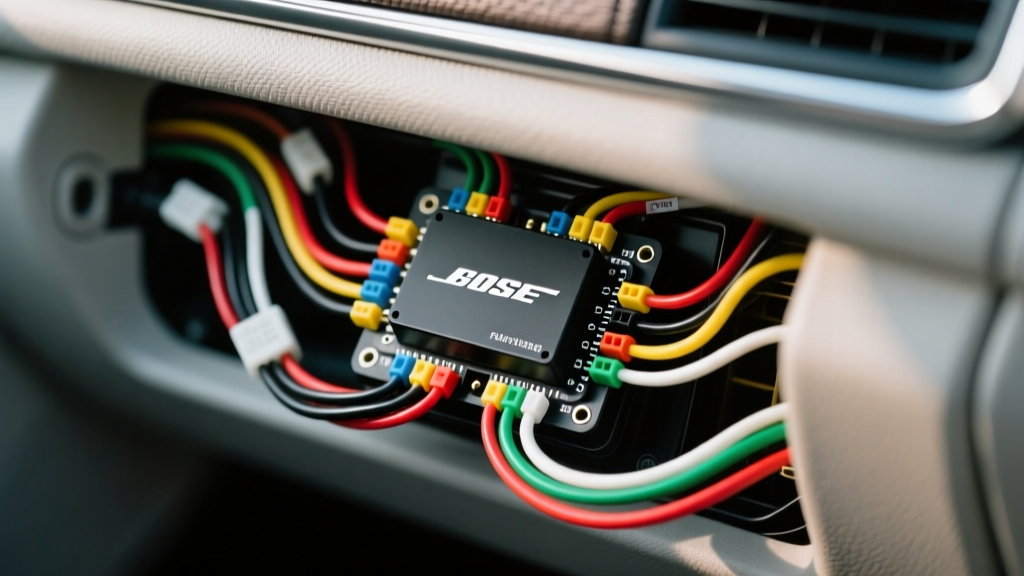
Understanding the GM Bose Audio System Architecture
Upgrading the factory stereo in a General Motors vehicle equipped with the Bose Premium Audio System (RPO Code UQA) requires a deep understanding of the factory wiring topology. Unlike standard base-model audio systems that route full-range, high-level speaker wires directly from the head unit to the doors, the GM Bose system relies on a centralized, multi-channel factory amplifier. To successfully integrate an aftermarket head unit or external amplifiers, consulting an accurate GM Bose amp wiring diagram is non-negotiable.
The GMT900 platform (2007-2013 Silverado, Sierra, Tahoe, Yukon, Suburban) is one of the most common applications for this system. In these vehicles, the factory Bose amplifier processes not only the audio signals but also critical vehicle chimes, TurnSignal click sounds, and OnStar routing. Bypassing or retaining this amplifier requires precise splicing into the 32-pin (X1) and 12-pin (X2) connectors, adhering to strict AWG and pinout specifications.
Essential Tools and Materials for Bose Bypass
- Wiring Interface Module: PAC Audio AOS-GM2X or Metra GROS-04 (Required for chime retention and OnStar integration).
- Wire Strippers and Crimpers: Calibrated for 18 AWG to 12 AWG stranded copper.
- Soldering Iron and Rosin-Core Solder: For permanent, vibration-resistant splices on the Class 2 data lines.
- Digital Multimeter (DMM): For verifying 12V constant, switched ignition, and Class 2 serial data pulses.
- Trim Removal Tools: Nylon pry tools to safely remove the IP (Instrument Panel) bezel and center console.
Step-by-Step GM Bose Amp Wiring Diagram Interpretation
Step 1: Locating and Accessing the Factory Bose Amplifier
In the GMT900 SUV platform (Tahoe and Yukon), the Bose amplifier is mounted beneath the center console, requiring the removal of the console lid, cup holders, and lower trim panels. In the Silverado and Sierra Crew Cab, the amplifier is typically located behind the passenger-side B-pillar or under the rear passenger seat. Disconnect the negative battery terminal using a 10mm socket before unseating any connectors to prevent shorting the GMLAN or Class 2 data buses.
Step 2: Identifying the X1 (32-Pin) and X2 (12-Pin) Connectors
The factory wiring harness terminates into the amplifier via two primary connectors. The X1 connector (32-pin, typically gray or black housing) carries the main power, ground, Class 2 serial data, and the front and rear speaker outputs. The X2 connector (12-pin) often handles auxiliary inputs, subwoofer signals, OnStar microphone routing, or secondary data lines depending on the exact model year and RPO code. When referencing your GM Bose amp wiring diagram, always verify the connector cavity numbers stamped into the plastic housing.
Step 3: Mapping the Class 2 Audio and Data Lines
The most critical wire in the GM Bose ecosystem is the Class 2 Serial Data wire (typically Yellow). This single wire carries Variable Pulse Width (VPW) signals conforming to the SAE J1850 standard. It dictates the volume of the door chimes, turn signal clicks, and OnStar voice prompts. If you cut or improperly ground this wire, the vehicle will lose all warning chimes, which is a severe safety and inspection hazard. Use a soldered pigtail to connect the Yellow Class 2 wire to your aftermarket interface module; avoid using T-taps on data lines as they can compromise signal integrity.
GM Bose Amplifier Pinout Reference Table (X1 - 32 Pin Connector)
The following table outlines the primary pinout for the 32-pin X1 connector found on 2007-2013 GMT900 Bose amplifiers. Always verify with a DMM, as mid-year production changes can alter wire colors.
| Pin | Function | Wire Color | AWG |
|---|---|---|---|
| 1 | Left Front Speaker (+) | Dark Green | 18 |
| 2 | Left Front Speaker (-) | Light Green/Black | 18 |
| 5 | Right Front Speaker (+) | Tan | 18 |
| 6 | Right Front Speaker (-) | Gray/Black | 18 |
| 13 | Battery Positive 12V+ | Orange | 12 |
| 14 | Chassis Ground | Black/White | 12 |
| 24 | Class 2 Serial Data | Yellow | 20 |
| 25 | Switched Ignition 12V+ | Brown/White | 16 |
| 31 | Left Rear Speaker (+) | Brown | 18 |
| 32 | Left Rear Speaker (-) | Dark Blue/White | 18 |
Bypassing the Factory Bose Amp: Wiring the Aftermarket Harness
Because the factory Bose head unit outputs low-level, equalized signals designed specifically for the impedance of the Bose speakers (typically 2-ohm voice coils), connecting a standard aftermarket head unit directly to the speaker wires will result in severe audio distortion and potential head unit clipping. Furthermore, the factory amp cannot be turned on via a standard 12V remote turn-on lead; it wakes up via the Class 2 data bus.
To bypass the amplifier and run new 14 AWG speaker wire directly from an aftermarket head unit to the doors, you must use a digital interface like the PAC Audio AOS-GM2X. This module intercepts the Class 2 data, generates a 12V remote turn-on signal for your aftermarket gear, and provides RCA pre-outs or summed high-level outputs while retaining the factory chimes.
- Prep the Interface: Connect the interface module's Orange wire to the factory 12V constant, Black to ground, and Yellow to the Class 2 data line.
- Generate Remote Turn-On: The interface will output a Blue/White 12V remote wire. Connect this to your aftermarket head unit's amplifier turn-on lead.
- Route New Speaker Wire: If bypassing the amp entirely, run 16 AWG or 14 AWG stranded copper speaker wire from the head unit, through the factory door jamb boots (using a fish tape and silicone lubricant), directly to the door speakers.
- Terminate and Test: Crimp all connections using heat-shrink butt connectors. Reconnect the battery and verify that the door chime sounds upon opening the driver's door before turning the key.
OnStar Microphone Retention and Impedance Matching
A frequently overlooked aspect of the GM Bose amp wiring diagram is the OnStar microphone routing. The factory overhead console microphone sends its signal to the X2 connector on the Bose amplifier, which then passes it to the radio or OnStar module. If you remove the factory amp without an OnStar retention harness, your emergency and hands-free calling features will fail. Ensure your chosen interface module explicitly supports OnStar mic pass-through.
Additionally, be mindful of speaker impedance. Factory Bose speakers are often 2-ohm. Most aftermarket head units are stable down to 4-ohms per channel. While wiring a single 2-ohm Bose speaker directly to an aftermarket head unit will usually work (though it will run the internal amp hotter), wiring multiple Bose speakers in parallel can drop the impedance below 1-ohm, triggering the head unit's protection mode and shutting down the audio. When in doubt, replace the factory 2-ohm speakers with standard 4-ohm aftermarket coaxial or component sets.
Troubleshooting Common GM Bose Wiring Issues
Symptom: No Door Chimes or Turn Signal Clicks
Cause: The Class 2 Serial Data wire (Yellow) is disconnected, grounded out, or the interface module is not properly terminating the VPW signal.
Fix: Check the solder joint on the Yellow wire. Ensure the interface module is receiving a solid 12V constant and ground. According to GM Upfitter guidelines, modifying the Class 2 bus requires maintaining the proper bus termination resistance; a faulty interface can pull the bus down, disabling chimes.
Symptom: Severe Alternator Whine in Audio System
Cause: Ground loop induced by sharing the factory Bose amplifier ground (Pin 14, Black/White) with high-draw aftermarket amplifiers, or poor chassis grounding.
Fix: Do not use the factory 12 AWG Black/White ground wire for aftermarket amplifiers. Run a dedicated 4 AWG or 8 AWG ground wire directly from your aftermarket amp to a bare, sanded metal point on the vehicle chassis within 18 inches of the amp. Use a multimeter to verify less than 0.05 ohms of resistance between the amp ground and the battery negative terminal.
Symptom: Only Front Speakers Play, No Rear Audio
Cause: The factory Bose system utilizes separate input channels from the head unit. If using a basic LOC that only taps the front channels, the rear channels will remain silent.
Fix: Ensure your interface module or LOC is tapping into both the front (Pins 1, 2, 5, 6) and rear (Pins 31, 32, etc.) speaker outputs at the amplifier harness, or verify that the aftermarket head unit's internal fader and zone settings are configured to output to all four channels.