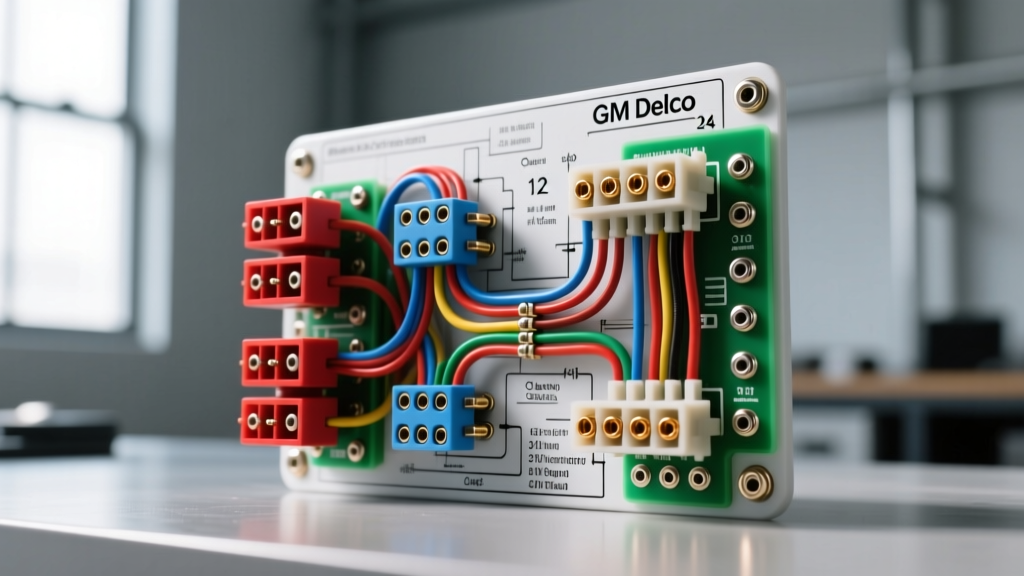
Introduction to Delco and Delphi Audio Architectures
When examining a Delco stereo wiring diagram, automotive technicians and audio installers are looking at the backbone of General Motors' in-cabin entertainment systems from the late 1980s through the mid-2010s. Originally engineered by Delco Electronics and later transitioned to Delphi Automotive, these head units and amplifiers rely on highly specific harness configurations, multiplexed data networks, and proprietary anti-theft protocols. Unlike standard DIN aftermarket radios that utilize a simple 12V switched ignition wire, modern Delco systems integrate deeply with the vehicle's Body Control Module (BCM) via serial data networks.
This technical specification reference breaks down the standard 12-pin power harness, the 8-pin speaker harness, and the complex 24-pin premium audio connectors. Understanding these pinouts, wire gauges, and data line requirements is critical for diagnosing parasitic draws, integrating aftermarket amplifiers, and retaining factory chimes and OnStar functionality.
Standard GM Delco 12-Pin Harness Specifications
The foundation of most non-amplified Delco head units (commonly found in GMT800 trucks, SUVs, and W-body sedans) is the 12-pin power and accessory connector. While early iterations relied on a hardwired 12V accessory feed, later models (2003+) transitioned to a Class 2 serial data "wake-up" signal, eliminating the traditional switched power wire.
| Pin | Wire Color | Function | AWG | Notes / Specifications |
|---|---|---|---|---|
| A | Orange | +12V Constant Battery | 18 | Fused at the BCM. Maintains memory and Theftlock security. |
| B | Yellow / Brown | +12V Switched / Ignition | 18 | Present on pre-2003 models. Post-2003 uses Class 2 Data wake-up. |
| C | Brown/White | Illumination | 20 | PWM dimming signal from the BCM. Do not connect to 12V constant. |
| D | Black/White | Chassis Ground | 16 | Must be secured to bare metal. High resistance causes audio clipping. |
| E | Light Blue | Dimmer Switch Input | 22 | Variable voltage (0V-12V) for dashboard backlighting sync. |
| F | Pink | Remote Amp Turn-On | 18 | +12V output to trigger factory or aftermarket amplifiers. |
| G | Light Green | Class 2 Serial Data | 22 | SAE J1850 VPW. 10.4 kbps. Carries ignition status and chimes. |
GM Speaker Wire Color Codes and Impedance
Delco standardized speaker wire routing across millions of vehicles. The standard 8-pin speaker harness utilizes distinct GM color codes. Standard Delco speakers operate at 4 ohms, whereas premium Bose-equipped vehicles utilize 2-ohm speakers driven by an external amplifier. Connecting a 2-ohm Bose speaker directly to an aftermarket head unit's internal amplifier will cause thermal shutdown or permanent damage to the head unit's output ICs.
| Channel | Positive (+) Wire | Negative (-) Wire | Standard Impedance |
|---|---|---|---|
| Left Front | Tan | Gray | 4 Ohms |
| Right Front | Light Green | Dark Green | 4 Ohms |
| Left Rear | Brown | Yellow | 4 Ohms |
| Right Rear | Dark Blue | Light Blue | 4 Ohms |
Class 2 Serial Data and GMLAN Integration
The most complex aspect of any modern Delco stereo wiring diagram is the integration of the serial data network. General Motors utilized the Class 2 Data Line (and later High-Speed/Low-Speed GMLAN) to multiplex vehicle commands. According to the SAE J1850 Standard, this network operates using Variable Pulse Width (VPW) modulation at 10.4 kbps.
When the ignition key is turned, the BCM does not send a physical 12V signal to the radio. Instead, it broadcasts a "Wake Up" hex message over the Class 2 data line (Pin G). If you are installing an aftermarket head unit, simply splicing into the orange constant 12V wire will result in a radio that never turns on, or worse, causes a parasitic battery drain because it never receives the "Sleep" command from the BCM. Installers must use a data bus interface module (such as the PAC RP5-GM11 or Axxess GMOS-04) to translate the Class 2 digital packets into a physical 12V accessory wire and retain Retained Accessory Power (RAP).
Premium Audio: 24-Pin Harness and Bose Amplification
Vehicles equipped with the factory Bose premium audio system, Active Noise Cancellation (ANC), or OnStar utilize a secondary 24-pin connector. This harness handles low-level differential audio signals, steering wheel control (SWC) resistance ladders, and microphone inputs.
- Audio Signal Type: Unlike standard high-level speaker outputs (2V-8V), the Delco Bose head unit outputs low-level differential signals (approx. 500mV-2V). These are sent to the factory Bose amplifier, typically located under the center console or in the rear cargo area.
- OnStar Integration: OnStar audio is routed through the factory amplifier via dedicated low-level pins on the 24-pin harness. Bypassing the factory amp without a specialized line output converter (LOC) or data interface will permanently disable OnStar audio feedback and turn-by-turn navigation chimes.
- Steering Wheel Controls (SWC): Pins on the 24-pin harness connect to a resistor ladder network in the steering wheel clock spring. Pressing a button changes the resistance value, which the head unit reads via an analog-to-digital converter. Aftermarket interfaces like the Axxess ASWC-1 decode these resistance drops to map to standard IR or digital volume commands.
Diagnostic Troubleshooting and Failure Modes
Working with Delco systems requires an understanding of their proprietary failure modes. Below is a diagnostic decision tree for common electrical faults found in GM/Delco audio systems.
Symptom: Radio Displays "LOC" or "LOCKED"
- Cause: Delco Theftlock II anti-theft protocol activated. The radio's internal EEPROM has lost sync with the vehicle's VIN stored in the BCM, often due to a dead battery or module swap.
- Fix: The radio must be unlocked via the OBDII port using a GM-compatible bidirectional scan tool (e.g., GM MDI or high-end Autel/SnapOn tablet) to force a VIN relearn. Manual button-press codes only apply to pre-2001 models.
Symptom: Radio Powers On, But No Audio Output
- Cause: Class 2 data line missing or corrupted. The factory amplifier is not receiving the digital "Amp Enable" command from the head unit, leaving the amp in standby mode.
- Fix: Verify continuity on the Light Green Class 2 data wire between the head unit and the BCM. Check for water intrusion in the kick-panel wiring boots, a common failure point on GMT800 trucks that severs the data line. Reference AA1Car Serial Data Diagnostics for oscilloscope VPW waveform testing.
Symptom: Alternator Whine in Audio System
- Cause: Ground loop induced by improper grounding of an aftermarket amplifier or line output converter tied into the Delco harness. The Delco chassis ground (Pin D) is often shared with the BCM; injecting high-current amplifier ground returns here will backfeed noise into the audio signal.
- Fix: Run a dedicated 8 AWG or 4 AWG ground wire directly from the aftermarket amplifier to a clean, unpainted chassis point. Never ground high-draw audio equipment to the factory Delco 16 AWG ground wire.
Authoritative References
For further schematic validation and connector cavity identifiers, technicians should consult the following resources:
- SAE International: SAE J1850 Class B Data Communication Network Interface - The definitive standard for GM's Class 2 VPW serial data architecture.
- The 12 Volt: The 12 Volt Wiring Database - Comprehensive, community-verified pinout diagrams for specific GM/Delco model years and Metra/Axxess interface part numbers.
- Helm Incorporated / GM Service Manuals: Official GM wiring schematics and connector end-view diagrams required for tracing harness routing through the vehicle's main body harness.