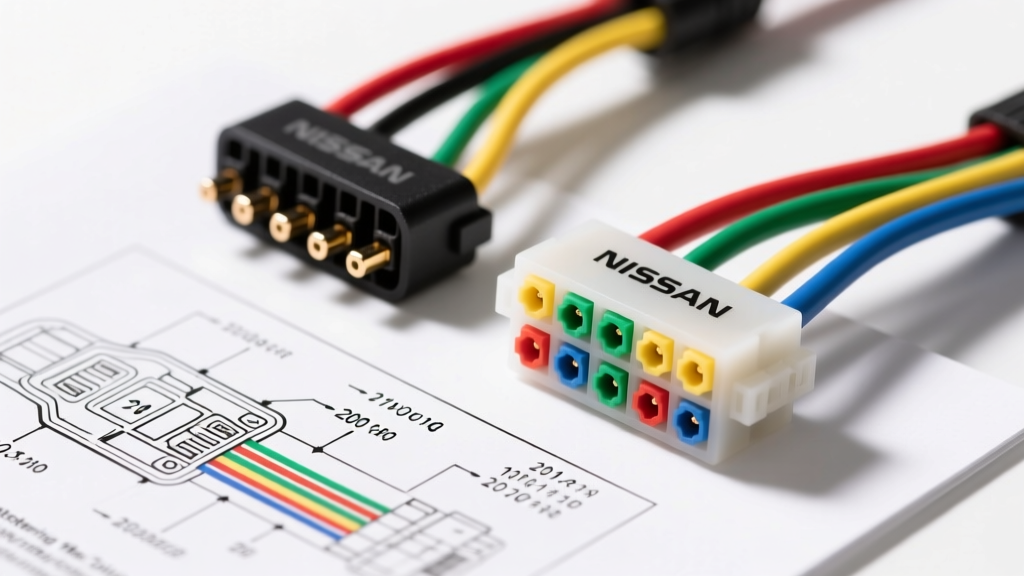
Introduction to Nissan Factory Radio Harnesses
Upgrading the head unit in a Nissan vehicle—whether it is a classic 240SX, an early 2000s Altima, or a modern Frontier—requires a precise understanding of the factory electrical architecture. Unlike some manufacturers that use proprietary digital data buses for basic audio signals, Nissan has historically relied on robust, analog multi-pin connectors. However, interpreting the color code Nissan radio wiring diagram can be confusing due to variations between base models and Bose-premium audio packages.
This complete wiring diagram walkthrough provides professional-grade pinout tables, wire gauge specifications, and integration strategies for bypassing factory amplifiers and retaining steering wheel controls. By adhering to these standards, you ensure optimal signal-to-noise ratio (SNR) and prevent parasitic battery draws.
The Standard Nissan 14-Pin Connector Pinout
The most ubiquitous connector in the Nissan lineup for non-amplified, base-model audio systems is the 14-pin harness. This single plug carries power, ground, illumination, and four channels of speaker-level audio. Below is the definitive color code mapping based on industry-standard aftermarket adapters (such as the Metra 70-1002 equivalent).
| Pin | Wire Color | Function | AWG / Spec |
|---|---|---|---|
| 1 | Pink | Left Front Speaker (+) | 18 AWG |
| 2 | Pink/Black | Left Front Speaker (-) | 18 AWG |
| 3 | White | Right Front Speaker (+) | 18 AWG |
| 4 | White/Black | Right Front Speaker (-) | 18 AWG |
| 5 | Green | Left Rear Speaker (+) | 18 AWG |
| 6 | Green/Black | Left Rear Speaker (-) | 18 AWG |
| 7 | Purple | Right Rear Speaker (+) | 18 AWG |
| 8 | Purple/Black | Right Rear Speaker (-) | 18 AWG |
| 9 | Black | Chassis Ground | 16 AWG |
| 10 | Red/Black | Illumination (Dimmer) | 20 AWG |
| 11 | Blue/White | Accessory (Switched 12V+) | 16 AWG |
| 12 | Gray | Power Antenna / Amp Turn-On | 18 AWG |
| 13 | Yellow | Constant 12V+ (Memory) | 16 AWG |
| 14 | Orange/White | Steering Wheel Control (SWC) | 20 AWG |
Upgrading to the 20-Pin Bose Amplified System
If your Nissan is equipped with the factory Bose audio package, the standard 14-pin diagram will not suffice. Bose systems utilize a 20-pin connector at the head unit, accompanied by a separate 4-pin power plug for the factory amplifier (usually located under the passenger seat or in the rear quarter panel). The head unit outputs low-level (pre-out) signals rather than high-level speaker signals.
When using the color code Nissan radio wiring diagram for a 20-pin Bose system, you must decide whether to retain the factory amplifier or bypass it. Bypassing requires running new 16 AWG speaker wires from the aftermarket head unit directly to the door pods, as the factory Bose speaker wire gauge (often 20-22 AWG) is insufficient for high-current aftermarket head units.
Wire Gauge Specifications and Crimping Standards
According to SAE J1128 standards for low-tension automotive cables, wire insulation and copper stranding must withstand under-dash temperature fluctuations and vibration. When extending or modifying the Nissan factory harness:
- Power and Ground (12V/Constant): Upgrade to 12 AWG or 14 AWG GXL (Cross-linked polyethylene) wire if you are installing a head unit with a built-in 4x50W RMS amplifier. The factory 16 AWG wire can suffer from voltage drop exceeding 0.5V over long runs, leading to clipping.
- Speaker Wires: Use 16 AWG OFC (Oxygen-Free Copper) wire. Avoid CCA (Copper-Clad Aluminum) as it is prone to galvanic corrosion when crimped to Nissan's tinned copper factory wires.
- Connections: Never use 'T-taps' or 'scotch locks'. These pierce the wire insulation, inviting moisture and copper oxidation. Use Posi-Twist connectors, heat-shrink butt splices with marine-grade adhesive lining, or solder-and-shrink methods.
Step-by-Step Aftermarket Integration Walkthrough
Step 1: Bypassing the Factory Amplifier
- Disconnect the negative battery terminal using a 10mm socket. Wait 3 minutes for the SRS (airbag) module capacitors to discharge.
- Locate the Bose amplifier. Trace the 20-pin harness back to the factory amp location.
- Cut the low-level RCA-style signals at the amp and solder in your new 16 AWG speaker wires, routing them through the factory rubber door boots. Use a plastic trim removal tool and apply dielectric grease to the boot to prevent tearing.
Step 2: Steering Wheel Control (SWC) Retention
Nissan utilizes an Analog-to-Digital (A/D) ladder resistor network for steering wheel controls. Instead of multiple wires, a single wire (Pin 14, usually Orange/White or Green/Yellow) sends varying resistance values to the head unit. To retain these with an aftermarket radio, you will need an interface module (like the Axxess ASWC-1).
- Volume Up: ~0 Ohms (Direct short)
- Volume Down: ~1,000 Ohms (1kΩ)
- Seek Up: ~3,000 Ohms (3kΩ)
- Seek Down: ~5,100 Ohms (5.1kΩ)
- Mode/Source: ~8,200 Ohms (8.2kΩ)
Connect the SWC wire from the Nissan harness to the interface module's input, and ground the secondary SWC wire if present. For deeper integration principles, refer to the Haynes Automotive Electrical Basics Guide.
Troubleshooting Common Nissan Audio Electrical Faults
Even with a perfect color code Nissan radio wiring diagram, installation variables can introduce faults. Use this symptom-cause-fix matrix to diagnose issues.
| Symptom | Probable Cause | Expert Fix |
|---|---|---|
| Alternator Whine (Pitch changes with RPM) | Ground Loop: Head unit and external amps are grounded at different chassis potentials. | Scrape paint to bare metal at a single, centralized grounding point. Torque M5/M6 bolts to 3-4 Nm. Use a multimeter to check AC voltage between grounds; it should read < 0.05V AC. |
| Radio loses presets/clock every time the car is turned off | Swapped Constant 12V (Yellow) and Switched 12V (Blue/White). | Verify with a digital multimeter (DMM). The Constant wire must read 12.4V-12.6V with the key OUT of the ignition. Swap pins at the aftermarket harness adapter. |
| Speakers 'pop' loudly when turning off the ignition | Missing or delayed Amp Turn-On (Remote) signal sequencing. | Ensure the Gray/Power Antenna wire is connected to the aftermarket radio's 'Amp Turn-On' (Blue/White) wire, not the 'Power Antenna' (Solid Blue) wire, which drops voltage when the CD player is engaged. |
| Dimmer function causes radio screen to flicker | LED dashboard retrofit interfering with the Illumination (+) circuit. | Install a 1N4001 diode on the illumination wire to prevent back-feed voltage, or isolate the aftermarket radio's dimmer wire and set brightness via software. |
Final Verification and Testing
Before reassembling the dashboard trim, perform a full system sweep. Reconnect the negative battery terminal. Turn the ignition to the 'ACC' position and verify switched power. Turn on the parking lights to verify the illumination dimmer circuit. Finally, use a phase tester or a 9V battery to 'pop' each speaker, ensuring that all positive and negative terminals are aligned. Out-of-phase speakers will result in severe mid-bass cancellation, ruining the acoustic staging of your new setup.
For comprehensive vehicle-specific fitment data and adapter part numbers, always cross-reference your exact VIN or trim level with the Crutchfield Nissan Vehicle Fit Guide before purchasing harnesses.