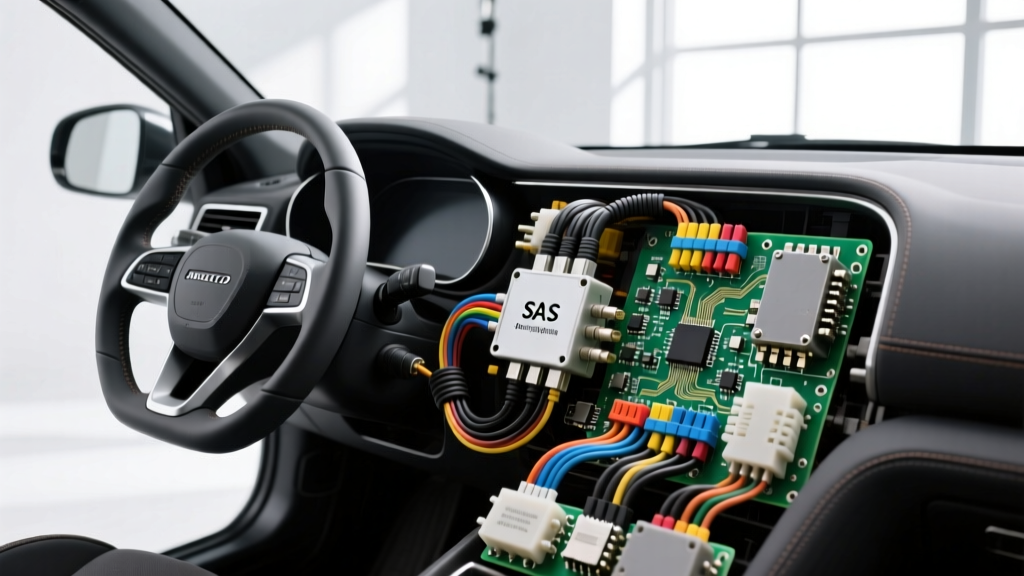
Understanding the SAS Auto Electric Architecture
The Steering Angle Sensor (SAS) is a critical node in modern vehicle electrical architecture, directly influencing Electronic Stability Control (ESC), Electric Power Steering (EPS), and Advanced Driver Assistance Systems (ADAS). When diagnosing a SAS auto electric fault, technicians are rarely dealing with a simple analog switch; instead, they are troubleshooting a complex microprocessor-driven module that communicates via high-speed CAN bus networks while simultaneously reading dual-redundant Hall-effect or magnetoresistive sensing elements.
Because the SAS is typically integrated into the steering column clock spring assembly, it is subjected to continuous rotational movement, thermal cycling, and steering column vibrations. This environment makes the electrical harness, connector terminals, and internal solder joints highly susceptible to specific failure modes. This step-by-step troubleshooting flow is designed to isolate whether a SAS fault stems from a network communication dropout, a power/ground deficiency, or an internal sensor plausibility error.
Symptom-Cause-Fix Decision Tree
Before unbolting the steering wheel or removing column shrouds, use this diagnostic decision tree to categorize the SAS auto electric fault based on your initial scan tool data and symptom presentation.
| Observed Symptom / DTC | Probable Electrical Cause | Targeted Diagnostic Fix |
|---|---|---|
| U0126 (Lost Comm with SAS) + ESC/ABS Warning Lamps | CAN bus physical layer failure, missing ignition power, or open ground circuit. | Perform DVOM voltage drop on power/ground; verify CAN-H/CAN-L termination resistance and waveform dominance. |
| C0710 (Steering Angle Sensor Circuit) + EPS Heavy Steering | 5V reference dropout from the ABS/ECM module or internal SAS Hall-effect failure. | Back-probe 5V reference pin; check for short-to-ground on the sensor return circuit. |
| Steering Angle reads 0° but wheel is turned; Calibration Fails | Mechanical clock spring misalignment, broken internal ribbon cable, or plausibility mismatch. | Verify analog signal sweep with oscilloscope; inspect clock spring ribbon for micro-fractures. |
Step 1: Visual and Physical Harness Inspection
The first step in any SAS auto electric diagnostic flow is a meticulous physical inspection of the steering column harness. The SAS connector is usually located just behind the steering wheel, integrated into the clock spring (Squib) assembly.
Connector and Terminal Fretting
Most modern OEMs utilize a TE Connectivity or Molex 8-pin to 12-pin sealed or unsealed connector for the SAS. Because the steering column can experience micro-movements and temperature extremes, terminal fretting corrosion is a leading cause of intermittent CAN bus dropouts.
- Action: Disconnect the battery negative terminal (wait 10 minutes for SRS capacitor discharge). Disconnect the SAS harness connector.
- Inspect: Look for green/white copper oxide buildup on the female terminals. Check if the terminal locking tangs are depressed, which allows the 22 AWG CAN wires to back out of the connector cavity during steering inputs.
- Repair: Do not use standard electrical tape. If terminals are fretted, use a Deutsch or TE-specific micro-crimper to replace the pigtails using 22 AWG (for CAN) or 18 AWG (for power) cross-linked polyethylene (XLPE) wire. Apply a minimal amount of Nyogel 760G dielectric grease to the terminal mating surfaces to prevent future oxidation without increasing contact resistance.
Step 2: Power, Ground, and 5V Reference Verification
If the scan tool cannot communicate with the SAS module, the microprocessor lacks the fundamental electrical requirements to boot. You must verify the power, ground, and reference voltages at the harness connector using a Digital Volt-Ohm Meter (DVOM). Never rely on a test light for this step, as the low current draw of a test light will not reveal high-resistance faults in 20 AWG sensor ground circuits.
Standard 8-Pin SAS Connector Pinout & Specifications
Below is a representative pinout for a generic Bosch-style 8-pin Steering Angle Sensor. Always cross-reference with OEM wiring diagrams, as pinouts vary by manufacturer.
| Pin | Function | Wire Color (Typical) | AWG | Expected Value (KOEO) |
|---|---|---|---|---|
| 1 | 12V Ignition Feed (Terminal 15) | Red / White | 18 AWG | Battery Voltage (within 0.2V of battery) |
| 2 | Chassis / Sensor Ground | Brown / Black | 18 AWG | < 0.1V Drop (under load) |
| 3 | 5V Reference A (Primary) | Yellow | 20 AWG | 4.8V - 5.1V |
| 4 | 5V Reference B (Redundant) | Yellow / Black | 20 AWG | 4.8V - 5.1V |
| 5 | CAN-High (Chassis/Body CAN) | Green / White | 22 AWG | 2.6V (Idle) / 3.5V (Dominant) |
| 6 | CAN-Low (Chassis/Body CAN) | Green / Yellow | 22 AWG | 2.4V (Idle) / 1.5V (Dominant) |
| 7 | Analog Signal 1 (Internal Diag) | Purple | 20 AWG | 0.5V - 4.5V Sweep |
| 8 | Analog Signal 2 (Internal Diag) | Purple / White | 20 AWG | 0.5V - 4.5V Sweep (Inverse) |
Voltage Drop Testing Procedure
- Set your DVOM to the millivolt (mV) DC scale.
- Place the red probe on the battery positive post and the black probe on Pin 1 (12V Feed) of the SAS harness connector (back-probed with the connector seated). Cranking the engine or turning on high electrical loads (headlights, blower motor) should yield a voltage drop of no more than 0.2V.
- Place the red probe on Pin 2 (Ground) and the black probe on the battery negative post. The voltage drop must be less than 0.1V. A reading of 0.3V or higher indicates a corroded chassis ground splice, which will cause the SAS internal logic board to reset intermittently, throwing U-codes.
Step 3: CAN Bus Physical Layer Oscilloscope Diagnostics
When power and ground are verified, but U0126 or U0428 (Invalid Data Received from SAS) persists, the fault lies within the CAN bus physical layer. A DVOM is insufficient for diagnosing high-speed CAN network faults because it only displays average voltage. You must use an automotive oscilloscope (e.g., PicoScope) to visualize the differential signaling.
Oscilloscope Setup and Waveform Analysis
Connect Channel A to Pin 5 (CAN-H) and Channel B to Pin 6 (CAN-L). Set your timebase to 2ms/div and voltage scale to 2V/div. Trigger on the falling edge of Channel A.
- Recessive State (Idle): Both CAN-H and CAN-L should rest at approximately 2.5V. If one line is pulled to 0V (short to ground) or 12V (short to power), the entire Body CAN network may crash, taking down the SAS, ABS module, and BCM simultaneously.
- Dominant State (Active): CAN-H must spike to ~3.5V while CAN-L simultaneously drops to ~1.5V. The differential voltage must be exactly 2.0V.
- Ring and Noise: If you observe high-frequency 'ringing' or jagged edges on the square waves, this indicates a broken shield wire, improper twisted-pair repair (untwisting the wires more than 1 inch during a splice), or a failing CAN transceiver inside the SAS module.
Termination Resistance Check
With the vehicle battery disconnected, set your DVOM to Ohms. Measure across Pin 5 and Pin 6 at the SAS connector. You should read exactly 60 Ohms (representing two 120-Ohm terminating resistors in parallel at opposite ends of the CAN bus). A reading of 120 Ohms means one terminating resistor (often inside the ABS module or BCM) is disconnected or open. A reading near 0 Ohms indicates a short between CAN-H and CAN-L.
Step 4: Signal Plausibility and Calibration Protocol
If the network communication is flawless, but the scan tool shows a 'Steering Angle Plausibility' fault (e.g., C0710 or C1511), the SAS is electrically alive but mechanically or logically confused. Modern SAS units use dual Hall-effect sensors that output redundant analog signals, which the internal microprocessor digitizes and broadcasts over CAN.
Verifying Analog Sweep
Back-probe Pins 7 and 8 (if equipped for analog output diagnostics) or monitor the live data PID for 'SAS Sensor 1' and 'SAS Sensor 2'. As you slowly turn the steering wheel lock-to-lock:
- Sensor 1 should sweep smoothly from 0.5V to 4.5V.
- Sensor 2 should sweep inversely or offset by a specific degree to allow the microprocessor to cross-check the data.
- Dropouts: If the voltage suddenly spikes to 5V or drops to 0V at a specific steering angle, the internal clock spring ribbon cable has a micro-fracture. The clock spring/SAS assembly must be replaced.
Post-Repair Calibration
Any time the SAS module is replaced, the battery is disconnected for an extended period, or a four-wheel alignment is performed, a Steering Angle Sensor Calibration must be executed via the OEM bidirectional scan tool. This process establishes the 'Zero Point' (straight-ahead) baseline. Failure to calibrate will result in the ESC system applying brake pressure to the wrong wheels during cornering, creating a severe safety hazard.
Common Repair Mistakes to Avoid
- Soldering CAN Bus Wires: Never solder CAN-H or CAN-L wires. Solder creates a rigid joint that will fracture under steering column vibration, and the acid flux can degrade the XLPE insulation. Always use OEM-approved micro-crimp terminals and heat-shrink seals.
- Untwisting the Pair: The CAN-H and CAN-L wires are a twisted pair to cancel electromagnetic interference (EMI). If you must splice a broken wire, untwist no more than 0.5 inches (12mm) to maintain the network's noise immunity.
- Ignoring SRS Precautions: The SAS shares the clock spring housing with the driver's airbag squib. Failing to disconnect the battery and wait the mandated 10-15 minutes can result in accidental airbag deployment or damage to the SRS diagnostic module due to voltage spikes.
Authoritative References
For deeper exploration of automotive network topologies and sensor architectures, consult the following industry standards and technical resources:
- SAE International - SAE J1939 CAN Bus Standards: The definitive guide to high-speed CAN physical layer requirements, termination resistance, and differential voltage specifications.
- Bosch Mobility Solutions - Steering Angle Sensor Architecture: OEM-level documentation on Hall-effect sensor redundancy, internal microprocessor logic, and ADAS integration.
- Pico Automotive - Oscilloscope Waveform Library: Real-world captures of SAS CAN bus waveforms, analog signal sweeps, and clock spring ribbon fault signatures.