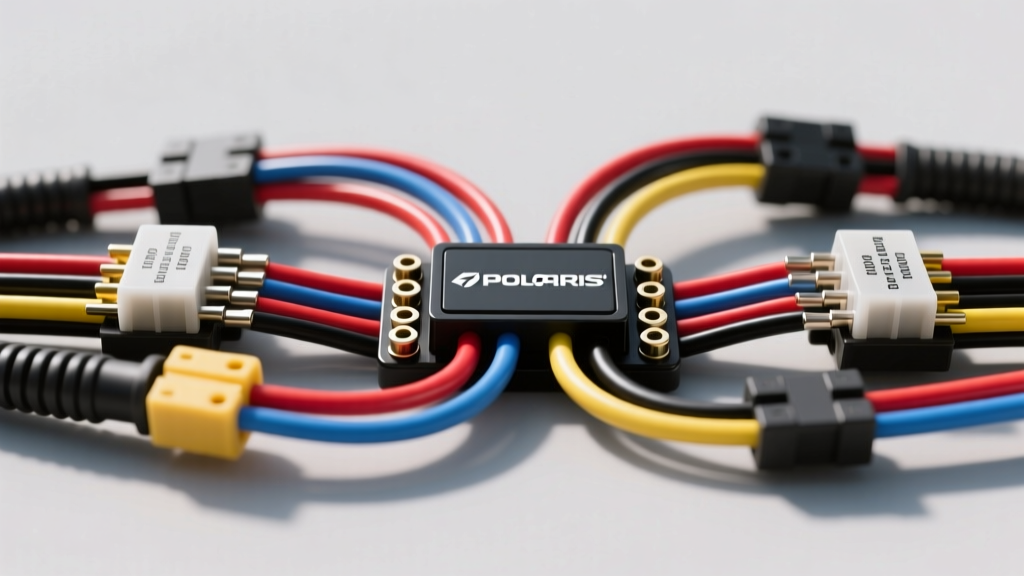
Introduction to UTV Electrical Fundamentals
Navigating the electrical system of a modern side-by-side can feel overwhelming for first-time DIYers. Whether you are installing a heavy-duty winch, upgrading to LED rock lights, or diagnosing a frustrating no-start condition, understanding your machine's electrical layout is critical. When searching for a reliable wiring schematic Polaris RZR 1000 wiring diagram, beginners often feel overwhelmed by the dense web of lines, nodes, and connector codes. However, by breaking down the fundamentals of UTV electrical architecture, you can confidently trace circuits, identify connector pinouts, and safely integrate aftermarket accessories without risking your factory ECU.
The Polaris RZR XP 1000 and Turbo variants utilize a sophisticated multiplexed electrical system managed by a Bosch or Continental Engine Control Unit (ECU). Unlike older, purely analog ATVs, the RZR 1000 relies on CAN-bus (Controller Area Network) communication for gauge clusters, fuel injection, and electronic power steering (EPS). This guide will demystify the schematic symbols, wire color standards, and physical harness routing so you can work on your machine with professional-level confidence.
Decoding Schematic Symbols and Wire Color Codes
Before you can trace a fault or tap into an accessory circuit, you must understand the visual language of the schematic. Factory service manuals follow standardized SAE J1128 and ISO wiring conventions, but Polaris implements specific color-coding for its off-road lineup.
Standard SAE Symbols vs. Polaris Specifics
In a Polaris schematic, a solid dot at the intersection of two lines indicates a physical soldered or crimped splice inside the harness. If lines cross without a dot, they are insulated from one another. Relays are depicted as rectangular boxes with internal coil and switch diagrams, while the ECU is represented by a large multi-pin grid. Ground points are universally marked with a standard earth symbol, often accompanied by a location code (e.g., G101 for the main chassis ground near the battery).
Polaris RZR 1000 Wire Color Reference Chart
Memorizing these baseline colors will save you hours of multimeter probing when working with the main chassis harness.
| Wire Color | Primary Function | Typical AWG Size | Common Circuit Application |
|---|---|---|---|
| Red | Constant 12V Battery Feed | 4 to 10 AWG | Main battery feed, starter solenoid, bus bar constant |
| Black | Chassis / Battery Ground | 4 to 14 AWG | ECU ground, headlight ground, accessory block |
| Yellow/Red | Keyed 12V (Ignition ON) | 14 to 18 AWG | Gauge cluster, EPS module, accessory bus bar |
| Orange | Lighting Circuit Feed | 14 to 16 AWG | Headlights, taillights, dash illumination |
| White | Sensor Signal Return | 18 to 20 AWG | TPS, MAP sensor, coolant temp return to ECU |
| Green/White | CAN-Bus High / Low | 20 AWG (Twisted Pair) | ECU to Digital Dash communication |
Main Harness Routing and ECU Connector Pinouts
The main chassis harness on the RZR 1000 routes from the front fascia, down the left-side frame rail, and into the engine bay where it mates with the engine sub-harness. The most critical connection point is the ECU connector. The ProStar 1000 engine typically uses a sealed Bosch ME 17.8.8 or equivalent Continental ECU featuring a 60-pin or 80-pin waterproof Metri-Pack 280 and 150 series interface.
Critical ECU Pins to Avoid
When tapping into the harness for aftermarket gauges or data loggers, beginners must avoid piercing CAN-bus lines or 5V reference wires. Piercing a 5V reference wire (usually Purple or Gray) with a T-tap can introduce resistance, causing the ECU to read incorrect throttle position sensor (TPS) data, leading to limp-mode or erratic idle.
- Pins 1 & 2: Main Relay Output (Switched 12V to ECU). Safe to monitor for ignition status.
- Pins 14 & 15: CAN-High and CAN-Low. Never tap or probe these with a standard test light; use a high-impedance digital multimeter or oscilloscope only.
- Pins 30-35: Injector Drivers (Low-side switching). Do not connect aftermarket accessories to these circuits.
Polaris RZR 1000 Accessory Bus Bar Fundamentals
One of the most beginner-friendly features of the RZR 1000 is the factory accessory terminal block (bus bar), usually located under the hood near the firewall or beneath the center dash console. This block eliminates the need to cut into the main harness for basic aftermarket additions like light bars, radios, or GPS units.
Terminal Block Specs and AWG Limits
The factory bus bar typically provides three or four rows of terminals:
- Constant 12V (Red): Direct from the battery via a main fuse. Ideal for winch solenoids or memory wires for radios.
- Keyed 12V (Yellow/Red): Activated only when the key is in the ON position. Perfect for LED light bars and auxiliary fuel pumps.
- Ground (Black): Tied directly to the main chassis ground stud.
Expert Warning: The factory bus bar circuits are typically protected by 10A or 15A fuses in the PDM (Power Distribution Module) or central fuse box. If you are installing a 30A LED light bar, do not wire it directly to the bus bar. Instead, use the bus bar's keyed 12V terminal to trigger a heavy-duty 30A automotive relay, and run the relay's high-current load wire directly to the battery using 10 AWG primary wire.
Beginner Troubleshooting: Using the Schematic to Find Faults
A wiring diagram is essentially a map. When a component fails, you use the map to find where the road is blocked. Let's look at a common issue on the RZR XP 1000: a dead passenger-side headlight.
Troubleshooting Decision Tree: Dead Headlight Circuit
- Step 1: Verify the Bulb and Socket. Remove the halogen or LED assembly. Check for melted plastic on the H13 connector (a common failure point due to high resistance and heat). If melted, replace the pigtail using a ceramic H13 connector and apply dielectric grease to the pins.
- Step 2: Check for Power. With the headlight switch ON, use a multimeter to check for 12V at the Orange wire (power) and the Black wire (ground) at the headlight pigtail. If you have 12V but the light doesn't turn on, the bulb is dead.
- Step 3: Trace the Ground. If there is no power, check the ground circuit. Follow the schematic to the ground splice block (often located behind the dash or near the steering column). Perform a voltage drop test across the ground wire. A reading above 0.1V indicates a corroded ground connection.
- Step 4: Inspect the Dash Switch. If power is missing at the switch output, consult the schematic to locate the headlight switch connector. Test for 12V entering the switch. If power enters but doesn't exit, the internal contacts of the dash rocker switch have failed and the switch assembly must be replaced.
Best Practices for Harness Repair and Modification
When the schematic dictates that you must repair a broken wire or add a new sensor, abandon the idea of electrical tape and twist-on connectors. The RZR 1000 operates in high-vibration, high-moisture environments. Always use adhesive-lined marine-grade heat shrink crimp connectors. For connecting to factory ECU pigtails, use the correct Metri-Pack terminal extraction tool to remove the pin from the plastic housing, solder your new 18 AWG wire to the terminal tail, and re-seat it until it clicks. This maintains the waterproof seal of the connector and prevents capillary action from wicking moisture back into the ECU.
By mastering these fundamentals and learning to read the factory documentation available via Polaris TechDocs, you transform from a frustrated parts-swapper into a capable UTV electrical technician. Respect the CAN-bus, protect your 5V references, and always verify your grounds.