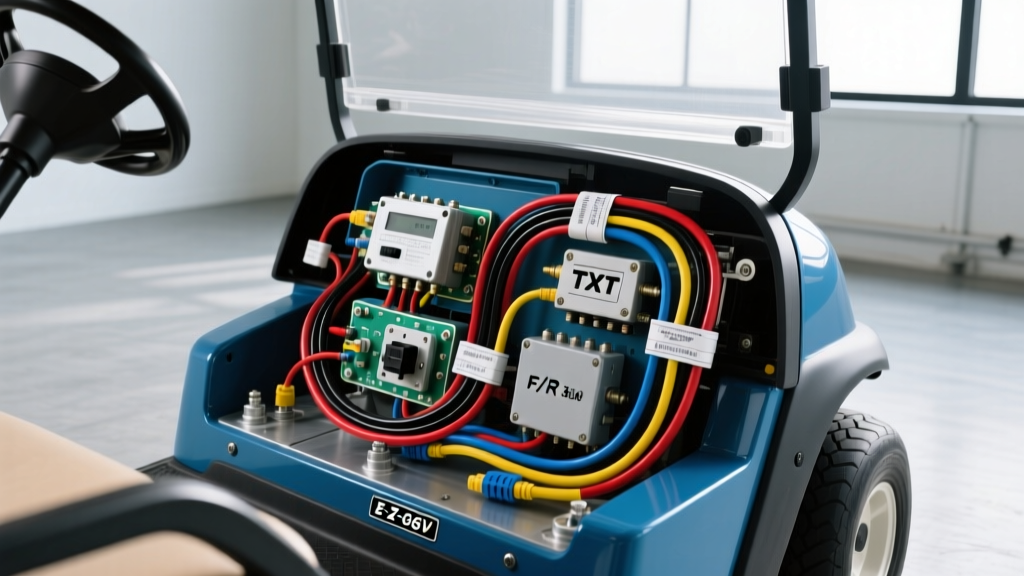
Mastering the E-Z-GO 36V Wiring Diagram: A Troubleshooting Flow
Diagnosing electrical faults in an E-Z-GO TXT 36V golf cart requires more than just a multimeter; it demands a systematic understanding of the high-current series circuit and the low-current control logic. Whether you are dealing with a classic Fleet model equipped with a Curtis 1204 or 1205 controller, or an older V-Glide system, referencing an accurate ezgo 36v wiring diagram is your first line of defense against catastrophic component failure. This guide provides a step-by-step troubleshooting flow, complete with AWG specifications, wire color codes, and torque values to help you isolate faults from the battery pack to the motor armature.
Phase 1: Preparation and Safety Protocols
Before tracing a single wire, you must verify the baseline health of the 36V battery pack. A 36V E-Z-GO utilizes six 6V deep-cycle lead-acid batteries (such as the Trojan T-105) wired in series.
- Main Cables: Must be 4/0 AWG welding cable, compliant with SAE J1128 standards for low-tension battery cables.
- Terminal Torque: 5/16-inch battery studs must be torqued to exactly 110 in-lbs (12.4 Nm). Under-torquing causes arcing and voltage drop; over-torquing strips the lead bushings.
- Pack Voltage: A fully charged 36V pack should read between 38.2V and 38.4V at rest. If resting voltage is below 37.0V, the controller's Low Voltage Protection (LVP) will inhibit the solenoid from engaging.
Phase 2: The Master Troubleshooting Decision Tree
Use this diagnostic flow to narrow down your electrical fault. Press the accelerator pedal to the floor with the key ON and the cart in Forward. Observe the primary symptom and follow the corresponding path.
Symptom A: No Solenoid "Click" (Control Circuit Fault)
If the heavy-duty 36V solenoid does not audibly engage, the controller is not receiving the necessary interlock signals. The control circuit operates on a daisy-chain logic.
- Test the Key Switch: Probe the input terminal (Black wire, 36V from Battery 1 Positive). Probe the output terminal (Black/White tracer wire). If you have 36V in but 0V out when turned ON, replace the key switch.
- Test the Micro-Switches: The Black/White wire routes from the key switch to the Forward/Reverse (F/R) micro-switches, then to the foot throttle micro-switch. Use a continuity tester to verify the foot throttle switch closes when the pedal is depressed. The switch should close at exactly 1/4-inch of pedal travel.
- Test the Solenoid Coil: Place your multimeter on the two small terminals of the solenoid. When the pedal is pressed, you should read full pack voltage (approx. 38V). If you have 38V at the small terminals but no click, the internal solenoid coil is open. Replace the solenoid.
Symptom B: Solenoid Clicks, But No Movement (High-Current Circuit Fault)
A clicking solenoid means the control logic is sound, but the high-amperage traction circuit is failing to deliver current to the motor.
- Voltage Drop Test (Solenoid): With the pedal pressed and the rear wheels elevated, measure the voltage drop across the two large solenoid terminals. A healthy solenoid will show a drop of less than 0.1V. A drop greater than 0.5V indicates pitted internal contacts. The pre-charge resistor (250-ohm, 2W) across the small terminals may also be burned open, preventing the main contacts from pulling in fully under load.
- Motor Bench Test: Bypass the controller. Jump a heavy-gauge wire from Battery 1 Positive directly to the motor's A1 terminal. Jump the S2 terminal to Battery 6 Negative. If the motor spins violently, the motor is healthy, and the fault lies in the controller or main cabling.
Phase 3: Controller Pinout and Directional Wiring
The heart of the E-Z-GO 36V TXT Fleet system is the series-wound motor speed controller, typically a Curtis 1204 or 1205. Miswiring the directional field coils will result in the cart running in reverse when shifted forward, or throwing the controller's HPD (High Pedal Disable) fault.
| Controller Pin | Function | Wire Color / Gauge | Diagnostic Note |
|---|---|---|---|
| B+ | Main Battery Positive | Red / 4 AWG | Must have full pack voltage at all times. |
| B- | Main Battery Negative | Black / 4 AWG | Connects to Battery 6 Negative. Do not confuse with M-. |
| M- | Motor Armature Negative | Blue / 4 AWG | Routes to motor A2 terminal. |
| A1 | Motor Armature Positive | Red / 4 AWG | Direct connection from Solenoid large terminal. |
| S1 | Series Field 1 | Yellow / 4 AWG | Swapping S1/S2 or F1/F2 reverses motor direction. |
| S2 | Series Field 2 | Green / 4 AWG | Must show continuity to S1 (approx. 0.2 ohms). |
| Interlock | Key / F/R Switch Input | Black/White / 14 AWG | Requires 36V to enable the controller logic board. |
| Throttle | ITS Signal Input | Pink / 18 AWG | Voltage should sweep from 0.8V to 3.2V. |
Decoding the F/R Switch Micro-Switches
Older 36V TXT models utilize a mechanical F/R box containing three micro-switches. The directional cam actuates these switches based on the lever position.
- Common Feed: The Black/White wire from the key switch provides 36V to the common terminal of the directional switches.
- Forward Actuation: The cam closes the Forward switch, sending 36V down the Yellow wire to the controller's directional input, configuring the internal MOSFETs to energize the S1/S2 field in the forward polarity.
- Reverse Actuation: The cam closes the Reverse switch, sending 36V down the Green wire. This tells the controller to reverse the field polarity.
- Neutral / Tow Mode: If the lever is in the middle, neither switch closes. The controller remains disabled, acting as a safety interlock.
Pro-Tip: The micro-switches are prone to moisture ingress and internal contact oxidation. If your cart only runs in one direction, use a piercing probe to test the Yellow and Green wires at the controller harness while an assistant shifts the F/R lever.
Phase 4: Inductive Throttle Sensor (ITS) Calibration
If the solenoid clicks and the F/R switch is verified, but the cart stutters or fails to reach full RPM, the Inductive Throttle Sensor (ITS) is likely out of calibration or suffering from a failing internal potentiometer. The ITS uses a non-contact magnetic hall-effect design, requiring three wires:
- 5V Reference (Red/White): Supplied by the controller. Must read exactly 5.0V to 5.2V.
- Ground (Black): Logic ground. Do not confuse this with the high-current B- ground.
- Signal Return (Pink): The variable voltage sent back to the controller.
Calibration Procedure: Connect a multimeter to the Pink signal wire. With the pedal at rest, the voltage should read between 0.8V and 1.0V. Slowly depress the pedal. The voltage should rise linearly, peaking at 3.2V to 3.4V at full throttle. If the voltage jumps erratically or drops out at 2.5V, the ITS magnet is slipping on the throttle shaft, or the sensor housing is cracked. Loosen the 10mm mounting nut, rotate the ITS body until the resting voltage hits 0.9V, and retighten.
Final Verification and Load Testing
Once the fault is isolated and repaired using this ezgo 36v wiring diagram flow, perform a dynamic load test. Connect a digital multimeter to the main B+ and B- terminals of the controller. Drive the cart up an incline or chock the rear wheels and apply the brakes slightly while giving it full throttle. The voltage should not drop below 32.0V under heavy load. A drop below 30V indicates severe internal battery sulfation or high resistance in the 4/0 AWG battery interconnect cables. Regular maintenance of your terminal connections and strict adherence to the controller's pinout specifications will ensure years of reliable, high-torque operation from your E-Z-GO TXT.