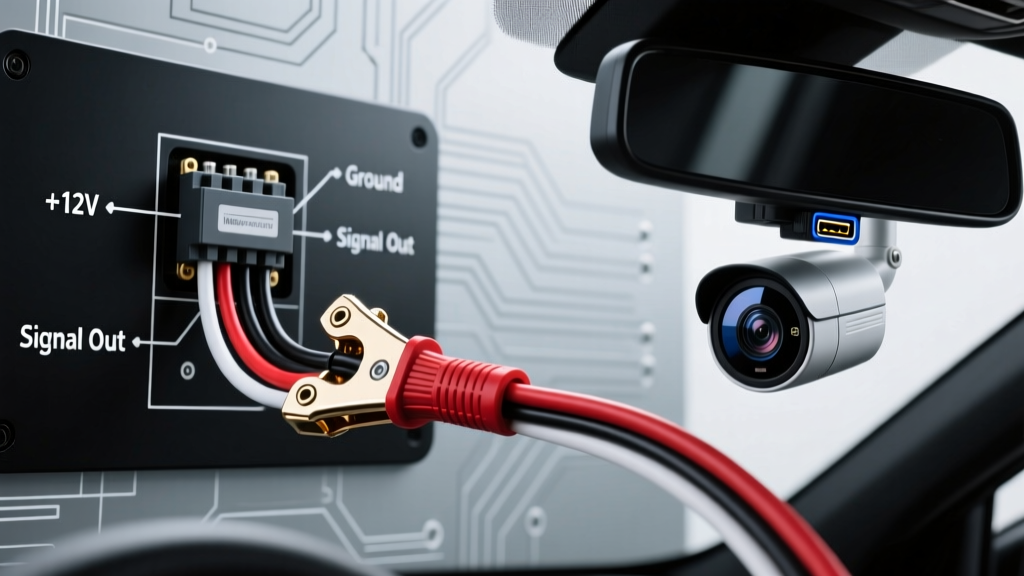
Vehicle Surveillance Topologies: Selecting the Right Smart Security Camera Installation Method
When integrating advanced parking surveillance and impact-detection systems into modern vehicles, selecting the correct power delivery topology is critical. A true smart security camera installation requires continuous 12V power to maintain cloud connectivity, radar-triggered recording, and time-lapse sentry modes. Unlike standard dash cams that power down with the ignition, smart security systems draw between 250mA and 400mA continuously. Over a 48-hour parking period, this parasitic draw can deplete a standard 60Ah automotive battery if not managed via precise voltage-cutoff circuitry or isolated power sources.
This guide compares the three primary smart security camera installation methodologies: Add-A-Circuit (Fuse Tap) Hardwiring, OBD-II Direct Power, and Auxiliary Deep-Cycle Isolation. We will evaluate each based on wire gauge requirements, connector integrity, and SAE compliance.
Comparative Matrix: Smart Security Power Delivery Systems
| Installation Method | Wire Gauge (AWG) | Max Continuous Draw | Voltage Cutoff Dependency | Best Application |
|---|---|---|---|---|
| Add-A-Circuit (Fuse Tap) | 18 AWG (Stranded) | 5 Amps | Hardwire Kit Internal Relay | Daily commuters, standard sedans/SUVs |
| OBD-II Port Integration | 20-22 AWG (Cable) | 3 Amps | OEM Body Control Module (BCM) | Leased vehicles, non-invasive fleet |
| Auxiliary AGM/LiFePO4 Battery | 12 AWG to 10 AWG | 20+ Amps | Voltage Sensitive Relay (VSR) | Overland RVs, heavy-duty fleets, off-grid |
Method 1: Add-A-Circuit (Fuse Tap) Hardwiring
The industry standard for a permanent smart security camera installation utilizes an Add-A-Circuit fuse tap. This method intercepts power directly from the vehicle's interior fuse panel, utilizing the hardwire kit's built-in low-voltage protection relay.
Wire Color Codes and Pin Assignments
Aftermarket smart camera hardwire kits (such as those from BlackVue, Thinkware, and Vantrue) typically utilize a standardized 3-wire 18 AWG harness. Misinterpreting these color codes is the leading cause of sentry-mode failure.
- Yellow Wire (Constant 12V+): Connects to a circuit that is always live (e.g., interior lighting, hazard switch, or OBD backup fuse). This powers the camera's internal RTC (Real-Time Clock), GPS module, and cloud cellular modem.
- Red Wire (Switched/ACC 12V+): Connects to an ignition-switched circuit (e.g., wipers, 12V accessory socket, or radio). This signals the camera to enter 'Driving Mode'. When the Red wire loses voltage, the camera triggers 'Parking Surveillance Mode'.
- Black Wire (Ground): Must be terminated with a ring terminal to an unpainted, bare metal chassis bolt. Do not ground to painted panels or plastic trim retainers.
The 'Live-Side' vs. 'Load-Side' Fuse Tap Rule
When inserting the Add-A-Circuit into a Micro2 or ATO fuse slot, orientation matters. According to SAE J1292 Automobile Electrical Systems standards, the fuse tap must be wired so that the power source flows through the tap's internal fuse before reaching the camera's circuit. Use a multimeter to test the fuse panel slot with the vehicle off and all fuses removed. The slot pin that reads 12V is the 'Live/Source' side. If wired backward, the camera's power will bypass its own inline fuse, creating a severe fire hazard in the event of a short circuit.
Method 2: OBD-II Port Smart Power Integration
For fleet managers or leased vehicles where modifying the OEM fuse panel is prohibited, OBD-II smart security camera installation offers a non-destructive alternative. However, this method is strictly bound by the SAE J1962 connector specifications.
SAE J1962 Pinout Limitations
The OBD-II diagnostic port provides access to the vehicle's data bus and battery power. According to standard OBD-II pinout configurations, the relevant pins for power delivery are:
- Pin 16: Unswitched Battery Power (+12V). Typically fused at the main junction box at 10A to 15A.
- Pin 4 & Pin 5: Chassis Ground and Signal Ground.
Selection Warning: While Pin 16 provides constant 12V, it does not provide an ignition-switched ACC signal. Smart cameras connected via OBD-II must rely on internal accelerometers or CAN-bus readers to detect vehicle state changes. Furthermore, OBD-II connectors are prone to vibration-induced disconnects. For a secure smart security camera installation via OBD-II, utilize a locking OBD-II adapter cable with a positive retention clip to prevent the plug from vibrating loose and causing SD card data corruption during a sudden impact event.
Method 3: Auxiliary Deep-Cycle Battery Isolation
For overland vehicles, RVs, and heavy-duty commercial fleets running multiple smart security cameras, radar modules, and LTE routers, the vehicle's starting battery cannot sustain the parasitic draw. A dedicated auxiliary battery setup is mandatory.
Heavy-Duty Wiring Specifications
Running 18 AWG wire from an engine-bay auxiliary battery to the cabin is unacceptable due to voltage drop. For a 15-foot run carrying 10 Amps of combined smart security and telemetry equipment, you must upgrade to 12 AWG stranded copper wire.
- Isolation: Install a Voltage Sensitive Relay (VSR) or a DC-DC charger between the alternator and the auxiliary AGM/LiFePO4 battery. This ensures the smart security system only draws from the secondary battery when parked.
- Cabin Penetration: Route the 12 AWG harness through the firewall using an OEM rubber grommet. Pierce the grommet with a lubricated awl, never a sharp knife, to prevent future moisture ingress and short circuits.
- Step-Down Conversion: At the camera mounting point, utilize a sealed, potted DC-DC buck converter (e.g., 12V to 5V USB-C PD) to deliver clean, ripple-free power to the smart camera, eliminating ground-loop noise that causes audio static in cabin recordings.
Real-World Failure Modes & Diagnostic Tree
When a smart security camera installation fails to record impacts or drains the vehicle battery, technicians must follow a structured diagnostic approach. Refer to testing methodologies outlined by Haynes electrical diagnostics guides for proper multimeter usage.
Symptom: Camera Shuts Off Prematurely in Parking Mode
- Cause A: Voltage cutoff threshold set too high. Fix: Adjust the hardwire kit DIP switches. Set to 11.8V for AGM batteries, or 12.2V for standard flooded lead-acid batteries.
- Cause B: High resistance ground. Fix: Measure voltage drop across the black ground wire while the camera is recording. A reading above 0.1V indicates a poor chassis ground. Sand the paint and apply dielectric grease.
Symptom: Vehicle Battery Dead After 24 Hours
- Cause A: Constant and ACC wires swapped. Fix: The camera never receives the 'ignition off' signal, keeping the main processor and high-draw GPS awake instead of entering low-power sentry mode. Swap the Red and Yellow fuse tap connections.
- Cause B: Faulty hardwire kit relay. Fix: The internal MOSFET has failed in the closed position. Replace the 18 AWG hardwire harness immediately; do not attempt to repair potted relay modules.
Symptom: Footage Corruption During Impact Events
- Cause A: Voltage sag during cranking. Fix: If the camera is wired to a circuit that drops below 9V during engine start, the SD card controller will crash. Move the Constant 12V fuse tap to a circuit isolated from the starter solenoid draw, such as the interior dome light or BCM memory fuse.
Final Selection Guidelines
For 90% of daily-driven passenger vehicles, the Add-A-Circuit (Micro2/ATO) 18 AWG hardwire kit remains the superior choice for a smart security camera installation. It provides the necessary ACC signaling for seamless mode transitions and utilizes the hardwire kit's internal voltage-protection relay to safeguard the vehicle's starting battery. Reserve OBD-II setups strictly for temporary fleet deployments, and mandate 12 AWG auxiliary battery isolations for any off-grid or multi-camera RV security arrays.