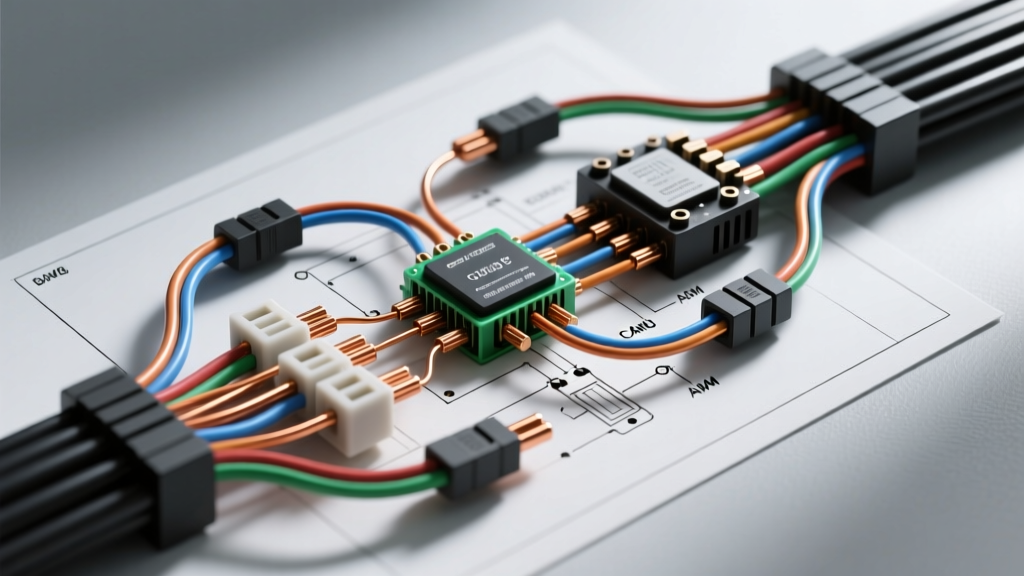
Project Overview: The Android-Integrated Google Camera Install
When automotive enthusiasts and overlanders refer to a google camera install, they are rarely talking about mounting a consumer smart home device to a windshield. In the modern aftermarket ecosystem, this term defines the integration of a smart, cloud-connected dual-channel dash and reverse camera system that interfaces directly with Google Drive for cloud backups, Google Assistant for voice commands, and Android Auto head units for seamless display. Executing this upgrade requires more than just plugging in a cigarette lighter adapter; it demands a hardwired integration into the vehicle's CAN bus network and Body Control Module (BCM) to support parking surveillance, seamless reverse triggering, and crank-voltage protection.
This modification guide details the exact wiring schematics, AWG specifications, and CAN bus decoding strategies required to perform a flawless smart camera integration on modern vehicles equipped with LED lighting and multiplexed electrical systems.
Wiring Specifications & Bill of Materials
A reliable smart camera installation relies on precise wire gauging and proper circuit protection. The hardwire kit must handle continuous parasitic draw during parking mode without triggering the vehicle's battery management system (BMS) shutoff.
| Circuit Function | Wire Gauge (AWG) | Protection / Fuse | Connector Type | Target Vehicle Circuit |
|---|---|---|---|---|
| VCC (Constant 12V) | 18 AWG (Stranded) | 5A ATM (Mini) | Add-a-Circuit Fuse Tap | BCM Memory / Horn Circuit |
| ACC (Switched 12V) | 18 AWG (Stranded) | 3A ATM (Mini) | Add-a-Circuit Fuse Tap | BCM IGN / Wiper Circuit |
| GND (Chassis Ground) | 16 AWG (Stranded) | N/A | 10mm Ring Terminal | Verified Bare Metal Chassis |
| Reverse Trigger Signal | 20 AWG (Stranded) | 1A Inline Glass | CAN Bus T-Harness / Relay | OBD2 CAN High/Low or Reverse Lamp |
| Video Transmission | RG174 Coaxial | Ferrite Core (EMI) | Fakra Z or Shielded RCA | Head Unit Camera Input |
Power Integration: Tapping the Front Body Control Module (BCM)
For a permanent Google-compatible camera setup, you must bypass the OBD2 port for primary power delivery, as many modern vehicles (especially 2018+ models from Ford, GM, and Toyota) gate the OBD2 power pins through a data-link connector (DLC) sleep mode that cuts power 15 minutes after the ignition is turned off. To maintain continuous parking mode recording, you must tap the BCM directly.
Executing the Add-a-Circuit Fuse Tap
Locate the interior BCM fuse panel. Using a digital multimeter (DMM), identify a constant 12V circuit (typically the horn or interior lighting memory circuit) and a switched 12V accessory circuit (such as the windshield wiper or power window IGN circuit).
- Constant 12V (VCC): Insert the 5A ATM fuse tap. The original OEM fuse goes in the slot closest to the pins, and the new 5A fuse goes in the outer slot. This ensures the OEM circuit remains protected by its factory amperage rating while your camera draws a maximum of 1.5A through the secondary 5A fuse.
- Switched 12V (ACC): Use a 3A ATM fuse tap. The smart camera's logic board requires the ACC signal to know when to exit parking mode and begin high-bitrate driving recording. A 3A fuse is sufficient, as this wire only carries a low-amperage signal to the camera's internal relay.
Expert Note: Always orient the fuse tap so the pigtail wire exits away from the fuse panel's hinge or structural supports to prevent pinching and subsequent short circuits.
Establishing a True Chassis Ground
Do not simply wrap the ground wire around a random bolt. Modern vehicles use e-coat (electro-deposition coating) and thick paint layers that act as insulators. Use a wire brush or sandpaper to remove the paint down to bare, shiny metal. Attach a 16 AWG wire with a 10mm ring terminal, secure it with an OEM bolt, and torque it to 8 Nm (5.9 lb-ft). Apply a dab of dielectric grease over the terminal to prevent galvanic corrosion, which can introduce ground-loop noise into the camera's audio and video feeds.
The Reverse Trigger: Bypassing PWM LED Flicker
The most common failure point in any reverse camera integration is the trigger signal. Historically, installers would use a T-tap to splice into the reverse light wire at the rear taillight harness. However, modern vehicles utilize Pulse Width Modulation (PWM) to control LED lighting and monitor for burnt-out bulbs.
If you tap a PWM-controlled reverse light wire, your multimeter may read an 'average' of 7V to 10V, but the oscilloscope will show rapid 12V pulses. This pulsing signal will cause the Android Auto head unit to rapidly switch between the reverse camera view and the standard map interface, or it will cause the camera's internal relay to chatter and fail.
Solution A: CAN Bus OBD2 T-Harness (Recommended)
The cleanest method to acquire a stable 12V reverse trigger is by reading the vehicle's CAN bus network. By installing an OBD2 T-harness (such as those documented in iDatalink Maestro CAN bus guidelines), you can intercept the CAN High and CAN Low signals. A smart camera CAN decoder module reads the Transmission Range Sensor (TRS) data packets. When the ECU broadcasts the 'Reverse Gear Engaged' hex code, the decoder outputs a clean, solid 12V signal to the camera's reverse trigger wire and the Android Auto head unit's reverse input pin.
Solution B: 12V Relay with Smoothing Capacitor
If a CAN decoder is unavailable, you must use the physical reverse light wire to trigger a standard 12V automotive relay (Bosch-style 30/87). Wire the PWM reverse light wire to the relay's coil (Pin 86), and ground the coil (Pin 85). Run a constant 12V source to Pin 30, and take the output from Pin 87 to the camera trigger. To smooth the PWM ripple on the coil, solder a 2200µF 16V electrolytic capacitor in parallel across the relay coil pins. This capacitor absorbs the voltage drops between the PWM pulses, keeping the relay engaged solidly while the vehicle is in reverse.
Routing the Shielded Coaxial Video Harness
Smart camera systems transmit high-definition analog (AHD) or digital video signals over long distances from the rear hatch to the front dashboard. Electromagnetic Interference (EMI) from the vehicle's ignition coils, alternator, and high-current audio amplifiers can induce severe noise, manifesting as rolling horizontal bars or total signal dropout on the Android Auto display.
According to SAE J1113 standards for electromagnetic compatibility, sensitive signal cables must be routed away from high-current noise sources. Route the RG174 coaxial video cable strictly down the vehicle's center transmission tunnel or along the door sill kick panels, maintaining at least a 6-inch separation from the main wiring harness and fuel pump power lines. If the cable must cross a high-current wire, it should do so at a strict 90-degree angle to minimize inductive coupling. Always ensure the coaxial cable's ferrite core is positioned within 4 inches of the camera module's connection point.
Troubleshooting the Smart Camera Power States
Even with meticulous wiring, integration issues can arise. Use this diagnostic matrix to resolve common anomalies encountered during a smart Google camera install.
Symptom: Camera Reboots or Shuts Down During Engine Crank
- Cause: Starter motor draw causes the vehicle's 12V system to temporarily drop below 9V. The camera's internal low-voltage protection circuit triggers a reboot to save the SD card from corruption.
- Fix: Install a DC-DC buck-boost converter (set to output a steady 12.5V) between the BCM fuse tap and the camera's VCC input. Alternatively, upgrade to a hardwire kit featuring an integrated supercapacitor bank designed to bridge the 2-second voltage sag during engine cranking.
Symptom: 'No Signal' on Android Auto Head Unit When Shifting to Reverse
- Cause: The camera is powering on, but the head unit is not switching to the camera input because it is not receiving the 12V trigger signal on its specific reverse input pin (often Pin 14 on standard aftermarket harnesses).
- Fix: Verify continuity between the CAN decoder's 12V reverse output and the head unit's 'BACK' or 'REV' trigger wire. If using a factory radio adapter, ensure the reverse trigger wire is enabled in the adapter's configuration menu.
Symptom: Parasitic Battery Drain Exceeding 50mA in Parking Mode
- Cause: The camera's low-voltage cutoff switch is set too low (e.g., 11.2V), or the ACC wire was mistakenly wired to a constant 12V circuit, preventing the camera from ever entering its low-power sleep state.
- Fix: Re-verify the ACC fuse tap with a DMM to ensure it drops to 0V exactly when the ignition is turned off. Adjust the hardwire kit's DIP switches to a 12.0V cutoff threshold to protect the vehicle's starter battery, as referenced in standard automotive electrical best practices.