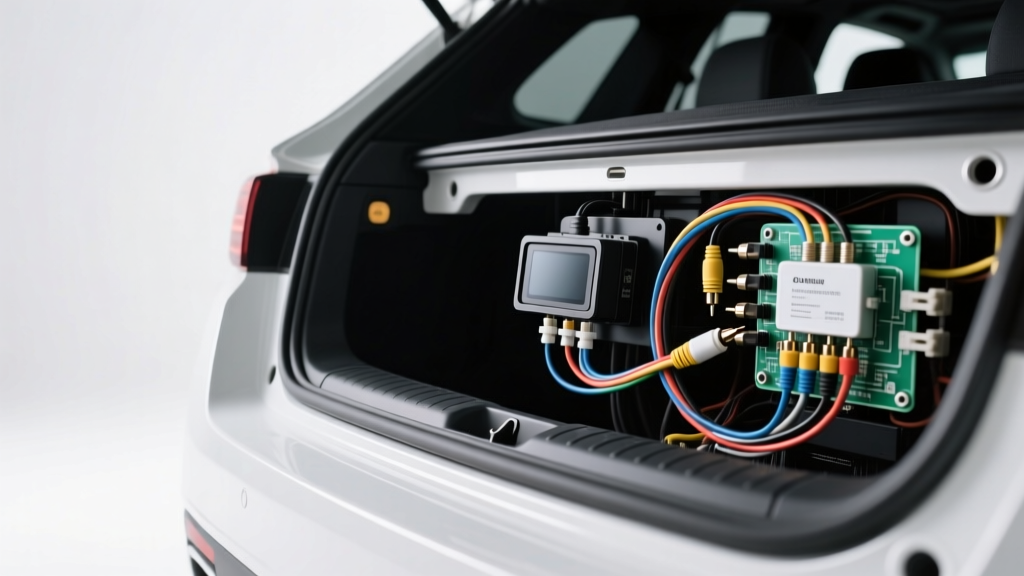
Beyond the Basic Reverse Light Tap: The PWM Problem
When professionals install rear parking camera systems on late-model vehicles, the traditional method of tapping the reverse light circuit for both power and the head unit trigger signal is no longer viable. Modern automotive electrical architectures, particularly in 2015 and newer FCA/Stellantis, Volkswagen, and BMW platforms, utilize Pulse Width Modulation (PWM) to control rear lighting. Instead of a steady 12V DC signal, the Body Control Module (BCM) sends a rapidly pulsing square wave—often switching between 0V and 14.4V at frequencies exceeding 400Hz—to monitor bulb continuity and regulate LED brightness.
If you tap a PWM-controlled reverse light directly to power an aftermarket backup camera, the camera's internal voltage regulator will fail to smooth the signal, resulting in severe video flickering, rolling horizontal lines, or complete camera shutdown. Furthermore, feeding this pulsing signal into the head unit's reverse trigger wire (typically a purple or orange/white wire) will cause the infotainment system to rapidly cycle the video input, potentially corrupting the head unit's boot sequence. According to Mopar Tech Authority Service Bulletins, tapping into multiplexed lighting circuits without a relay or CAN bus interface can also trigger a hard fault code in the BCM, disabling the reverse lights entirely.
Reverse Trigger Signal Architecture: Relay vs. CAN Module
To correctly install rear parking camera systems in PWM environments, installers must isolate the camera power and generate a clean 12V trigger signal for the head unit. There are two primary engineering solutions for this:
| Trigger Method | Signal Latency | PWM Immunity | Application & Wiring Specs |
|---|---|---|---|
| Automotive Relay + Filter Capacitor | 40ms - 60ms | Moderate (Requires 1000µF+ Capacitor) | Older PWM systems. Requires 18 AWG power wire, 12V constant trigger, and a 1000µF 25V electrolytic capacitor across the camera power leads to smooth voltage ripples. |
| CAN Bus Data Interface Module | 150ms - 250ms | Absolute (Digital Parsing) | Modern LIN/CAN networks. Splices into OBD2 or tail light CAN H/CAN L lines (22 AWG). Reads digital reverse gear commands directly from the BCM. |
| Head Unit CAN Bus Harness (OEM) | < 50ms | Absolute (Native Integration) | Vehicle-specific harnesses (e.g., Maestro RR, iDatalink). Uses proprietary 24-pin or 52-pin connectors to pass the reverse flag via serial data to the radio. |
For complex installations, a dedicated CAN bus interface module (such as the PAC TR-4 or equivalent) is the gold standard. It sniffs the CAN High (CAN H) and CAN Low (CAN L) twisted pair wires, identifies the specific hexadecimal data frame indicating the transmission is in reverse, and outputs a clean, solid 12V DC signal on its trigger wire.
Video Signal Integrity: CVBS vs. AHD and 75-Ohm Impedance
A critical failure point when users install rear parking camera kits is video signal degradation caused by impedance mismatch and electromagnetic interference (EMI). Standard analog backup cameras output a Composite Video Blanking and Sync (CVBS) signal, which operates at a standard 75-ohm impedance. However, many cheap aftermarket RCA extension cables use 50-ohm or unshielded wire, causing signal reflection, ghosting, and color bleeding.
Furthermore, the rise of Analog High Definition (AHD) cameras (720p and 1080p) has introduced new compatibility hurdles. AHD cameras utilize higher frequency carriers (up to 30MHz) compared to CVBS (6MHz). If you route an AHD camera's coaxial cable parallel to the vehicle's high-current rear window defroster grid or the PWM tail light wires, the resulting EMI will completely wash out the high-definition signal. Always use RG-59 or heavily shielded dual-braid coaxial RCA cables for runs exceeding 12 feet, and maintain a minimum 4-inch separation from high-current 12V wiring harnesses.
CAN Bus Interface Pinout and Wiring Diagram Reference
Below is the standard pinout configuration for a universal CAN bus reverse trigger interface module used in late-model European and domestic vehicles. This reference assumes a 4-pin M12 aviation connector or standard 22 AWG pigtail splice.
| Pin / Wire | Wire Color | Function | Connection Point & AWG Spec |
|---|---|---|---|
| Pin 1 | Red | +12V Constant / Switched Power | Fuse box (Add-a-circuit) or IGN feed. 18 AWG. Max draw 50mA. |
| Pin 2 | Black | Chassis Ground | Bare metal star-ground point. 18 AWG. Must use anti-oxidant paste. |
| Pin 3 | Green/White Stripe | CAN High (CAN H) | Splice to OBD2 Pin 6 or BCM CAN H. 22 AWG. Do not untwist pair. |
| Pin 4 | Green | CAN Low (CAN L) | Splice to OBD2 Pin 14 or BCM CAN L. 22 AWG. Do not untwist pair. |
| Output 1 | Purple | +12V Reverse Trigger Out | Connects to Head Unit Reverse Trigger (Purple/White). 18 AWG. |
| Output 2 | Yellow | +12V Camera Power Out | Connects to Camera 12V+ (Red). Includes internal PWM filtering. |
Advanced Routing, Grommet Passing, and Star Grounding
The physical routing of the camera harness from the rear hatch or trunk lid into the main cabin is where most moisture and electrical failures originate. When passing the RCA and 18 AWG power cables through the factory rubber trunk grommet, never use petroleum-based lubricants like WD-40, which will degrade the EPDM rubber over time, leading to water intrusion and trunk flooding. Instead, use a dedicated silicone-based wire pulling lubricant or a mild dish soap solution.
For grounding the camera and CAN module, abandon the practice of wrapping ground wires around random factory bolts. Implement a star grounding protocol. Locate a dedicated 8mm or 10mm grounding stud in the rear quarter panel or cargo area. Use a wire brush attachment on a rotary tool to strip the paint and e-coat down to bare, shiny metal. Secure the 18 AWG ground wire using a closed-loop terminal, torque to factory specifications (typically 8-10 Nm), and coat the terminal in dielectric grease to prevent galvanic corrosion. As outlined in the SAE J1113 Electromagnetic Compatibility standards, poor grounding is the primary culprit for high-frequency alternator whine and ground loop hum in mobile video systems.
Troubleshooting Signal Degradation and Ground Loops
Even with meticulous wiring, advanced camera installations can present unique diagnostic challenges. Use this decision tree to isolate faults:
- Symptom: Head unit displays "No Signal" or a black screen when shifted into reverse, but camera LEDs illuminate.
Diagnosis: Resolution mismatch or trigger failure.
Resolution: Verify the head unit's camera input setting matches the camera output (CVBS/NTSC vs. AHD 720p/1080p). Use a Digital Multimeter (DMM) to verify the purple trigger wire is receiving a steady 12V DC when the CAN module detects reverse gear. - Symptom: Image is present but exhibits severe rolling horizontal bars that increase in frequency when the engine is running.
Diagnosis: Alternator whine / Ground loop.
Resolution: The camera ground and the head unit ground are at different electrical potentials. Re-route the camera ground to share the exact same star-ground point as the head unit chassis ground, or install a 12V DC-to-DC isolated power supply near the camera. - Symptom: Image flickers violently or cuts out entirely when the rear window defroster or brake lights are applied.
Diagnosis: EMI crosstalk or voltage drop.
Resolution: The RCA cable is routed too close to the high-current defroster grid. Reroute the coaxial cable along the opposite side of the vehicle. Ensure the CAN module is providing a regulated 12V output, as brake light voltage spikes may be bleeding into an unfiltered tap.
By treating the video and trigger circuits as sensitive data networks rather than simple 12V accessories, you ensure a flawless, OEM-grade integration. For further vehicle-specific wiring diagrams and harness pinouts, consult the Crutchfield Backup Camera Installation Guide and always verify BCM pinouts with a factory service manual before splicing into any CAN bus network.