Adapting USB Optics for Automotive Telematics and Fleet Monitoring
While Logitech does not manufacture native 12V automotive backup cameras, their high-fidelity USB optics (such as the Brio 4K and C920) are heavily utilized in custom vehicle telematics, RV interior security, and DIY fleet monitoring setups. A proper Logitech camera install in a vehicle requires bridging the gap between a 12V-to-14.4V DC automotive electrical system and the strict 5V USB power delivery specifications, all while mitigating the severe electromagnetic interference (EMI) generated by alternators and ignition coils.
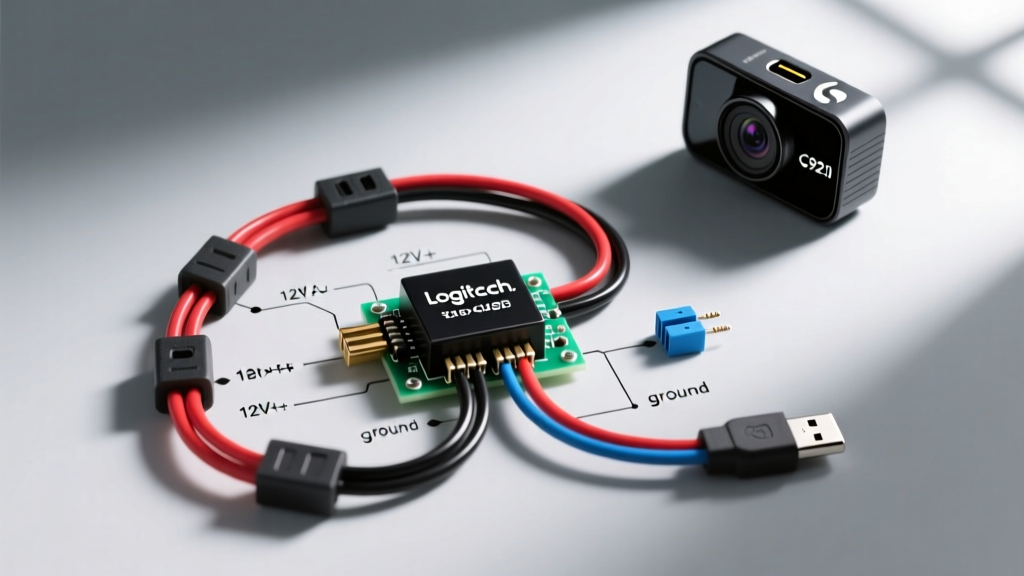
This complete wiring diagram walkthrough details the exact methodology for integrating a USB-based Logitech camera into a vehicle's switched power network using an isolated DC-DC buck converter, proper SAE-compliant wiring, and high-frequency data line shielding.
Electrical Load and Power Requirements
Before tapping into a fuse box, you must calculate the exact current draw to select the correct wire gauge and step-down converter. USB 3.0 cameras require significantly more stable current than older USB 2.0 models. Below is the specification chart for common Logitech models used in automotive adaptations.
| Logitech Model | Interface | Operating Voltage | Peak Current Draw | Min AWG (12V Primary) | Min AWG (5V Secondary) |
|---|---|---|---|---|---|
| C920 Pro | USB 2.0 | 5.0V DC | 500 mA | 22 AWG | 24 AWG |
| Brio 4K | USB 3.0 | 5.0V DC | 900 mA | 18 AWG | 20 AWG |
| Rally Camera | USB 3.0 | 12.0V DC (Native) | 2.0 A | 16 AWG | N/A |
Note: Always size your DC-DC buck converter for at least 150% of the peak current draw to prevent thermal throttling during high-resolution encoding.
Complete 12V-to-5V Wiring Diagram Walkthrough
The following steps outline the physical wiring topology from the vehicle's fuse panel to the camera's USB termination point.
Step 1: Ignition-Switched Power Extraction
Do not wire a telematics camera to constant 12V (battery) power unless you are utilizing a low-voltage disconnect (LVD) relay to prevent parasitic battery drain. For standard ignition-switched operation:
- Locate an Accessory Circuit: Use a multimeter to identify a fuse that reads 0V with the ignition off and 12V+ in the ACC or RUN position. The radio or 12V accessory socket circuits are ideal.
- Install an Add-a-Circuit Fuse Tap: Insert a Littelfuse Mini ATO fuse tap into the identified slot. Insert the original fuse into the bottom slot (protecting the factory circuit) and a new 3A Mini-blade fuse into the top slot (protecting your camera circuit).
- Primary Wiring: Crimp a vinyl-insulated female quick-disconnect to the fuse tap's lead wire. Connect this to 18 AWG SAE J1128 primary wire (Red jacket) for the positive feed.
Step 2: DC-DC Buck Converter Integration
A standard linear regulator (like the 7805) will overheat and fail in an automotive environment due to the voltage differential and lack of heat sinking. You must use a synchronous switching buck converter.
- Input (12V Side): Connect the Red 18 AWG wire to the VIN+ terminal. Connect an 18 AWG Black wire from the VIN- terminal to a dedicated chassis ground.
- Output (5V Side): Set the potentiometer on the buck converter to exactly 5.1V DC before connecting the camera. This compensates for voltage drop across the USB cable.
- Filtering: Solder a 1000µF 16V electrolytic capacitor across the 5V output terminals to smooth out switching ripple, which can otherwise cause horizontal banding in the camera's video feed.
Step 3: USB Data Line Routing and Shielding
The most critical failure point in a custom Logitech camera install is data degradation. Never cut and splice USB 3.0 data lines. USB 3.0 operates at 5 Gbps using 90-ohm differential signaling. Hand-soldering destroys the impedance matching, resulting in kernel panics or device enumeration failures on your telematics head unit.
The Correct Method:
- Mount the Logitech camera in the desired cabin location.
- Route an Active USB 3.0 Extension Cable (which includes a built-in signal repeater IC) through the vehicle's headliner and A-pillar.
- If passing through a metal bulkhead or firewall, use an M12 X-coded to USB 3.0 panel-mount adapter. This maintains the Faraday cage integrity of the vehicle and prevents EMI ingress.
- Secure the cable every 8 inches using adhesive-backed nylon cable tie mounts. Keep the USB routing at least 6 inches away from ignition coil wires and fuel injector harnesses.
Grounding and Chassis Termination
Improper grounding is the leading cause of alternator whine and video noise in automotive camera setups. The SAE J1128 standard dictates strict parameters for low-tension primary cable usage, but grounding requires mechanical precision.
- Locate a bare metal bolt on the vehicle's chassis or seat frame within 18 inches of the camera/buck converter.
- Sand the paint and clear coat away using 80-grit sandpaper to expose bare steel.
- Crimp an 18-22 AWG ring terminal onto the Black ground wire.
- Secure the ring terminal using the factory bolt. Torque to 8-10 Nm (depending on bolt size) and coat the connection with dielectric grease to prevent galvanic corrosion.
Troubleshooting Video Dropout and EMC Issues
Vehicles are harsh electromagnetic environments. If your Logitech camera fails to enumerate or drops frames while the engine is running, consult this diagnostic tree:
| Symptom | Probable Cause | Corrective Action |
|---|---|---|
| Camera disconnects when engine starts | Voltage sag below 4.75V during cranking | Add a supercapacitor bank (e.g., 10F 5V) across the 5V DC-DC output to bridge the cranking voltage dip. |
| Horizontal banding / rolling shutter noise | Alternator ripple on the 12V line | Install an inline EMI filter (LC filter) on the 12V input side of the buck converter. |
| USB 3.0 falls back to USB 2.0 speeds | Impedance mismatch or bent shield braid | Replace spliced cables with an active repeater cable; ensure the USB shield drain wire is grounded at ONE end only to prevent ground loops. |
| Raspberry Pi / Head Unit reboots randomly | Back-EMF from inductive loads | Install a transient voltage suppression (TVS) diode (e.g., 1500W 16V) across the 12V input terminals. |
Authoritative References and Standards
When executing a custom Logitech camera install or any aftermarket telematics integration, adherence to established electrical standards ensures longevity and safety. For deeper technical specifications on automotive wiring, refer to the SAE J1128 Low Tension Primary Cable specifications, which outline insulation thickness and temperature ratings for under-dash routing. Additionally, integrators utilizing high-bandwidth USB optics should consult the USB Implementers Forum USB 3.2 Specification for exact differential pair routing and shielding requirements to maintain signal integrity in high-EMI environments. Finally, always verify your overcurrent protection devices against OEM guidelines using resources like the Littelfuse Automotive Fuse Catalog to ensure your Add-a-Circuit taps do not exceed the factory wiring harness ampacity limits.