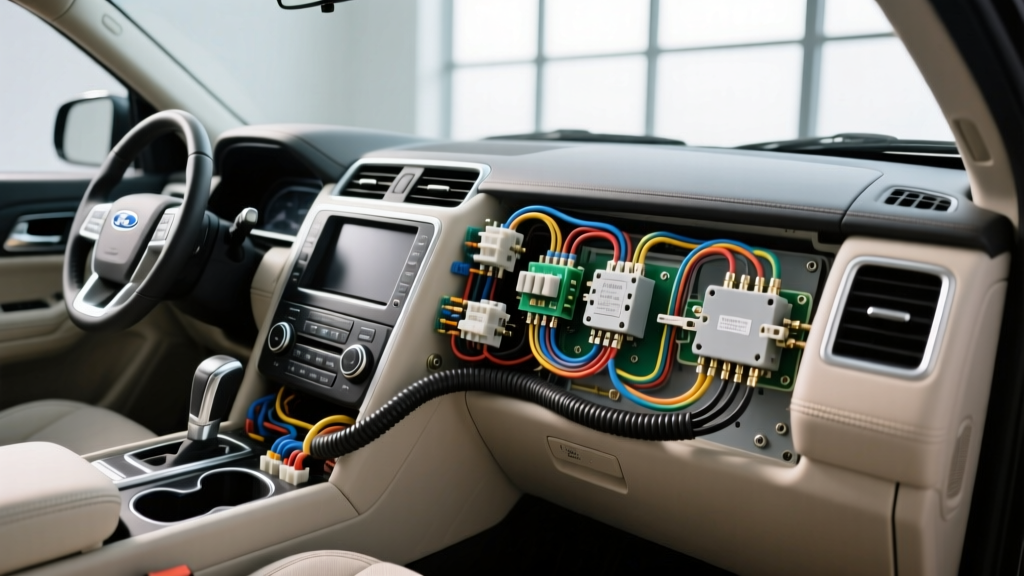
Upgrading the FPIU for Modern IP Surveillance
When outfitting a decommissioned Ford Police Interceptor Utility (FPIU) or building a high-end civilian security vehicle, a standard dash cam won't cut it. A proper police surveillance camera installation requires integrating ruggedized, IP69K-rated multi-channel camera systems into the vehicle's existing upfitter electrical architecture. Unlike consumer vehicles, the FPIU (based on the Explorer platform) features a dedicated auxiliary power distribution system designed specifically for high-draw law enforcement equipment. This guide details the exact wiring diagrams, pin configurations, and power management strategies required to install a modern Power over Ethernet (PoE) AI surveillance system without compromising the vehicle's CAN bus or SRS networks.
Power Distribution: Tapping the Overhead Upfitter Module
The cornerstone of any FPIU surveillance project is the overhead upfitter switch module. Rather than tapping the ignition harness behind the steering column—which risks damaging the Body Control Module (BCM)—you should utilize the factory-provided upfitter circuits. These circuits are already protected by high-amperage fuses in the under-hood Battery Junction Box (BJB) and are relay-switched via the BCM.
For a multi-camera surveillance DVR and a 48V PoE injector, you need a clean, ignition-switched 12V source capable of sustaining 15A continuous draw. Upfitter Switch 1 or 2 is ideal for this. Below is the reference chart for the FPIU overhead upfitter pigtail.
FPIU Upfitter Switch Ratings & Wire Colors
| Switch | Rating | Wire Color (Pigtail) | Recommended Use |
|---|---|---|---|
| AUX 1 | 30A | Violet/White | Main Surveillance DVR & PoE Injector Feed |
| AUX 2 | 30A | Yellow/Violet | External Siren / PA Amplifier |
| AUX 3 | 20A | White/Violet | Interior Dome Override / IR Illuminators |
| AUX 4 | 20A | White/Yellow | GPS/Telematics Router |
| AUX 5 | 20A | White/Red | Accessory 12V Cigar Socket |
| AUX 6 | 20A | White/Green | Backup Trigger / Alarm Output |
Source Reference: Wiring schematics align with the Ford Motor Company Fleet Upfitter Manual for the Explorer/FPIU platform.
Implementing Galvanic Isolation and DC-DC Conversion
Police surveillance cameras and AI processing units are highly sensitive to voltage fluctuations and alternator ripple. Do not wire a 12V-to-48V PoE injector directly to the upfitter switch. Instead, use the upfitter switch to trigger a heavy-duty automotive relay, pulling continuous 12V power directly from the under-hood BJB stud using 8 AWG primary wire. Feed this into an isolated DC-DC converter (such as a Victron Orion-Tr Smart 12/12-18 or a Traco Power TEN series). This ensures your surveillance brain receives a dead-steady 13.8V, eliminating video artifacts caused by alternator whine and protecting the system from load-dump spikes common in police fleets.
Camera Module Wiring & M12 Connector Pinouts
Consumer cameras use RJ45 or RCA connectors, which fail under the vibration and moisture exposure of a patrol vehicle. A true police surveillance camera installation utilizes M12 X-coded connectors. These IP69K-rated circular connectors provide Gigabit Ethernet data and PoE power in a single, vibration-proof barrel.
M12 X-Coded Connector Pinout for IP69K Cameras
When terminating your Cat6A shielded ethernet cables to M12 field-attachable plugs for the front grille and rear hatch cameras, you must follow the TIA/EIA-568 to M12 X-code crossover standard. Incorrect pinning will result in PoE negotiation failures or shorted camera modules.
| M12 Pin | Function | Standard Ethernet Wire Color |
|---|---|---|
| 1 | TX+ (Data Pair 1) | White/Orange |
| 2 | RX+ (Data Pair 2) | White/Green |
| 3 | TX- (Data Pair 1) | Orange |
| 4 | RX- (Data Pair 2) | Green |
| 5 | PoE + (48V DC) | Blue (Pair 3) |
| 6 | PoE + (48V DC) | White/Blue (Pair 3) |
| 7 | PoE - (Return) | Brown (Pair 4) |
| 8 | PoE - (Return) | White/Brown (Pair 4) |
Always use shielded Cat6A cable and ensure the M12 connector's metal shell is bonded to the cable's drain wire. This shield grounding is critical for meeting SAE J1113 Electromagnetic Compatibility (EMC) standards, preventing the camera cables from acting as antennas for the vehicle's high-power UHF/VHF radios.
Routing, Airbag Clearance, and Harness Protection
Routing cables from the overhead DVR to the A-pillars and rear hatch requires strict adherence to SRS (Supplemental Restraint System) safety zones. The FPIU features side-curtain airbags that run the entire length of the roof rail.
- A-Pillar Routing: Never zip-tie surveillance wiring to the A-pillar metal or over the airbag seam. Use a trim removal tool to pop the A-pillar cover, route the M12 harness behind the airbag curtain, and secure it to the factory wiring harness using Tesa 51036 PET cloth tape and plastic push-clip fasteners.
- Firewall Pass-Through: To route a cable to an exterior front-grille camera, locate the main firewall grommet behind the brake booster. Use a specialized grommet piercing tool to create a slit, feed the wire through, and seal it with dielectric silicone grease to prevent water intrusion into the BCM area.
- Harness Jacketing: In the engine bay, all M12 and ethernet cables must be wrapped in split-loom tubing and then over-wrapped with high-temp fiberglass sleeving to protect against exhaust manifold radiant heat and power steering fluid leaks.
The Rear Hatch Flex Conduit Challenge
The most common failure point in any police surveillance camera installation on a hatchback or SUV is the rear hinge flex conduit. Every time the FPIU rear hatch is opened and closed, the wiring harness bends. Standard PVC-jacketed Cat6 will snap internally after 2,000 cycles, causing intermittent PoE drops.
The Fix: Use a high-flex, continuous-motion robotic ethernet cable (often rated for 10 million flex cycles) with a TPE (Thermoplastic Elastomer) jacket. Alternatively, for the 48V PoE power lines, run 16 AWG silicone-jacketed wire through the flex conduit, as silicone wire handles extreme bending without fatiguing the copper strands. Terminate the ethernet data via a wireless bridge in the rear quarter panel if physical flex routing proves too unreliable for your specific camera model.
Troubleshooting Common Surveillance Power Failures
Even with meticulous planning, aftermarket surveillance systems can exhibit strange behaviors. Use this decision tree to diagnose common issues in upfitter-integrated camera systems.
Symptom: Video Artifacts / Rolling Horizontal Lines
- Cause: Ground loop or alternator ripple on the 12V feed.
- Fix: Verify that the DVR chassis ground is tied to a bare-metal B-pillar bolt, not a painted surface. If the issue persists, install a ground-loop isolator or upgrade to a fully isolated DC-DC power supply. Ensure your M12 cable shields are grounded at the DVR end only (pigtail ground) to prevent a ground loop between the DVR and the exterior camera housing.
Symptom: Rear Camera Drops Offline When Hatch is Closed
- Cause: Voltage drop across the rear hatch ground strap or fractured PoE wires in the flex conduit.
- Fix: Measure the 48V PoE at the camera end with the hatch open, then closed. If voltage drops below 44V, the internal ground strap of the hatch hinge is failing (a known issue on older Explorers). Install a secondary 10 AWG braided ground strap from the hatch chassis to the main C-pillar body ground to provide a low-resistance return path for the PoE circuit.
Symptom: DVR Fails to Boot When Engine Cranks
- Cause: Upfitter switch relay is dropping out during the high-amp starter draw, or the BCM is momentarily cutting auxiliary power during cranking to save battery voltage for the ECU.
- Fix: Install a supercapacitor bank (e.g., 5.4V 50F) wired in parallel with the DVR's 12V input, regulated by a diode to prevent backfeeding. This provides enough bridge power to keep the DVR and PoE injector alive during the 1.5 seconds of engine cranking voltage sag. For detailed BCM power management logic, refer to the Gamber-Johnson fleet equipment installation guidelines, which outline best practices for maintaining power state continuity in modern police interceptors.
Final System Verification
Before reassembling the FPIU interior trim, perform a full thermal and load test. Power on all surveillance cameras, IR illuminators, and the DVR processing unit. Use an infrared thermometer to check the DC-DC converter and PoE injector housings. If temperatures exceed 140°F (60°C) in a stationary vehicle, you must add active cooling or relocate the power modules to the climate-controlled cabin space. Finally, verify that the upfitter switch indicator on the overhead console illuminates correctly and that the system gracefully shuts down and saves video buffers when the ignition is turned to the OFF position.