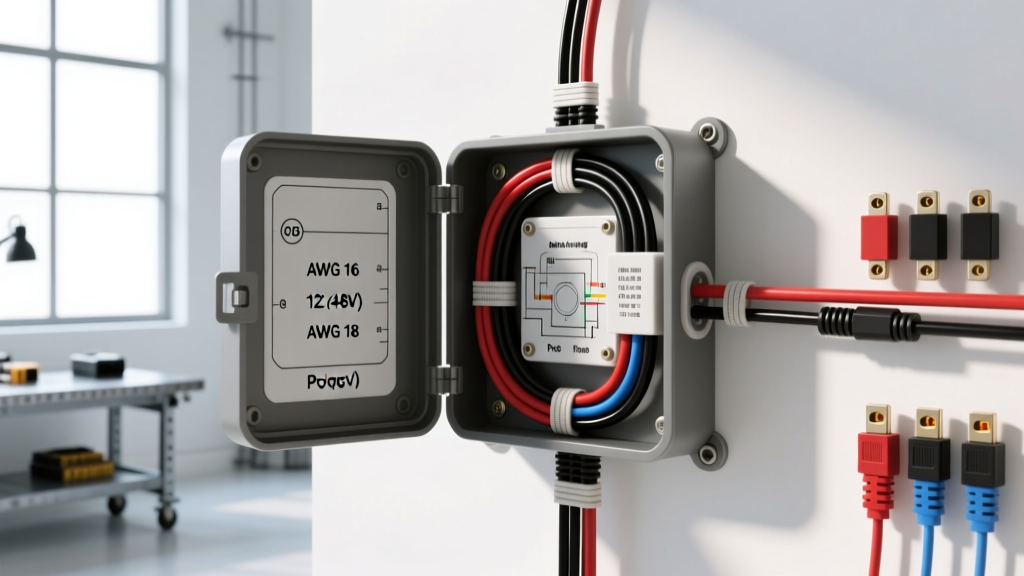
Enterprise Surveillance in Automotive Environments
Integrating enterprise-grade IP cameras into expedition RVs, luxury motorhomes, and secure commercial fleet vehicles requires bridging the gap between standard automotive 12V/24V DC electrical systems and the 802.3af/at Power over Ethernet (PoE) standards demanded by modern networking gear. A standard Ubiquiti camera installation relies on a UniFi PoE switch delivering 44-57V DC over Cat5e/Cat6 cabling. Because a vehicle's alternator outputs a nominal 14.4V (charging) and can drop to 10.5V during engine cranking, direct wiring is impossible without severe hardware damage or negotiation failures.
This technical specification reference outlines the exact DC-DC step-up topology, automotive Ethernet pinouts, and EMI shielding protocols required to deploy Ubiquiti UniFi Protect cameras (such as the G4 Pro or G5 Flex) in high-vibration, electrically noisy mobile environments. By adhering to SAE J1113 electromagnetic compatibility standards and utilizing isolated DC-DC conversion, installers can achieve a zero-downtime surveillance network that survives the rigors of overland travel.
Power Architecture: 12V DC to 802.3af/at PoE Conversion
The core challenge of any mobile Ubiquiti camera installation is generating stable 48V DC from a 12V source while managing high amperage draws on the low-voltage side. A standard 5-port PoE switch powering four cameras and a Network Video Recorder (NVR) can easily draw 60W to 90W. At 12V, a 90W load requires 7.5A of continuous current, not accounting for conversion inefficiencies or inrush currents.
To achieve this, we utilize an isolated industrial DC-DC step-up converter, such as the Mean Well RSDW-60F-48 or a Victron Orion-Tr Smart 12/48. Isolation is critical; non-isolated boost converters share a common ground between input and output, which can introduce severe ground loops and alternator whine into the camera's audio and video feeds.
Primary Feed Wiring & Overcurrent Protection
The main 12V feed must originate directly from the vehicle's auxiliary battery bank or a dedicated busbar, never from a cigarette lighter socket or existing chassis loom. We specify 10 AWG TXL (Cross-linked Polyethylene) wire for its high-temperature resistance and thin insulation profile, allowing for easier routing through automotive firewalls and chassis grommets.
| Circuit Segment | Wire Gauge (AWG) | Wire Type | Protection Device | Max Continuous Load |
|---|---|---|---|---|
| Battery to DC-DC Converter | 10 AWG | TXL / Marine Tinned | 15A MRBF / ANL Fuse | 12A (144W @ 12V) |
| DC-DC 48V Output to PoE Switch | 14 AWG | TXL Shielded | 3A ATC Blade Fuse | 2.5A (120W @ 48V) |
| Ignition Trigger to Relay Coil | 18 AWG | GXL | 2A Mini Fuse | 150mA |
| NVR (Cloud Key) 12V Buck Feed | 16 AWG | TXL | 5A ATC Blade Fuse | 4A (48W @ 12V) |
Ignition Sensing & Inrush Management
Powering a PoE switch continuously will drain the vehicle's auxiliary battery bank. The DC-DC converter must be triggered via an ignition-sensing circuit. Use a standard 40A Bosch-style automotive relay (Pins 30/87 for the 12V load, 85/86 for the coil). Critical: You must install a 1N4001 flyback diode across pins 85 and 86 (cathode to 12V+). When the relay coil de-energizes, it generates an inductive voltage spike that can destroy solid-state ignition switches or vehicle CAN bus modules. The diode safely recirculates this kickback current.
Automotive Ethernet & M12 X-Coded Connectors
Standard RJ45 connectors and unshielded Cat5e cables are entirely unsuited for mobile deployments. The retaining clips snap under high-frequency vibration, and unshielded twisted pairs (UTP) act as antennas for the massive electromagnetic interference (EMI) generated by ignition coils, alternators, and electric power steering racks.
For a reliable Ubiquiti camera installation in a vehicle, all exterior cable runs must utilize Shielded Cat6a (S/FTP) with a continuous drain wire. Furthermore, exterior camera pigtails should transition from RJ45 to M12 X-Coded or D-Coded automotive Ethernet connectors. M12 connectors feature a threaded locking collar that is impervious to vibration and rated for IP67 water and dust ingress.
RJ45 (T568B) to M12 X-Code Pinout Mapping
When fabricating custom harnesses to adapt the Ubiquiti PoE switch's RJ45 ports to the vehicle's M12 bulkhead connectors, strict adherence to the T568B standard and M12 X-Code mapping is required to maintain the twisted pair geometry and prevent crosstalk (NEXT/FEXT).
| RJ45 Pin (T568B) | Wire Color | M12 X-Code Pin | Function / PoE Assignment |
|---|---|---|---|
| 1 | White/Orange | 5 | TX+ / Data |
| 2 | Orange | 6 | TX- / Data |
| 3 | White/Green | 3 | RX+ / Data |
| 4 | Blue | 7 | PoE DC+ (48V) |
| 5 | White/Blue | 8 | PoE DC+ (48V) |
| 6 | Green | 4 | RX- / Data |
| 7 | White/Brown | 1 | PoE DC- (Return) |
| 8 | Brown | 2 | PoE DC- (Return) |
Note: Always terminate the Cat6a drain wire to the metal shell of the M12 connector and the RJ45 shielded keystone jack to ensure a continuous Faraday cage. Ground the keystone jack shield to the NEMA enclosure via a dedicated grounding pigtail.
EMI Shielding and SAE J1113 Compliance
According to SAE J1113 standards for electromagnetic compatibility in commercial vehicles, sensitive data lines must be routed at least 150mm (6 inches) away from high-current DC cables, AC inverters, and ignition sources. In an overland build, the 10 AWG 12V feed and the 48V PoE lines generate magnetic fields that can induce phantom voltages in unshielded data lines.
- Galvanic Isolation: Ensure your 12V-to-48V DC-DC converter is fully isolated. This prevents the vehicle's noisy chassis ground from coupling into the PoE switch's logic board.
- Star Grounding: Do not daisy-chain grounds. The PoE switch enclosure, the DC-DC converter case, and the shielded Ethernet patch panel must all have dedicated, equal-length ground straps terminating at a single, clean bare-metal chassis star point.
- Ferrite Cores: Install split ferrite chokes on the 12V input line immediately before the DC-DC converter to suppress high-frequency alternator ripple.
NVR Power Stability & Cranking Voltage Drops
The UniFi Cloud Key Gen2+ (or a ruggedized Mini PC running UniFi OS) requires stable 12V DC. If connected directly to the vehicle's 12V bus, the voltage drop during engine cranking (often dipping to 9V) will cause the NVR to hard-reboot, corrupting the local database and interrupting camera recording. To solve this, insert a Victron Orion-Tr Smart 12/12-30 Isolated DC-DC Charger between the battery and the NVR. Configure the Orion to output a strict 13.0V, ensuring the NVR receives clean, uninterrupted power regardless of alternator output or cranking events.
Troubleshooting PoE Negotiation & Link Failures
When a Ubiquiti camera installation fails in a mobile environment, the issue is rarely the camera itself, but rather voltage drop or impedance mismatches in the wiring harness. Use this decision tree to diagnose field failures:
Symptom: Camera Powers On (IR LEDs illuminate) but No Network Link
- Cause 1: Shielded Ethernet cable drain wire is shorting against the chassis. Fix: Verify drain wire is terminated only at the connector shells, not pinched by cable ties or metal bulkheads.
- Cause 2: Wire pairs untwisted too far at the RJ45 termination. Fix: Untwist no more than 0.5 inches (13mm) of the twisted pairs to maintain impedance and prevent NEXT (Near-End Crosstalk).
Symptom: Camera Boots, Link Establishes, but Drops Under Load (PTZ Movement/Night Vision)
- Cause 1: Voltage drop on the 48V PoE line due to Copper Clad Aluminum (CCA) Cat6 cable. Fix: CCA wire has 40% higher resistance than pure copper and will fail 802.3at high-power negotiation. Replace all runs with 23 AWG 100% Pure Bare Copper (BC) S/FTP.
- Cause 2: DC-DC converter thermal throttling. Fix: Ensure the Mean Well or Victron converter is mounted to a metal chassis surface with thermal paste to act as a heatsink. Enclosing a DC-DC converter in a sealed NEMA box without a thermal transfer pad will cause it to shut down at 60°C (140°F), which is easily reached in a vehicle cabin during summer.
Symptom: Severe Alternator Whine in Camera Audio Feed
- Cause: Ground loop between the camera's exterior mounting chassis and the interior PoE switch. Fix: Install a galvanic isolator or ensure the camera's metal housing is isolated from the vehicle chassis using nylon shoulder washers and mounting grommets, forcing the ground return exclusively through the Ethernet shield.
By treating the network infrastructure with the same rigorous overcurrent and EMI standards as the vehicle's primary drivetrain electronics, your mobile Ubiquiti deployment will deliver flawless, enterprise-grade security regardless of the terrain. For further circuit protection guidelines, always consult Blue Sea Systems' Circuit Protection Documentation when selecting marine-grade fuses and busbars for auxiliary DC-DC networks.