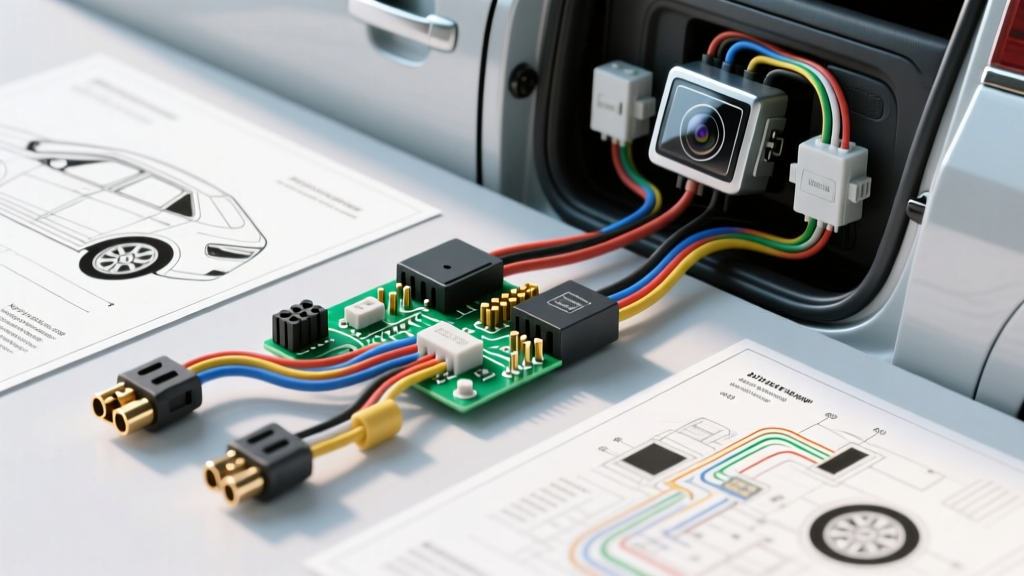
Introduction to Backup Camera Diagnostic Flows
When you install backup camera systems in modern vehicles, the process rarely ends at simply connecting a red wire to a reverse light. Today's automotive electrical networks rely heavily on CANbus communication, Pulse Width Modulation (PWM), and multiplexed body control modules (BCMs). Consequently, a seemingly straightforward 12-volt DC tap can result in flickering video feeds, blank displays, or even BCM fault codes. As an automotive electrical specialist, I have developed this step-by-step troubleshooting flow to help you diagnose and resolve the most common failure modes encountered during aftermarket camera integration. This guide assumes you have already routed your RCA video cable and 18 AWG GXL power/ground wires through the vehicle's chassis grommets.
Phase 1: The Reverse Trigger Circuit (No Camera Activation)
The most frequent issue when users install backup camera kits is the head unit failing to switch to the camera input when the vehicle is shifted into reverse. This is almost always a failure in the reverse trigger circuit.
Symptom: Camera Flickers, Rolls, or Head Unit Ignores Trigger
If your camera image flickers rapidly or the aftermarket radio refuses to recognize the reverse signal, you have likely tapped into a PWM-controlled reverse light circuit. Vehicles manufactured by FCA (Ram, Jeep, Dodge), Ford, and General Motors after 2015 rarely send a constant 12V DC signal to the reverse lamps. Instead, the BCM sends a high-frequency PWM signal (often pulsing between 0V and 12V at 500Hz to 1000Hz) to monitor bulb continuity. While this works for LED or incandescent bulbs, the camera's internal voltage regulator and the head unit's trigger logic require a clean, constant 12V DC signal. Feeding PWM into a camera causes the internal step-down converter to overheat and the image to roll; feeding it to a radio causes the trigger logic to ignore the voltage drop.
The SPDT Relay Bypass Fix
To resolve PWM interference, you must isolate the camera and radio trigger using a standard 12V 30A SPDT (Single Pole Double Throw) automotive relay. This is a critical step when you install backup camera hardware on late-model trucks and SUVs.
- Pin 86 (Coil +): Connect to the vehicle's PWM reverse light wire using a Posi-Tap connector. Do not use T-taps, as they pierce the wire insulation and invite corrosion.
- Pin 85 (Coil -): Connect to a clean, bare-metal chassis ground using a ring terminal and a self-tapping screw, or bolt it to an existing factory ground stud.
- Pin 30 (Switch Common): Connect to a fused, constant 12V DC source (e.g., the radio's yellow memory wire or a dedicated fuse tap).
- Pin 87 (Switch Normally Open): Run this output to both the camera's 12V+ pigtail and the head unit's reverse trigger wire (typically purple or orange/white). This provides a clean, regulated 12V DC signal the moment the BCM sends the PWM ground reference.
Phase 2: Video Signal Loss and RCA Ground Loops
Analog composite video (NTSC or PAL) operates on a very low voltage—typically 1V peak-to-peak. Because the signal amplitude is so small, it is highly susceptible to electromagnetic interference (EMI) and ground potential differences.
Symptom: Blue Screen, 'No Signal', or Alternator Whine Visuals
If you turn on the system and see a blue screen, a 'No Signal' warning, or horizontal bars rolling through the image that rev with the engine, you are dealing with an RCA shielding or impedance mismatch. When you install backup camera video lines, the outer braided shield of the RCA cable acts as the signal ground. If the camera's ground wire and the RCA shield are grounded at different points on the chassis, a ground loop occurs. The vehicle's alternator introduces AC ripple into the chassis ground, which the RCA shield picks up and superimposes onto the video signal.
Diagnostic Steps for RCA Integrity
- Continuity Test: Unplug the RCA from the head unit and camera. Use a Digital Multimeter (DMM) to test continuity between the center pin at both ends. You should read near 0 ohms. Next, test the outer shield ring. It must also show near 0 ohms.
- Short Test: With the cable still disconnected, place one probe on the center pin and the other on the outer shield. The DMM should read 'OL' (Open Loop) or infinite resistance. If it reads continuity, your RCA barrel connector or zip-tie has crushed the dielectric insulator, shorting the video signal to ground.
- Ground Loop Isolation: If the hardware tests fine, the issue is a ground loop. Ensure the camera's 18 AWG black ground wire is terminated at the exact same grounding point as the vehicle's rear lighting harness. For severe cases, install an inline RCA ground loop isolator near the head unit to break the DC ground path while allowing the AC video signal to pass via capacitive coupling.
Phase 3: Head Unit Configuration and CANbus Integration
Modern aftermarket head units (Pioneer, Kenwood, Alpine, and various Android-based units) feature complex software menus that dictate how the reverse trigger is interpreted. A hardware-perfect installation will still yield a black screen if the software logic is misconfigured.
Symptom: Camera Activates, but Image is Black or Distorted
Many users install backup camera systems and connect the NTSC/PAL video feed, only to find the head unit displays a warped, scrolling image or a black screen. This is a format mismatch. North American vehicles and cameras predominantly use the NTSC format (60Hz, 525 lines), while European and some Asian markets use PAL (50Hz, 625 lines). If your camera outputs NTSC but the head unit is hardcoded to PAL, the image will not sync.
Furthermore, Android-based head units often feature a 'Reverse Trigger Delay' or 'Backcar Battery' setting. If the radio is set to 'Battery' mode, it expects a constant 12V signal to keep the camera awake after shifting out of reverse. If you are using a standard relay that cuts power immediately when shifting to drive, the radio will throw a 'Camera Disconnected' error. Navigate to the hidden factory settings (often requiring a passcode like 8888 or 3368) and set the reverse trigger mode to 'Normal' or 'ACC'.
Vehicle-Specific Reverse Trigger Reference Chart
Use the following reference chart to identify the correct reverse trigger wire and signal type for common late-model trucks and SUVs. Always verify with a DMM before cutting or tapping wires.
| Vehicle Application | Wire Color at BCM/Tailgate | Signal Type | Required Interface / Fix |
|---|---|---|---|
| 2015-2023 Ram 1500/2500 | White / Light Green | PWM (Pulsed) | 12V SPDT Relay or PAC RPAC-01 |
| 2015-2020 Ford F-150 | Violet / Orange | PWM (Pulsed) | 12V SPDT Relay or Ford-specific CANbus adapter |
| 2014-2022 GM Silverado/Sierra | Light Green | DC 12V (Constant) | Direct Posi-Tap connection |
| 2016-2023 Toyota Tacoma/Tundra | Red / Blue (Behind cluster) | CANbus / Multiplexed | Must use iDatalink Maestro or PAC TO-CH |
Essential Tools and Wiring Standards
To ensure a professional, long-lasting installation, adhere to the following wiring standards. According to Crutchfield's comprehensive backup camera installation guidelines, relying on friction tape and cheap scotch-locks is the primary cause of premature camera failure due to moisture ingress.
- Wire Gauge: Use 18 AWG GXL (Cross-linked polyethylene) wire for all power, ground, and reverse trigger runs. GXL insulation is highly resistant to engine bay heat and abrasion inside door boots and liftgate hinges.
- Connectors: Abandon 3M Scotchlok T-taps. Use Posi-Tap connectors for tapping into the vehicle's reverse light circuit, as they utilize a set-screw mechanism that grips the copper strands without severing them. For all ground points, use adhesive-lined marine-grade heat shrink ring terminals.
- Moisture Sealing: The camera's pigtail connector is rarely waterproof from the factory. Wrap the connection between the camera pigtail and the RCA extension cable in self-amalgamating silicone splicing tape, followed by a layer of electrical tape. This prevents capillary action from wicking water down the RCA cable and into the head unit.
For advanced CANbus integrations where no analog reverse wire is accessible, consult PAC Audio's interface catalog or utilize an OBD2-to-radios CANbus decoder to extract the reverse gear status digitally. By following this structured diagnostic flow, you eliminate guesswork and ensure your backup camera system operates reliably for the life of the vehicle.