The Critical Role of CB Audio in Heavy-Duty Trailer Spotting
Heavy-duty towing requires absolute precision. Whether you are backing a 40-foot gooseneck equipment trailer into a tight construction staging area or navigating a multi-car wedge trailer through a crowded depot, clear communication between the driver and the ground spotter is non-negotiable. While modern FRS radios and Bluetooth intercoms offer convenience, they frequently suffer from range limitations, latency, and severe audio degradation in high-EMI (Electromagnetic Interference) environments. For commercial truckers and heavy-duty recreational tow rigs, a properly tuned and wired CB radio remains the undisputed gold standard for convoy and spotting communication.
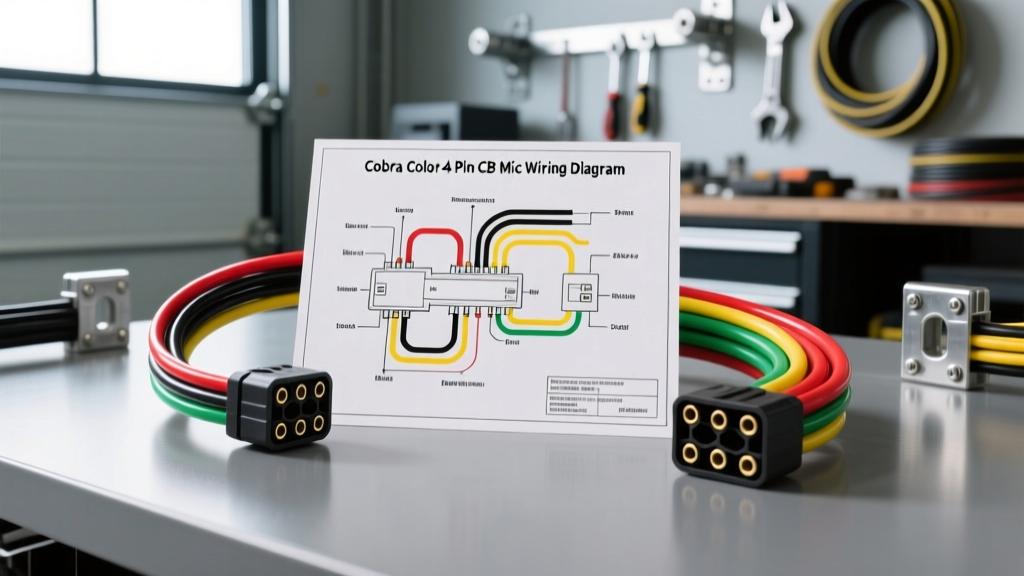
At the heart of this communication loop is the microphone. Understanding the cobra color 4 pin cb mic wiring diagram is not merely an exercise in repairing a frayed cord; it is about mastering the low-voltage audio and control circuits that interface directly with your truck’s complex 12V or 24V electrical architecture. When your tow rig is equipped with high-draw, high-frequency accessories—such as PWM (Pulse Width Modulation) trailer brake controllers, LED marker light drivers, and electric winches—the CB microphone becomes highly susceptible to induced noise. This advanced technical deep dive explores the precise pinouts, wire gauges, shielding requirements, and diagnostic procedures necessary to maintain crystal-clear audio in demanding towing environments.
Standard Cobra 4-Pin Pinout & Color Code Matrix
The standard 4-pin CB microphone connector utilized by Cobra, Uniden, and President radios follows a widely adopted industry configuration. However, the internal wire color codes can vary slightly depending on the specific microphone model (e.g., dynamic vs. electret elements). Below is the definitive matrix for the classic Cobra 4-pin layout, commonly found on the Cobra 29 LTD and 29 LX series heavily favored by commercial drivers.
| Pin Number | Function | Standard Cobra Wire Color | Wire Gauge (AWG) | Signal Type & Characteristics |
|---|---|---|---|---|
| 1 | Mic Element (Audio Input) | White | 26 AWG Stranded | Low-level Analog Audio (mV range) |
| 2 | PTT (Push-to-Talk) | Red | 24 AWG Stranded | DC Switch (Pulls logic line to ground) |
| 3 | Speaker Audio (Talkback/PA) | Blue | 24 AWG Stranded | Amplified Analog Audio (2W - 4W) |
| 4 | Ground / Shield | Bare / Braided Shield | N/A (Shield) | Common Ground & EMI Shielding |
Advanced Deep Dive: Circuit Analysis & Signal Integrity
Pin 1: Mic Element (White Wire)
The white wire carries the raw, unamplified audio signal from the microphone element to the radio’s modulation circuitry. In classic dynamic microphones, this signal is generated electromagnetically and operates in the low millivolt range. In modern electret microphones, this wire also carries a small DC bias voltage (typically 2V to 5V) from the radio to power the internal FET (Field Effect Transistor) impedance converter. Because this signal is extremely low-voltage, the white wire is highly susceptible to capacitive coupling from nearby high-current wiring. If the braided shield (Pin 4) is compromised, the white wire will act as an antenna, picking up alternator whine and PWM brake controller noise.
Pin 2: PTT / Transmit (Red Wire)
The red wire controls the Push-to-Talk function. When the PTT switch is depressed, it typically bridges the radio’s internal transmit logic line to ground, or in some older designs, switches a low-voltage DC source to trigger the transmit relay. This circuit carries minimal current but is critical for operation. A frayed red wire or a failing micro-switch inside the mic housing will result in intermittent transmitting, a dangerous failure mode when a spotter is guiding a blind-side trailer hook-up.
Pin 3: Speaker Audio (Blue Wire)
The blue wire feeds amplified audio from the radio’s internal power amplifier (often an LM386 or equivalent IC) to the small speaker housed inside the microphone itself. This is used for "talkback" (allowing the driver to hear their own transmission volume) or for Public Address (PA) functions. This wire carries a significantly higher AC voltage and current compared to the mic element wire, meaning it is less susceptible to EMI, but a short between Pin 3 and Pin 4 can easily blow the radio’s internal audio output IC.
Pin 4: Ground & Shield (Bare/Braided)
Pin 4 is the most critical component for noise rejection. The bare copper strands and the outer braided shield must be terminated securely to the metal chassis of the 4-pin connector. This shield creates a Faraday cage around the delicate audio and PTT wires, intercepting radiated EMI and routing it safely to the radio’s chassis ground. In heavy-duty trucks, failing to properly dress and terminate this shield is the number one cause of "buzzing" audio on the receiving end.
Mitigating EMI from Trailer Brake Controllers & Lighting Harnesses
In a modern heavy-duty tow rig (such as a Ford F-350 Super Duty or Ram 3500 Dually), the CB radio is often mounted in the overhead console or the center stack, directly above or adjacent to the 7-pin trailer wiring connector and the aftermarket brake controller. Proportional brake controllers, like the Tekonsha Prodigy P3, utilize Pulse Width Modulation (PWM) to vary the braking force applied to the trailer's electric brakes. This PWM switching occurs at high frequencies (often between 1kHz and 20kHz) and draws massive current spikes (up to 15A-20A per axle).
If your CB microphone cord drags across the center console near the brake controller wiring harness, the high-frequency magnetic fields can induce noise directly into the mic cord. To combat this:
- Physical Separation: Never route the coiled mic cord parallel to the brake controller power wires or the main 7-way trailer harness feed.
- Shield Integrity: Inspect the strain relief at the microphone housing. The constant stretching of a coiled cord often breaks the internal braided shield before it breaks the 24 AWG signal wires, leaving the audio circuits completely exposed to EMI.
- Ferrite Cores: For severe PWM interference, snap a high-permeability ferrite choke (rated for the 1MHz-10MHz range) onto the mic cord approximately two inches from the 4-pin radio connector. This increases the common-mode impedance, choking off high-frequency noise before it enters the radio chassis.
Ground Loops & The 7-Way Trailer Connector
According to SAE J286 standards for 7-way RV blade connectors, Pin 1 is designated as the system ground, tying the trailer chassis directly to the truck chassis. While essential for trailer lighting and brake reference, this creates a massive parallel ground path. If your truck’s primary engine-to-chassis ground strap is corroded or undersized, the high-amperage alternator ripple will seek alternative paths to ground—often traveling through the trailer frame, back through the 7-way ground, and into the truck's accessory circuits.
This phenomenon creates a ground loop. The CB radio’s chassis ground and the microphone’s Pin 4 shield will carry this 120Hz to 400Hz alternator ripple, resulting in a loud, engine-speed-dependent whine in your transmitted audio. The fix is not found in the microphone wiring itself, but by upgrading the truck's primary ground straps (using 1/0 AWG pure copper cable) and ensuring the CB radio is grounded directly to the vehicle's chassis or battery negative, rather than relying on a shared accessory ground bus.
Custom Cord Fabrication for Extreme Environments
OEM coiled microphone cords are notorious for failing in extreme cold or when repeatedly crushed by heavy truck doors. For commercial fleet rigs, fabricating a custom, heavy-duty mic cord is a common upgrade. Instead of standard coiled wire, experts utilize high-flex, shielded multi-conductor audio cable, such as Belden 8422 or Mogami W2534. When terminating the custom cable to the 4-pin DIN-style connector:
- Strip the outer jacket carefully to avoid nicking the 26 AWG signal wires.
- Fold the braided shield back and twist it tightly. Solder the shield directly to Pin 4 using 60/40 rosin-core solder. Never use acid-core plumbing solder, as it will corrode the delicate copper strands over time.
- Use 3M adhesive-lined marine heat shrink over each individual pin solder joint to prevent short circuits caused by the constant flexing of the PTT button.
Troubleshooting Decision Tree: Multimeter Diagnostics
When a spotter reports dead audio or severe distortion, use a digital multimeter (DMM) to isolate the fault. Set your DMM to the appropriate settings and follow this diagnostic tree:
- Test PTT (Pin 2 to Pin 4): Set DMM to Continuity. Press the PTT button. You should read near 0.00 ohms. If the reading fluctuates or reads open, the internal micro-switch is failing or the red wire is broken at the strain relief.
- Test Speaker (Pin 3 to Pin 4): Set DMM to Resistance (Ohms). You should read between 8Ω and 16Ω (depending on the internal speaker impedance). An "OL" (Open Line) reading indicates a blown speaker voice coil or a severed blue wire.
- Test Mic Element (Pin 1 to Pin 4): For dynamic mics, set the DMM to AC Millivolts. Speak loudly into the mic; you should see a slight voltage deflection (1mV - 10mV). For electret mics, set the DMM to DC Volts; you should read the radio's bias voltage (typically 2V - 5V) when the radio is powered on and the PTT is not pressed.
- Test Shield Continuity: Set DMM to Continuity. Place one probe on the metal shell of the 4-pin connector and the other on the metal casing of the microphone. You must read 0.00 ohms. Any resistance here indicates a broken shield, guaranteeing EMI intrusion.
Authoritative References & Standards
For further technical specifications regarding mobile radio installations and vehicular electromagnetic compatibility, consult the following authoritative resources:
- The ARRL Guide to Mobile Radio Installation - Best practices for grounding, bonding, and EMI mitigation in 12V/24V vehicle environments.
- SAE J1113: Electromagnetic Compatibility Measurement Procedures - Engineering standards for testing and mitigating radiated and conducted emissions in heavy-duty commercial vehicles.
- Cobra Electronics Official Service Manuals - Factory schematics and pinout verifications for the 29 LTD and professional-grade CB radio series.