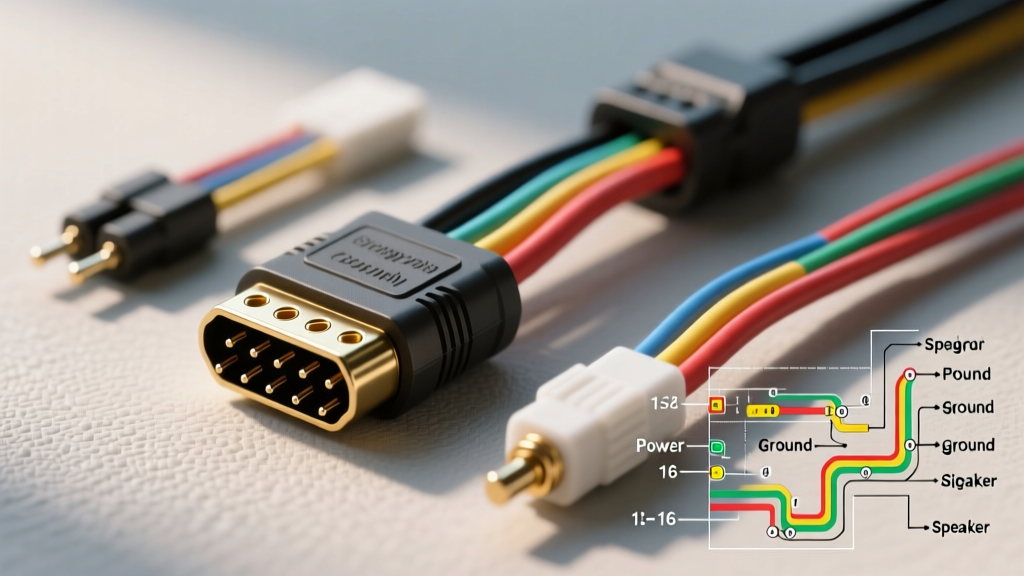
Introduction to the 16-Pin Harness Architecture
The 16 pin car audio connector is a cornerstone of automotive electrical integration, heavily utilized in General Motors (GM) Class 2 Data systems, Ford CAN-bus adaptations, and custom 12V DC multimedia command centers for RV trailers and toy haulers. Whether you are retrofitting an OEM head unit into a custom trailer build or diagnosing a dead stereo in a daily driver, understanding the precise pinout, wire gauges, and signal protocols of this harness is critical. Unlike simple 4-pin trailer light plugs, the 16-pin audio connector handles a complex matrix of constant power, switched ignition, chassis ground, illumination dimming, Class 2 serial data, and low-impedance speaker outputs. This guide provides a rigorous, step-by-step troubleshooting flow to isolate and repair harness failures using a Digital Multimeter (DMM) and oscilloscope.
Phase 1: Pre-Flight Visual and Physical Diagnostics
Before applying power or probing terminals, a thorough physical inspection of the 16-pin connector housing and backshell is mandatory. The most common point of failure in high-vibration environments (such as truck dashes and trailer command centers) is terminal fretting and pin splay.
- Connector Housing Integrity: Inspect the primary locking tab and secondary Terminal Position Assurance (TPA) lock. Cracked housings allow the connector to back out under thermal expansion, causing intermittent power loss.
- Terminal Splay: Use a dental pick to gently probe the female terminals. If a terminal pushes back into the housing (backing out), the internal micro-spring tang is broken. The terminal must be extracted and replaced.
- Wire Insulation & Backshell: Check the first two inches of wire exiting the connector. 18 AWG speaker wires are prone to chafing against sharp metal dash brackets. Look for melted insulation near the 14 AWG power pins, which indicates a high-resistance bottleneck generating excess heat.
Phase 2: The Power Triangle Verification (Pins 1, 2, and 3)
The 'Power Triangle' consists of Constant Battery (Pin 1), Switched Ignition (Pin 2), and Chassis Ground (Pin 3). These circuits demand a minimum of 14 AWG wire (or 12 AWG for amplified systems) to prevent voltage drop. According to SAE J1113 standards, voltage drop across any power or ground circuit should not exceed 0.2V under load.
Step-by-Step Power Testing
- Ground Verification: Set your DMM to DC Voltage. Place the red probe on a known good battery positive and the black probe on Pin 3 (Black wire). A reading above 0.2V indicates a corroded chassis ground or a pinched 14 AWG ground wire. Clean the chassis ring terminal with a wire brush and apply dielectric grease.
- Constant Power (Memory): Probe Pin 1 (Orange wire) with the black DMM lead on Pin 3. You should read 12.2V to 12.6V. If you read 0V, trace the inline memory fuse (typically 10A to 15A) and check for battery junction block corrosion.
- Switched Ignition (Accessory): Probe Pin 2 (Brown or Yellow wire) with the key in the 'ACC' position. Expect 12.0V+. If Pin 1 has power but Pin 2 does not, the head unit will not turn on. Check the ignition relay or the CAN-bus wake-up signal if the vehicle uses a solid-state body control module (BCM).
Phase 3: Data Bus and Accessory Signal Tracing
Modern 16-pin connectors integrate data and accessory signals that dictate how the radio behaves. Pin 4 (Brown/White) handles the dash illumination dimmer circuit. When headlights are engaged, this wire should drop from 12V down to 4V-8V depending on the dash dimmer switch setting.
Class 2 Data / CAN-Bus (Pin 13): In GM applications, Pin 13 (Green/Black) carries the Class 2 serial data. This line is critical for retained accessory power (RAP), chime integration, and steering wheel controls. A standard DMM will show a pulsing DC voltage (averaging 2.5V to 5V) when the BCM is awake. However, to properly diagnose data packet corruption, an oscilloscope is required. If the data line is shorted to ground, the radio will not power down, resulting in a parasitic battery drain.
Phase 4: Speaker Circuit Impedance and Phase Testing
Pins 5 through 12 govern the speaker outputs. These circuits utilize 18 AWG wire and operate on a bridged-tied load (BTL) architecture in modern amplifiers. Never use a tone generator on an active BTL amplifier output, as the DC offset can damage the amplifier IC.
Impedance Testing Protocol
Disconnect the vehicle battery and unplug the 16-pin harness from the head unit. Set your DMM to Ohms (Ω).
- Normal Reading: Measure across the Left Front Positive (Pin 5) and Left Front Negative (Pin 6). A healthy 4-ohm speaker will read between 3.2Ω and 4.5Ω due to voice coil temperature variance.
- Open Loop (OL): Indicates a severed 18 AWG wire, a blown speaker voice coil, or a corroded terminal inside the 16-pin housing.
- Short to Ground: Place one probe on Pin 5 and the other on Pin 3 (Ground). The DMM should read OL. If it reads near 0.0Ω, the speaker wire is pinched against the chassis, triggering the head unit's internal protection mode and shutting down audio output.
Comprehensive 16-Pin GM-Style Audio Connector Pinout
The following reference table outlines the standard 16-pin layout commonly adapted for GM vehicles and custom trailer multimedia retrofits. Always verify with a vehicle-specific wiring diagram from resources like Crutchfield's Vehicle Wiring Guide before cutting or splicing.
| Pin | Wire Color | AWG | Function | DMM Test Parameter |
|---|---|---|---|---|
| 1 | Orange | 14 | Constant Battery (+12V) | 12.2V - 12.6V DC |
| 2 | Brown/Yellow | 14 | Switched Ignition (+12V) | 12.0V+ (Key in ACC) |
| 3 | Black | 14 | Chassis Ground | < 0.2V Drop |
| 4 | Brown/White | 18 | Illumination Dimmer | 12V (Off) / 4-8V (On) |
| 5 | Gray | 18 | Left Front Speaker (+) | 3.2Ω - 4.5Ω |
| 6 | Gray/Black | 18 | Left Front Speaker (-) | Reference to Pin 5 |
| 7 | White | 18 | Right Front Speaker (+) | 3.2Ω - 4.5Ω |
| 8 | White/Black | 18 | Right Front Speaker (-) | Reference to Pin 7 |
| 9 | Purple | 18 | Right Rear Speaker (+) | 3.2Ω - 4.5Ω |
| 10 | Purple/Black | 18 | Right Rear Speaker (-) | Reference to Pin 9 |
| 11 | Green | 18 | Left Rear Speaker (+) | 3.2Ω - 4.5Ω |
| 12 | Green/Black | 18 | Left Rear Speaker (-) | Reference to Pin 11 |
| 13 | Green/Black | 20 STP | Class 2 Data / CAN-Bus | Pulsing DC / Scope |
| 14 | Blue/White | 18 | Amplifier Turn-On | 12V (Radio On) |
| 15 | Not Used | - | Blank / Reserved | N/A |
| 16 | Not Used | - | Blank / Reserved | N/A |
Step-by-Step Troubleshooting Decision Tree
Use this diagnostic matrix to quickly isolate the root cause of common 16-pin harness failures.
| Symptom | Probable Cause | Diagnostic Action & Fix |
|---|---|---|
| Radio has no power, no display. | Blown memory fuse or severed Pin 1 (14 AWG). | Test Pin 1 to Pin 3. If 0V, trace inline fuse and battery junction block. Repair wire and solder-seal. |
| Radio powers on, but loses presets. | Pin 1 and Pin 2 swapped at the aftermarket adapter. | Verify constant vs. switched with DMM. Swap terminals in the 16-pin housing using a terminal extraction tool. |
| Audio cuts out when hitting bumps. | Terminal splay in speaker pins (5-12) or TPA lock failure. | Inspect female terminals for loose grip. Replace damaged terminals and ensure secondary lock is engaged. |
| Whining noise in speakers that changes with RPM. | Ground loop or damaged 20 AWG STP data shielding. | Verify Pin 3 ground is on bare metal, not painted. Check RCA grounds if using an external amp adapter. |
| Parasitic battery drain overnight. | Data line (Pin 13) shorted, keeping BCM awake. | Disconnect 16-pin harness. If draw stops, inspect Pin 13 for chafing against the metal dash frame. |
Advanced Repair Protocols and Best Practices
When repairing a damaged 16 pin car audio connector, never use twist connectors or electrical tape. Automotive environments subject wiring to extreme thermal cycling and vibration. Follow these professional repair protocols:
- Terminal Replacement: Use a Delphi/Packard GT 150 terminal extraction tool to depress the internal tang and pull the damaged terminal out the back of the housing. Crimp the new terminal using a ratcheting open-barrel crimper to ensure a gas-tight connection.
- Wire Splicing: If the 14 AWG power wire is damaged, cut out the compromised section. Use a butt splice with an adhesive-lined heat shrink tube. The internal adhesive will melt and seal the joint against moisture ingress, preventing copper oxidation.
- Dielectric Grease Application: Apply a small dab of dielectric grease to the connector face before mating. This displaces moisture and prevents terminal fretting corrosion, which is especially critical in humid trailer and marine environments.
For further reading on automotive electrical standards and upfitter guidelines, consult the GM Upfitter Body Builder Manuals for specific integration schematics when adapting these harnesses into auxiliary vehicles and custom trailer builds. Proper diagnosis of the 16-pin connector requires patience, a quality DMM, and a strict adherence to voltage drop and impedance parameters.