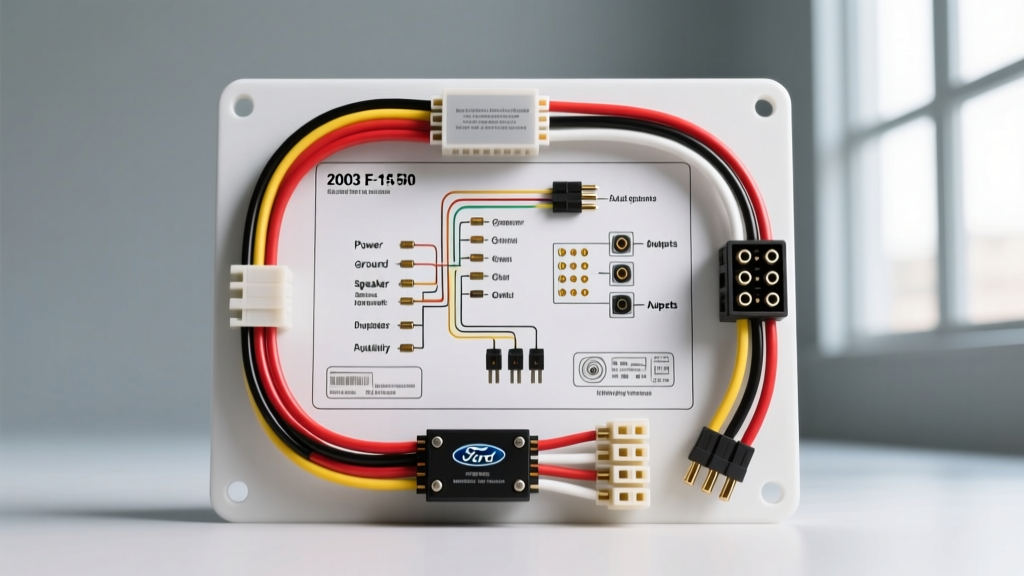
Project Overview: Upgrading the 2003 F-150 Head Unit
The 10th-generation Ford F-150 remains one of the most popular platforms for custom automotive audio builds. Whether you are dropping in a modern double-DIN multimedia receiver or building a full active DSP system, understanding the 03 ford f150 radio wiring diagram is the critical first step. Unlike modern CAN-bus heavy vehicles, the 2003 model year relies on traditional analog 12V triggers and resistor-ladder steering wheel controls. However, Ford's split between the 'Base' 4-speaker system and the 'Audiophile' 7-speaker amplified system creates unique wiring challenges. This guide provides the exact OEM pinouts, wire gauge requirements, and modification strategies needed to execute a flawless head unit and amplifier upgrade.
OEM 16-Pin Connector: Pinout and Wire Color Reference
The primary interface for the 2003 F-150 head unit is a 16-pin rectangular connector. When utilizing an aftermarket wiring harness adapter (such as the Metra 70-1771), you will map these OEM circuits to standard EIA aftermarket color codes. Below is the definitive OEM pinout based on Ford's electrical schematics and Metra Electronics vehicle fitment data.
| Pin # | Function | OEM Wire Color | AWG / Spec |
|---|---|---|---|
| 1 | Left Front Speaker (+) | Light Green / Red | 18 AWG |
| 2 | Left Front Speaker (-) | Light Green / Black | 18 AWG |
| 3 | Right Front Speaker (+) | White / Red | 18 AWG |
| 4 | Right Front Speaker (-) | White / Black | 18 AWG |
| 5 | Left Rear Speaker (+) | Light Blue / Red | 18 AWG |
| 6 | Left Rear Speaker (-) | Light Blue / Black | 18 AWG |
| 7 | Right Rear Speaker (+) | Orange / Red | 18 AWG |
| 8 | Right Rear Speaker (-) | Orange / Black | 18 AWG |
| 10 | Chassis Ground | Black / Light Green | 14 AWG |
| 11 | Illumination (Dimmer) | Light Blue / Red | 20 AWG |
| 12 | Switched 12V (Accessory) | Yellow / Black | 16 AWG |
| 14 | Constant 12V (Memory) | Light Green / Yellow | 14 AWG |
| 15 | Steering Wheel Control 1 | Light Green / Orange | 22 AWG |
| 16 | Steering Wheel Control 2 | White / Black | 22 AWG |
Note: Pin 9 and Pin 13 are typically vacant in the base audio configuration but may house amplifier turn-on signals in specific premium trims.
Handling the Factory Audiophile Amplifier Bypass
If your 2003 F-150 is equipped with the factory Audiophile sound system, you are dealing with an external amplifier located behind the rear seat back (SuperCrew) or under the center console (Regular Cab). The OEM head unit sends high-level (speaker-level) signals to this amp, which then drives the door speakers and the rear subwoofer. When installing an aftermarket head unit, you have two modification paths:
Path A: Retaining the Factory Amplifier
To keep the factory amp, you must use a specialized line-output converter (LOC) or an amp-retention harness that provides an analog amplifier turn-on signal. The factory amp requires a +12V trigger to wake up. You will need to tap into the Blue/White remote turn-on wire from your new aftermarket head unit and route it to the factory amp's trigger circuit. Failure to do this will result in a completely silent system, as the OEM amp will remain in standby mode.
Path B: Bypassing the Factory Amplifier (Recommended)
For true audio enthusiasts, bypassing the factory amp yields the best signal-to-noise ratio. This requires running new 16 AWG Oxygen-Free Copper (OFC) speaker wire from the dash directly to the rear doors and subwoofer enclosure. You will also need to bypass the factory subwoofer enclosure's internal crossover and wire the raw 8-ohm dual voice coil subwoofer directly to your new aftermarket amplifier. According to SAE J1128 standards for low-tension primary cable, ensuring your replacement speaker wires meet or exceed 16 AWG is vital to prevent thermal compression over long cable runs in the F-150's extended cab.
Integrating Steering Wheel Controls (SWC)
The 2003 F-150 utilizes an analog resistor-ladder network for steering wheel controls, rather than a digital CAN-bus message. Pins 15 and 16 on the OEM harness carry these variable resistance signals. To retain volume and track controls with an aftermarket radio, you must install a SWC interface module like the PAC RP4-FD11 or Axxess ASWC-1. PAC Audio interface guides recommend soldering the SWC 1 (Light Green/Orange) and SWC 2 (White/Black) wires directly to the interface harness using rosin-core solder and adhesive-lined heat shrink. Do not use crimp connectors for low-voltage analog signals, as micro-voltage drops across a poor crimp will cause the head unit to misinterpret button presses.
Power Routing, Grounding, and DSP Integration
When upgrading to a high-end receiver with 5-Volt RCA preouts and an integrated Digital Signal Processor (DSP), clean power is non-negotiable. The 2003 F-150's constant 12V memory wire (Light Green/Yellow, 14 AWG) is sufficient for head units drawing up to 15 amps. However, if you are adding a 5-channel amplifier, you must run a dedicated 4 AWG OFC power cable from the battery.
Firewall Penetration
Route the 4 AWG power wire through the main firewall grommet located behind the driver's side kick panel, or the secondary grommet near the brake master cylinder. Always use a rubber grommet protector and apply dielectric grease to prevent moisture ingress and sheet metal chafing.
Grounding Best Practices
The F-150's frame and cab are coated with heavy anti-corrosion paint. To establish a zero-ohm ground for your DSP and amplifiers, you must sand the paint down to bare, shiny metal. Use a 3/8-inch stainless steel ring terminal, secured with an M8 bolt and a star washer. Torque the ground bolt to 10-15 Nm (88-132 in-lbs) and coat the terminal in clear nail polish or liquid electrical tape to prevent oxidation.
Troubleshooting Common 10th-Gen Audio Issues
- Symptom: Head unit powers on, but no audio from speakers.
Cause: Factory Audiophile amp is not turning on.
Fix: Verify the Blue/White remote turn-on wire from the aftermarket harness is receiving +12V when the key is in the 'ACC' position. Check the factory amp's inline fuse near the amplifier housing. - Symptom: Alternator whine that pitches up with engine RPM.
Cause: Ground loop caused by the aftermarket amp and the head unit sharing a contaminated ground point, or RCA cables routed parallel to the 4 AWG power wire.
Fix: Re-route RCA cables down the opposite side of the transmission tunnel from the power wire. Verify all ground points are sanded to bare metal. - Symptom: Head unit loses memory (clock/radio presets) every time the truck is turned off.
Cause: Swapped Constant and Switched 12V wires.
Fix: Verify the Light Green/Yellow wire (Constant) is connected to the head unit's Yellow memory wire, and the Yellow/Black OEM wire (Switched) is connected to the head unit's Red accessory wire. Check Fuse 18 in the cab fuse panel if the switched circuit is dead.
By meticulously following this 03 ford f150 radio wiring diagram and adhering to proper automotive electrical standards, your upgrade project will yield a reliable, high-fidelity audio system capable of handling the harsh acoustic environment of a truck cab.