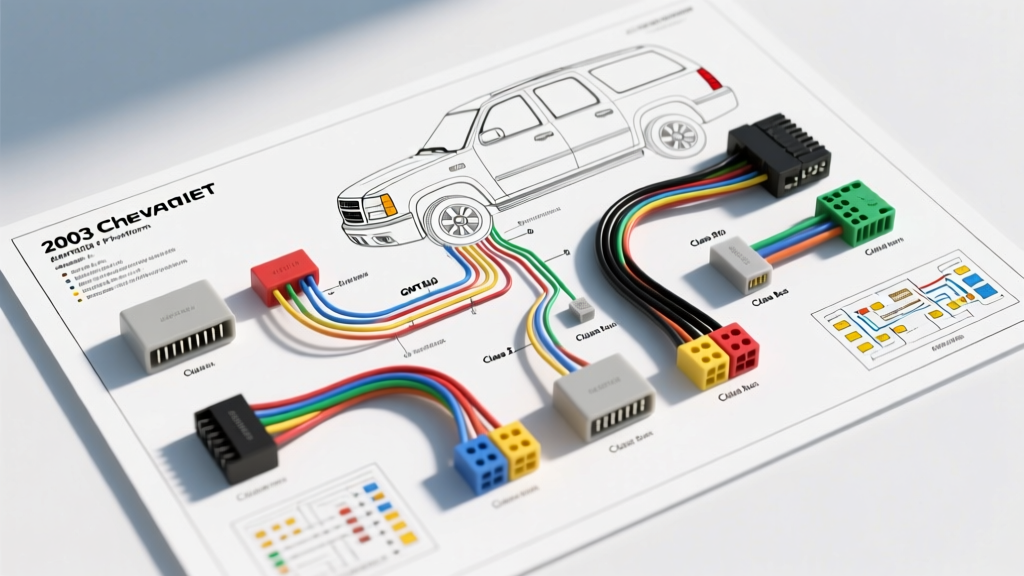
Understanding the 03 Tahoe Radio Wiring Diagram & GMT800 Architecture
The 2003 Chevrolet Tahoe, built on General Motors' robust GMT800 platform, represents a pivotal shift in automotive electrical architecture. Unlike older vehicles that relied on simple 12V switched ignition wires to wake up the head unit, the 03 Tahoe utilizes a multiplexed Class 2 Serial Data bus and a Retained Accessory Power (RAP) system. Because of this, referencing a standard aftermarket wiring chart will lead to installation failures, missing vehicle chimes, and parasitic battery drains. To successfully upgrade or replace your stereo, you must understand the OEM 03 Tahoe radio wiring diagram and how the Delco 24-pin connector integrates with the Body Control Module (BCM).
The Class 2 Serial Data Bus & RAP System
In the GMT800 platform, the radio is a recognized node on the Class 2 data bus (SAE J1850 VPW). When you turn the ignition key, the BCM sends a digital wake-up message over the Dark Green data wire. Furthermore, the door chimes, turn signal clicks, and OnStar audio routing are processed through the radio and output directly to the driver-side front speaker. Bypassing this data stream without a proper integration module will result in a loss of critical safety chimes and an inability to retain OnStar functionality.
OEM 24-Pin Delco Connector Pinout Chart
The primary power and data harness for the 2003 Tahoe is a 24-pin Delco connector, typically divided into two 12-pin cavities (A and B). Below is the exact OEM pinout configuration for the base and premium audio systems. Always verify with a digital multimeter (DMM) before splicing, as previous owners may have modified the harness.
| Pin | Wire Color | Function / Description | AWG |
|---|---|---|---|
| B11 | Orange | Battery Constant 12V+ (Memory) | 12 AWG |
| B8 | Yellow | Ignition / RAP 12V+ (Switched) | 14 AWG |
| B12 | Black/White | Chassis Ground | 12 AWG |
| B1 | Dark Green | Class 2 Serial Data Bus | 18 AWG |
| B7 | Brown/White | Illumination / Dimmer Circuit | 18 AWG |
| B2 | Dark Green/White | Mute Signal (OnStar Integration) | 18 AWG |
| A12 | Light Blue/White | Amplifier Turn-On (Bose Y91 Option) | 18 AWG |
Speaker Harness & Wire Color Codes (8-Pin Connector)
The speaker outputs are isolated on a secondary 8-pin connector. If you are installing an aftermarket amplifier, you will tap into these low-level speaker wires. Note that GMT800 speaker wires do not follow the standard EIA color code; always use a phase tester or multimeter to verify polarity.
| Speaker Location | Positive (+) Wire | Negative (-) Wire |
|---|---|---|
| Left Front | Tan | Gray |
| Right Front | Light Green | Dark Green |
| Left Rear | Brown | Yellow |
| Right Rear | Dark Blue | Light Blue |
Step-by-Step Aftermarket Installation Guide
Upgrading the stereo in a 2003 Tahoe requires more than just cutting and crimping wires. Follow this professional installation sequence to ensure data bus integrity and physical security.
Step 1: Dash Bezel and Radio Removal
- Tilt the steering wheel completely downward and open the center console lid.
- Using a plastic trim removal tool, gently pry the large U-shaped dash bezel starting from the bottom near the climate controls. It is retained by metal spring clips.
- Locate the four 7mm hex-head bolts securing the radio mounting bracket to the dash frame.
- Slide the radio outward, depress the top and bottom tabs on the 24-pin and 8-pin connectors, and disconnect the harnesses. Unplug the Motorola-style antenna lead from the top right corner.
Step 2: Integrating the GMRC-04 Data Interface
Because the 03 Tahoe uses the Class 2 data bus for ignition sensing and chime generation, you must use a vehicle-specific interface module like the Axxess GMRC-04 or Metra GMOS-LAN-04. These modules intercept the Dark Green data wire, translate the BCM's digital wake-up command into a standard 12V accessory output for your aftermarket radio, and house a localized speaker to retain door and seatbelt chimes.
Step 3: Wire Splicing, AWG Standards, and Heat Shrinking
According to SAE J1128 standards for automotive low-tension primary cable, proper wire gauge and insulation are critical to prevent voltage drop and fire hazards.
- Power & Ground: Use minimum 12 AWG primary wire for the constant and ground circuits. Upgrade to 10 AWG if your new head unit features a high-current internal amplifier (45W x 4 RMS).
- Splicing Method: Avoid T-taps and Scotchlocks, which pierce the copper strand and invite corrosion. Strip 5mm of insulation, use a staggered butt-splice or solder the connections, and seal them with dual-wall, adhesive-lined polyolefin heat shrink tubing.
GM Theftlock & VIN Matching Procedures
If you are replacing a broken OEM Delco radio with a used OEM unit from a salvage yard, you will encounter the GM Theftlock system. The 2003 Tahoe radio stores the Vehicle Identification Number (VIN) in its non-volatile memory. Upon startup, it cross-references this VIN with the BCM via the Class 2 data bus. If they do not match, the display will read 'LOC' or 'LOCK', and audio output will be disabled.
The Fix: You cannot bypass this with a wiring trick. A used OEM radio must be taken to a GM dealership where a technician will use the Tech 2 (or modern GDS2) scan tool to flash the new VIN into the radio's EEPROM. Alternatively, installing an aftermarket radio with a data interface completely circumvents the Theftlock system, as the aftermarket unit does not query the BCM for VIN validation.
Diagnostic Troubleshooting: Common GMT800 Audio Failures
Even with the correct 03 Tahoe radio wiring diagram, GMT800 platforms are prone to specific electrical gremlins. Use this decision tree to diagnose post-installation issues.
Symptom: Parasitic Battery Drain After Installation
Cause: The aftermarket radio is wired to a constant 12V source for its 'Accessory' wire instead of the RAP circuit or data interface module. The radio never receives the 'sleep' command from the BCM and stays in standby mode, drawing 50-150mA continuously.
Fix: Verify that the red accessory wire on your aftermarket harness is connected exclusively to the 12V output provided by your GMOS/GMRC interface module, not directly to the fuse box or ignition cylinder.
Symptom: Missing Door Chimes and Turn Signal Clicks
Cause: The interface module's localized chime speaker is disabled, or the Class 2 data wire (Dark Green) is spliced using a high-resistance connector, corrupting the data packets.
Fix: Check the DIP switch settings on your interface module to ensure 'Chime Retention' is set to ON. Inspect the Dark Green wire splice; if it is twisted and taped, cut it back and solder the joint to ensure the 10.4 kbps data signal passes without degradation.
Symptom: Radio Turns On, But No Audio (Bose Equipped Models)
Cause: The factory Bose amplifier (located under the center console or rear cargo area) is not turning on. The 2003 Tahoe Bose system requires a 12V trigger signal on the Light Blue/White wire to wake the amplifier from standby.
Fix: Ensure your aftermarket radio's 'Amp Turn-On' (Blue/White striped) wire is properly connected to the Light Blue/White wire on the GM vehicle harness. Do not connect this to the power antenna wire, as the voltage timing may differ and cause a loud 'pop' in the speakers upon startup.
Authoritative References
For further technical validation, consult the following resources regarding GMT800 electrical architecture and wiring standards:
- GM Owner Center & Service Documentation - Official General Motors electrical schematics and retained accessory power logic flows.
- Crutchfield Vehicle Research Database - Verified fitment data and interface module requirements for 2003 Chevrolet Tahoe audio systems.
- SAE J1128: Low Tension Primary Cable - Society of Automotive Engineers standards for automotive wire gauge, insulation thickness, and thermal ratings.