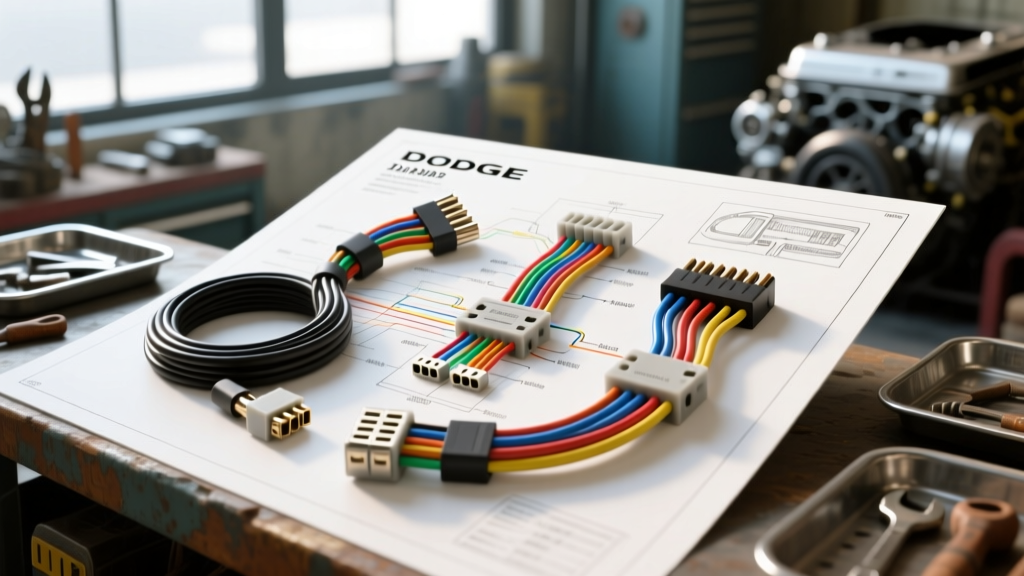
Initial Diagnostic Flow: Radio Will Not Power On
When diagnosing a dead head unit in the 1st-generation DN platform, relying on a 1999 Dodge Durango radio wiring diagram is only the first step. You must verify the integrity of the Junction Block (JB) circuits before pulling the dash bezel. The 1999 model year features a unique Chrysler 7-pin and 10-pin harness combination that requires systematic multimeter testing to isolate faults.
- Verify Fuse Integrity: Check JB Fuse 12 (10A, Red) for switched ignition power and JB Fuse 6 (15A, Light Blue) for constant battery memory. Use a test light on both sides of the fuse element; visual inspection is insufficient due to hairline fractures common in 1990s Chrysler fuse boxes.
- Probe the Harness Connector: Remove the radio. Using a digital multimeter (DMM), back-probe the main Chrysler harness. Pin 7 (Pink wire) should read 12.4V-12.6V constant. Pin 2 (Red/White wire) should read 12.4V only in the ACC or RUN position.
- Confirm Ground Path: Pin 6 (Black/Light Green) is your chassis ground. Measure resistance between Pin 6 and a known bare metal point on the dash support beam. It must read below 0.5 ohms to ensure adequate current flow.
1999 Dodge Durango Radio Wiring Harness Pinout Table
Understanding the OEM wire color codes is critical, especially when integrating aftermarket harnesses like the Metra 70-1004. Below is the definitive pinout for the standard and premium audio configurations.
| Function | Wire Color | Pin / Circuit | AWG Spec |
|---|---|---|---|
| Constant 12V (Battery) | Pink | Pin 7 (Circuit Fused B+) | 18 AWG |
| Switched 12V (Ignition) | Red/White | Pin 2 (Circuit ACC) | 18 AWG |
| Chassis Ground | Black/Light Green | Pin 6 (Circuit GND) | 16 AWG |
| Panel Illumination | Orange/Black | Pin 5 (Circuit Lamp) | 20 AWG |
| Front Left Speaker (+) | Dark Green | 7-Pin Connector | 18 AWG |
| Front Left Speaker (-) | Dark Green/Black | 7-Pin Connector | 18 AWG |
| Front Right Speaker (+) | Purple | 7-Pin Connector | 18 AWG |
| Front Right Speaker (-) | Purple/Black | 7-Pin Connector | 18 AWG |
| Rear Left Speaker (+) | Brown/Light Green | 10-Pin Connector | 18 AWG |
| Rear Left Speaker (-) | Brown/Light Green/Black | 10-Pin Connector | 18 AWG |
| Rear Right Speaker (+) | Dark Blue/Orange | 10-Pin Connector | 18 AWG |
| Rear Right Speaker (-) | Dark Blue/Orange/Black | 10-Pin Connector | 18 AWG |
Step-by-Step Symptom Troubleshooting
Symptom 1: Radio Turns On But No Sound (Infinity Amp Bypass)
If your 1999 Durango is equipped with the factory Infinity premium audio system, the head unit outputs low-level pre-amp signals rather than high-level speaker wire outputs. The factory amplifier is mounted behind the right rear quarter panel trim. You cannot wire aftermarket speakers directly to the factory Infinity head unit harness.
The Fix: You must either bypass the factory amplifier by running new 16 AWG speaker wires directly from the new head unit to each door, or use an active line output converter (LOC) to step down the high-level aftermarket outputs to low-level RCA signals to retain the factory amp. According to Metra Electronics installation guides, using a bypass harness that rewires the door speakers to the head unit is the most reliable long-term solution to avoid factory amp degradation and alternator whine.
Symptom 2: Radio Loses Memory and Clock When Engine Is Off
This is a classic constant 12V failure. The radio is mistakenly wired to switched power only, or the Pink constant wire has a high-resistance fault.
- Set your DMM to DC Voltage.
- With the key OFF, probe the Pink wire at the back of the radio harness.
- If voltage drops below 11.5V, trace the Pink wire back to the firewall bulkhead connector. Corrosion in the bulkhead is a known DN-platform failure mode caused by clogged cowl drains.
- Clean the bulkhead pins with electrical contact cleaner and apply dielectric grease per SAE J1128 wiring maintenance standards.
Symptom 3: Intermittent Power Loss Over Bumps
Vibration-induced power loss points to a poor ground or a loose crimp inside the ISO/DIN adapter harness.
The Fix: Inspect the Black/Light Green ground wire. The factory ground ring terminal is often bolted to the dash support brace behind the HVAC controls. Remove the bolt, sand the metal surface to bare steel using 120-grit sandpaper, and reinstall with a star washer to bite through any rust or paint. Ensure the crimp connection between the OEM harness and your aftermarket adapter uses a closed-end nylon-insulated crimp, heat-shrunk for vibration resistance.
Aftermarket Integration: Retaining Steering Wheel Controls (SWC)
Upgrading the head unit in a 1999 Durango often involves losing the factory steering wheel audio controls. To retain these, you must interface the vehicle's resistance-based SWC circuit with an adapter like the Axxess ASWC-1 or PAC RPAC-CH01.
The 1999 Durango utilizes a resistance-multiplexed SWC circuit rather than a CAN-bus system found in later models. The steering wheel buttons complete a circuit through a resistor ladder, sending a varying voltage signal back to the radio.
- SWC Signal Wire: Typically found on the secondary harness or spliced into the main harness depending on the exact build month. Look for a Yellow/Red or Light Green/Red wire.
- SWC Ground: Must share a common ground reference with the head unit. If the radio ground and SWC ground have a potential difference greater than 0.1V, the adapter will read incorrect resistance values, resulting in the wrong button commands.
- Programming the Interface: After soldering the SWC wire (never use twist-caps or T-taps for low-voltage multiplexed signals), follow the adapter's LED flash sequence to map the Volume Up, Volume Down, and Mode buttons.
Advanced Diagnostic: Voltage Drop Testing the Main Feed
If your aftermarket head unit powers on but shuts off or dims when the bass hits, you are experiencing severe voltage drop. The factory 18 AWG Pink wire is sufficient for a 10-watt OEM radio, but an aftermarket unit pushing 50Wx4 plus an illuminated display can pull upwards of 15 amps on transient peaks.
- Set your DMM to DC Voltage.
- Connect the positive lead to the battery positive terminal and the negative lead to the Pink wire at the back of the radio harness.
- Turn the radio on and increase the volume to 80% with bass boost engaged.
- A reading above 0.5V indicates excessive resistance in the constant power feed. To fix this, run a new 12 AWG OFC power wire directly from the battery (with an inline 15A ATC fuse within 18 inches of the battery terminal) to the radio's constant power input, bypassing the aging factory Junction Block entirely.
Common Failure Modes in the DN Platform
The 1998-2003 Durango (DN platform) suffers from a few specific electrical gremlins that affect the radio circuit:
- Ignition Switch Wear: The mechanical ignition switch on the steering column wears out, causing the Red/White ACC wire to drop voltage when the key is in the RUN position. If your radio resets while driving, test the ACC wire at the steering column harness, not just at the radio.
- Dimmer Switch Backfeed: Rolling the dash dimmer wheel to the maximum 'click' position engages the interior lights circuit. In aging Durangos, this can backfeed voltage through the Orange/Black illumination wire into the radio's microcontroller, causing the unit to freeze or reboot. Snip the Orange/Black wire at the harness if this occurs.
- Antenna Mast Motor Failure: If equipped with a power antenna, the Dark Green/Red trigger wire often shorts against the inner fender well due to cracked loom tubing. Wrap all antenna trigger wires in TESA tape to prevent chassis shorts.
For comprehensive dash disassembly and bulkhead routing procedures, always cross-reference your physical vehicle with the Haynes Repair Manual for Dodge Durango to avoid snapping the brittle 1990s-era plastic dash clips during radio removal.