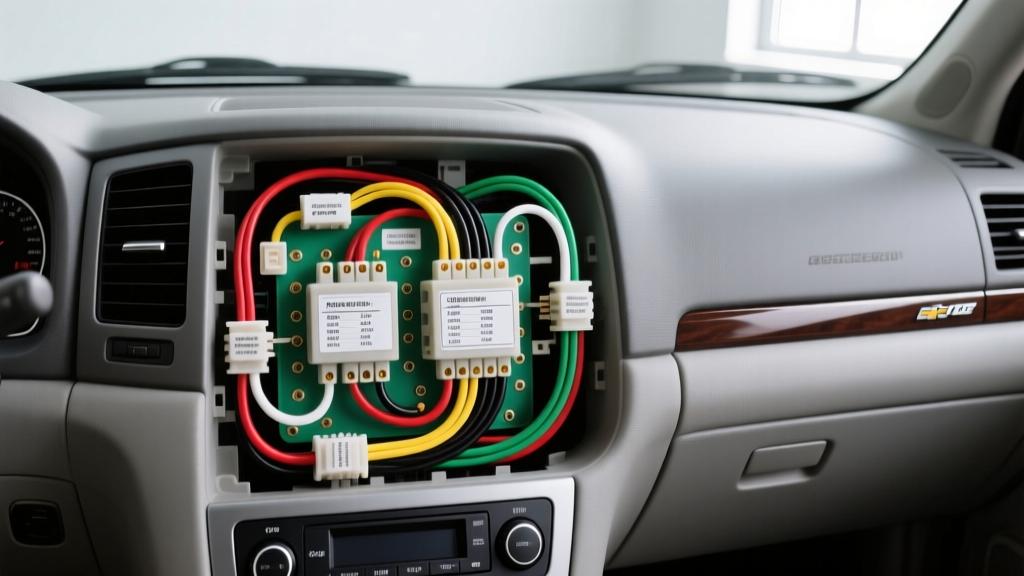
Understanding the GMT800 Electrical Architecture
Upgrading the stereo in a 2002 Chevrolet Tahoe requires more than just matching wire colors. As part of General Motors' GMT800 platform, the 2002 Tahoe utilizes a sophisticated GM Class 2 Serial Data bus (SAE J1850 VPW) to manage communication between the radio, the Body Control Module (BCM), OnStar, and the vehicle's anti-theft system (Theftlock). If you attempt a traditional 'cut-and-splice' installation without a data bus interface, you will not only trigger the radio's anti-theft lockout but also lose critical safety features like the factory door chimes and turn signal clicks, which are routed through the audio system.
This practical how-to guide provides the exact 2002 Chevy Tahoe radio wiring diagram, pinout specifications, and the step-by-step methodology required to install an aftermarket double-DIN head unit while retaining all factory BCM integrations.
Essential Tools and Materials
Before beginning the teardown, ensure you have the following automotive electrical tools on hand:
- Trim Panel Removal Tools: Nylon pry tools to prevent marring the soft-touch dash materials.
- Sockets and Drivers: 7mm and 8mm sockets with a 1/4-inch ratchet for bezel and radio bracket bolts.
- Wire Strippers and Crimpers: Calibrated for 18-22 AWG stranded copper wire.
- Digital Multimeter (DMM): Essential for verifying the Class 2 data line voltage and constant 12V reference.
- Heat Shrink Tubing and Crimp Connectors: Never use electrical tape for permanent automotive wiring; use adhesive-lined heat shrink to prevent moisture ingress and copper oxidation.
- Data Bus Interface Module: Such as the Axxess GMOS-04 or Metra XSV-2003 to retain OnStar, door chimes, and factory amplifiers.
2002 Chevy Tahoe Radio Wiring Diagram & Pinout Chart
The 2002 Tahoe utilizes a standardized GM 24-pin radio connector. Below is the comprehensive pinout chart detailing the wire colors, functions, and American Wire Gauge (AWG) ratings for the primary power, ground, and speaker circuits. Note that if your Tahoe is equipped with the premium Bose audio package, the speaker outputs from the head unit are low-level (line-level) signals routed to the factory amplifier, rather than high-level amplified signals.
| Pin Number | Wire Color | Function / Circuit | AWG Rating |
|---|---|---|---|
| Pin A1 | Orange | +12V Constant Battery (Memory) | 18 AWG |
| Pin A2 | Yellow | +12V Switched Accessory (Ignition) | 18 AWG |
| Pin A3 | Black/White | Chassis Ground | 18 AWG |
| Pin A4 | Brown/White | Illumination / Dimmer Circuit | 20 AWG |
| Pin A7 | Blue/White | Factory Amplifier Turn-On (Bose) | 20 AWG |
| Pin B1 | Tan | Left Front Speaker (+) | 18 AWG |
| Pin B2 | Gray | Left Front Speaker (-) | 18 AWG |
| Pin B3 | Light Green | Right Front Speaker (+) | 18 AWG |
| Pin B4 | Dark Green | Right Front Speaker (-) | 18 AWG |
| Pin B5 | Brown | Left Rear Speaker (+) | 18 AWG |
| Pin B6 | Yellow | Left Rear Speaker (-) | 18 AWG |
| Pin B7 | Dark Blue | Right Rear Speaker (+) | 18 AWG |
| Pin B8 | Light Blue | Right Rear Speaker (-) | 18 AWG |
| Pin C1 | Purple | Class 2 Serial Data Bus | 22 AWG |
Step-by-Step Head Unit Removal and Installation
Step 1: Dash Bezel and Factory Radio Removal
Begin by disconnecting the negative battery terminal using an 8mm wrench to prevent accidental short circuits against the chassis. Use a nylon trim tool to gently pry the edges of the instrument cluster bezel. The 2002 Tahoe bezel is secured by four 7mm screws located behind the trim pieces near the steering column and the passenger side vent. Once the screws are removed, pull the bezel straight back to release the metal tension clips. With the bezel removed, you will see four 7mm bolts securing the factory radio bracket to the dash sub-frame. Remove these bolts, slide the radio outward, and depress the locking tabs on the 24-pin harness and the coaxial antenna cable to disconnect them.
Step 2: Integrating the Class 2 Data Bus Interface
This is the most critical step in the 2002 Chevy Tahoe radio wiring diagram process. Plug your chosen data bus interface (e.g., GMOS-04) directly into the factory 24-pin harness. The interface module intercepts the Purple Class 2 Serial Data wire (Pin C1). According to Crutchfield's GM Class 2 Data documentation, this module translates the BCM's digital signals into analog triggers for your aftermarket radio's accessory wire, while simultaneously generating the artificial door chimes through the front speakers. Route the interface module's 12-pin output harness toward the center console where your new head unit will sit.
Step 3: Wiring the Aftermarket Harness
Match the wires from the data bus interface to your aftermarket head unit's wiring harness using adhesive-lined heat shrink crimps.
- Power: Connect the interface's Red wire to the head unit's Red (Accessory) wire, and the interface's Yellow wire to the head unit's Yellow (Constant) wire.
- Ground: Connect the Black wire to the head unit's Black wire. Pro Tip: Do not rely solely on the radio chassis for grounding. Run a dedicated 16 AWG ground wire from the harness to a bare metal bolt under the dash to eliminate alternator whine.
- Speakers: Connect the corresponding speaker wires (Tan/Gray, Green, Brown, Blue) observing the correct polarity. Reversing polarity on even one speaker will cause phase cancellation, resulting in hollow, bass-deficient audio.
Step 4: Antenna and Steering Wheel Control Integration
The 2002 Tahoe uses a standard Motorola male antenna connector. If your new head unit requires a steering wheel control (SWC) interface like the Axxess ASWC-1, locate the Brown/White and Gray/Black wires in the secondary GM connector (if equipped) or splice into the Class 2 data line as dictated by the SWC module's instructions. Finally, connect the blue amplifier turn-on wire from the head unit to the interface module's blue wire to ensure the factory Bose amplifier (if equipped) powers up when the radio is turned on.
Common Wiring Faults & Troubleshooting
Even with a perfect wiring diagram, installation errors can occur. Use this diagnostic tree to resolve common issues:
- Symptom: Radio turns on, but no audio and no door chimes.
Cause: The Class 2 Data interface is not receiving the serial data signal, or the Purple wire (Pin C1) has a poor connection.
Fix: Use a DMM to check for a 0-7V pulsing signal on the Purple wire with the ignition on. If absent, check the BCM fuse and trace the data line back to the diagnostic port under the dash. - Symptom: Vehicle battery drains overnight.
Cause: The Constant 12V (Orange/Yellow) and Switched 12V (Red/Yellow) wires are swapped at the head unit, keeping the radio's internal processor awake when the key is removed.
Fix: Verify with a multimeter that the wire connected to the head unit's Yellow memory wire has 12V with the key OFF, and the Red accessory wire only has 12V with the key ON. - Symptom: Severe alternator whine that pitches with engine RPM.
Cause: Ground loop caused by a poor chassis ground or running RCA cables parallel to the 18 AWG power wires.
Fix: Scrape away any paint or rust from the grounding point under the dash. Ensure RCA interconnects are routed down the center console, while power and speaker wires are routed along the door sill.
Authoritative References
For further technical validation, refer to the following automotive electrical standards and manufacturer resources: