Navigating the 2003 Silverado Radio Wiring Diagram & GMT800 Architecture
Upgrading the head unit in a GMT800 platform truck requires more than just matching wire colors; it requires a deep understanding of the vehicle's Class II Data Bus architecture. The 2003 silverado radio wiring diagram represents a pivotal transition year for General Motors. Depending on your trim level (LS, LT, or SS) and option packages (Bose Premium Audio, OnStar, or Y91 Off-Road), your factory radio may act as a critical gateway for the Body Control Module (BCM). If you simply cut and splice wires without the correct interface module, you risk losing your door chimes, disabling OnStar, or triggering a parasitic battery draw that will leave your truck dead by morning.
This comprehensive product comparison and selection guide will break down the OEM pinouts, compare the top aftermarket wiring harness adapters on the market, and provide expert-level installation standards based on SAE J1128 Low Tension Primary Cable Standards. Whether you are installing a basic single-DIN receiver or a floating-screen Android unit, selecting the right harness is the difference between a seamless integration and an electrical nightmare.
OEM 2003 Silverado Radio Pinout & Wire Color Reference
Before selecting an adapter, you must verify your factory connector layout. The 2003 Silverado primarily utilizes a 16-pin main connector (C1) and, in some premium audio configurations, an 8-pin secondary connector (C2) for amplified outputs and Class II data. Below is the standard 16-pin C1 connector pinout referenced in the Haynes GM Full-Size Trucks Repair Manual.
| Pin | OEM Wire Color | Function | AWG Size |
|---|---|---|---|
| 16 | Orange | 12V Constant Battery (B+) | 14 AWG |
| 9 | Yellow | 12V Switched Ignition (ACC) | 14 AWG |
| 8 | Black/White | Chassis Ground | 14 AWG |
| 15 | Gray | Dashboard Illumination | 18 AWG |
| 7 | Blue | Power Antenna / Amp Turn-On | 18 AWG |
| 1 | Tan | Left Front Speaker (+) | 18 AWG |
| 2 | Gray | Left Front Speaker (-) | 18 AWG |
| 3 | Light Green | Right Front Speaker (+) | 18 AWG |
| 4 | Dark Green | Right Front Speaker (-) | 18 AWG |
| 5 | Brown | Left Rear Speaker (+) | 18 AWG |
| 6 | Yellow | Left Rear Speaker (-) | 18 AWG |
| 11 | Dark Blue | Right Rear Speaker (+) | 18 AWG |
| 12 | Light Blue | Right Rear Speaker (-) | 18 AWG |
| 10 | Dark Green | Class II Serial Data (If Equipped) | 20 AWG |
Note: If your truck is equipped with the factory Bose amplifier, the speaker wires listed above carry low-level pre-out signals, not amplified speaker-level outputs. You must select a line-output converter (LOC) or a data-bus retention module that steps these signals down to 2V-4V RCA outputs for your aftermarket amplifier.
Aftermarket Harness Adapter Comparison Guide
Choosing the correct adapter requires matching your truck's specific RPO (Regular Production Option) codes. Here is how the top three industry-standard harness adapters compare for the 2003 Silverado.
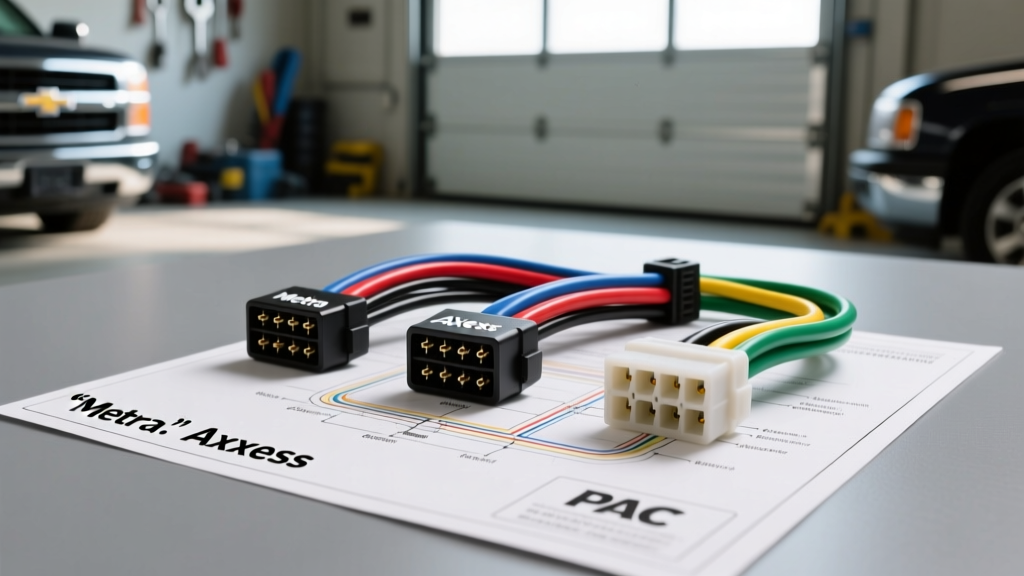
1. Standard Replacement (No OnStar / No Bose): Metra 70-2002 vs. Scosche GM02B
If your Silverado is a base model work truck without OnStar or premium audio, the data bus is not intertwined with the radio's power state. Metra's 70-2002 and Scosche's GM02B are direct plug-and-play 16-pin to bare-wire pigtails. Both use standard EIA color codes that match 99% of aftermarket head units (Yellow for constant, Red for switched, Black for ground). Verdict: The Metra 70-2002 utilizes slightly thicker 14 AWG copper stranding for the power and ground legs compared to the Scosche, making it the superior choice for modern high-draw Android head units that can pull up to 15A on the constant 12V rail to maintain memory and fast-boot capabilities.
2. OnStar & Chime Retention: Axxess GMOS-04 vs. PAC RP5-GM11
For LT and SS trims equipped with OnStar and the Driver Information Center (DIC), the radio generates the seatbelt and door-ajar chimes. Unplugging the factory unit severs this circuit. The Axxess GMOS-04 is a legacy module that retains OnStar and routes the safety chimes exclusively to the left front speaker. While functional, a single-speaker chime is easily missed over road noise. The PAC RP5-GM11 is a vastly superior, micro-processor-driven interface. It retains OnStar, fades the factory Bose amplifier correctly, and distributes the safety chimes across all four front and rear speakers at a user-adjustable volume. Verdict: The PAC RP5-GM11 is the undisputed champion for GMT800 data-bus retention, despite a higher price point and more complex DIP-switch configuration.
Steering Wheel Control (SWC) Interface Selection
The 2003 Silverado utilizes a resistive ladder network for its steering wheel audio controls, sending varying voltage signals down a single wire (typically Key A or Key B) to the BCM, which then translates it to the Class II Data Bus. To retain these buttons with an aftermarket radio, you need a dedicated SWC interface.
- Axxess ASWC-1: Features auto-detection technology. Once wired to the data bus and the head unit's SWC input, it automatically identifies the GMT800 protocol and maps the buttons without manual programming. Highly recommended for Pioneer, Kenwood, and Alpine decks.
- PAC SWI-RC: Requires manual button-mapping via a sequence of presses on the steering wheel and the interface module. While reliable, the manual programming sequence is notoriously finicky on GM resistive circuits, often requiring multiple resets if the battery voltage drops during the pairing process.
Expert Installation Standards: AWG, Termination, and Routing
According to Metra Electronics' installation best practices and SAE automotive standards, relying on 'T-Tap' connectors or twisting wires together with electrical tape is a guaranteed path to failure. The GMT800 platform is prone to severe voltage fluctuations from the alternator, which can easily degrade poor connections.
Wire Gauge & Termination Rules
- Power and Ground: Never use the thin 18 AWG wire included in the box with cheap aftermarket radios for your main power. Splice a 12 AWG or 14 AWG oxygen-free copper (OFC) wire to the adapter's Orange (Constant) and Yellow (Switched) leads. Use adhesive-lined marine-grade heat shrink and a proper ratcheting crimper.
- Speaker Wires: The OEM 18 AWG speaker wire is sufficient for 50W x 4 RMS internal head unit amplification. However, if you are running RCA pre-outs to an external amplifier, ensure your RCA cables are routed down the opposite side of the vehicle from the factory wiring harness to prevent alternator whine (EMI interference).
- Class II Data Splicing: If your retention module requires tapping into the Dark Green Class II data wire, use a Posi-Tap connector or carefully strip back 1/4 inch of insulation, wrap the tap wire, and solder it. A poor data bus connection will throw U-codes (e.g., U1000 Loss of Communications) in the BCM.
Common Wiring Failure Modes & Troubleshooting
Even with the correct 2003 silverado radio wiring diagram and premium adapters, installers frequently encounter the following GMT800-specific issues:
Symptom: Parasitic Battery Draw (Truck Won't Start in the Morning)
Cause: The Class II Data Bus is failing to 'go to sleep'. When the ignition is turned off, the BCM sends a sleep command over the data bus. If your aftermarket harness adapter is back-feeding voltage into the data line, or if the SWC interface is drawing continuous current, the BCM stays awake, draining the battery in 4-6 hours.
Fix: Verify that the Red (Accessory) wire on your aftermarket harness is strictly connected to a true ignition-switched 12V source, not a constant 12V source. Use a multimeter to measure the data bus wire; it should drop to 0V within 15 minutes of removing the key.
Symptom: Alternator Whine in Speakers
Cause: Ground loop issues. The factory Bose amplifier and the aftermarket head unit are grounded to different chassis points with varying resistance.
Fix: Ensure the Black/White ground wire on your 16-pin adapter is terminated to the exact same factory grounding stud behind the dashboard as the BCM. Sand away any paint or corrosion to ensure bare metal-to-metal contact, and apply dielectric grease to prevent future oxidation.
Symptom: Radio Loses Memory/Presets Every Time the Truck is Turned Off
Cause: Swapped Constant and Switched 12V wires. GM's OEM Orange wire is Constant (Battery), and Yellow is Switched (Ignition). Standard aftermarket EIA color codes use Yellow for Constant and Red for Switched. Installers often match Yellow-to-Yellow, which connects the truck's switched ignition to the radio's constant memory wire.
Fix: Re-pin the harness adapter. Connect OEM Orange to Aftermarket Yellow (Memory), and OEM Yellow to Aftermarket Red (Accessory).
Final Verdict for the 2003 Silverado Upgrade
Successfully upgrading the audio system in a 2003 Chevy Silverado hinges entirely on respecting the vehicle's multiplexed data network. By referencing the OEM pinout, selecting a high-quality data-bus retention module like the PAC RP5-GM11, and adhering to SAE termination standards, you will achieve a factory-fit finish with zero diagnostic trouble codes. Always verify your RPO codes in the glovebox before ordering your harness, and never trust a wiring diagram blindly without testing the wires with a digital multimeter first.