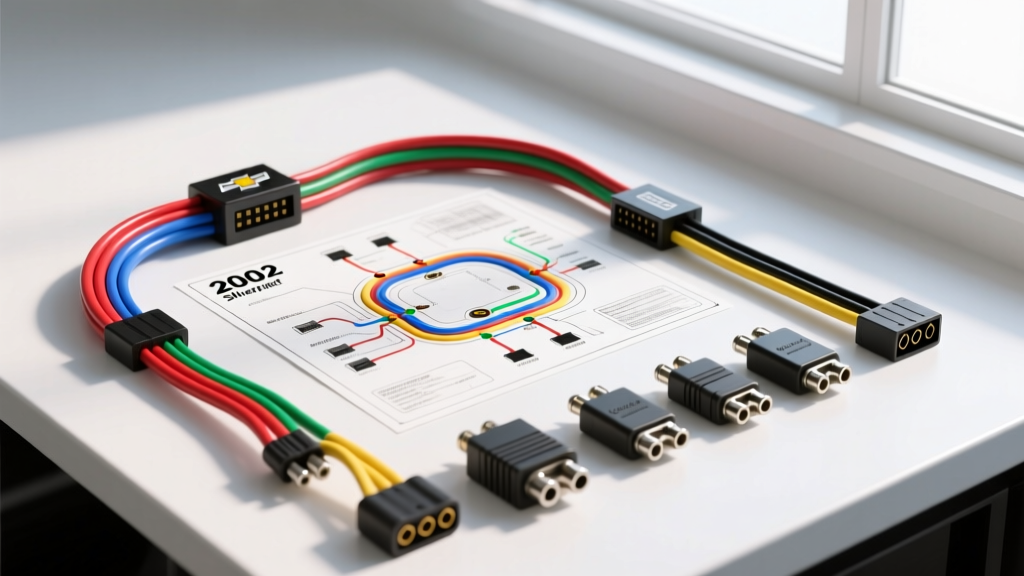
The 2004 Silverado Electrical Ecosystem: Beyond Basic Pinouts
Upgrading the audio system in a GMT800 platform truck requires more than just matching wire colors. The 2004 Chevrolet Silverado radio wiring diagram represents a transitional era in General Motors' electrical architecture, heavily relying on the Class 2 Serial Data bus for Retained Accessory Power (RAP), door chimes, and OnStar integration. If you attempt a standard hardwire or use a cheap, non-data-aware harness, you risk parasitic battery drains, loss of critical warning chimes, and BCM (Body Control Module) fault codes.
This guide serves as both a definitive OEM wiring reference and a product comparison matrix to help you select the correct interface module for your specific build—whether you are retaining the factory Bose amplifier, keeping OnStar functional, or integrating steering wheel controls (SWC).
OEM 2004 Chevrolet Silverado Radio Wiring Diagram Reference
The factory head unit in the 2004 Silverado connects via two primary harnesses: a 16-pin main connector (C1) handling power and speaker outputs, and an 8-pin secondary connector (C2) managing Class 2 data, OnStar audio, and muting signals. Below are the exact OEM wire color codes and pin configurations verified against GM service documentation.
16-Pin Main Harness (C1: Power & Audio)
| Pin | Wire Color | Function | AWG Spec |
|---|---|---|---|
| A1 | Tan | Left Front Speaker (+) | 18 AWG |
| A2 | Gray | Left Front Speaker (-) | 18 AWG |
| A3 | Light Green | Right Front Speaker (+) | 18 AWG |
| A4 | Dark Green | Right Front Speaker (-) | 18 AWG |
| A5 | Brown/White | Left Rear Speaker (+) | 18 AWG |
| A6 | Dark Blue/White | Left Rear Speaker (-) | 18 AWG |
| A7 | Light Blue/White | Right Rear Speaker (+) | 18 AWG |
| A8 | Dark Green/White | Right Rear Speaker (-) | 18 AWG |
| B1 | Orange | +12V Constant Battery | 16 AWG |
| B2 | Brown | +12V Switched Accessory (RAP) | 16 AWG |
| B3 | Black/White | Chassis Ground | 16 AWG |
8-Pin Secondary Harness (C2: Data & OnStar)
| Pin | Wire Color | Function |
|---|---|---|
| 1 | Purple | Class 2 Serial Data Bus |
| 2 | Dark Green | OnStar Mute Signal |
| 3 | Tan | Left Front OnStar Speaker (+) |
| 4 | Light Green | Right Front OnStar Speaker (+) |
| 5 | Black | OnStar Ground |
| 6 | Orange | OnStar +12V Constant |
Aftermarket Interface Module Comparison Guide
Selecting the right harness is critical. A basic $10 wire-to-wire harness will bypass the Class 2 data line, resulting in the loss of your door chimes (which are routed through the factory radio) and potential battery drain because the aftermarket radio won't receive the BCM 'sleep' command. Below is a comparison of the top three data-retention interfaces for the 2004 Silverado.
| Module | Best Application | Retains Chimes? | Retains OnStar? | Supports SWC? | Approx. Price |
|---|---|---|---|---|---|
| PAC RP5-GM11 | Full OEM Integration (Bose/Amp) | Yes (Adjustable) | Yes | Yes (Built-in) | $110 - $130 |
| Axxess GMOS-01 | Non-Amplified Base Audio | Yes | Yes | No | $60 - $80 |
| Metra XSVI-2104-NAV | Aftermarket Multimedia/Nav | Yes | No | Yes (Requires add-on) | $70 - $90 |
Product Selection Verdict
- Choose the PAC RP5-GM11 if your 2004 Silverado has the premium Bose system with a factory amplifier. This module provides the necessary 6-channel RCA pre-outs and generates the 12V turn-on signal for the factory amp, which the OEM radio normally handles via the Class 2 bus.
- Choose the Axxess GMOS-01 if you have the base non-amplified audio system and simply want to retain the door chimes and OnStar without paying for steering wheel control features.
- Choose the Metra XSVI-2104-NAV if you are installing a modern double-DIN touchscreen (like a Pioneer NEX or Kenwood eXcelon) and need supplemental outputs like the Vehicle Speed Sensor (VSS) pulse and reverse trigger wire for backup cameras.
The Class 2 Serial Data Bus: Why Basic Harnesses Fail
To understand why the 2004 Chevrolet Silverado radio wiring diagram is so complex, you must understand the GM Class 2 Serial Data bus. Governed by the SAE J1850 Variable Pulse Width (VPW) standard, this single-wire bus (the Purple wire on Pin 1 of the C2 connector) transmits data at 10.4 kbps.
When you open the driver's door, the BCM sends a wake-up message over the Class 2 line. When you remove the key and close the door, the BCM sends a 'sleep' command. If you install a basic aftermarket harness that only taps the Brown (Accessory) wire, your new radio will turn on, but the BCM's data network remains in a confused state. This is a leading cause of parasitic battery draws in GMT800 trucks, often pulling 400mA to 800mA while the truck is parked, killing your battery overnight.
Expert Warning: Never use T-taps or Scotch-Loks on the Purple Class 2 data wire. The VPW signal is highly sensitive to capacitance and resistance changes. A poorly executed T-tap can corrupt the signal, causing U1000 (Class 2 Communication Line Malfunction) codes across the entire vehicle network. Always use a proper data interface module that reads the bus in parallel via a high-impedance optocoupler circuit.
Installation Specs: Wire Gauge, Terminals, and Best Practices
When splicing your chosen interface module to the aftermarket radio harness, adhere to these automotive electrical standards to ensure longevity and prevent voltage drops:
- Power and Ground (Orange, Brown, Black/White): Use 16 AWG Oxygen-Free Copper (OFC) wire. The factory head unit circuit is protected by a 15A or 20A fuse in the underhood block. If you are running a high-draw touchscreen, consider running a dedicated 14 AWG constant 12V line directly from the battery with an inline 15A fuse, using the OEM Orange wire only to trigger a relay.
- Speaker Wires: 18 AWG is standard and sufficient for runs under 8 feet. If you are bypassing the factory Bose amp and running new wiring to the doors, upgrade to 16 AWG to improve damping factor and bass response.
- Connections: Solder all splices and seal them with adhesive-lined dual-wall heat shrink tubing. Crimp connectors (like butt splices) are acceptable if using a proper ratcheting crimper, but soldering prevents galvanic corrosion in the humid environments typical of truck cabins.
Troubleshooting Common 2004 Silverado Audio Issues
Even with the correct wiring diagram and interface module, GMT800 trucks present unique diagnostic challenges. Use this decision tree to resolve common post-installation issues:
Symptom: Aftermarket Radio Will Not Power On
- Check the RAP Relay: The Brown accessory wire is fed by the RAP relay located in the left dash fuse block. If the relay is stuck open, you will have no switched power. Swap it with an identical relay (like the horn relay) to test.
- Verify Ground Integrity: The Black/White ground wire grounds to a sheet metal bolt behind the dash. If the dash is removed or the bolt is loose, the circuit will fail. Run a new 16 AWG ground to a verified unpainted chassis point.
Symptom: Door Chimes Sound Distorted or Cut Out
- Check the Data Bus Connection: Ensure the Purple Class 2 wire on your interface module is making solid contact. Clean the OEM pin with electrical contact cleaner.
- Module Firmware: If using a PAC or Axxess module, ensure it has the latest firmware. Early revisions of the GMOS-01 had a known bug where the chime generator would clip audio signals during high-volume playback. Updating via the manufacturer's USB cable resolves this.
Symptom: Parasitic Battery Draw (>50mA after 20 mins)
- BCM Sleep Failure: The interface module may be keeping the Class 2 bus awake. Disconnect the Purple data wire from the interface module. If the draw drops to normal (<30mA), the module's internal logic board is faulty and failing to release the bus. Replace the module.
- Accessory Wire Backfeed: Ensure you have not crossed the Orange (Constant) and Brown (Switched) wires. Backfeeding the RAP circuit will keep multiple BCM logic gates active indefinitely.
For further verification of pinouts and module compatibility, cross-reference your specific RPO codes (found in the glovebox) with the GM Heritage Center archives or consult verified fitment databases like the Crutchfield Vehicle Database to ensure your specific trim level (e.g., Z71 with Bose vs. Base Work Truck) matches the harness configuration outlined above.