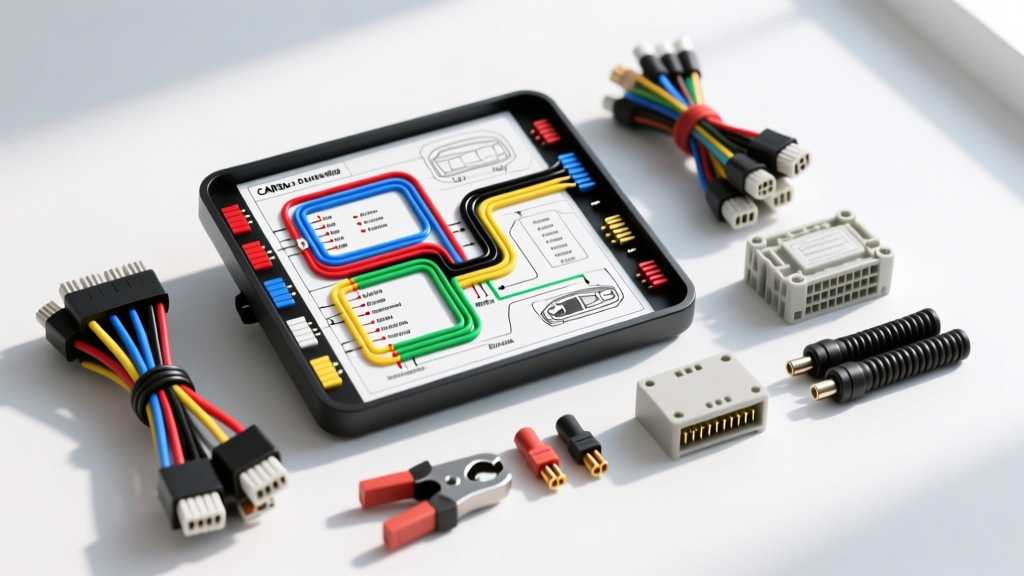
Understanding the Android CANbus Decoder Architecture
Upgrading to an aftermarket Android head unit in a modern vehicle requires far more than simply splicing power, ground, and speaker wires. Vehicles manufactured after 2005 heavily utilize a Controller Area Network (CAN) bus to transmit digital data between the Engine Control Unit (ECU), Body Control Module (BCM), and the OEM infotainment system. When you remove the factory radio, you interrupt critical data loops controlling steering wheel controls (SWC), backup cameras, parking sensors, amplifier wake-up signals, and automatic power-off sequences. To bridge this communication gap, installers must integrate a CANbus decoder box (often referred to as a CANbox or data interface).
This guide provides a comprehensive android head unit CANbus wiring diagram pinout reference, practical installation steps, and OEM wire color codes to ensure a flawless, factory-style integration. The CANbus protocol, governed by the SAE J2284 High-Speed CAN Standard and ISO 11898, relies on differential signaling across a twisted pair of wires: CAN-High (CAN-H) and CAN-Low (CAN-L). This twisted pair typically operates at 500 kbps and requires precise 120-ohm termination resistance at both ends of the network bus to prevent signal reflection and data corruption.
Standard Android Head Unit CANbus Wiring Diagram Pinout
Most aftermarket Android head units (such as those running Qualcomm Snapdragon 662 or 680 platforms with Teyes, Joying, or Atoto firmware) utilize a standardized 16-pin or 20-pin harness to connect to the external CANbus decoder module. The decoder module then translates the vehicle's digital CAN messages into discrete analog signals (like a 12V reverse trigger or an analog SWC resistance ladder) that the Android motherboard can process.
| Pin Number | Wire Color (Typical) | Function / Signal Description | AWG Size |
|---|---|---|---|
| Pin 1 | Yellow / White | CAN-H (High-Speed CAN High Data Line) | 22 AWG |
| Pin 2 | Yellow / Green | CAN-L (High-Speed CAN Low Data Line) | 22 AWG |
| Pin 3 | Black | CAN-GND (Signal Ground / Shield Drain) | 18 AWG |
| Pin 4 | Red | +12V Constant (Memory / Decoder Power) | 16 AWG |
| Pin 5 | Orange | +12V Accessory (Ignition Sense / Wake-up) | 16 AWG |
| Pin 6 | Brown | Illumination (Optional, often handled via CAN) | 18 AWG |
| Pin 7 | Pink | Reverse Trigger Output (12V when in reverse) | 18 AWG |
| Pin 8 | Blue/White | Amplifier Turn-On / Power Antenna Output | 18 AWG |
Note: Pin configurations can vary slightly between CANbox manufacturers like CanM8, Raise, HZC, and PAC Audio. Always cross-reference the specific wiring diagram printed on your decoder module's casing.
OEM CAN-H and CAN-L Wire Color Identification
Locating the correct CAN wires in the vehicle's harness is the most critical step in the installation. Tapping into the wrong data bus (such as the slower MS-CAN or LIN bus instead of the HS-CAN) will result in a complete failure of the decoder to synchronize. Below is a reference chart for common automotive platforms. For deeper vehicle-specific harness layouts, consult resources like the Crutchfield CANbus Integration Guide or factory service manuals.
| Vehicle Manufacturer | Platform / Bus Type | CAN-H Wire Color | CAN-L Wire Color |
|---|---|---|---|
| Volkswagen / Audi | MQB / PQ35 (Infotainment CAN) | Orange / Brown Tracer | Orange / Violet Tracer |
| General Motors (GM) | GMLAN / High-Speed | Dark Green | Light Green |
| Ford / Lincoln | HS-CAN (Infotainment) | White | White / Black Tracer |
| Toyota / Lexus | AVC-LAN / Body CAN | Pink | Violet |
| BMW / Mini | K-CAN / PT-CAN | White / Red / Yellow (Varies) | White / Black / Brown (Varies) |
Step-by-Step CANbus Wiring Installation Procedure
- Vehicle Preparation: Disconnect the negative battery terminal using a 10mm socket. Wait at least 15 minutes to allow the vehicle's BCM and SRS (airbag) modules to enter sleep mode, preventing accidental fault codes or airbag deployment during harness manipulation.
- Locate the CANbus Twisted Pair: Remove the OEM head unit. Look for the tightly twisted pair of wires in the main radio harness or Quadlock connector. If not present at the radio, locate them at the back of the instrument cluster or the OBDII diagnostic port (Pins 6 and 14 on the OBDII port are universally HS-CAN-H and HS-CAN-L).
- Strip and Splice (The Right Way): CAN wires are typically 22 AWG. Never use scotch locks or T-taps on CANbus wires. These piercing connectors disrupt the 120-ohm impedance and can cause micro-fractures that lead to intermittent network failures. Instead, carefully strip 3/8" of insulation, solder the 22 AWG CAN-H and CAN-L wires to your decoder harness, and seal them with dual-wall, adhesive-lined marine heat shrink.
- Connect Power and Ground: Connect the decoder's 16 AWG Red wire to a verified +12V constant source and the 16 AWG Black wire to a clean, unpainted chassis ground. If the CANbox requires an ignition sense wire (Pin 5), tap into the OEM radio's accessory circuit or the fuse box using an add-a-circuit fuse tap.
- Set Protocol Dip Switches: Many generic Android CANboxes feature a bank of micro dip-switches or a software protocol menu. For example, VW MQB platforms often require Protocol 15, while older PQ35 platforms use Protocol 3. Consult your PAC Audio or OEM decoder documentation to set the correct vehicle protocol before powering on the unit.
- Reconnect and Test: Reconnect the vehicle battery, turn the ignition to the ON position (without starting the engine), and verify that the Android head unit boots up, displays the correct door-ajar warnings, and responds to steering wheel controls.
Multimeter Diagnostics: Verifying CANbus Integrity
If your Android head unit fails to receive CAN data (resulting in no steering wheel controls, no backup camera trigger, or the radio not turning off with the key), you must verify the physical integrity of the CANbus lines using a digital multimeter (DMM).
- Resistance Test (Network Health): With the vehicle battery disconnected and the radio harness unplugged, set your DMM to Ohms (Ω). Measure between CAN-H and CAN-L. A healthy CAN network with two 120-ohm termination resistors in parallel will read approximately 60 ohms. If you read 120 ohms, one termination resistor is missing or a wire is broken. If you read near 0 ohms, the CAN-H and CAN-L wires are shorted together.
- Voltage Test (Active Signaling): Reconnect the battery and turn the ignition ON. Set your DMM to DC Voltage. Back-probe the CAN wires.
- CAN-High should read between 2.6V and 3.5V (Dominant state pulls it up).
- CAN-Low should read between 1.5V and 2.5V (Dominant state pulls it down).
- The sum of CAN-H and CAN-L should always equal roughly 5.0V. If both read 2.5V constantly, the bus is in a recessive (idle) state or the module is asleep. If both read 12V or 0V, the wires are shorted to power or ground.
Common CANbus Integration Failure Modes & Troubleshooting
1. Excessive Parasitic Battery Drain
Symptom: The vehicle battery dies after sitting for 24-48 hours.
Cause: The Android CANbus decoder is failing to enter "sleep mode" when the vehicle's CAN network goes dormant. This is often caused by wiring the decoder's "Accessory/Ignition" wire to a constant 12V source, or a firmware bug in the CANbox keeping the internal transceiver awake.
Fix: Verify the ignition sense wire is only receiving 12V when the key is in the ON/RUN position. If hardwired incorrectly, re-route the sense wire to a true ignition-switched fuse. Update the CANbox firmware via the manufacturer's USB update tool if available.
2. Steering Wheel Controls (SWC) Completely Unresponsive
Symptom: Volume and track buttons on the steering wheel do nothing.
Cause: Installers often confuse analog SWC wires (KEY1 / KEY2 / SWC-GND) with digital CANbus SWC. In modern vehicles, steering wheel buttons do not use analog resistance ladders; they send digital CAN messages. If you left the Android unit's analog KEY1/KEY2 wires floating but didn't map the CAN-SWC protocol in the Android factory settings, the radio won't see the inputs.
Fix: Enter the Android head unit's hidden "Factory Settings" menu (password is usually 8888, 1234, or 0000). Navigate to "CANbus Type" or "Protocol" and select the exact brand and model of your CAN decoder (e.g., Raise, CanM8, SimpleSoft). Save and reboot.
3. Reverse Camera Trigger Delay or Failure
Symptom: The backup camera takes 3-5 seconds to appear on the screen, or doesn't appear at all.
Cause: The CANbus decoder is waiting for a specific sequence of CAN messages (e.g., Transmission Range Sensor data + Vehicle Speed = 0) before outputting the 12V reverse trigger on Pin 7. Alternatively, the decoder's reverse trigger output is insufficient to power the camera's relay.
Fix: If the CANbox reverse trigger is delayed, bypass the CANbox for the camera trigger entirely. Tap directly into the vehicle's reverse light tail lamp circuit (usually a 14 AWG or 16 AWG wire in the rear harness) using a relay to feed a clean, instant 12V signal to the Android head unit's "BACK" or "REVERSE-IN" wire.
Authoritative Standards and References
For advanced diagnostics and OEM-specific data bus topologies, always refer to the foundational engineering standards that govern automotive networking:
- SAE J2284: High-Speed CAN (HSC) for vehicle control applications. Details the physical layer requirements, including the 120-ohm termination and differential voltage thresholds essential for verifying your CANbus splices.
- ISO 11898-2: Road vehicles — Controller area network (CAN) — Part 2: High-speed medium access unit. The global standard defining the electrical characteristics of the CAN transceivers used inside your Android decoder box.