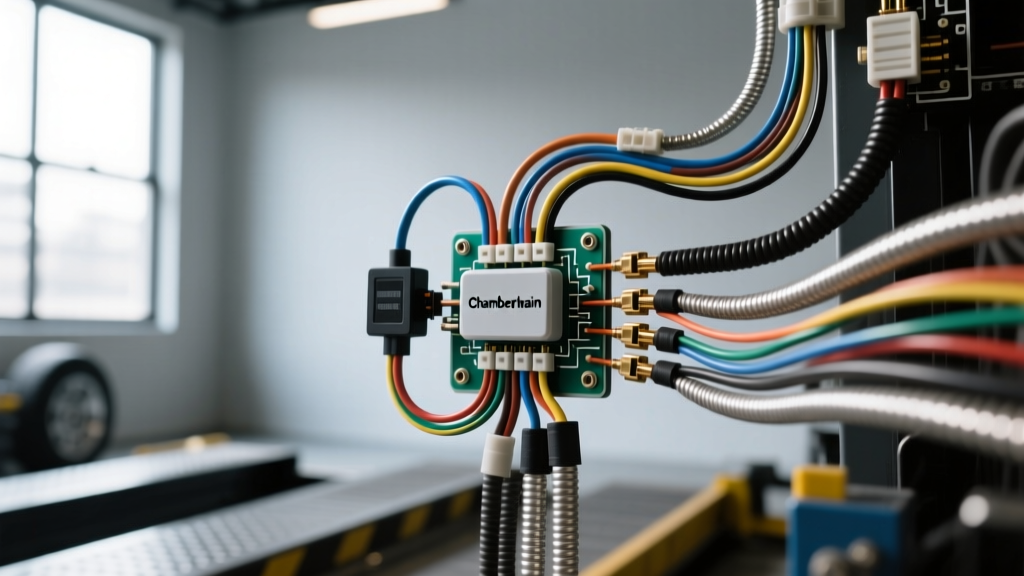
Adapting the Chamberlain Sensor Wiring Diagram for Mobile Ramp Applications
While Chamberlain and LiftMaster commercial gate operators are predominantly designed for static, ground-mounted AC applications, the automotive upfitting and RV industries frequently adapt these heavy-duty linear actuators (such as the CSL-24VDC series) for motorized truck bed ramps, RV toy hauler rear doors, and horse trailer ramp gates. In these mobile environments, the standard Chamberlain sensor wiring diagram must be heavily modified to withstand high-vibration, 12V/24V DC auxiliary battery systems, and extreme thermal cycling.
The safety array typically consists of retro-reflective or through-beam photoelectric eyes (sending and receiving units) and a pneumatic or resistive edge sensor mounted to the leading edge of the ramp. When a truck ramp fails to deploy or reverses unexpectedly, technicians must rely on a systematic diagnostic flow rather than guessing. This guide provides a step-by-step troubleshooting flow tailored specifically to vehicle-mounted Chamberlain sensor arrays, addressing the unique failure modes introduced by automotive environments.
OEM Wire Color Codes & Mobile Pinout Specifications
Before initiating the troubleshooting flow, verify your harness against the standard commercial sensor pinout. Note that factory solid-core wires are highly susceptible to fatigue fracture in vehicle applications. Always verify continuity from the sensor pigtail to the operator logic board terminal block.
| Wire Color | Function | Terminal / Pin | Expected DC Voltage / State |
|---|---|---|---|
| Black with White Stripe | Photo-Eye Power (Sending & Receiving) | Terminal 1 (VCC) | 12.0V - 14.4V DC (from Aux Battery) |
| White | Photo-Eye Signal Return | Terminal 2 (SIG) | Pulls to Ground (0V) when beam is clear |
| Grey | Edge Sensor Input (Normally Closed) | Terminal 3 (EDGE) | Continuity to Ground (0Ω) or 8.2kΩ depending on board |
| Bare / Shield | Drain Wire (if using shielded cable) | Chassis Ground | 0V (Must be grounded to vehicle frame) |
Step-by-Step Troubleshooting Flow: Diagnosing Sensor Faults
When troubleshooting a motorized truck ramp or trailer gate, the operator logic board will usually inhibit the closing cycle (ramp lowering) if it detects an open circuit in the safety array. Follow this sequential flow to isolate the fault.
Phase 1: Visual & Physical Inspection (The Vibration Check)
In mobile applications, vibration is the primary enemy of sensor wiring. Before reaching for a multimeter, perform a physical inspection of the harness routing.
- Hinge Point Fatigue: Inspect the wire loom where the ramp hinges to the truck bed or trailer frame. Factory zip-ties often saw through wire insulation over time. Look for pinched 18 AWG or 22 AWG wires.
- Connector Corrosion: Pull the Molex or spade connectors at the photo-eye brackets. If standard residential connectors were used, moisture from highway spray will cause copper oxidation (green crust).
- Edge Sensor Compression: Check the rubber weather-seal edge sensor on the ramp lip. If the ramp was closed on a rock or debris, the internal resistive wires may be permanently severed.
Phase 2: Multimeter Voltage & Signal Tests
Set your digital multimeter (DMM) to DC Voltage. Ground your black probe to a clean, bare-metal point on the vehicle chassis or the operator's main ground lug.
- Verify Power at the Board: Probe Terminal 1 (Black/White wire). You should read between 12.4V and 14.2V DC, depending on whether the truck's alternator is running. If voltage is below 11.5V, the logic board will starve the sensor array, causing false obstruction faults.
- Measure Voltage Drop: Keep the red probe on Terminal 1 at the board, and move your other probe to the Black/White wire at the photo-eye pigtail. A voltage drop greater than 0.3V indicates high resistance in the harness, usually caused by a failing crimp or undersized wire gauge.
- Test the Signal Return: With the beam aligned and clear, probe the White wire (Terminal 2). It should read near 0V (grounded by the receiver). Block the beam with your hand; the voltage should immediately jump to 5V or 12V (depending on the specific Chamberlain logic board pull-up resistor configuration). If it remains at 0V when blocked, the receiver is faulty or misaligned.
Phase 3: Edge Sensor Resistance Mapping
Switch your DMM to Ohms (Ω). Disconnect the edge sensor from the logic board to prevent back-feeding voltage into your meter.
- Standard NC Edge: Probe the Grey wire and the Ground wire. An unpressed edge should read 0Ω (dead short). Pressing the rubber edge should yield an Open Line (OL) reading. If it reads OL while unpressed, the internal trace is broken.
- Resistive Edge (8.2kΩ): Some commercial Chamberlain boards require an 8.2kΩ end-of-line resistor. You should read exactly 8,200Ω ± 5%. Pressing the edge drops the resistance to near 0Ω. If your reading fluctuates wildly while wiggling the ramp, you have an intermittent break in the hinge harness.
Symptom-Cause-Fix Decision Trees
Use these rapid decision trees to pinpoint the exact failure mode based on the operator's behavior and LED diagnostic codes.
Tree 1: Ramp Reverses Immediately Upon Hitting the Ground
- Symptom: Ramp lowers, touches the pavement, and immediately retracts upward.
- Check 1: Is the edge sensor making contact with the ground before the ramp is fully flush? Fix: Adjust the edge sensor bracket or lower the limit switch on the linear actuator.
- Check 2: Is the photo-eye beam being interrupted by the truck's rear bumper or a trailer hitch as the ramp reaches the horizontal plane? Fix: Raise the photo-eye brackets by 2 inches to clear the hitch profile.
- Check 3: Is the auxiliary battery voltage dropping below 11V under the heavy load of the ramp touching the ground? Fix: Upgrade the power feed from the vehicle battery to 10 AWG stranded wire and install a heavy-duty continuous-duty solenoid relay.
Tree 2: Operator LED Blinks 4 Times (Sensor Fault / Blockage)
- Symptom: Ramp will not lower. Logic board diagnostic LED flashes 4 times repeatedly.
- Check 1: Look at the sending and receiving photo-eyes. Is the LED on the receiving eye OFF? Fix: Realign the lenses. In bright sunlight, shade the lenses with your hand to verify the infrared beam is striking the receiver.
- Check 2: Are both LEDs ON, but the board still flashes 4 times? Fix: The White signal wire is likely shorted to ground somewhere in the trailer harness. Perform a continuity test on the White wire with the sensor disconnected. If it shows continuity to ground, replace the harness.
- Check 3: Did the harness pass continuity, but the fault persists? Fix: The opto-isolator on the Chamberlain logic board has failed due to a voltage spike from the truck's alternator. Replace the logic board and install a transient voltage suppression (TVS) diode across the 12V power feed.
Mobile Environment Upgrades: AWG, Connectors, and Vibration
The standard Chamberlain sensor wiring diagram utilizes 22 AWG solid-core wire and push-on spade terminals. This is entirely unacceptable for vehicles, trucks, and trailers. To ensure long-term reliability on the road, upfitters must implement the following automotive-grade modifications:
- Wire Gauge & Type: Replace all solid-core sensor pigtails with SAE J1128 compliant 18 AWG stranded copper wire. Stranded wire resists the high-frequency vibrations generated by diesel engines and highway travel.
- Connector Upgrades: Discard the factory spade connectors. Crimp and solder all sensor connections using weather-sealed Deutsch DT series or Delphi Weather-Pack connectors. Coat the exposed wire ends with dielectric grease before mating to prevent galvanic corrosion from road salt.
- Shielding: If the sensor harness must be routed parallel to high-current welding cables or heavy-duty inverter lines on a service truck, use shielded 18 AWG cable. Ground the shield drain wire at the operator board only to prevent ground loops that can cause phantom sensor trips.
Authoritative References
- SAE International - J1128 Low Tension Primary Cable Standard: Guidelines for selecting stranded wire gauges in high-vibration automotive environments.
- LiftMaster / Chamberlain Commercial Support: Official logic board diagnostic codes and terminal block pinouts for CSL and CSW commercial operators.
- etrailer.com Wiring FAQ & Standards: Best practices for routing and weatherproofing trailer-mounted electrical harnesses.