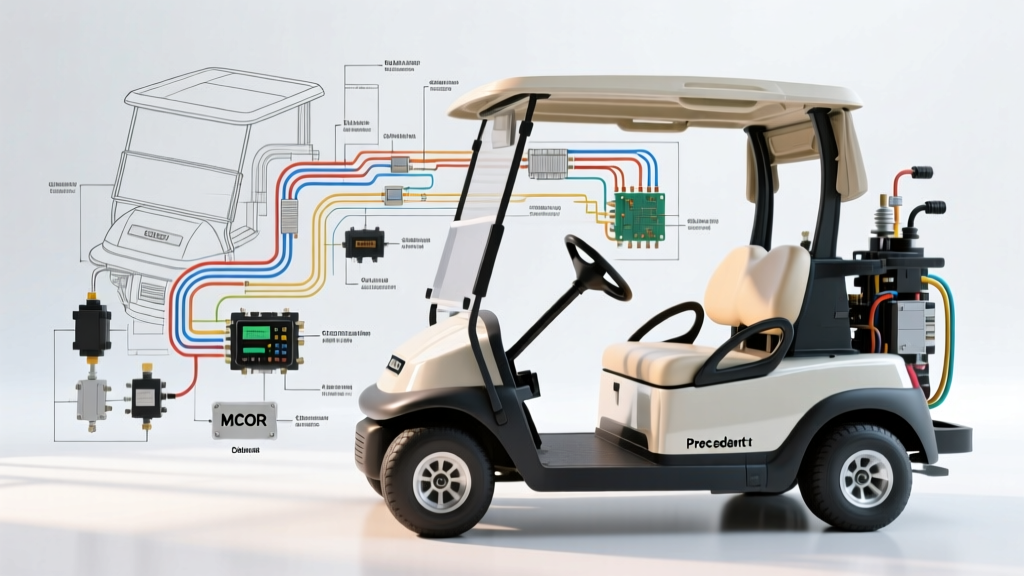
Mastering the Club Car Electrical Architecture for Upgrades
When executing a drivetrain upgrade, battery conversion, or restoring a degraded electrical harness, referencing an accurate club car golf cart wiring diagram is the difference between a seamless installation and a catastrophic short circuit. Unlike standard automotive 12V systems, Club Car electric platforms—specifically the DS and Precedent lines—operate on high-current 36V, 48V, or 72V DC architectures. These systems demand strict adherence to wire gauge specifications, precise solenoid pre-charge circuits, and accurate sensor calibration. This practical installation guide breaks down the schematic into actionable steps, ensuring your controller, motor, and throttle systems are wired to OEM and SAE standards.
Understanding the Platform: DS vs. Precedent IQ Schematics
Before cutting or crimping a single wire, you must identify your specific platform architecture. The wiring topology differs vastly between older models and modern iterations:
- Club Car DS (Series & Regen): Older DS models utilize a V-Glide potentiometer for throttle input and a series-wound or separately excited (SepEx) motor. The wiring diagram for these models features heavy reliance on mechanical micro-switches and resistor-based speed limiting.
- Club Car Precedent (IQ & Excel): The Precedent platform eliminates the V-Glide in favor of an inductive Motor Controller Output Regulator (MCOR) or a modern 0-5V Hall-effect throttle sensor. The official Club Car support documentation outlines the IQ system's use of a SepEx DC motor or an AC induction motor (in newer Excel models), requiring complex field wiring (F1/F2) and armature routing (A1/A2), alongside a sophisticated Tow/Run switch logic circuit.
Step-by-Step Installation Guide: Main Power and Solenoid Routing
Step 1: Battery Pack and Main Cable Fabrication
Never use standard automotive primary wire for main battery runs. According to the SAE J1128 standard for low-tension primary cables, high-current DC applications require fine-strand pure copper welding cable to handle the thermal load of a 400A+ peak draw without voltage drop. For a standard 48V Precedent IQ system, use 2 AWG welding cable for all main positive and negative runs from the battery pack to the main solenoid and controller B- terminal.
- Cut 2 AWG cables to length, ensuring no excess slack that could droop near steering columns or brake pedals.
- Strip the insulation and crimp using a closed-end copper ring terminal (3/8" stud size).
- Use a calibrated hydraulic crimper with the correct hex die (typically 2 AWG requires a 2/0 or specific AWG-marked die) to ensure a cold-weld connection.
- Apply heat-shrink tubing with an adhesive inner lining to prevent battery acid corrosion from wicking into the copper strands.
Step 2: Solenoid Wiring and the Pre-Charge Circuit
The main solenoid (contactor) acts as the high-amperage gateway between the battery pack and the motor controller. A common failure mode in DIY installations is the omission of the pre-charge resistor, which leads to explosive capacitor failure inside the controller upon initial key-on.
- High-Current Terminals: Connect the main B+ from the battery pack to one large terminal of the 400A continuous-duty solenoid. Connect the second large terminal to the controller's B+ input using 4 AWG or 2 AWG cable.
- Pre-Charge Resistor: Install a 250-Ohm, 2-Watt ceramic resistor across the two large solenoid terminals. This allows a small trickle of current to charge the controller's internal capacitors before the main contacts close, preventing a massive inrush current spike.
- Activation Coil: Wire the small activation terminals. One side receives switched 48V (or 12V, depending on the specific solenoid coil rating) from the key switch and Tow/Run switch. The other side grounds to the controller's solenoid output pin or the main negative bus.
- Suppression Diode: Install a flyback diode (e.g., 1N5408) across the small coil terminals (band facing positive) to absorb back-EMF and protect the controller's internal switching transistor.
Controller and SepEx Motor Phase Connections
Wiring the motor to a SepEx (Separately Excited) controller requires strict attention to the field and armature circuits. Reversing the field wires will not reverse the cart's direction; it will cause the controller to throw a severe fault code and disable regenerative braking.
- Armature (A1 & A2): Use 2 AWG cable. Connect A1 on the controller to A1 on the motor. Connect A2 on the controller to A2 on the motor. These carry the highest current and generate the most heat.
- Field (F1 & F2): Use 4 AWG or 6 AWG cable (field current is significantly lower than armature current). Connect F1 to F1 and F2 to F2. Note: To reverse the direction of a SepEx motor, you swap the F1 and F2 wires, not the armature wires.
- Motor Temperature Sensor: Modern IQ and Excel controllers require a motor temp sensor (usually an NTC thermistor). Route this shielded 18 AWG twisted-pair wire away from the high-current phase cables to prevent electromagnetic interference (EMI) from skewing the thermal readings.
Technical Specification Chart: Wire Gauges and Torque Limits
Proper torque on high-current terminals is critical. Under-torquing causes arcing and melted studs; over-torquing strips the copper bus bars inside the controller. Reference this chart alongside your specific model-specific wiring schematics.
| Component Connection | Wire Gauge (AWG) | Standard Wire Color | Torque Spec (in-lbs) | Hardware / Terminal |
|---|---|---|---|---|
| Battery Pack to Solenoid | 2 AWG | Red | 120 in-lbs | 3/8" Copper Ring |
| Solenoid to Controller B+ | 2 AWG | Red | 90 in-lbs | 5/16" Copper Ring |
| Controller B- to Main Ground | 2 AWG | Black | 90 in-lbs | 5/16" Copper Ring |
| Controller to Motor (A1/A2) | 2 AWG | Blue / Yellow | 120 in-lbs | 3/8" Copper Ring |
| Controller to Motor (F1/F2) | 6 AWG | Green / White | 60 in-lbs | 1/4" Copper Ring |
| MCOR / Throttle Harness | 18 AWG | Multi (Shielded) | N/A (Push-in) | Weather-Pack Pin |
Throttle Input: MCOR and Inductive Sensor Wiring
The Precedent platform utilizes an inductive throttle sensor (often referred to as the MCOR assembly). Unlike a traditional potentiometer that sweeps resistance, the inductive sensor uses a moving metal target to alter an electromagnetic field, outputting a variable voltage or frequency to the controller.
- Power and Ground: Pin 1 receives a regulated 5V reference from the controller. Pin 3 is the sensor ground. Ensure the ground wire shares the same controller ground plane as the logic circuits to prevent ground-loop voltage offsets.
- Signal Wire: Pin 2 outputs the throttle position signal (typically 0.8V at idle to 3.6V at full throttle). Route this wire in a separate loom from the motor phase cables.
- Micro-Switch Integration: The MCOR housing contains an internal micro-switch that signals the controller to "wake up" before the voltage signal ramps up. If this switch is misadjusted, the controller will register a "Pedal Fault" and refuse to engage the solenoid.
Troubleshooting Common Installation Failures
Even with a perfect diagram, real-world variables can cause faults. Use this diagnostic tree if the cart fails to operate post-installation:
- Symptom: Solenoid clicks, but cart does not move.
Cause: High-current path interruption or motor field fault.
Fix: Check voltage across the large solenoid terminals while pressing the pedal. If voltage remains at pack voltage, the solenoid contacts are fused open or the pre-charge resistor is blown. If voltage drops to zero but the cart doesn't move, inspect the F1/F2 field connections for continuity. - Symptom: Solenoid does not click at all.
Cause: Logic circuit failure or Tow/Run switch fault.
Fix: Verify the Tow/Run switch is in the "RUN" position. In the "TOW" position, the controller disables the solenoid activation circuit to prevent roll-away regenerative braking during towing. Test the 48V activation signal at the solenoid's small terminal while the pedal is depressed. - Symptom: Controller throws a "Throttle High" fault upon key-on.
Cause: MCOR return spring failure or misadjusted idle voltage.
Fix: The controller expects to see less than 1.0V on the signal wire upon startup. If the MCOR mechanical return spring has snapped, the sensor plate remains elevated, signaling a "stuck pedal" condition. Replace the MCOR spring assembly and recalibrate the idle voltage via the programmer.
Final Verification and Anti-Oxidant Treatment
Before reinstalling the body cowlings, apply a conductive anti-oxidant paste (such as Noalox) to all battery terminals and high-current copper lugs. This prevents galvanic corrosion, which is highly prevalent in golf cart environments exposed to moisture and battery off-gassing. Finally, use a diagnostic handheld programmer to read the controller's live data stream. Verify that the battery voltage reading matches your multimeter within 0.1V, and confirm that the throttle percentage reads exactly 0% at rest and 100% at full depression. By strictly following the OEM schematic and adhering to these professional installation standards, your Club Car's electrical system will deliver reliable, high-torque performance for years to come.