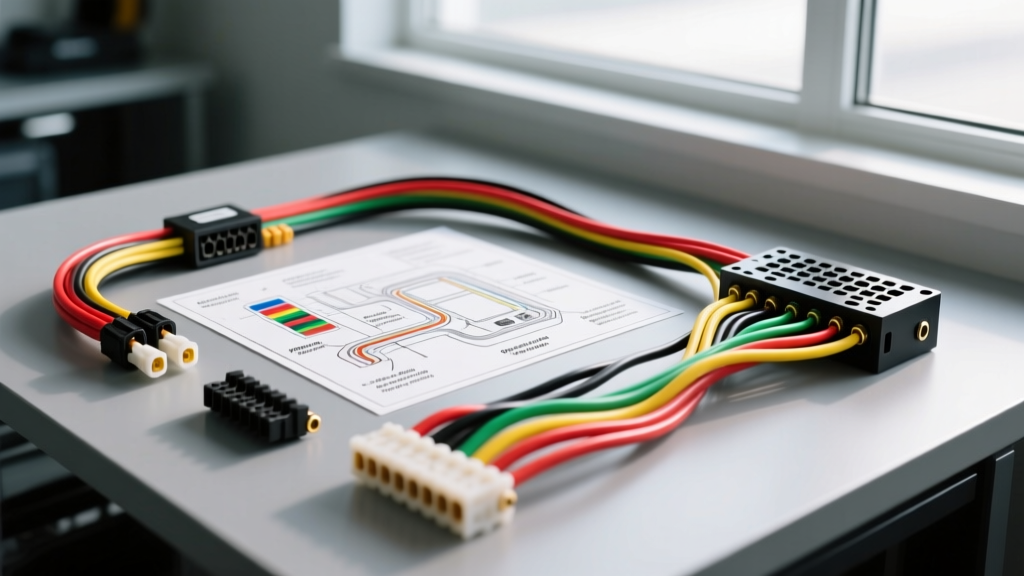
The Foundation of Head Unit Upgrades
Upgrading a factory head unit to an aftermarket double-DIN multimedia receiver is one of the most rewarding modification projects you can undertake. Whether you are adding Apple CarPlay, upgrading to a high-fidelity DSP (Digital Signal Processor), or simply replacing a failing OEM screen, the success of this upgrade hinges entirely on your ability to interpret a factory radio color code car stereo wiring diagram. Cutting into an OEM harness blindly is a fast track to blowing a BCM (Body Control Module) fuse, frying a CAN-bus network, or introducing parasitic draws that will kill your battery overnight.
As an automotive electrical specialist, I always advise enthusiasts and professional installers to treat the vehicle's infotainment harness with the same respect as the engine management wiring. Modern vehicles integrate the radio into the car's primary data networks. This guide will break down how to decode OEM schematics, integrate wiring harness adapters safely, and navigate the complexities of amplified factory systems.
CTA-2006 Standard vs. OEM Factory Wiring
The Consumer Technology Association (CTA) established the CTA-2006 Mobile Electronics Wiring Standard to unify aftermarket car stereo wiring. When you purchase an aftermarket Pioneer, Kenwood, or Alpine receiver, the pigtail harness will follow this exact color code. However, the factory radio color code car stereo wiring diagram for your specific vehicle will almost never match these colors. Automakers use proprietary color schemes that change not only between brands but often between different trim levels and model years of the exact same vehicle.
| Function | CTA-2006 (Aftermarket) | GM (Typical 12-Pin) | Ford (Typical 16-Pin) | Toyota (Typical 28-Pin) |
|---|---|---|---|---|
| 12V Constant (B+) | Yellow | Orange | Yellow / Purple | Blue / Yellow |
| 12V Switched (ACC) | Red | Class 2 Data / RAP | CAN-Bus / ACC | Gray |
| Ground | Black | Black/White | Black/Yellow | Brown |
| Illumination | Orange / Orange-White | Gray | Orange / Black | Green |
| Amp Turn-On | Blue / White Stripe | Data Network | Data Network | Light Green (AMP) |
| Front Left Speaker (+/-) | White / White-Black | Tan / Gray | White / White-Brown | Pink / Purple |
The Wiring Harness Adapter Strategy
The golden rule of automotive modification is never cut the factory harness. To preserve the vehicle's resale value and ensure a reliable connection, you must use a vehicle-specific wiring harness adapter (from brands like Metra, Scosche, or PAC). These adapters plug directly into the OEM connector and feature a pigtail of bare wires that you will splice to your aftermarket CTA-2006 harness.
By using a comprehensive car stereo wiring guide alongside your adapter's included schematic, you can map the adapter's wires to the new head unit's wires on a workbench before ever crawling under the dashboard. This bench-splicing method ensures higher quality terminations and reduces the risk of a short circuit inside the tight confines of the dash cavity.
Wire Gauge and Termination Specifications
When splicing the adapter to the aftermarket harness, the physical termination method is just as critical as matching the correct colors. Avoid "T-taps" or "Scotchloks" at all costs; they slice through the wire strands, causing severe voltage drop and inviting copper oxidation. Instead, use the following specifications:
- Speaker Wires (18 AWG): Use Posi-Twist connectors or solder with 3:1 shrink ratio, dual-wall adhesive-lined heat shrink. Ensure no stray copper strands are exposed to prevent intermittent shorts against the metal chassis.
- Power and Ground (16 AWG): Solder and heat shrink is mandatory. The ground wire must ultimately be terminated to a clean, unpainted, bare metal chassis point using a ring terminal and an M6 or M8 bolt, torqued to manufacturer specifications (typically 8-12 Nm).
- Memory / Constant 12V (16 AWG): If your adapter requires an inline fuse, ensure it is a blade-type ATC fuse holder rated at 10A, placed within 4 inches of the power source.
Navigating Data Networks, RAP, and Amplified Systems
The most complex aspect of reading a modern factory radio color code car stereo wiring diagram is dealing with the absence of a traditional 12V switched accessory wire. In many late-model General Motors vehicles, the radio is turned on via Retained Accessory Power (RAP) and Class 2 Serial Data. In Ford and Chrysler vehicles, the radio wakes up via CAN-bus (Controller Area Network) messages.
If you simply connect the aftermarket Red (Switched) wire to a 12V source that only powers when the key is in the "ON" position, the radio will shut off every time you crank the engine, resetting your DSP settings and Bluetooth connections. Furthermore, if the factory system includes a premium amplifier (e.g., Bose, JBL, or Rockford Fosgate), the factory head unit turns the amp on via a digital command, not a 12V analog trigger.
Generating a 12V Turn-On Signal
To solve the data-network dilemma, you must integrate a smart bypass interface module (such as the PAC RP5-GM11 or Axxess XSVI-2104-NAV). These modules read the vehicle's CAN-bus or Class 2 data lines and output a traditional 12V analog signal on a Blue/White wire. This generated 12V signal is then spliced to the aftermarket radio's Blue/White (Amp Turn-On) wire and the Red (Switched Accessory) wire, ensuring the radio stays on during engine cranking and properly triggers any aftermarket amplifiers or DSPs you add to the system.
Multimeter Verification Protocol
Before connecting the newly spliced harness to the vehicle, you must verify the OEM pinout using a True-RMS Digital Multimeter (DMM). Relying solely on printed internet diagrams can lead to catastrophic failures, as mid-year production changes often alter pin configurations. Follow this Haynes-approved verification protocol:
- Identify Constant 12V: Set the DMM to DC Voltage. Place the black probe on a known good chassis ground and the red probe on the suspected constant power pin. It should read 12.2V - 12.6V with the key OFF.
- Verify Ground Continuity: Switch the DMM to Ohms/Continuity. Place one probe on the suspected ground pin and the other on bare chassis metal. A reading of less than 0.5 ohms confirms a valid ground.
- Test Speaker Outputs for DC Offset: If the factory system is amplified, the speaker wires will carry a DC bias voltage or a BTL (Bridge-Tied Load) signal. Measure the voltage between the suspected speaker positive and negative wires. If you read anything above 0.1V DC, the factory system is amplified, and you must use a Line Output Converter (LOC) or an amplifier with high-level differential inputs to avoid blowing the aftermarket head unit's internal preamp IC.
Common Modification Pitfalls to Avoid
Even with a perfect factory radio color code car stereo wiring diagram in hand, installers frequently make two critical errors. The first is the illumination wire trap. Connecting the aftermarket Orange illumination wire to a circuit that pulses with PWM (Pulse Width Modulation) dimmer switches can fry the head unit's internal dimming resistor. Always use a dedicated, non-PWM parking light circuit, or simply cap the illumination wire if the aftermarket unit features auto-dimming via GPS or ambient light sensors.
The second error is improper antenna integration. Many modern vehicles (GM, VW, Nissan) use amplified, powered antennas that require a 12V trigger to receive AM/FM signals. If your factory diagram shows a dedicated "ANT" or "PWR ANT" wire (often blue or gray with a stripe), it must be connected to the aftermarket head unit's Blue wire (Antenna Turn-On), not the Blue/White wire, to prevent the antenna from dropping out when an external amplifier turns on.
Conclusion
Mastering the factory radio color code car stereo wiring diagram is the dividing line between a professional-grade installation and a dashboard full of electrical gremlins. By respecting the CTA-2006 standards, utilizing data-interface modules for CAN-bus and RAP systems, and rigorously testing every pin with a multimeter, your head unit upgrade will deliver flawless audio performance and seamless vehicle integration for years to come.