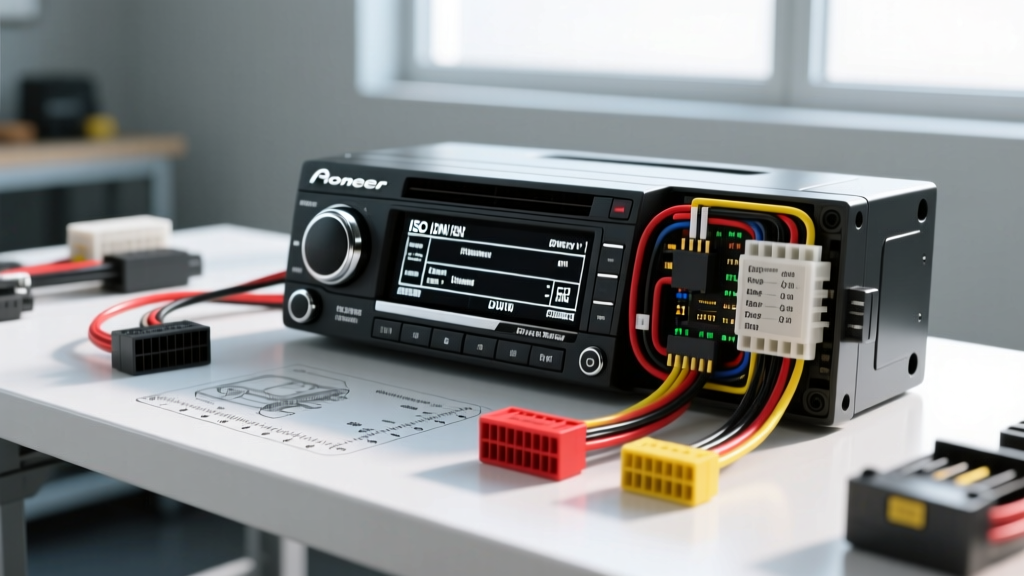
Navigating the Pioneer DEH Wiring Ecosystem
When upgrading a vehicle's audio system, locating the correct pioneer wiring diagram deh schematic is the critical first step. The Digital Enhanced Head (DEH) series has dominated the aftermarket for decades, but the wiring architecture has evolved significantly from the early CD-based DEH-P models to the modern Bluetooth-enabled DEH-S lineup. Selecting the right wiring harness and understanding the specific pinouts prevents catastrophic failures like blown output ICs or parasitic battery drains.
Generational Comparison: DEH-P vs. DEH-X vs. DEH-S Series
Before cutting or crimping, identify your exact DEH generation. While Pioneer maintains a standardized 16-pin connector on the back of the chassis, the internal bus communication and power tolerances differ across generations.
| Series | Era | Connector Type | Key Wiring Distinctions |
|---|---|---|---|
| DEH-P | 1998-2009 | 16-Pin Proprietary | Requires specific IP-Bus cables for CD changers; older MOSFET outputs sensitive to 2-ohm loads. |
| DEH-X | 2010-2017 | 16-Pin Standard | Introduced MIXTRAX; illumination wire expects variable resistance rather than simple 12V on/off. |
| DEH-S | 2018-Present | 16-Pin ISO-Adapted | CEA-2006 compliant; lower quiescent current draw; dedicated CAN-BUS wake-up support via specialized harnesses. |
Standard Pioneer DEH Wire Color Codes & Pin Assignments
Pioneer adheres to the Consumer Technology Association (CTA) color code standards for mobile electronics. However, the physical 16-pin block on the DEH chassis maps these colors to specific pins. Below is the definitive pinout reference for modern DEH units.
| Pin | Function | Wire Color | AWG / Spec |
|---|---|---|---|
| 1 | Right Rear Speaker (+) | Purple | 18 AWG |
| 2 | Right Front Speaker (+) | Grey | 18 AWG |
| 3 | Left Front Speaker (+) | White | 18 AWG |
| 4 | Left Rear Speaker (+) | Green | 18 AWG |
| 5 | Right Rear Speaker (-) | Purple/Black | 18 AWG |
| 6 | Right Front Speaker (-) | Grey/Black | 18 AWG |
| 7 | Left Front Speaker (-) | White/Black | 18 AWG |
| 8 | Left Rear Speaker (-) | Green/Black | 18 AWG |
| 9 | Ground | Black | 16 AWG (Upgrade Recommended) |
| 10 | +B (Constant 12V) | Yellow | 18 AWG (Fused 10A) |
| 11 | ACC (Switched 12V) | Red | 18 AWG |
| 12 | Illumination | Orange/White | 18 AWG |
| 13 | Power Antenna / Amp Turn-On | Blue/White | 18 AWG (Max 300mA) |
| 14 | Mute / Attenuate | Brown/White | 18 AWG |
| 15 | Illumination Dimmer | Orange | 18 AWG |
| 16 | Reserved / Not Used | N/A | N/A |
Power and Ground Specifications: The AWG Bottleneck
A common failure mode in aftermarket DEH installations is voltage drop at the head unit, leading to audio clipping or the unit rebooting during heavy bass transients. While Pioneer supplies an 18 AWG yellow (constant) and red (switched) wire, the internal MOSFET amplifier can draw peak currents exceeding 8 amps. According to CTA-2006 Mobile Audio Power standards, it is highly recommended to upgrade the ground wire (Pin 9) to 14 AWG or 12 AWG when extending the harness to a bare metal chassis point. Never rely on the factory radio ground wire, which is often 20 AWG and shared with the dashboard illumination circuit.
Speaker Impedance and Output IC Protection
The internal amplifier IC in most Pioneer DEH units is designed to drive a nominal 4-ohm load per channel. Wiring speakers in parallel to achieve a 2-ohm load will cause the output IC to overheat, triggering the unit's internal thermal protection circuit and resulting in intermittent audio cutouts or permanent IC failure. When reviewing your pioneer wiring diagram deh schematic, ensure that you are not bridging front and rear channels unless explicitly utilizing an external amplifier. Furthermore, never ground the negative speaker terminals (Pins 5 through 8) to the vehicle chassis. Pioneer DEH units utilize a BTL (Bridge-Tied Load) amplifier configuration, meaning both the positive and negative speaker wires carry active, amplified AC signals. Grounding a negative speaker wire will instantly short the output stage and destroy the head unit.
Selection Guide: Matching the DEH Harness to Your Vehicle
Choosing the correct adapter harness depends on your vehicle's data bus architecture. Hardwiring a modern DEH-S unit into a late-model vehicle with CAN-BUS or LIN-BUS networks can trigger check engine lights or drain the battery.
1. Legacy Analog Vehicles (Pre-2005)
For vehicles with simple 12V switched and constant power feeds, a standard T-harness (e.g., Metra 70-1761 or Axxess 70-5520) is required. These harnesses map the vehicle's proprietary plug directly to the Pioneer 16-pin DEH layout without cutting factory wires.
2. Data-Bus Retention Modules (2005-Present)
If your vehicle uses a GMLAN, CAN-BUS, or Chrysler BUS system to deliver the accessory (ACC) wake-up signal, a standard harness will leave the DEH unit dead. You must select a data-bus interface module (like the Axxess XSVI-2104-NAV or iDatalink Maestro). These modules decode the digital CAN signal and output a clean 12V analog ACC signal to the Pioneer's Red wire (Pin 11).
Diagnostic Decision Tree: Common DEH Wiring Faults
When a Pioneer DEH unit fails to operate correctly post-installation, use this systematic troubleshooting matrix before replacing the unit.
- Symptom: Head unit loses radio presets and clock every time the ignition is turned off.
- Cause: Swapped Constant and Switched power wires.
- Fix: Verify Pin 10 (Yellow) has 12V at all times, and Pin 11 (Red) has 12V only in ACC/ON. Swap at the harness connection if reversed.
- Symptom: Alternator whine or high-pitched engine RPM noise through speakers.
- Cause: Ground loop or improper RCA grounding.
- Fix: Ensure the DEH Black wire (Pin 9) is grounded to the same physical chassis point as the external amplifiers. Do not ground the head unit to the steering column or cigarette lighter sleeve.
- Symptom: External amplifier does not turn on, but DEH functions normally.
- Cause: Overloaded Blue/White turn-on wire or incorrect selection.
- Fix: The Blue/White wire (Pin 13) is limited to 300mA. If driving multiple amplifiers, use a 12V 30A automotive relay triggered by Pin 13 to switch power from the main battery feed. Ensure you are using Blue/White (Amp Turn-On) and not solid Blue (Power Antenna), which shuts off during CD/USB playback.
- Symptom: Display is excessively dim or unreadable during daytime.
- Cause: Illumination wire backfeeding or shorted.
- Fix: Disconnect the Orange/White wire (Pin 12). Some modern LED dash dimmer switches use PWM (Pulse Width Modulation) rather than variable DC voltage, which confuses the DEH illumination logic circuit.
Best Practices for Crimping and Termination
When splicing the Pioneer DEH pigtail to your vehicle-specific adapter, abandon electrical tape and twist-and-solder methods. Solder joints in automotive environments suffer from work-hardening and eventual fatigue cracking due to chassis vibration. According to Crutchfield's master installation guidelines, the industry standard is to use nylon-insulated butt connectors with a ratcheting crimp tool, followed by heat-shrink tubing with an inner layer of thermoplastic adhesive. This creates a waterproof, vibration-proof seal that matches the OEM harness longevity. For the main power and ground connections, utilize ring terminals bolted directly to factory chassis grounding points, sanding away paint and clear coat to ensure bare metal contact and a resistance reading of less than 0.05 ohms.
Final Verification Protocol
Before sliding the DEH unit into the DIN sleeve, perform a multimeter verification. Set your digital multimeter to DC Voltage. Probe the Yellow wire against the Black wire to confirm a steady 12.4V - 12.6V. Turn the ignition to ACC and probe the Red wire against Black to confirm 11.5V - 14.4V (depending on alternator state). Finally, verify continuity between the Black wire and a known good chassis ground. Only after these parameters are met should you connect the 16-pin block to the DEH chassis. For model-specific schematics and firmware updates, always consult the official Pioneer Electronics Support Hub.