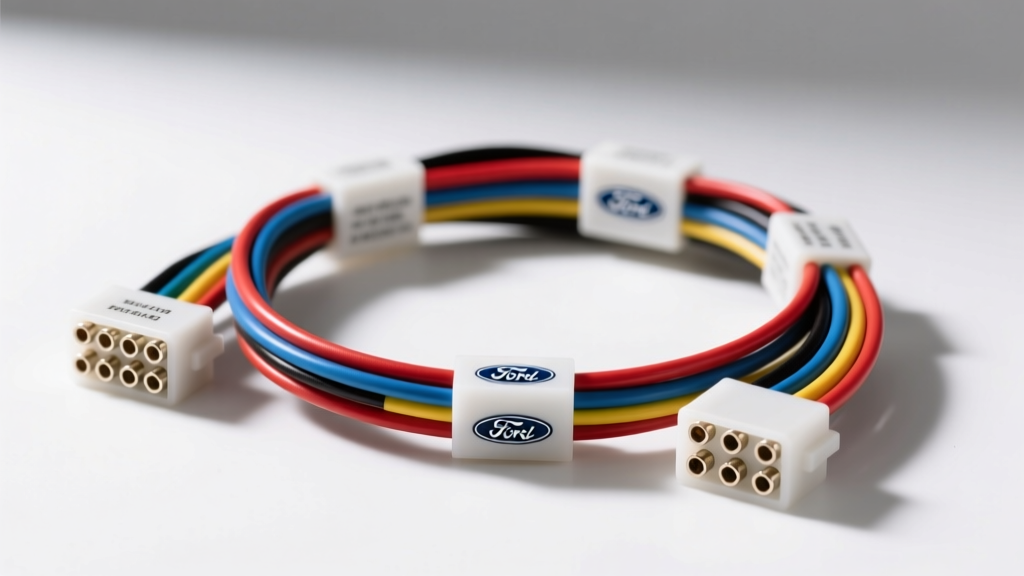
Introduction to Ford Audio Electrical Systems
Upgrading or replacing the head unit in a Ford vehicle requires a deep understanding of the factory electrical architecture. A Ford radio wiring harness is not merely a bundle of copper wires; in modern Blue Oval vehicles, it is a complex conduit carrying high-current power, low-voltage analog audio signals, and high-speed CAN-bus data networks. Whether you are working on a classic 1990s F-150 with a standard DIN opening or a late-model Mustang equipped with a SYNC 3 infotainment system and a Quadlock connector, improper harness integration can lead to catastrophic electrical failures. From parasitic battery drains to immobilizing the vehicle's Passive Anti-Theft System (PATS), the margin for error is slim. This guide outlines the most critical mistakes installers make when adapting a Ford radio wiring harness and provides actionable safety warnings to protect both the vehicle and the aftermarket equipment.
The Anatomy of a Ford Radio Wiring Harness
Historically, Ford utilized a standardized 16-pin connector for premium audio systems and an 8-pin connector for base models. However, the introduction of the Ford Modular Audio System and later SYNC platforms shifted the industry toward 24-pin and 54-pin Quadlock (HSD) connectors. Understanding the specific connector type and wire gauge (AWG) requirements is the first step in preventing installation failures. Power and ground circuits typically utilize 14 to 16 AWG wire to handle the 10A to 15A draw of modern internal amplifiers, while speaker wires are generally 18 AWG, and CAN-bus data lines are 20 AWG twisted pairs.
Top 5 Ford Radio Wiring Harness Mistakes
1. Splicing into the CAN-Bus Network
The Error: Attempting to read vehicle speed, parking brake status, or steering wheel control (SWC) data by physically cutting into the CAN-High and CAN-Low wires found in newer Ford Quadlock harnesses. The Consequence: The CAN-bus relies on precise 120-ohm termination resistance and twisted-pair geometry to prevent electromagnetic interference (EMI). Splicing into these wires alters the impedance, causing network communication faults. This can trigger dashboard warning lights, disable the steering wheel audio controls, or worse, cause a PATS immobilization event where the vehicle refuses to start. The Fix: Never cut factory data lines. Always use a dedicated, vehicle-specific CAN-bus interface module (such as those from iDatalink Maestro or Axxess) that reads the data via high-impedance non-intrusive T-taps or plug-and-play inline harness adapters.
2. Confusing Constant 12V (Memory) and Switched 12V (Ignition)
The Error: Swapping the Yellow (Constant 12V) and Red (Switched 12V) wires on the aftermarket harness adapter. The Consequence: While the radio will turn on, the microprocessor will lose all memory (presets, clock, EQ settings) every time the ignition is turned off. More dangerously, if the aftermarket head unit features a high-current internal amplifier tied to the low-amperage switched ignition circuit, it can overload the Ford BCM (Body Control Module) fuse, leading to melted wiring or a blown GEM module. The Fix: Always verify the Ford harness pinout with a digital multimeter (DMM). The Yellow wire must show continuous 12V+ relative to ground, while the Red wire should only show 12V+ in the 'ACC' or 'RUN' key positions.
3. Improper Grounding to Painted Chassis Metal
The Error: Securing the 14 AWG black ground wire to a painted or powder-coated bracket behind the dashboard using a standard self-tapping screw. The Consequence: Paint acts as an insulator. This creates a high-resistance ground, resulting in severe voltage drop. When the bass hits and the amplifier demands peak current, the voltage drops below the head unit's operating threshold, causing the unit to reboot or emit severe alternator whine through the speakers. The Fix: Use a ring terminal and bolt the ground wire to a bare, unpainted metal surface. If no bare metal is available, sand away the paint to expose bare steel, apply the ring terminal, and coat the area with dielectric grease to prevent oxidation.
4. Overloading the Illumination Circuit
The Error: Tying the aftermarket head unit's illumination wire (usually Orange/White) directly to the Ford factory dimmer switch circuit without verifying the amperage. The Consequence: Factory dimmer circuits are designed for low-draw LED or incandescent dash bulbs. Adding the draw of an aftermarket screen and button backlights can overload the dimmer rheostat, causing it to overheat and fail, which kills dash lighting across the entire instrument cluster. The Fix: Use a relay to trigger the aftermarket illumination, or connect the head unit's dimmer wire to a dedicated 12V switched source, sacrificing the variable dimming feature to protect the factory BCM.
5. Ignoring Amplifier Turn-On vs. Power Antenna
The Error: Connecting the Blue wire (Power Antenna) instead of the Blue/White wire (Amplifier Turn-On) to a factory Ford external amplifier's wake-up pin. The Consequence: The Power Antenna wire typically drops to 0V when the radio switches to CD or Aux mode. This will cause the external factory amplifier (like the Mach 460 or Shaker 500 systems) to shut off mid-song whenever you change audio sources. The Fix: Always use the Blue/White striped wire for amplifier turn-on signals, as it maintains a constant 12V+ output whenever the head unit is powered on, regardless of the source selection.
Ford Premium Audio 16-Pin Harness Reference Table
The following table outlines the standard 16-pin Ford Premium Sound harness commonly found in models from 1995 to 2010 (including F-150, Mustang, and Explorer). Always verify with Ford Motorcraft Service Information before cutting wires.
| Pin | Wire Color | Function | Typical AWG |
|---|---|---|---|
| 1 | White | Left Rear Speaker (+) | 18 AWG |
| 2 | White/Black Stripe | Left Rear Speaker (-) | 18 AWG |
| 3 | Purple | Right Rear Speaker (+) | 18 AWG |
| 4 | Purple/Black Stripe | Right Rear Speaker (-) | 18 AWG |
| 5 | Yellow | Battery Constant 12V+ (Memory) | 16 AWG |
| 6 | Light Green/Yellow | Right Front Speaker (+) | 18 AWG |
| 7 | Light Green/Black | Right Front Speaker (-) | 18 AWG |
| 8 | Black | Chassis Ground | 14 AWG |
| 9 | Red | Switched 12V+ (Ignition/ACC) | 16 AWG |
| 10 | Orange/Black Stripe | Illumination / Dimmer | 20 AWG |
| 11 | Blue | Power Antenna / Amp Turn-On | 18 AWG |
| 12 | White/Red Stripe | Left Front Speaker (+) | 18 AWG |
| 13 | White/Black Stripe | Left Front Speaker (-) | 18 AWG |
| 14 | Gray/Red Stripe | Right Front Speaker (+) *Alt | 18 AWG |
| 15 | Gray/Black Stripe | Right Front Speaker (-) *Alt | 18 AWG |
| 16 | Not Used | Empty / Reserved | N/A |
*Note: Pinouts can vary slightly depending on whether the vehicle is equipped with the Mach 460 or standard premium audio. Consult the Crutchfield Ford Vehicle Fit Database for year-specific variations.
Safety Warnings & Best Practices for Harness Modification
Battery Disconnect and SRS Capacitor Discharge
Before cutting, splicing, or manipulating any Ford radio wiring harness, you must disconnect the negative battery terminal. In vehicles equipped with side-curtain airbags or center-console SRS modules, wait a minimum of 10 minutes after disconnecting the battery. This allows the backup capacitors in the Restraints Control Module (RCM) to discharge, preventing accidental airbag deployment while you are working in the dashboard cavity.
Abandon T-Taps and Twist Connectors
Using cheap 'scotch-lock' T-taps or twist-on wire connectors on 18 AWG or 20 AWG automotive wire is a leading cause of intermittent audio failures. Vibration from the vehicle chassis will eventually loosen twist connectors, and T-taps often sever the delicate copper strands of CAN-bus or speaker wires, leading to high resistance and signal degradation. Adhering to SAE J1113 Electromagnetic Compatibility Standards requires maintaining the physical integrity of the wire. Always use open-barrel crimps, soldering with adhesive-lined heat shrink, or Posi-Tap connectors for temporary diagnostic branching.
Protecting the GEM and BCM Modules
In many 1998-2008 Ford trucks and SUVs, the Generic Electronic Module (GEM) or Body Control Module (BCM) is located directly behind the radio bezel or under the dashboard. These modules are highly susceptible to water damage and short circuits. When routing the new radio harness, ensure no bare wires are left exposed and that the harness is zip-tied securely away from the HVAC drain tube and the GEM housing. A shorted 12V accessory wire against the GEM casing can instantly destroy the module, resulting in thousands of dollars in replacement and reprogramming costs.
Conclusion
Treating a Ford radio wiring harness with the respect it demands is the difference between a seamless, factory-like audio upgrade and an electrical nightmare. By verifying pinouts with a multimeter, respecting the CAN-bus architecture, and utilizing proper soldering and crimping techniques, you ensure the longevity of both the aftermarket head unit and the vehicle's complex electrical network. Always prioritize safety, verify wire gauges, and never bypass factory fusing when integrating high-draw audio components.