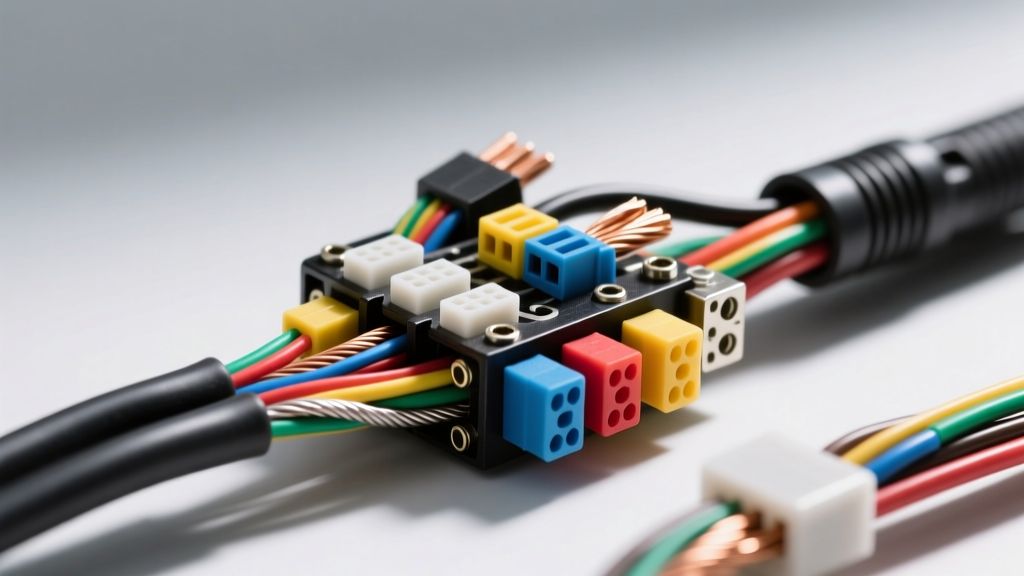
Understanding the CAN Bus Wiring Harness Architecture
The Controller Area Network (CAN) bus wiring harness is the central nervous system of modern vehicles. Unlike traditional point-to-point wiring, a CAN bus harness utilizes a twisted-pair topology to allow multiple microcontrollers and modules to communicate on a single two-wire network. When this harness fails, the results range from intermittent dashboard warning lights to complete vehicle immobilization, often accompanied by a cascade of "U-codes" (e.g., U0073, U0100, U0140).
As an automotive electrical expert, approaching a CAN bus wiring harness diagnosis requires a methodical, step-by-step troubleshooting flow. Guessing or "shotgun" part replacement will not fix a chafed 20 AWG twisted pair buried deep inside a kick panel or under a carpet. This guide outlines the definitive diagnostic sequence for High-Speed CAN (HS-CAN) networks, referencing standard OBD2 Data Link Connector (DLC) breakpoints.
Phase 1: Visual and Physical Inspection
Before connecting a multimeter or oscilloscope, you must eliminate physical and aftermarket interference. The most common point of failure for a CAN bus wiring harness is not the factory wiring, but the DLC itself or areas where aftermarket accessories have been spliced in.
- Inspect the OBD2 DLC (J1962 Connector): Look closely at Pins 6 (CAN High) and 14 (CAN Low). Insurance trackers, tuning devices, and code readers can spread the female terminals, causing intermittent contact. If the terminal tension is compromised, the module will drop offline under vibration.
- Check for Aftermarket Taps: Trace the harness behind the DLC, under the driver dash, and near the radio head unit. Aftermarket backup cameras, GPS trackers, and remote starters are notorious for being spliced into the CAN wires using cheap scotch-locks. These splices introduce resistance, corrode over time, and untwist the pair, ruining the electromagnetic interference (EMI) rejection.
- Examine High-Flex Zones: Inspect the harness where it passes through the firewall grommet, the A-pillar kick panels, and under the front seats (especially in GM trucks and SUVs where seat motors pinch the floor harness). Look for melted insulation or copper strands shorting to the chassis ground.
Phase 2: OBD2 DLC Voltage Testing (KOEO)
If the visual inspection yields no obvious faults, proceed to voltage testing at the DLC. Set your Digital Multimeter (DMM) to DC Volts. Turn the ignition to Key On, Engine Off (KOEO) to wake up the modules and initiate bus traffic.
Testing Recessive and Dominant States
Connect your black lead to a known good chassis ground (Pin 4 or 5 on the DLC) and your red lead to Pin 6 (CAN High).
- CAN High (Pin 6): The recessive (idle) voltage should be approximately 2.5V. When the bus is active (dominant), it spikes to roughly 3.5V. Because a standard DMM averages the rapid voltage fluctuations, you will typically read an average voltage between 2.6V and 3.2V depending on bus load.
- CAN Low (Pin 14): The recessive voltage is also 2.5V. During the dominant state, it drops to roughly 1.5V. Your DMM will average this out to a reading between 1.8V and 2.4V.
Expert Insight: If Pin 6 reads 12V, the CAN High wire is shorted to battery power. If Pin 14 reads 0V, the CAN Low wire is shorted to ground. If both pins read exactly 2.5V with zero fluctuation, the bus is completely dead (no modules are transmitting), or the network is partitioned.
Phase 3: Termination Resistance and Continuity Testing
The CAN bus relies on a specific electrical resistance to prevent signal reflection, which can corrupt data packets. According to CAN in Automation (CiA) specifications, a standard HS-CAN network requires two 120-ohm terminating resistors placed at the extreme physical ends of the bus (usually integrated into the ECM and the BCM or ABS module).
CRITICAL: You must turn the ignition OFF and disconnect the negative battery terminal before performing resistance tests. Measuring resistance on a live circuit will yield false readings and can damage your multimeter or the vehicle's module transceivers.
The 60-Ohm Rule
Set your DMM to Ohms and measure across Pin 6 (CAN High) and Pin 14 (CAN Low) at the DLC.
- 55 to 65 Ohms (Nominal 60Ω): The wiring harness is intact. Both terminating resistors are present, and there are no hard shorts or opens. If you have communication faults but 60 ohms of resistance, suspect a module failure, severe EMI, or a water-intruded connector causing intermittent voltage drops.
- 120 Ohms: You have an open circuit. One of the two terminating resistors is missing, or the harness is broken between the DLC and one end of the network. This often happens when a technician unplugs a terminator module (like an ABS pump) and leaves it disconnected.
- 0 to 5 Ohms: You have a dead short. Either CAN High and CAN Low are shorted together, or one of the wires is shorted directly to chassis ground or battery positive.
Phase 4: Module Isolation and Node Testing
If Phase 3 reveals a short (0-5 ohms) or an open (120 ohms), you must isolate the faulty segment of the wiring harness or the offending module. Because the CAN bus is a linear topology with drop-lines to each module, a short inside a single module's internal transceiver will pull the entire network down.
- Locate the modules on the HS-CAN network (refer to factory service wiring diagrams for the specific vehicle).
- With the battery disconnected, unplug modules one by one.
- After unplugging each module, re-check the resistance at the DLC.
- If unplugging a specific module (e.g., the Transmission Control Module) causes the resistance to jump from 0 ohms back to 60 ohms, you have found your culprit. The short is either inside that module's internal circuit board or in the short drop-line harness leading to its connector.
Technical Reference: CAN Bus Signal Specifications
Understanding the physical layer specifications is vital for verifying harness integrity. The table below outlines standard OBD2 pinouts and electrical characteristics for common CAN networks found in modern light-duty vehicles.
| Network Type | DLC Pin (High) | DLC Pin (Low) | Recessive Voltage (H / L) | Dominant Voltage (H / L) | Typical Wire Gauge & Colors |
|---|---|---|---|---|---|
| HS-CAN (ISO 11898-2) | 6 | 14 | 2.5V / 2.5V | 3.5V / 1.5V | 20-22 AWG (e.g., GM: Tan/Black, Ford: White/White-Red) |
| MS-CAN (ISO 11519-2) | 1 (or 3) | 9 (or 11) | 2.5V / 2.5V | 3.5V / 1.5V | 22 AWG (e.g., Ford: Light Blue/Light Blue-White) |
| GMLAN (SW-CAN) | 1 | N/A (Single Wire) | 0V (Sleep) / 12V (Wake) | Variable Pulse | 18-20 AWG (GM: Light Green or Dark Green) |
Note: Always verify wire colors against the specific OEM wiring schematic, as manufacturers frequently change insulation colors mid-production year.
Troubleshooting Decision Tree: Common U-Codes
Use this decision tree when a scan tool pulls network-level Diagnostic Trouble Codes (DTCs).
- Symptom: U0073 (Control Module Communication Bus Off)
- Cause: The transmitting module detected too many errors and shut down the bus to protect the network.
- Step 1: Check DLC resistance. If 0Ω, repair H/L short. If 60Ω, check for severe EMI (e.g., aftermarket ignition coils, unshielded alternator wiring).
- Symptom: U0100 (Lost Communication with ECM/PCM)
- Cause: The ECM is not responding to bus requests.
- Step 1: Verify ECM power and ground pins. The ECM cannot transmit if its main relay or ground splice pack is corroded.
- Step 2: Check CAN H/L continuity from the DLC to the ECM connector. Look for pin push-out at the ECM harness plug.
- Symptom: Multiple U-Codes across unrelated modules (e.g., U0140, U0155)
- Cause: A network-wide voltage drop or gateway failure.
- Step 1: Inspect the central gateway module (often the BCM or a dedicated Gateway Module). Ensure its power feeds are not dropping below 10.5V during engine crank.
Proper CAN Bus Wiring Harness Repair Techniques
When you locate a broken or chafed wire in the CAN bus harness, standard electrical tape and solder joints are unacceptable. The CAN protocol is highly sensitive to signal reflection and crosstalk.
Maintaining the Twist Rate
The twisted-pair design is what allows the CAN bus to reject common-mode noise. According to SAE J1939 guidelines for heavy-duty and automotive networks, the wires must maintain a strict twist rate. Never untwist the wires more than 1 inch (25mm) from the point of the break. If you untwist 6 inches of wire to make a solder joint easier, you create an antenna that will pick up EMI from the alternator or ignition system, resulting in intermittent data corruption.
Splicing and Sealing
Avoid traditional rosin-core solder if possible, as it creates a rigid joint that can snap under chassis vibration. Instead, use OEM-style butt splices (like TE Connectivity AMP connectors) with a proper ratcheting crimp tool. Seal the repair using dual-wall, adhesive-lined heat shrink tubing. When heated, the inner wall melts and seals out moisture, preventing the green corrosion (copper oxide) that acts as a semiconductor and wreaks havoc on low-voltage CAN signals.
For deep-dive waveform analysis and advanced transceiver diagnostics, technicians should reference resources like the International Automotive Technicians Network (iATN) waveform libraries to compare their oscilloscope captures against known-good patterns. By following this structured troubleshooting flow, you can accurately isolate and repair CAN bus wiring harness faults without replacing expensive control modules unnecessarily.