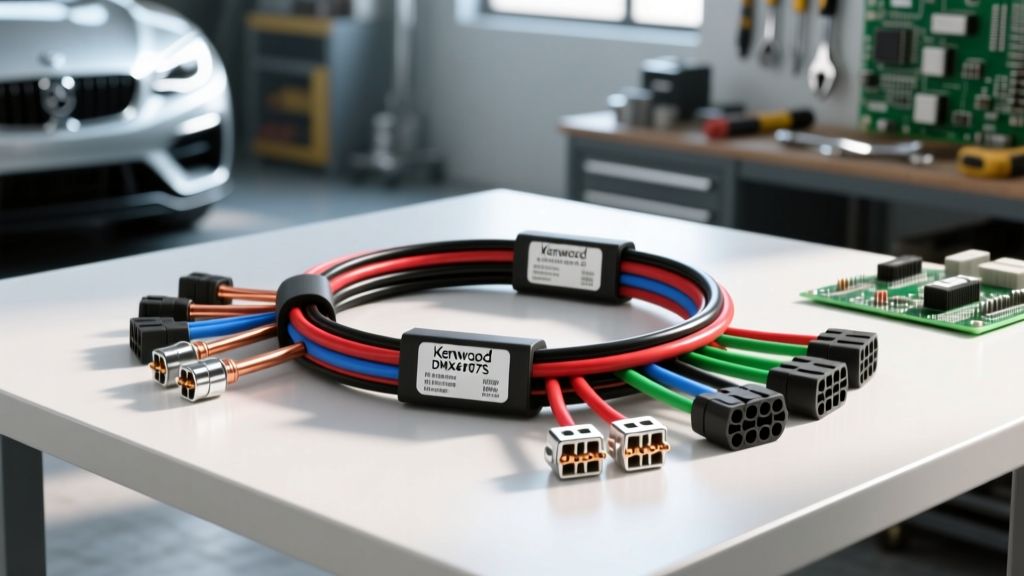
Kenwood DMX4707S Wiring Harness: Architecture and Power Delivery
The Kenwood DMX4707S is a highly capable 6.8-inch digital media receiver designed for seamless smartphone integration and OEM data retention. However, unlocking its full potential requires a precise understanding of the Kenwood DMX4707S wiring harness architecture. Unlike legacy single-DIN units that rely solely on analog 12V triggers, this chassis utilizes a hybrid approach: a standard 16-pin analog power/speaker harness paired with proprietary digital data ports for CAN-bus communication and iDatalink Maestro integration.
When installing this unit, the most common failure point is improper power and ground scaling. The DMX4707S features a built-in Class-D amplifier rated at 22W x 4 RMS, but peak transient current draw can exceed 15 amps during heavy bass transients. Relying on factory 18 AWG radio wiring or using quick-splice T-taps will result in severe voltage drop, causing the unit to boot-loop or shut down under load. According to Mobile Electronics Certified Professional (MECP) Installation Guidelines, all aftermarket head units drawing over 10A continuous must be hardwired using a minimum of 14 AWG stranded copper wire directly to the battery and chassis ground.
Primary 16-Pin Power and Speaker Harness Specifications
The main 16-pin Molex-style connector handles primary power, illumination, and amplified speaker outputs. Below is the definitive pinout and AWG requirement chart for the DMX4707S main harness.
| Wire Color | Function | Min. AWG | Integration & Routing Notes |
|---|---|---|---|
| Yellow | Battery +12V (Constant) | 14 AWG | Route directly to battery with an inline 15A ATC fuse. Do not tap into cigarette lighter circuits. |
| Red | Accessory +12V (Switched) | 16 AWG | Connect to ignition-switched 12V source or data-module retained accessory (RAP) output. |
| Black | Chassis Ground | 14 AWG | Must be sanded to bare metal and secured with a star washer. Max resistance to battery negative: <0.05 ohms. |
| Blue/White | Amplifier Turn-On | 18 AWG | Provides +12V/300mA max. Use a relay if triggering multiple high-draw external amplifiers. |
| Orange/White | Illumination / Dimmer | 18 AWG | Connect to vehicle headlight switch circuit. Sends variable voltage or ground signal to dim display. |
| Light Green | Parking Brake | 18 AWG | Must see ground to enable video playback and setup menus. Connect to OEM e-brake switch. |
| Purple/White | Reverse Gear Trigger | 18 AWG | Provides +12V output when vehicle is in reverse; used to trigger backup camera relay or screen. |
iDatalink Maestro RR Integration & Data Harness
The true technical depth of the Kenwood DMX4707S wiring harness lies in its compatibility with the iDatalink Maestro RR (Radio Replacement) module. This integration allows the retention of OEM steering wheel controls (SWC), factory amplifiers, climate control displays, and vehicle settings (like door chimes and traction control) on vehicles equipped with CAN-bus or LIN-bus networks.
The DMX4707S features a dedicated 4-pin Maestro data port on the rear chassis. This port bypasses the need for analog resistance-based SWC adapters (like the Axxess ASWC-1) by communicating directly with the Maestro module via a serial data link. When flashing the Maestro RR module via the iDatalink Maestro Technical Support Portal, you must select the exact vehicle make, model, and trim to ensure the correct CAN-bus termination and data mapping are applied to the harness.
Maestro 4-Pin Data Port Pinout
The proprietary Maestro data cable connects the RR module to the head unit. The pin configuration is as follows:
- Pin 1 (Red): Data TX (Transmit) - Serial data from Maestro to Kenwood.
- Pin 2 (Black): Data GND - Shared logic ground. Must be continuous with main harness ground.
- Pin 3 (White): Data RX (Receive) - Serial data from Kenwood to Maestro.
- Pin 4 (Yellow): +12V Constant - Powers the Maestro module logic board (if not powered via the main vehicle T-harness).
Expert Note: If the Maestro module LED flashes red twice upon boot, it indicates a missing or corrupted serial handshake between the RR module and the DMX4707S. Verify continuity on the TX/RX lines using a multimeter set to the ohms scale; a reading of 'OL' indicates a broken pin inside the 4-pin connector.
Backup Camera and Accessory Wiring Specifications
The DMX4707S supports a composite RCA backup camera input. However, the camera power and triggering require careful harness manipulation. The Purple/White wire on the main harness outputs +12V when the vehicle is shifted into reverse.
Failure Mode: Many aftermarket cameras draw more than the 300mA limit of the head unit's internal reverse trigger circuit, or they require a clean 12V power source that the vehicle's reverse light circuit (often PWM-modulated on modern German and domestic trucks) cannot provide cleanly.
The Fix: Use the Purple/White wire to trigger a standard 12V automotive relay (Bosch-style 30A). Connect the relay's switched output to a clean 12V constant source to power the camera. This isolates the DMX4707S from voltage spikes and PWM noise generated by the vehicle's reverse lighting circuit, preventing the 'No Signal' or rolling screen artifacts common in modern trucks like the Ford F-150 and RAM 1500.
Common Failure Modes & Multimeter Diagnostics
When troubleshooting the Kenwood DMX4707S wiring harness in the field, rely on empirical data rather than guesswork. Below is a diagnostic decision tree for the three most common installation anomalies.
1. Unit Boot-Loops at High Volume
- Symptom: The Kenwood logo appears, then the screen goes black and restarts when bass hits.
- Cause: Voltage drop on the Yellow (Constant) or Black (Ground) wires.
- Diagnostic Step: Set multimeter to DC Volts. Place probes directly on the back of the 16-pin connector (Yellow and Black). Play a 40Hz bass test tone. If voltage drops below 11.2V, your 14 AWG power/ground runs are insufficient or poorly terminated.
2. Maestro Module Fails to Retain OEM Settings
- Symptom: Steering wheel controls work, but climate data and door chimes are missing.
- Cause: Incorrect firmware flashed, or CAN-H/CAN-L lines crossed on the vehicle-specific T-harness.
- Diagnostic Step: Refer to Kenwood DMX4707S Official Specifications to verify firmware version. Check CAN-bus voltages: CAN-H should idle around 2.6V, and CAN-L should idle around 2.4V. If they are identical or inverted, the data lines are swapped at the OBD-II or BCM tap.
3. No Audio from External Amplifiers
- Symptom: Head unit functions normally, RCA pre-outs show signal on oscilloscope, but amps do not turn on.
- Cause: Confusing the Blue wire (Power Antenna) with the Blue/White wire (Amp Turn-On).
- Diagnostic Step: The DMX4707S harness includes a Blue wire that only outputs +12V when the AM/FM tuner is active. If you tap your amplifier remote into the Blue wire, the amps will shut off when you switch to Bluetooth or CarPlay. Always use the Blue/White striped wire for amplifier turn-on.
Final Integration Best Practices
Properly executing the Kenwood DMX4707S wiring harness installation requires respecting both the analog power demands and the digital data sensitivities of the unit. Always solder and heat-shrink all harness connections; crimp caps and electrical tape will inevitably fail due to thermal expansion and vibration behind the dashboard. Furthermore, keep the Maestro data cables and RCA interconnects routed away from the main 14 AWG power wires to prevent electromagnetic interference (EMI) from corrupting the CAN-bus serial data stream. By adhering to these advanced wiring protocols, you ensure a factory-grade, reliable integration that maximizes the capabilities of the DMX4707S chassis.