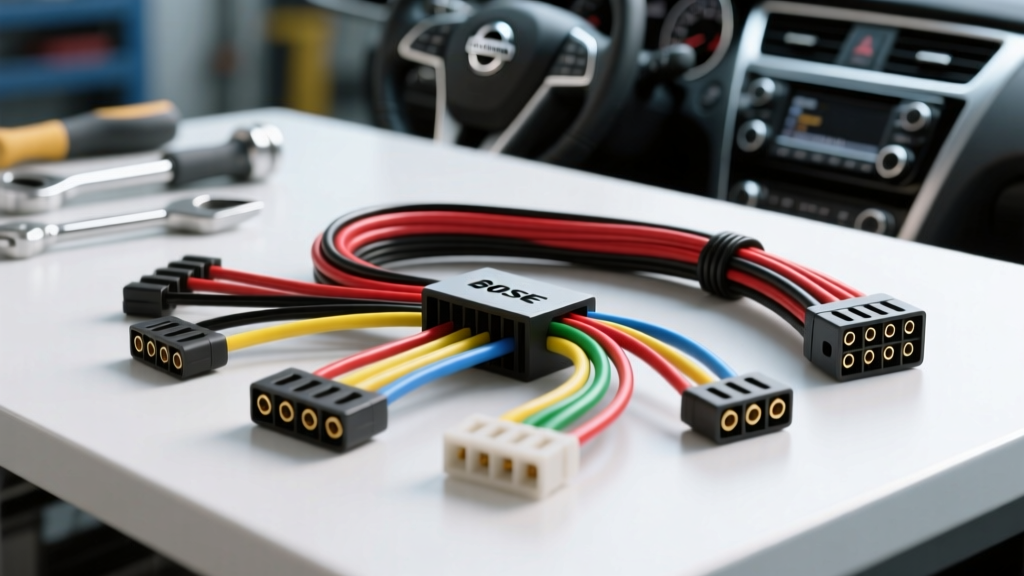
The Beginner's Guide to the Nissan Altima Radio Wiring Harness
Upgrading the factory stereo in a Nissan Altima is one of the most rewarding weekend projects for a car enthusiast, but it is also a minefield of proprietary connectors, multiplexed data networks, and low-voltage camera systems. Whether you are working on a 2013-2018 L33 generation or a newer model, understanding the Nissan Altima radio wiring harness is the difference between a clean, factory-looking installation and a fried electrical module. This beginner-friendly guide will walk you through the anatomy of the Altima's head unit connectors, decode the OEM wire colors, and explain the critical integration modules required to keep your vehicle's advanced features functioning flawlessly.
The Golden Rule: Never Cut the OEM Harness
The single most important rule in automotive electrical integration is to preserve the factory wiring. The OEM harness is engineered to exact specifications, utilizing automotive-grade cross-linked polyethylene (XLPE) insulation and precise terminal tension. Cutting and splicing into the factory plug destroys the vehicle's resale value, introduces high-resistance connection points, and risks shorting the vehicle's CAN bus network. Instead, professionals and seasoned DIYers use a T-harness adapter or a plug-and-play wiring harness interface. These adapters plug directly into the back of the factory radio connectors and break out the necessary wires into standard EIA (Electronic Industries Alliance) color codes that match your aftermarket stereo. For authoritative wiring diagrams and pinout verification, always consult the Nissan Factory Service Manuals before applying power to any new circuit.
Anatomy of the Altima Head Unit Connectors
Modern Nissan Altima models typically utilize a dual-connector setup behind the dashboard. Understanding what each connector does will help you troubleshoot missing features like steering wheel controls or rear audio.
- The 20-Pin Main Connector: This is the primary lifeline of the head unit. It houses the main power feeds (Battery and Ground), the CAN bus data lines, the illumination signal, and the front left/right speaker outputs.
- The 16-Pin Secondary Connector: This connector handles the rear speaker outputs, the steering wheel control (SWC) resistive ladder network, the auxiliary input, and the amplifier turn-on signal (if equipped with the premium audio package).
OEM Wire Color Code Reference Table
When using a hardwire kit or verifying an adapter's pinout, you must match the Nissan OEM colors to your aftermarket radio's standard EIA colors. Below is a reference chart based on standard non-Bose Altima configurations. Always verify with a multimeter, as mid-year production changes can alter wire colors.
| Function | Nissan OEM Wire Color | Aftermarket EIA Color | Wire Gauge (AWG) |
|---|---|---|---|
| Constant 12V Battery (Memory) | Pink or Yellow | Yellow | 18 AWG |
| Ground | Black | Black | 16 AWG |
| CAN Bus High (CAN-H) | Pink or White | N/A (Requires Interface) | 20 AWG |
| CAN Bus Low (CAN-L) | Green or Red | N/A (Requires Interface) | 20 AWG |
| Front Left Speaker (+/-) | White / White-Black | White / White-Black | 20 AWG |
| Front Right Speaker (+/-) | Red / Red-Black | Gray / Gray-Black | 20 AWG |
| Rear Left Speaker (+/-) | Light Green / Green-Black | Green / Green-Black | 20 AWG |
| Rear Right Speaker (+/-) | Blue / Blue-Black | Purple / Purple-Black | 20 AWG |
The CAN Bus and Retained Accessory Power (RAP) Dilemma
Beginners often purchase a cheap, generic wiring harness adapter for their Altima, only to find that the aftermarket radio either never turns on, or it stays on permanently and drains the battery overnight. This is because modern Altimas do not use a traditional 12V Accessory (ACC) ignition wire. Instead, the factory radio listens to the CAN bus network to determine ignition status.
Furthermore, Nissan employs Retained Accessory Power (RAP). This means the radio stays powered on after you turn off the engine, only shutting down when the driver's door is opened. To replicate this behavior, your wiring harness must include a CAN bus decoder module (such as the Maestro RR, iDatalink, or an Axxess CAN interface). This module reads the digital CAN-H and CAN-L signals and generates a localized 12V ACC wire for your aftermarket stereo. According to the SAE J1128 Low Tension Primary Cable Standard, any wiring used to bridge these modules must maintain strict gauge requirements to prevent voltage drop across the data lines, which can cause network-wide communication faults.
Navigating the Bose Amplifier System
If your Altima is equipped with the premium Bose audio system, your wiring harness requirements change dramatically. The Bose system utilizes a factory amplifier located under the passenger seat or in the trunk, which expects low-level (pre-amp) RCA signals or specific low-impedance speaker-level signals from the OEM head unit. It also requires a dedicated Amp Turn-On wire (typically Blue with a White stripe on the aftermarket side) to wake the amplifier up.
Your two options for Bose integration:
- Bypass the Bose Amp (Recommended for Beginners): Use a non-Bose to Bose bypass harness. This adapter intercepts the speaker wires before they reach the factory amp and routes them directly to your new radio's internal 4x50W amplifier. You will lose the factory subwoofer, but the sound quality is often cleaner and easier to tune.
- Retain the Bose Amp: You must use a specialized Bose retention harness that steps down the aftermarket radio's high-level speaker outputs into low-level signals that the Bose amp can process without clipping or distortion. You must also connect the aftermarket radio's 'Blue/White' system remote turn-on wire to the harness's amplifier trigger circuit.
The 6V Reverse Camera Trap: A Critical Warning
One of the most common and expensive mistakes beginners make when installing a Nissan Altima radio wiring harness involves the backup camera. The OEM Nissan head unit outputs exactly 6 Volts to power the factory reverse camera. However, almost all aftermarket radios output 12 Volts on the reverse trigger wire (usually Pink or Brown/White).
If you connect the 12V reverse trigger directly to the OEM camera's power feed, you will instantly fry the camera sensor. To properly integrate the factory camera, your wiring harness kit must include a 12V to 6V step-down module (often sold as a Camera Retention Module). This module takes the 12V signal from the aftermarket radio, steps it down to a safe 6V to power the camera, and routes the composite video signal back to the new head unit's RCA camera input. For verified fitment and module requirements, cross-reference your specific trim level using the Crutchfield Vehicle Fitment Database.
Step-by-Step Harness Integration Best Practices
Once you have the correct CAN bus interface and camera retention modules, it is time to connect the adapter harness to your aftermarket radio's pigtail. Do this at your workbench, not while leaning upside down inside the dashboard.
- Strip the Wires Correctly: Use a precision wire stripper to remove exactly 1/4 inch of insulation. Do not nick the copper strands, as this creates a stress fracture that will snap under vehicle vibration.
- Ditch the T-Taps: Never use T-taps or scotch locks. They pierce the wire, allowing moisture to enter and corrode the copper from the inside out.
- The Solder and Heat Shrink Method: Twist the matching wires together in a linear splice. Apply rosin-core solder to the joint until it wicks completely into the strands. Slide a piece of adhesive-lined marine-grade heat shrink tubing over the joint and apply heat until the adhesive oozes out the ends. This creates a waterproof, vibration-proof seal that will outlast the vehicle.
- Secure the Loom: Wrap the completed harness in Tesa cloth automotive tape. This eliminates wire rattle against the metal dashboard frame and provides excellent abrasion resistance.
Final Testing Before Reassembly
Before snapping the dashboard trim back into place, reconnect the vehicle's negative battery terminal and perform a full system test. Verify that the radio turns on with the ignition, shuts off when the door opens (RAP function), retains its memory presets, and that the reverse camera engages with a crisp image when the shifter is placed in Reverse. Check that the steering wheel volume and track buttons respond correctly. Only when every circuit is verified should you tuck the CAN bus module and excess wiring safely behind the climate control assembly, ensuring no wires are pinched by the radio chassis during final insertion.