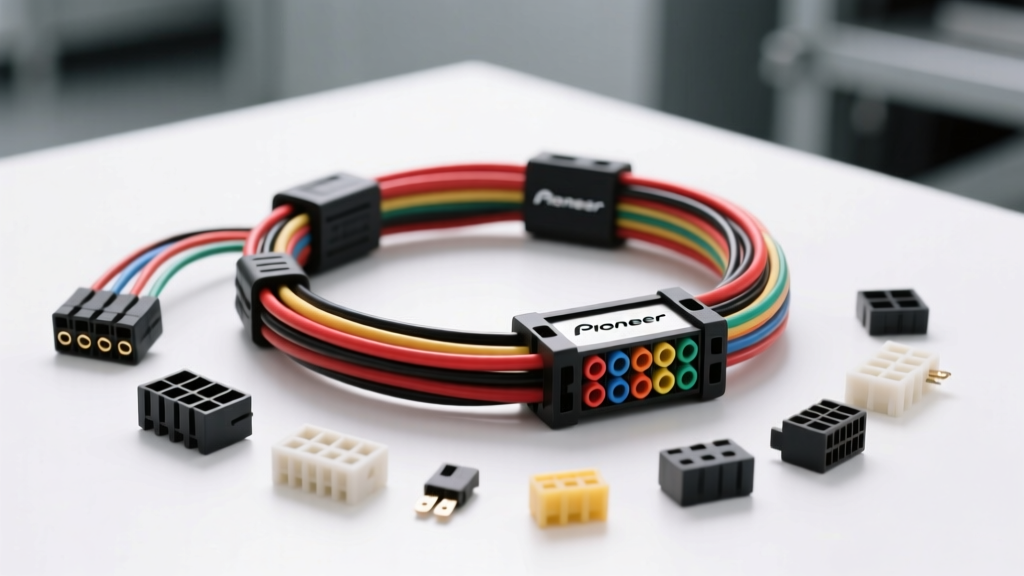
Mastering the Pioneer Stereo Wiring Harness Diagram
Upgrading to an aftermarket Pioneer head unit—whether it is a flagship AVH-series multimedia receiver, a sleek DMH-series digital media player, or a budget-friendly MVH mechless deck—requires a flawless electrical connection. The Pioneer stereo wiring harness diagram is your primary roadmap for bridging the gap between the vehicle's proprietary OEM wiring and the universal CEA-2006 color-coded pigtail of the new radio. However, when the screen stays black, the speakers produce no sound, or the unit fails to retain memory presets, installers must transition from simple plug-and-play mechanics to systematic electrical diagnostics.
This guide provides a step-by-step troubleshooting flow tailored specifically for Pioneer harness adapters (such as Metra, Axxess, and Scosche interfaces). We will break down the diagnostic decision trees for power, audio, and CAN-bus data networks, utilizing standard 18 AWG to 16 AWG wire specifications and ISO 10487 pinout configurations.
Phase 1: Power and Ground Diagnostic Flow
The most common installation failure stems from misinterpreting the constant and switched power circuits on the wiring diagram. Pioneer head units require two distinct 12V sources to function correctly and retain memory. According to the Crutchfield Car Wiring Guide, adhering to the CEA-2006 color standard is critical for this phase.
Symptom: Head Unit is Completely Dead (No Power)
- Step 1: Verify the Inline Fuse. Inspect the inline blade fuse on the adapter harness (typically a 10A ATO fuse on the Yellow or Red wire). Replace if the filament is broken.
- Step 2: Test Constant Power (Yellow Wire). Set your digital multimeter (DMM) to DC Voltage (20V range). Probe the Yellow wire (Constant 12V+) against a known bare metal chassis ground.
- Result A (12.2V - 12.8V): Constant power is good. Proceed to Step 3.
- Result B (0V): Trace the Yellow wire back to the vehicle's battery feed or check the OEM radio fuse block (often labeled 'AUDIO' or 'ROOM' in the interior fuse panel).
- Step 3: Test Switched Accessory Power (Red Wire). Turn the vehicle ignition to the 'ACC' or 'ON' position. Probe the Red wire against the chassis ground.
- Result A (12.2V - 12.8V): Switched power is good. Proceed to Step 4.
- Result B (0V): The ignition feed is dead. In many modern GM and Chrysler vehicles, the OEM radio receives switched power via a CAN-bus data message rather than a physical 12V wire. Ensure you are using a data-retention harness (e.g., Axxess GMOS-LAN-04) that generates a 12V accessory output for the Pioneer's Red wire.
- Step 4: Perform a Voltage Drop Test on Ground (Black Wire). A poor ground will cause the Pioneer unit to click or reboot when volume is increased. Keep the DMM in DC Voltage. Place the red probe on the Black wire at the head unit side, and the black probe on bare, unpainted chassis metal. Power the unit on and turn the volume to 30.
- Acceptable: Less than 0.10V drop.
- Failure: Greater than 0.10V indicates high resistance. Sand the chassis mounting point to bare metal, or upgrade the ground wire from the standard 18 AWG to a thicker 16 AWG or 14 AWG wire to handle transient current spikes.
Phase 2: Audio and Amplifier Turn-On Flow
If the Pioneer unit powers on but produces no audio, the issue lies within the speaker output mapping or the remote turn-on circuit. Referencing your specific Pioneer stereo wiring harness diagram, verify the following CEA-2006 speaker color codes: White (Front Left), Gray (Front Right), Green (Rear Left), and Purple (Rear Right). Solid colors are positive (+), and wires with a black tracer stripe are negative (-).
Symptom: No Sound from Speakers / Amplifier Won't Turn On
- Step 1: Check the Blue/White Stripe Wire (System Remote Control). This 18 AWG wire sends a +12V signal to turn on external amplifiers and OEM integrated amps. Probe the Blue/White wire with the Pioneer unit powered on. If it reads 0V, the internal MOSFET or fuse inside the Pioneer head unit may be blown (often caused by a shorted amp turn-on wire touching ground during installation).
- Step 2: Verify High-Level vs. Low-Level Signals. If your vehicle has a premium amplified system (e.g., Bose, Fender, JBL), the OEM harness expects low-level (2V-4V) RCA signals, not high-level (14V+) speaker wire outputs.
- Fix: You must use a harness adapter with an integrated Line Output Converter (LOC), or manually splice the Pioneer's RCA pre-outs into the adapter's data module. Sending high-level speaker wire voltage into an OEM amplifier's low-level input will trigger protection mode or cause severe clipping.
- Step 3: Test Speaker Phase and Continuity. Set the DMM to the Ohms/Continuity setting (with the radio OFF). Probe the solid White wire and the White/Black stripe wire at the adapter end. You should read between 2.0 and 4.0 ohms. If you read 'OL' (Open Loop), the wire is broken between the adapter and the door speaker. If you read 0.0 ohms, the speaker voice coil is shorted or the wiring is pinched in the door jamb boot.
Phase 3: CAN-Bus Data and Steering Wheel Controls (SWC)
Modern vehicles utilize multiplexed data networks (CAN-High and CAN-Low) to communicate between the Body Control Module (BCM) and the radio. Upgrading to a Pioneer DMH or AVH unit requires a data interface module to translate these digital signals into analog resistor values or 12V triggers that the Pioneer head unit can understand.
Symptom: Steering Wheel Controls Do Not Work or Chimes Are Lost
- Step 1: Verify Data Line Integrity. CAN-bus networks operate on twisted pair wiring (typically 22 AWG). Using an oscilloscope or a specialized CAN-bus tester, verify that CAN-High idles around 2.5V and spikes to 3.5V, while CAN-Low idles at 2.5V and drops to 1.5V. If the data module's LED does not flash upon key-on, the data lines may be crossed or terminated incorrectly.
- Step 2: Program the SWC Interface. Pioneer head units support both resistive (Type A) and voltage-ladder (Type B) steering wheel controls. Ensure the 3.5mm SWC jack or the hardwired Brown/Brown-White wires are connected to the correct inputs on the data module. Follow the module's programming sequence (usually holding the 'Volume Up' button while powering on the module) to map the resistor network.
- Step 3: Address Chime and OnStar Retention. In GM vehicles, safety chimes and OnStar audio are routed through the factory amplifier via Class 2 GMLAN data. A standard wiring harness will delete these features. You must use a specialized data harness (like the Axxess GMOS-04) that intercepts the data stream and routes the chime audio through a dedicated speaker or the Pioneer's auxiliary audio inputs.
CEA-2006 Standard Wire Color & Specification Chart
When cross-referencing your Pioneer stereo wiring harness diagram, use this standardized chart to ensure proper mating between the head unit pigtail and the vehicle-specific adapter. All standard power and speaker wires utilize SAE J1128 compliant low-tension primary cable, typically in 18 AWG.
| Wire Color | CEA-2006 Function | ISO 10487 Pin (Block A/B) | AWG Size | Troubleshooting Note |
|---|---|---|---|---|
| Yellow | Constant 12V+ (Memory) | A7 | 18 AWG | If dead, radio loses presets and clock when key is off. |
| Red | Switched 12V+ (Accessory) | A4 | 18 AWG | Controls main power state. Do not wire directly to battery. |
| Black | Chassis Ground | A8 | 18 AWG | Must terminate to bare metal. Never use a plastic dash bracket. |
| Blue / White Stripe | System Remote Control (Amp Turn-On) | A5 | 18 AWG | Max current draw 300mA. Use a relay for multiple amplifiers. |
| White / White-Black | Front Left Speaker (+ / -) | B1 / B2 | 18 AWG | Do not ground the negative (-) speaker wires to the chassis. |
| Gray / Gray-Black | Front Right Speaker (+ / -) | B5 / B6 | 18 AWG | Check for pinched wires in the right door jamb hinge boot. |
| Green / Green-Black | Rear Left Speaker (+ / -) | B3 / B4 | 18 AWG | Verify phase matching with front left for proper sound staging. |
| Purple / Purple-Black | Rear Right Speaker (+ / -) | B7 / B8 | 18 AWG | Often unused in 2-door coupes; cap and heat-shrink if unneeded. |
| Orange / Orange-White | Illumination / Dimmer Signal | A6 | 20 AWG | Provides variable voltage (0-12V) to dim the Pioneer screen. |
Best Practices for Harness Fabrication and Repair
When the Pioneer stereo wiring harness diagram dictates a custom splice or an adapter modification, the physical integrity of the connection is just as important as the electrical routing. Automotive environments subject wiring to extreme temperature fluctuations (-40°C to 85°C) and high-frequency vibrations.
- Avoid Twist-and-Tape Methods: Electrical tape degrades, unspools in high heat, and leaves a corrosive adhesive residue. It is strictly prohibited in professional automotive electrical work.
- Use Closed-End Crimps or Soldering: For joining 18 AWG wires, use nylon-insulated closed-end crimp connectors with a ratcheting crimper. If soldering, always use rosin-core solder (never acid-core) and seal the joint with adhesive-lined dual-wall heat shrink tubing. The adhesive melts and creates a waterproof seal, preventing copper oxidation and green verdigris buildup.
- Secure the Harness: Use Tesa tape (fleece automotive wiring tape) to wrap the adapter harness. This eliminates the 'rattle' caused by hard plastic connectors vibrating against the metal dash support bracket behind the Pioneer DIN sleeve.
Conclusion
Troubleshooting an aftermarket installation requires moving beyond simple plug-and-play assumptions. By systematically following this diagnostic flow and cross-referencing your Pioneer stereo wiring harness diagram against CEA-2006 standards and ISO 10487 pinouts, you can isolate and resolve power, audio, and data network faults efficiently. Always consult the Pioneer Electronics Official Manuals for model-specific wiring exceptions, particularly regarding high-current pre-outs and proprietary digital audio connections.