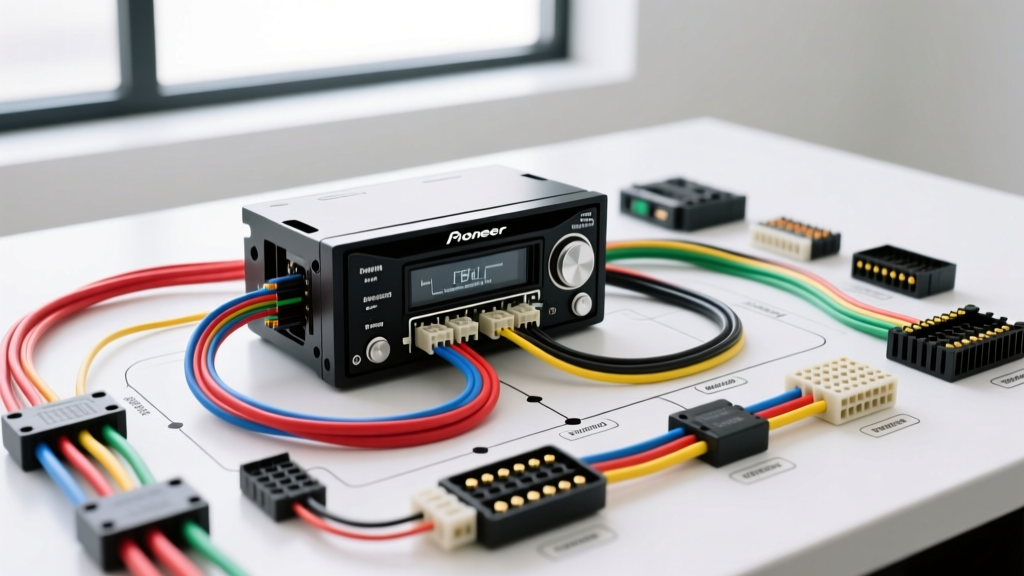
Introduction to Pioneer Head Unit Upgrades
Upgrading your vehicle's factory audio system to an aftermarket Pioneer head unit—whether it is a DMH-W2770NEX multimedia receiver or a classic DEH-S3100BT CD player—requires a precise understanding of the underlying electrical architecture. The most critical step in any car audio modification project is interpreting the Pioneer stereo wiring diagram to ensure seamless integration with your vehicle's existing harness. A misinterpreted pinout or an improperly grounded circuit can lead to blown fuses, memory loss, or severe alternator whine.
At AutoflowWire, we emphasize adherence to the CTA/CEA-770-D standard, which dictates the universal color codes for aftermarket automotive audio wiring. This guide will walk you through the standard 16-pin A-connector pinout, power circuit configurations, amplifier turn-on logic, and advanced steering wheel control (SWC) integrations required for a professional-grade installation.
Decoding the Standard 16-Pin Pioneer Connector
Modern Pioneer aftermarket stereos utilize a standardized 16-pin ISO-style connector (often referred to as the A-connector) for primary power, ground, and speaker outputs. While some high-end NEX models feature additional 22-pin B-connectors for backup cameras, GPS antennas, and CAN-bus data, the 16-pin harness remains the foundation of the audio system.
Below is the definitive pinout table for the standard Pioneer 16-pin aftermarket harness. Always verify these colors against the specific wiring diagram included in your unit's box, as regional variations or specific OEM-replacement models may differ slightly.
| Pin | Function | CTA-770-D Wire Color | AWG Spec |
|---|---|---|---|
| A1 | Rear Right Speaker (+) | Purple | 18 AWG |
| A2 | Rear Right Speaker (-) | Purple w/ Black Stripe | 18 AWG |
| A3 | Front Right Speaker (+) | Gray | 18 AWG |
| A4 | Front Right Speaker (-) | Gray w/ Black Stripe | 18 AWG |
| A5 | Rear Left Speaker (+) | Green | 18 AWG |
| A6 | Rear Left Speaker (-) | Green w/ Black Stripe | 18 AWG |
| A7 | Front Left Speaker (+) | White | 18 AWG |
| A8 | Front Left Speaker (-) | White w/ Black Stripe | 18 AWG |
| A9 | System Mute / Telephone Mute | Brown (or Unused) | 22 AWG |
| A10 | Illumination / Dimmer | Orange / Orange w/ White | 20 AWG |
| A11 | Power Antenna / Amp Turn-On | Blue / Blue w/ White | 18 AWG |
| A12 | Not Used | Empty | N/A |
| A13 | Not Used | Empty | N/A |
| A14 | Switched 12V (Accessory) | Red | 16 AWG |
| A15 | Constant 12V (Battery) | Yellow | 16 AWG |
| A16 | Chassis Ground | Black | 16 AWG |
Power and Ground Configurations: Avoiding Memory Loss
The most frequent mistake encountered during a Pioneer stereo upgrade is swapping the Yellow (Constant 12V) and Red (Switched 12V) wires. The internal circuitry of the head unit separates these feeds for a specific reason:
- Yellow Wire (Constant 12V): This wire feeds the volatile memory circuit, which stores your radio presets, EQ settings, and clock. It must be connected to a circuit that is live at all times, even when the ignition is off. It typically draws less than 50mA in standby mode.
- Red Wire (Switched 12V): This wire triggers the main power relay and wakes up the microprocessor. It must be connected to an accessory circuit that only receives 12V when the key is in the 'ACC' or 'ON' position.
If you reverse these two wires, the stereo will turn on and function normally, but the moment you turn off the ignition, the Yellow wire loses power, and the head unit will reset to factory defaults. Always use a digital multimeter (DMM) to verify the vehicle's harness before making your final crimp connections. According to Haynes automotive repair manuals, testing with a DMM is vastly superior to using a simple test light, which can draw enough current to trigger airbag SRS circuits or blow low-amperage ECU fuses.
Grounding Best Practices
Never ground the Black wire to a factory bolt that is painted or powder-coated. A poor ground connection introduces resistance, which forces the head unit's internal DC-DC converter to work harder, leading to thermal shutdowns and severe audio clipping. Strip away any paint, use a 16 AWG ring terminal, and secure it to bare, unpainted chassis metal. Apply a dab of dielectric grease over the terminal to prevent oxidation.
Amplifier Turn-On Logic: Blue vs. Blue/White
When integrating an external amplifier or a powered subwoofer into your Pioneer upgrade, understanding the remote turn-on wire is critical. Pioneer harnesses often feature two blue wires:
- Solid Blue (Power Antenna): This wire only outputs 12V when the AM/FM radio tuner is active. If you use this to trigger an amplifier, your subwoofer will cut out the moment you switch to Bluetooth, USB, or Apple CarPlay.
- Blue with White Stripe (System Remote Turn-On): This wire outputs a continuous 12V signal (up to 300mA) whenever the head unit is powered on, regardless of the audio source. Always use the Blue/White wire to trigger your amplifier's REM terminal.
If your amplifier requires more than 300mA to trigger its internal relays, or if you are daisy-chaining multiple amplifiers and a DSP, you must use a 12V automotive relay (Bosch-style 30/40A) triggered by the Blue/White wire to prevent frying the head unit's internal microcontroller trace.
Steering Wheel Control (SWC) Integration
Retaining factory steering wheel controls is a staple of modern modification projects. Pioneer head units do not natively decode OEM CAN-bus or resistive ladder SWC signals without an external interface module like the Axxess ASWC-1 or the PAC RP5-CH11.
The Pioneer stereo wiring diagram designates a dedicated 3.5mm SWC input jack on the rear chassis. The pinout for this 3.5mm TRS (Tip-Ring-Sleeve) jack is standardized:
- Tip: SWC 1 (Resistive Input 1)
- Ring: SWC 2 (Resistive Input 2)
- Sleeve: Chassis Ground
When wiring the interface module, ensure the ground wire from the SWC adapter shares the exact same chassis grounding point as the Pioneer head unit's Black wire. A difference in ground potential between the radio and the SWC module will result in erratic button behavior, such as volume commands triggering track skips. For comprehensive integration guides, Crutchfield's installation resources provide excellent vehicle-specific SWC programming sequences.
Troubleshooting Common Installation Failures
Even with a perfect wiring diagram interpretation, real-world variables can cause issues. Use this symptom-cause-fix decision tree to diagnose post-installation anomalies:
Symptom: High-Pitched Alternator Whine in Speakers
- Cause: Ground loop. The head unit and the external amplifier are grounded at different chassis points with varying resistance, allowing EMI from the alternator's rectifier diodes to enter the audio signal path via the RCA shield grounds.
- Fix: Star-ground the system. Run a dedicated 4 AWG or 8 AWG ground distribution block from a single, sanded chassis point, and ground both the head unit and the amplifier to that block. Ensure RCA cables are routed on the opposite side of the vehicle from the power wires.
Symptom: Head Unit Shuts Off During Heavy Bass Hits
- Cause: Voltage drop on the Constant 12V (Yellow) wire. The internal amplifier of the Pioneer unit is drawing peak current, and the 18 AWG factory wiring in the dash cannot supply it, causing the voltage to drop below the unit's 9V shutdown threshold.
- Fix: Run a new 12 AWG constant 12V wire directly from the vehicle's fuse box or battery (with an inline 10A ATO fuse) to the head unit's Yellow wire, bypassing the restrictive factory dash harness.
Symptom: Bluetooth Audio Stutters or Drops
- Cause: 2.4GHz RF interference from poorly shielded aftermarket LED headlight bulbs or cheap USB charging adapters plugged into the dash.
- Fix: Isolate the interference source. Replace cheap LED drivers with CAN-bus compliant, shielded units, and ensure the Pioneer microphone is routed away from the main instrument cluster wiring.
Final Verification Steps
Before reassembling the dashboard trim and securing the DIN sleeve, perform a full system audit. Verify that all speaker phases are correct by playing a mono test tone; out-of-phase speakers will result in a hollow soundstage with zero center imaging. Confirm that the illumination wire dims the screen when the headlights are engaged. By strictly following the Pioneer stereo wiring diagram and applying these professional modification techniques, you ensure a reliable, high-fidelity audio upgrade that will last the lifetime of the vehicle. For further technical specifications on OEM harness adapters, always consult the official Pioneer Electronics support portal or your adapter manufacturer's technical bulletins.