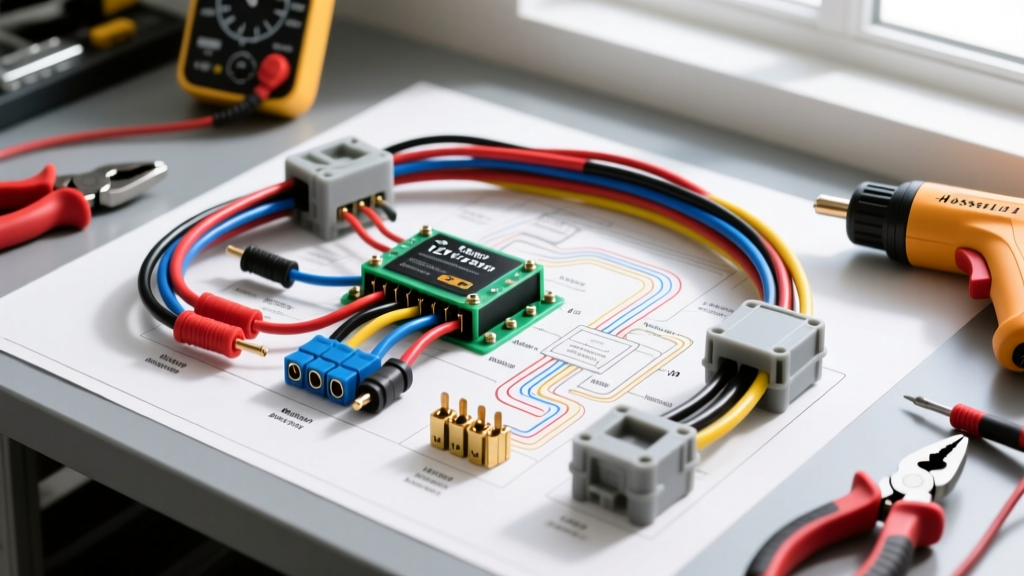
Why Hardwire an Arlo Camera in an Automotive or RV Application?
Integrating a wireless security camera into an overland vehicle, RV, or fleet truck presents unique electrical challenges. While the Arlo Go 2 and Arlo Ultra series are designed for battery operation, relying on internal lithium-ion cells in an automotive environment is a critical failure point. Cabin and exterior temperatures can easily exceed 140°F (60°C) in summer or drop below freezing, leading to battery swelling, degraded capacity, and sudden shutdowns. A custom Arlo camera install for vehicular applications requires bypassing the battery and hardwiring the unit to the vehicle’s 12V DC system using a high-efficiency step-down buck converter.
This upgrade and modification project outlines the exact wiring schematics, AWG sizing, and weatherproofing protocols required to run a continuous 5V feed to an exterior-mounted Arlo camera, ensuring 24/7 LTE surveillance and motion-triggered recording without the risk of thermal battery failure.
Required Components and Electrical Specifications
Automotive electrical systems operate nominally at 12.6V (engine off) and up to 14.4V (alternator charging). Arlo cameras require a strict 5V DC input via USB-C or Micro-USB, typically drawing between 0.8A and 2.0A depending on IR night vision activation and LTE transmission spikes. Using a linear voltage regulator will generate excessive heat; therefore, a switching buck converter is mandatory.
| Component | Specification | Automotive Standard / Part |
|---|---|---|
| Step-Down Buck Converter | 9V-36V Input, 5V 3A Output (Switching) | DROK LM2596 or Vicor Module |
| Primary Wiring (12V Side) | 16 AWG Stranded Copper | SAE J1128 GXL (Cross-linked) |
| Secondary Wiring (5V Side) | 18 AWG Stranded Copper | USB-C Pigtail / SAE J1128 |
| Circuit Protection | 3A ATO/Mini Blade Fuse | Blue Sea Systems ST Blade Fuse Tap |
| Exterior Connector | 2-Pin Weatherproof Bulkhead | Delphi Packard 56 Series Weatherpack |
Step-by-Step 12V Power Routing and Fuse Tapping
The foundation of a reliable Arlo camera install is securing a clean, fused 12V source. For continuous security monitoring while the vehicle is parked, you must tap a constant 12V (Battery+) circuit rather than an ignition-switched accessory circuit.
Selecting the Right Circuit and Add-A-Circuit Orientation
Locate the interior fuse panel. Use a digital multimeter (DMM) to identify a 10A or 15A constant 12V fuse (e.g., interior lighting, power seats, or 12V auxiliary outlets). Remove the factory fuse and insert it into the bottom slot of the Add-A-Circuit (piggyback) tap. Insert the new 3A fuse for the Arlo camera into the top slot. This orientation ensures the factory circuit remains protected by its original amperage rating, while your camera receives dedicated protection. For more on proper fuse tap orientation and bus bar routing, refer to the circuit protection guidelines published by Blue Sea Systems.
Buck Converter Integration and Soldering
- Route the 16 AWG primary wire from the fuse tap to a concealed, dry mounting location behind the dash or under a dinette bench.
- Strip 1/4 inch of insulation from the 16 AWG wire and the input pads of the LM2596 buck converter.
- Solder the 12V positive (Red) to the VIN+ pad and the chassis ground (Black) to the VIN- pad. Do not rely on crimp connectors for the converter pads; vibration in an RV or overland truck will cause fatigue failure.
- Seal the connections with 3:1 adhesive-lined dual-wall heat shrink. The internal thermoplastic adhesive will melt and create a waterproof seal against moisture and corrosion.
- Mount the buck converter using VHB tape or a zip-tie matrix. Ensure the aluminum heat sink fins have at least 1/2 inch of clearance for convective cooling.
Weatherproof Bulkhead Routing and Exterior Mounting
Running wires from the climate-controlled interior to the harsh exterior environment requires a sealed bulkhead pass-through to prevent water ingress, exhaust gas infiltration, and wire chafing.
Drilling and Sealing the Pass-Through
Identify a flat section of the vehicle’s firewall, roof rack, or rear cabin wall. Use a step drill bit to create a hole exactly matching the outer diameter of your Delphi Weatherpack bulkhead connector. Immediately treat any exposed bare metal with a zinc-rich cold galvanizing compound to prevent galvanic corrosion.
Apply a generous bead of 3M Marine Adhesive Sealant 5200 or butyl rubber tape around the exterior flange of the Weatherpack connector before pulling it through the hole. Secure it with the interior locking nut. Route the 18 AWG secondary wire through the connector, crimping the Delphi Packard 56 series terminals using a proper open-barrel crimping tool (e.g., Delphi 12092114 equivalent). Apply dielectric grease to the terminals before mating the halves to prevent oxidation.
Exterior Mounting and Vibration Dampening
Mount the Arlo camera to the vehicle’s roof rack or rear ladder using the magnetic mount or a custom-fabricated aluminum bracket. If using a bracket, isolate the camera from high-frequency vehicle vibrations by placing a 1/8-inch neoprene rubber gasket between the camera mount and the metal bracket. This prevents the internal MEMS accelerometers from triggering false motion alerts while driving on corrugated dirt roads.
Real-World Troubleshooting: Voltage Drop and LTE Interference
Even with a flawless schematic, vehicular Arlo camera installs can suffer from environmental and electrical noise issues. Use this diagnostic tree to resolve common post-installation failures.
Symptom: Camera Reboots During Engine Cranking
Cause: When the starter motor engages, system voltage can drop below 9V. If your buck converter has a high dropout voltage, the 5V output will collapse, causing the Arlo to reboot and drop its LTE connection.
Fix: Verify your step-down converter is a low-dropout (LDO) switching regulator capable of maintaining 5V output with an 8V input. Alternatively, solder a 10,000µF electrolytic capacitor across the 5V output terminals to act as a buffer during cranking voltage sags.
Symptom: Severe LTE Signal Degradation or Dropped Connections
Cause: The vehicle’s ECU, alternator, or aftermarket LED light bars are generating electromagnetic interference (EMI) that jams the Arlo’s 4G/LTE antenna.
Fix: Ensure the 12V primary wiring is routed at least 12 inches away from the ECU harness and ignition coils. If routing near high-current cables is unavoidable, wrap the 16 AWG feed wire in copper-braided shielding and ground the shield at the chassis side only to prevent ground loops. For further reading on mitigating EMI in automotive DC systems, consult the SAE J1128 standard for low-tension cable shielding and routing practices.
Symptom: IR Night Vision Reflects Blind the Lens
Cause: The Arlo’s infrared LEDs are reflecting off the vehicle’s roof rack, ladder, or a nearby exterior panel, washing out the image sensor.
Fix: Angle the camera slightly downward (minimum 5-degree declination) and apply matte black vinyl wrap to any reflective metal surfaces within the camera’s 85-degree field of view. Disable the camera's internal IR LEDs via the app and mount an external, automotive-grade 940nm invisible IR floodlight wired to a separate ignition-switched relay for superior nighttime illumination without cabin glare.