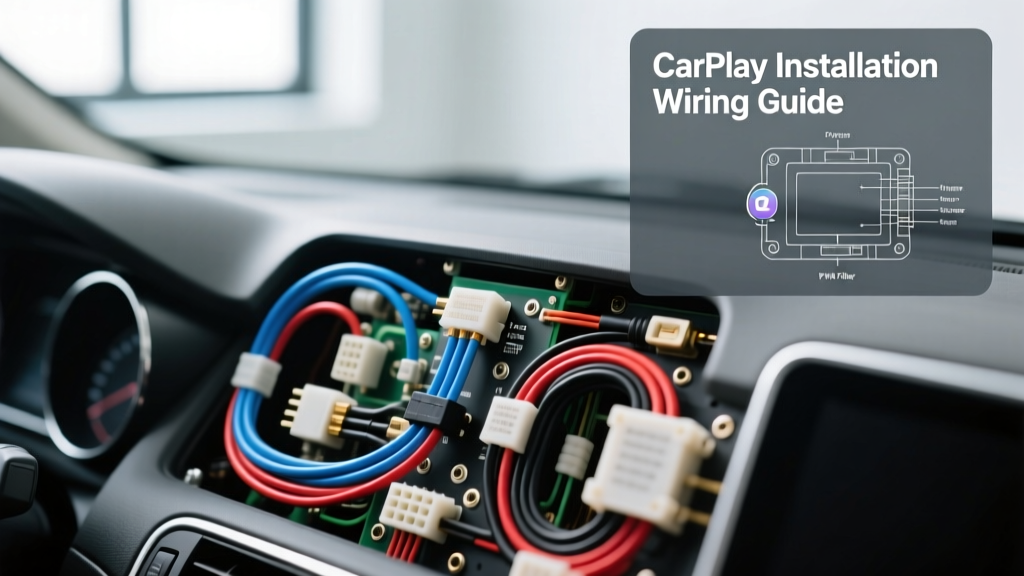
The Anatomy of a CarPlay Camera Installation
Welcome to the beginner-friendly fundamentals of carplay camera installation. Upgrading to an aftermarket Apple CarPlay or Android Auto head unit is one of the most impactful modernizations you can perform on your vehicle. However, integrating a reverse camera into this new ecosystem often intimidates first-time installers. At its core, a backup camera system relies on two distinct circuits: the Composite Video Baseband Signal (CVBS) transmitted via an RCA coaxial cable, and the +12V DC reverse trigger signal that tells the CarPlay head unit to switch its display input from the main UI to the camera feed.
Understanding how these two signals interact is the key to a flawless installation. The video signal is a low-voltage, high-frequency analog waveform that is highly susceptible to Electromagnetic Interference (EMI). The trigger signal, conversely, is a simple 12-volt DC switch. When the head unit detects +12V on its designated reverse trigger wire, it physically or digitally switches the RCA input to the screen and overlays your dynamic parking guidelines. In this guide, we will break down the wiring specifications, routing best practices, and the notorious Pulse Width Modulation (PWM) issue that plagues modern vehicle installations.
Wiring Specifications and Material Requirements
Using the correct wire gauge and shielding is non-negotiable for a reliable camera feed. Automotive environments are harsh, subject to extreme temperature fluctuations, vibration, and chemical exposure. Always use automotive-grade primary wire (GXL or TXL) rather than household stranded copper, as the insulation is designed to resist heat and abrasion.
| Component | Wire Type / Gauge | Application Notes |
|---|---|---|
| Video Signal | RG59 Coaxial (75 Ohm) | Must feature copper braided shielding to block alternator whine and EMI from adjacent power cables. |
| Camera Power (+12V) | 18 AWG GXL Primary | Sufficient for the low amperage draw (typically under 250mA) of CMOS camera sensors. |
| Reverse Trigger | 18 AWG GXL Primary | Carries the +12V signal from the taillight circuit or relay to the head unit. |
| Camera Ground | 18 AWG GXL Primary | Must terminate to a clean, bare-metal chassis point to prevent ground loops. |
Step-by-Step Routing and Connection Guide
Phase 1: Running the RCA and DC Power Harness
The physical routing of your camera harness dictates the longevity and clarity of your video feed. Begin by removing the necessary interior trim panels, door sill plates, and B-pillar covers. Safety Warning: Never pry off A-pillar covers without checking for side-curtain airbag deployment zones. Always route wiring behind the airbag, secured with Tesa tape or split-loom tubing, and zip-tied to factory wire looms.
When running the RCA video cable from the trunk or hatch to the dashboard, maintain a minimum separation of 12 inches from high-current 12V power wires (such as amplifier power feeds or main battery cables). Crossing paths with power wires is acceptable if done at a strict 90-degree angle, but running them parallel will induce alternator whine and rolling horizontal bars across your CarPlay display. Feed the RCA and the attached 18 AWG trigger wire through the vehicle's factory rubber trunk grommet to ensure the cabin remains sealed against water and exhaust fumes.
Phase 2: The Reverse Trigger and the PWM Problem
This is where most beginners encounter failure. On vehicles manufactured prior to 2015, tapping into the reverse taillight wire for your +12V trigger was straightforward. However, modern vehicles (especially German, Ford, and GM platforms) utilize Pulse Width Modulation (PWM) to control exterior lighting. PWM rapidly pulses the 12V power on and off to reduce heat and extend bulb life. While a standard multimeter might read 12V on a PWM circuit, an oscilloscope reveals a square wave. CMOS cameras and CarPlay head unit triggers require a steady, pure DC voltage. If you connect a camera directly to a PWM reverse light, the camera will flicker violently, fail to power on, or cause the CarPlay screen to strobe.
The Solution: The Bosch Relay Bypass
To cure PWM interference, you must use a standard 12V automotive 4-pin relay to isolate the camera's power from the vehicle's lighting module.
- Pin 85 (Coil +): Connect to the vehicle's PWM reverse light wire. This acts only as a low-current switch signal.
- Pin 86 (Coil -): Connect to a solid chassis ground.
- Pin 30 (Common): Connect to a fused, constant 12V battery source or a clean 12V accessory feed.
- Pin 87 (Normally Open): Connect to the camera's red +12V power wire AND the head unit's reverse trigger wire.
When the vehicle shifts into reverse, the PWM signal energizes the relay coil. The relay clicks shut, sending pure, unadulterated 12V DC from Pin 30 to Pin 87, powering the camera and triggering the CarPlay head unit simultaneously without any signal noise.
Phase 3: Head Unit Pinout Integration
Behind your aftermarket CarPlay head unit, you will find a secondary harness (often a 16-pin or 18-pin connector) dedicated to auxiliary inputs and triggers. Locating the correct reverse trigger wire is critical. Below is a reference chart for the most common aftermarket head unit manufacturers.
| Head Unit Brand | Reverse Trigger Wire Color | Label on Harness |
|---|---|---|
| Pioneer (AVH/DMH Series) | Purple / White Stripe | BACK |
| Sony (XAV-AX Series) | Orange / White Stripe | REVERSE |
| Alpine (iLX/W Series) | Orange / White Stripe | REV |
| Kenwood (DMX/DMX Series) | Blue / Yellow Stripe | REVERSE |
Use a high-quality solder connection or a Posi-Tap connector to join your relay's Pin 87 output to the head unit's trigger wire. Avoid cheap blue T-taps, as they frequently fail due to vibration and strand corrosion, leading to intermittent camera activation.
Diagnostic Decision Tree: Video and Trigger Failures
Even with meticulous planning, troubleshooting is a normal part of automotive electrical work. Use this decision tree to diagnose common carplay camera installation issues:
- Symptom: Screen turns blue or black when shifted into reverse, but no video appears.
Cause: The head unit is receiving the 12V trigger, but the video signal is absent.
Fix: Check the RCA connection at both the camera and the head unit. Ensure the camera's RCA pigtail is fully seated and that the internal center pin of the RCA plug has not been pushed back into the housing. - Symptom: Video feed displays rolling horizontal bars or 'alternator whine' static.
Cause: Ground loop or EMI interference.
Fix: The camera's ground wire is likely tied to the taillight ground, which shares a return path with the high-current brake and turn signal bulbs. Relocate the camera ground to a dedicated, sanded-to-bare-metal chassis bolt. If the issue persists, install an inline RCA ground loop isolator. - Symptom: Camera image is present, but the CarPlay UI does not automatically switch to it.
Cause: Trigger voltage is too low, or the head unit setting is disabled.
Fix: First, check the head unit's internal settings menu to ensure 'Backup Camera' is set to 'ON' and the polarity is set to 'Battery' (not 'Ground'). If settings are correct, use a multimeter to verify that exactly 12.0V to 14.4V is reaching the head unit's trigger wire when the vehicle is in reverse. - Symptom: Camera flickers on and off rapidly while in reverse.
Cause: Unfiltered PWM signal from the reverse light circuit.
Fix: Install the 4-pin relay bypass detailed in Phase 2, or wire a 1000µF electrolytic capacitor across the camera's power and ground wires to smooth the voltage ripple.
Authoritative References and Standards
Proper carplay camera installation requires adherence to automotive electrical standards to ensure vehicle safety and system longevity. For further reading on mobile electronics best practices, refer to the Mobile Electronics Certification Program (MECP), which sets the industry benchmark for 12V integration and wiring safety. Additionally, the Crutchfield Car Stereo Wiring Guide provides excellent vehicle-specific wiring diagrams and harness identification for DIY installers. For deep-dive technical specifications regarding electromagnetic compatibility and shielding requirements in automotive environments, consult the SAE International Standards (specifically SAE J1113 for EMC testing). By respecting these fundamentals, your CarPlay camera integration will be reliable, safe, and crystal clear.