The 'Wireless' Misconception in Automotive Camera Systems
When enthusiasts and professionals approach a wifi camera installation, a common pitfall is assuming the term 'wireless' implies a complete lack of hardwiring. In automotive applications, WiFi backup cameras and WiFi-enabled dash cams utilize wireless protocols (typically 2.4GHz or 5.8GHz 802.11 b/g/n) strictly for video signal transmission to a head unit or smartphone app. The power delivery, trigger mechanisms, and grounding still require meticulous hardwiring into the vehicle's 12V DC electrical system.
This complete wiring diagram walkthrough dissects the exact topology required to install a WiFi tailgate camera and companion dash cam on modern platforms, specifically addressing the CAN-bus Pulse Width Modulation (PWM) issues prevalent in late-model trucks like the Ford F-150 and Ram 1500. By following these Mobile Electronics Certification Program (MECP) best practices, you will ensure a noise-free video signal and prevent parasitic battery drain.
Wiring Diagram Topology: Power & Ground Architecture
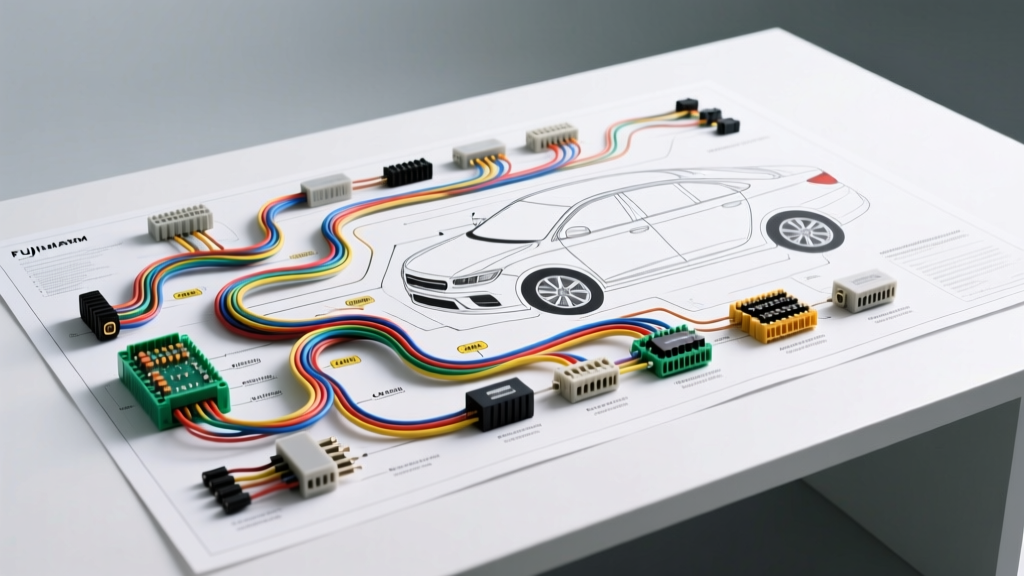
A robust WiFi camera installation requires two distinct power circuits: a switched 12V trigger (for the backup camera) and a dual-circuit hardwire feed (for the WiFi dash cam module). Below is the descriptive schematic for the backup camera power isolation circuit.
Schematic Description: PWM Isolation Relay Circuit
- Battery Positive (+12V Constant): Routed from the under-hood fuse box via an inline ATO fuse holder to Relay Pin 30.
- Reverse Lamp Trigger (PWM Signal): Tapped at the rear junction block or tail light pigtail, routed to Relay Pin 86.
- Chassis Ground: Secured via a ring terminal and star washer to bare metal, routed to Relay Pin 85.
- Switched Output (+12V Clean DC): Exits Relay Pin 87 and travels the length of the vehicle to the WiFi camera's red power pigtail.
Component Specifications & Wire Gauge Requirements
Adhering to the SAE J1128 Low Tension Primary Cable Standard is critical to prevent voltage drop, which causes WiFi modules to reboot continuously during transmission spikes. Cameras draw minimal continuous current but experience high inrush currents when the IR cut filter engages and the WiFi radio initializes.
| Circuit Path | AWG Size | Fuse Rating | Connector / Termination |
|---|---|---|---|
| Battery to Relay (Pin 30) | 14 AWG | 10A ATO | Ring Terminal (10-12 stud) |
| Relay to Camera (Pin 87) | 18 AWG | 5A Mini (Inline) | Weather-Pack / Molex MX150 |
| Reverse Trigger (Pin 86) | 18 AWG | N/A (Protected by OEM) | Posi-Tap or Solder/Heat Shrink |
| System Ground (Pin 85 & Cam) | 14 AWG | N/A | Star Washer / Self-Tapping Screw |
| Dash Cam Hardwire (BATT/ACC) | 16 AWG | 5A Micro2 Add-A-Circuit | Fuse Tap (OEM Fuse Box) |
Step-by-Step Wiring Walkthrough
1. Defeating CAN-Bus PWM with a Bosch-Style Relay
Modern vehicles utilize multiplexed networks and PWM to monitor bulb health. If you tap directly into the reverse light wire on a 2015-2020 Ford F-150 (typically a Light Green/Violet or Violet/Orange tracer wire depending on the exact sub-model and axle configuration), the camera will receive a pulsed DC signal. This causes the WiFi camera to drop its connection to the head unit or flicker violently.
The Fix: Use a standard 4-pin 12V automotive relay. The low-current PWM signal from the reverse wire is only used to energize the relay coil (Pins 86 and 85). The relay's internal switch (Pins 30 and 87) then passes clean, uninterrupted 12V DC from the battery directly to the camera. This completely isolates the sensitive WiFi electronics from CAN-bus noise.
2. Tapping the Reverse Trigger Circuit
Never use 'scotch locks' or T-taps, which fray copper strands and invite corrosion. Instead, strip back 1/4 inch of the OEM reverse wire insulation, wrap your 18 AWG trigger wire around the bare copper, and solder the connection. Seal it with adhesive-lined dual-wall heat shrink. If soldering in the tailgate hinge area is unfeasible due to weather exposure, use a high-quality Posi-Tap connector, followed by a wrap of 3M Super 33+ vinyl tape and a final layer of friction tape.
3. Dash Cam Hardwire Integration (ACC vs. Constant)
For the WiFi dash cam module, you must locate two circuits in the interior fuse panel (often behind the passenger kick panel or under-dash):
- Constant 12V (BATT): Used for parking mode and retaining memory. Tap a circuit that is always hot, such as the OBD-II diagnostic port feed or a constant memory fuse.
- Switched 12V (ACC): Used to wake the camera and begin recording. Tap an ignition-controlled circuit like the 12V auxiliary power outlet (cigarette lighter) or radio accessory fuse.
Utilize an Add-A-Circuit (Fuse Tap) with a Micro2 or Mini profile to match your vehicle's fuse box. Ensure the tapped fuse is rated no higher than 5A to protect the dash cam's internal step-down transformer.
4. Grounding Protocols and Impedance Testing
A poor ground is the leading cause of WiFi radio interference and ground-loop alternator whine in the audio feed. Locate a bare metal bolt in the trunk or under the dash. Remove the bolt, clean the contact surface with a wire brush or sandpaper to remove factory e-coat and paint. Install a star washer between the ring terminal and the bare metal to bite into the surface. Torque to factory specifications (typically 8-12 Nm for M6 bolts). Verify your ground using a Digital Multimeter (DMM); the voltage drop between your new ground point and the negative battery terminal should read less than 0.05V under load.
Troubleshooting Matrix: WiFi Camera Failure Modes
Even with perfect wire routing, environmental and electrical factors can disrupt a wifi camera installation. Use this diagnostic decision tree to resolve common issues.
| Symptom | Root Cause | Technical Resolution |
|---|---|---|
| Camera connects but video freezes or drops packets. | 2.4GHz interference from Bluetooth modules or tire pressure sensors (TPMS). | Access camera DIP switches or app settings to force a 5.8GHz transmission band, or relocate the RP-SMA WiFi antenna away from the vehicle's primary Bluetooth antenna. |
| Camera reboots cyclically every 3-5 seconds. | Voltage drop below 11.2V during WiFi transmission bursts due to undersized wire. | Upgrade the Pin 87 to Camera feed from 18 AWG to 16 AWG. Verify inline fuse holder contacts are tight and free of oxidation. |
| Image flickers with horizontal rolling bars. | Alternator ripple current or residual PWM noise bleeding past the relay. | Install a 1000µF 16V electrolytic capacitor in parallel across the camera's 12V and Ground wires at the camera pigtail to act as a low-pass filter. |
| Dash cam drains battery overnight. | Add-A-Circuit installed on a constant 12V circuit instead of ACC, or internal timer failure. | Verify ACC fuse tap with a test light. Ensure the dash cam's hardwire kit low-voltage cutoff switch is set to 11.8V or 12.0V. |
Final Routing and Environmental Sealing
When routing the 18 AWG harness from the front fuse box to the tailgate, utilize the vehicle's existing rubber weather boots. Never pinch wires in the tailgate hinge mechanism. Use split-loom tubing and secure the harness with Tesa tape (fabric harness tape) to prevent rattling and abrasion against the sheet metal. Where the wire passes through the firewall or trunk bulkhead, use a rubber grommet and apply dielectric grease to prevent moisture ingress. For comprehensive vehicle-specific pinouts and factory wiring schematics, always consult Ford Motor Company Owner & Support Manuals or an OEM-level service database before initiating any splices.
By treating your WiFi camera installation as a hardwired electrical integration rather than a simple plug-and-play accessory, you guarantee a stable, high-definition video feed and long-term reliability of your vehicle's 12V electrical ecosystem.