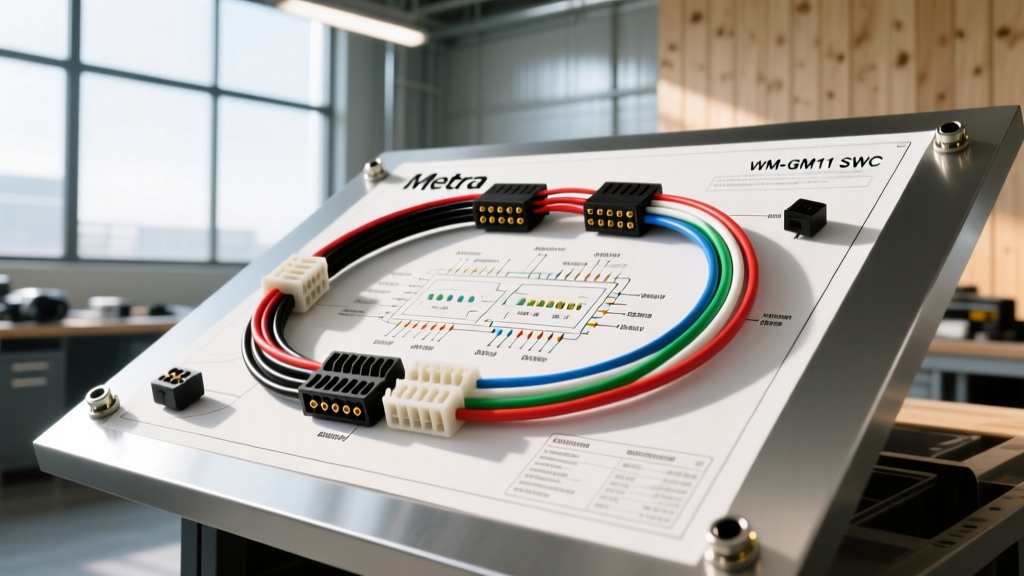
Introduction to GM Data Bus and SWC Retention
Integrating aftermarket technology into General Motors vehicles requires a deep understanding of the proprietary data networks that govern factory accessories. The Metra WM-GM11 SWC wiring diagram serves as the foundational blueprint for retaining steering wheel controls (SWC) when replacing the factory radio in select GM trucks, SUVs, and sedans. Unlike older analog vehicles, modern GM platforms utilize either Class 2 (SAE J1850 VPW) or GMLAN (CAN-bus) data networks to communicate button presses from the steering wheel clock spring to the Body Control Module (BCM) and the factory head unit.
When executing a complete camera and tech installation, the SWC interface is only one piece of the puzzle. Professional installers must simultaneously manage backup camera retention, reverse trigger signals, and data bus termination. This technical specification reference provides the exact pinouts, wire color codes, AWG requirements, and camera integration strategies necessary to execute a flawless installation using the Metra WM-GM11 interface alongside aftermarket backup camera systems.
Metra WM-GM11 SWC Wiring Diagram & Harness Pinout
The primary harness of the WM-GM11 interfaces directly with the vehicle's OEM radio plug (typically a GM 32-pin or 16-pin connector) and translates data-bus commands into an analog resistor ladder or digital IR signal that aftermarket head units (Pioneer, Kenwood, Alpine, Sony) can interpret. Below is the definitive wire color and function chart for the module's primary power, ground, and data connections.
| Wire Color | Function | AWG Rating | Connection Point / Pin |
|---|---|---|---|
| Red | 12V Constant Battery Power | 18 AWG | OEM Harness Pin 9 (or direct to battery via 5A fuse) |
| Yellow | 12V Switched Accessory Power | 18 AWG | OEM Harness Pin 10 (Ignition Run/Start) |
| Black | Chassis Ground | 16 AWG | OEM Harness Pin 8 or bare metal chassis (star washer) |
| Purple | SWC 1 (Key 1 / Analog Output) | 20 AWG | Aftermarket HU SWC Input 1 |
| Purple/White | SWC 2 (Key 2 / Analog Output) | 20 AWG | Aftermarket HU SWC Input 2 |
| Green | Class 2 Data / GMLAN Rx | 18 AWG (Shielded) | OEM Harness Pin 12 (Class 2) or Pin 31 (GMLAN+) |
Installation Note: Never use 'vampire taps' or T-taps on the Green data wire. The GMLAN and Class 2 networks are highly sensitive to voltage drops and capacitance changes. Always use a military splice or a heat-shrink butt connector with adhesive lining to preserve network integrity. For shielded data wires, ensure the drain wire is properly grounded to prevent electromagnetic interference (EMI) from the alternator.
Steering Wheel Control Resistor Ladder Specifications
Once the Metra WM-GM11 decodes the digital data bus signals, it outputs an analog resistance value to the aftermarket head unit. Understanding these resistance values is critical for troubleshooting unresponsive buttons with a multimeter.
| Button Press | Target Resistance (Ohms) | Tolerance (+/-) |
|---|---|---|
| Volume Up | 0 (Short) | 5 Ohms |
| Volume Down | 302 | 10 Ohms |
| Seek Up / Next | 1000 | 15 Ohms |
| Seek Down / Prev | 2460 | 20 Ohms |
| Source / Mode | 4920 | 25 Ohms |
Camera & Tech Integration: Solving the GM PWM Reverse Trigger
While the Metra WM-GM11 SWC wiring diagram resolves the steering wheel controls, a complete tech installation in 2007-2013+ GM trucks (Silverado, Sierra, Tahoe, Suburban) requires addressing the backup camera trigger. Unlike older vehicles that send a clean 12V DC signal from the reverse light bulb to the radio, modern GM vehicles utilize a Pulse Width Modulated (PWM) signal from the BCM to illuminate the reverse lights. This PWM signal rapidly pulses between 0V and 12V, which will cause an aftermarket head unit's reverse trigger circuit to flicker, fail to engage the camera, or trigger the head unit's internal protection mode.
To properly integrate an aftermarket backup camera or retain the factory GM camera alongside the WM-GM11, you must convert the PWM signal into a clean 12V DC trigger. This is achieved by constructing a simple 12V DC automotive relay circuit that acts as a buffer between the BCM and the aftermarket head unit's purple/white reverse trigger wire.
PWM to 12V DC Relay Conversion Wiring
Follow this exact wiring sequence to build a reliable reverse trigger filter. Use a standard Bosch-style 4-pin or 5-pin automotive relay (30A/40A rated) and 14 AWG wire for the power feeds to handle the inrush current without voltage drop.
- Pin 85 (Relay Coil Ground): Connect to a verified chassis ground using a ring terminal and star washer.
- Pin 86 (Relay Coil Input): Tap into the OEM reverse light wire at the BCM or rear taillight harness. This receives the PWM signal. Because the relay coil requires a minimum threshold to latch, the rapid PWM pulses will effectively energize the coil without triggering the head unit's sensitive microcontroller.
- Pin 30 (Relay Common Power): Connect directly to a fused 12V Constant or 12V Accessory source using 14 AWG wire and an inline 5A ATO fuse.
- Pin 87 (Relay Normally Open Output): Connect to the aftermarket head unit's Reverse Trigger wire (typically Purple/White) and the RCA adapter's trigger wire if retaining the factory camera. When the coil is energized by the PWM signal, Pin 87 outputs a clean, continuous 12V DC signal.
Pro-Tip: If the relay chatters audibly or the camera still flickers, solder a 1000uF 16V electrolytic capacitor in parallel across the relay coil (Pin 85 and Pin 86). The capacitor will absorb the PWM ripple and provide a smooth voltage curve to the coil, ensuring a rock-solid 12V output on Pin 87.
GMLAN vs. Class 2 Network Diagnostics
When troubleshooting a Metra WM-GM11 installation where the SWC buttons are entirely unresponsive, the first step is verifying the vehicle's data network architecture. GM transitioned from Class 2 to GMLAN (High-Speed and Low-Speed) starting around 2006, with full GMLAN implementation across most platforms by 2008.
- Class 2 (SAE J1850 VPW): Operates on a single wire (usually Purple/White). Idle voltage is 0V; active voltage pulses to 7V. You can verify activity using a digital multimeter set to AC Voltage; a reading between 1.5V and 3.5V AC indicates active network traffic.
- GMLAN (CAN-Bus): Operates on a twisted pair (GMLAN+ Green, GMLAN- Green/White). GMLAN+ rests at 2.5V and pulls high; GMLAN- rests at 2.5V and pulls low. The network requires a 120-ohm terminating resistor at each end of the bus. If the WM-GM11 fails to initialize on a GMLAN vehicle, check the OBD2 port Pins 6 and 14. You should read approximately 60 ohms across these pins with the battery disconnected. A reading of 120 ohms indicates an open circuit or a missing terminating resistor in the BCM or ECM.
For comprehensive data bus troubleshooting and factory pinout verification, always cross-reference the GM Upfitter Body Builder Guidelines and the SAE J1850 Standard documentation.