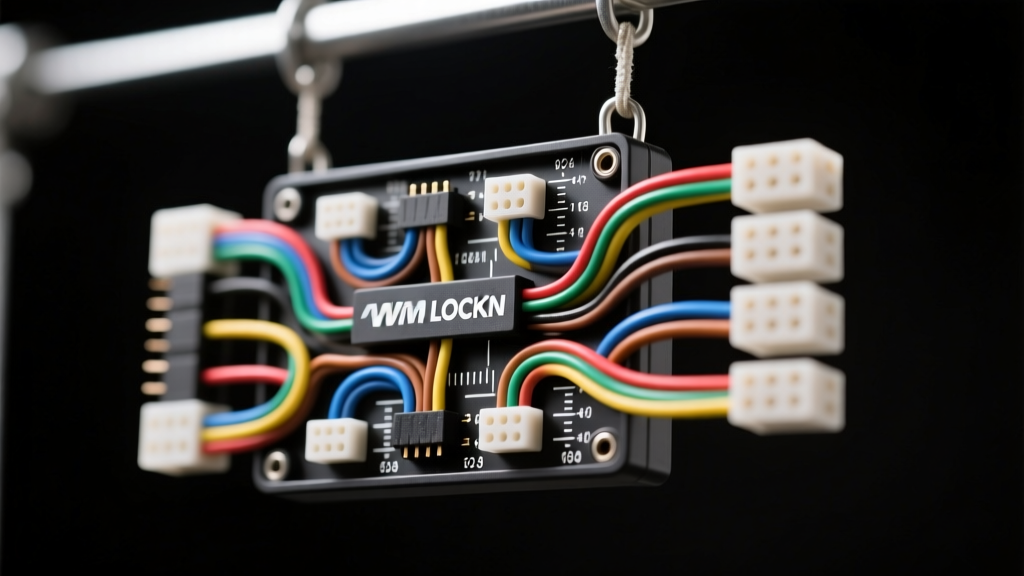
Introduction to the Metra WM LOCKN System
Integrating aftermarket technology like backup cameras, dash cams, and line output converters requires more than just twisting wires together. For beginners stepping into automotive electrical work, understanding the metra wm lockn wiring diagram is the first step toward a reliable, rattle-free installation. The Metra WM LOCKN series utilizes specialized locking connectors designed to withstand the high-vibration environment of a vehicle's chassis and trunk lid. When installing a reverse camera, the constant opening and closing of a hatchback or trunk can easily shake loose standard friction-fit spade terminals, resulting in intermittent video loss or complete system failure. This guide breaks down the fundamentals of the locking harness system, providing beginner-friendly instructions, exact wire gauge requirements, and professional routing techniques to ensure your camera powers on perfectly every time you shift into reverse.
Why Locking Connectors Prevent Camera Failure
Automotive environments are hostile to electrical connections. Temperature fluctuations cause metal expansion and contraction, while road imperfections introduce high-frequency vibrations. According to SAE J1128 standards for low-tension primary automotive cables, mechanical retention is just as critical as electrical conductivity. Standard butt connectors or push-on spade terminals rely solely on friction. Over time, the female terminal stretches, leading to micro-arcing, voltage drops, and eventual corrosion. The Metra WM LOCKN system incorporates a positive locking tab that audibly clicks into place, physically preventing the terminal from backing out of the harness block. For backup cameras mounted on license plate brackets or trunk lids, this locking mechanism is non-negotiable for long-term reliability.
Anatomy of the Metra WM LOCKN Wiring Diagram
Before cutting or stripping any wires, you must understand the standard color codes and pin assignments used in Metra camera and radio integration harnesses. While specific vehicle adapters vary, the fundamental architecture of the WM LOCKN camera trigger and power distribution remains consistent. Below is the standard pinout and wire specification chart for a typical aftermarket camera integration using the locking harness.
| Wire Color | Function | AWG Size | Connection Point | Terminal Type |
|---|---|---|---|---|
| Yellow | 12V Constant Battery | 16 AWG | Head Unit / Fuse Box | LockN Ring Terminal |
| Red | 12V Reverse Trigger | 18 AWG | Tail Light / Reverse Bulb | LockN Spade (Female) |
| Black | Chassis Ground | 16 AWG | Clean Bare Metal Chassis | LockN Ring Terminal |
| Blue/White | Camera Power Output (6V-12V) | 18 AWG | Camera Aviation Connector | LockN Pin (Male) |
| RCA Shield | Video Signal Ground | N/A (Coax) | Head Unit Video In | Isolated RCA Plug |
Step-by-Step Wiring Guide for Beginners
Translating the metra wm lockn wiring diagram into physical connections requires proper tooling and technique. Never use pliers to crimp automotive terminals; always use a dedicated ratcheting crimper to ensure the wire strands are uniformly compressed without being cut.
Step 1: Wire Preparation and Stripping
Use a precision wire stripper set to the correct gauge (18 AWG for signal/trigger wires, 16 AWG for power/ground). Strip exactly 5/32 of an inch (approx. 4mm) of insulation. If you nick the copper strands during stripping, the wire's tensile strength is compromised, and it will eventually snap under trunk-lid vibration. Discard and re-strip the wire if the copper is damaged.
Step 2: Crimping the LockN Terminals
Slide a piece of 3M dual-wall heat shrink tubing onto the wire before crimping. Insert the stripped wire into the LockN terminal barrel until it hits the internal stop. Place the terminal in the ratcheting crimper's correct die (usually marked for 22-18 AWG in red or 16-14 AWG in blue). Squeeze the handles until the ratchet releases. Apply heat to the shrink tubing until the inner adhesive sealant oozes out the ends, creating a waterproof, corrosion-proof seal.
Step 3: Tapping the Reverse Trigger
The red 18 AWG wire on the Metra harness must connect to the vehicle's reverse light circuit. Locate the reverse light bulb socket in the tail light assembly. Using a digital multimeter set to DC Volts, probe the wires with the vehicle in reverse (engine off, ignition on, parking brake engaged). The wire that reads +12V is your reverse trigger. Use a T-tap or, preferably, strip a small section of the factory wire, solder the Metra red wire, and seal it with heat shrink. Connect the LockN spade terminal to the designated harness block.
Step 4: Establishing a Clean Chassis Ground
A poor ground is the number one cause of backup camera flickering and rolling video bars. The black 16 AWG ground wire must terminate at a clean, unpainted metal surface on the vehicle's chassis. Use a wire brush or sandpaper to remove paint and clear coat from the grounding point. Attach the LockN ring terminal using an existing factory bolt or a self-tapping sheet metal screw. Coat the terminal with dielectric grease after tightening to prevent galvanic corrosion.
RCA Shielding and Alternator Whine Prevention
When routing the camera's RCA video cable alongside the Metra WM LOCKN power harness, beginners often make the mistake of bundling them tightly together with zip ties. The 12V power wires carry electromagnetic interference (EMI), especially when the alternator is charging. If the RCA cable runs parallel to the power wires for the length of the vehicle, this EMI will induce a high-pitched alternator whine into the camera's audio channel (if equipped) or cause visual static on the head unit screen. Always route the RCA video cable down the opposite side of the vehicle's interior from the 12V power and reverse trigger wires. If they must cross, ensure they intersect at a strict 90-degree angle to minimize inductive coupling.
Common Mistakes and Troubleshooting Decision Tree
Even with a perfect understanding of the metra wm lockn wiring diagram, installation errors can occur. Use this troubleshooting guide to diagnose common backup camera issues.
| Symptom | Probable Cause | Diagnostic Fix |
|---|---|---|
| Camera powers on, but screen is black or says 'No Signal'. | RCA video ground loop or broken center pin. | Check RCA connections at the head unit. Ensure the RCA shield is not touching the chassis ground. |
| Camera flickers or cuts out when driving over bumps. | Vibration-induced power loss at the trunk hinge. | Inspect the LockN spade terminal on the red reverse trigger wire. Ensure the locking tab is fully engaged and not stretched. |
| Camera displays rolling horizontal bars. | Dirty ground or alternator noise interference. | Measure voltage drop between the camera ground and the battery negative terminal. It should read less than 0.05V. Clean the chassis ground point. |
| Head unit does not switch to camera view in reverse. | Reverse trigger wire tapped to wrong circuit or blown fuse. | Use a multimeter to verify +12V at the Metra red wire when the vehicle is shifted into reverse. Check the head unit's 'Reverse Polarity' setting in the hidden menu. |
Final Verification and Testing
Before reassembling the trunk trim panels and routing the wires through the vehicle's rubber grommets, perform a bench test. Reconnect the vehicle battery, turn the ignition to the 'ON' position, and shift into reverse. Verify that the head unit immediately switches to the camera input and that the image is clear, correctly oriented, and free of static. Once verified, secure all wiring with automotive-grade Tesa tape (not standard vinyl electrical tape, which unravels in high heat) and route the harness through the factory rubber trunk loom to prevent the wires from chafing against sharp sheet metal edges. For further reference on aftermarket integration standards, consult the Metra Electronics technical portal or refer to vehicle-specific installation guides provided by Crutchfield's automotive research team. Mastering these fundamentals ensures your camera installation will remain robust and reliable for the life of the vehicle.