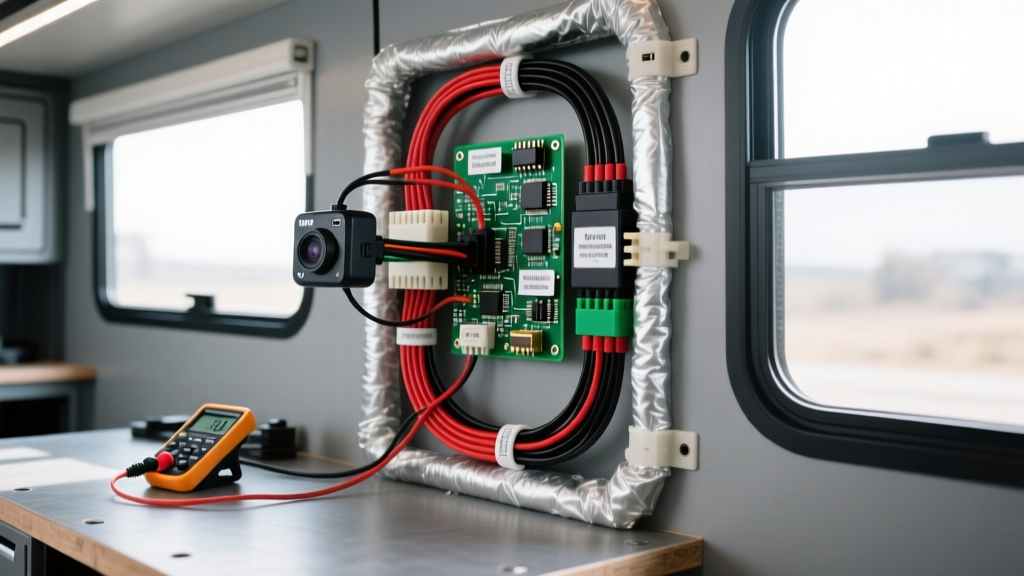
Consumer vs. Automotive: The Selection Dilemma
Integrating surveillance and security into RVs, horse trailers, and fleet vehicles often leads owners to consider consumer-grade wireless options. A Blink camera installation is a popular DIY route due to the low upfront cost, cloud connectivity, and compact form factor. However, adapting a 5V USB-powered or battery-operated consumer device to a 12V or 24V automotive DC system requires precise voltage regulation and an understanding of parasitic draw. This guide compares consumer adaptations against dedicated automotive systems and provides the exact wiring schematics, AWG requirements, and step-down architectures for hardwiring consumer cameras into mobile platforms.
Product Selection Matrix: Blink vs. Dedicated RV Cameras
Before cutting into your vehicle's wiring harness, it is critical to evaluate whether a consumer camera meets the environmental and electrical demands of an automotive application. Dedicated RV cameras utilize analog or digital wireless transmitters operating on 2.4GHz or 5.8GHz bands, designed to penetrate aluminum and fiberglass siding. Consumer Wi-Fi cameras rely on local network infrastructure, which can be problematic in remote campsites without a dedicated LTE router.
| Feature | Blink Mini (Hardwired) | Blink Outdoor (Battery/USB) | Furrion Vision S (Dedicated) | Haloview RD7 (Dedicated) |
|---|---|---|---|---|
| Input Voltage | 5V DC (via USB) | 3V (2x AA Lithium) / 5V USB | 12V - 24V DC | 10V - 32V DC |
| Power Draw (Active) | ~1.5W (300mA @ 5V) | ~0.8W (IR Active) | ~3.5W (TX + Camera) | ~4.2W (TX + Camera) |
| Ingress Protection | None (Indoor only) | IP65 (Weather Resistant) | IP69K (Waterproof/Shock) | IP69K (Waterproof/Shock) |
| Signal Transmission | 2.4GHz Wi-Fi (Requires AP) | 2.4GHz Proprietary LFR | 2.4GHz Digital Wireless | 5.8GHz Digital Wireless |
| Vibration Tolerance | Low (Consumer grade) | Low-Medium | High (Automotive Spec) | High (Automotive Spec) |
Hardwiring Architecture: 12V to 5V Step-Down Integration
If your application dictates a Blink camera installation—such as monitoring the interior of a skoolie conversion or an enclosed trailer with Wi-Fi coverage—you must step down the vehicle's 12V nominal system (which fluctuates between 11.5V resting and 14.4V under alternator charge) to a stable 5V DC. Never splice a 5V USB cable directly into a 12V automotive circuit; the immediate overvoltage will destroy the camera's internal PMIC (Power Management IC) and potentially cause a lithium battery fire if the unit contains internal cells.
Component Bill of Materials (BOM)
- DC-DC Buck Converter: 12V/24V to 5V 3A Step-Down Module (Enclosed, IP67 rated for damp environments). Look for modules utilizing the LM2596 or MP2315 IC with integrated LC filtering.
- Primary Wiring (12V Side): 16 AWG GXL (Cross-linked polyethylene) automotive primary wire. GXL is resistant to high temperatures and abrasion compared to standard THHN.
- Secondary Wiring (5V Side): 18 AWG stranded copper.
- Fusing: 2A ATO/ATC blade fuse with an inline waterproof fuse holder.
- Connectors: Adhesive-lined heat shrink butt splices (16-14 AWG) and a USB Type-A female pigtail or direct micro-USB/USB-C solder sleeve connections.
Wiring Diagram & Pinout Configuration
When performing the Blink camera installation, the physical location of the buck converter is paramount. Do not step down the voltage at the battery and run 5V over long distances. USB cables utilize 28 AWG to 24 AWG wires for power delivery. Running 5V over 15 feet of 24 AWG wire will result in severe voltage drop, causing the camera to brownout and reboot continuously. Instead, run 12V to the camera's location, then step down to 5V within 12 inches of the device.
12V Source to Buck Converter Input:
- VIN+ (Input Positive): Connect to a switched 12V source (IGN) or constant 12V (BATT) via a 2A fused Add-A-Circuit fuse tap. (Red 16 AWG GXL)
- VIN- (Input Ground): Connect to a verified chassis ground point. Scrape away paint and clear coat to ensure bare metal contact. Use a ring terminal and secure with a machine screw. (Black 16 AWG GXL)
Buck Converter Output to Camera USB:
- VOUT+ (Output Positive): Splice to the Red wire of the USB cable (5V VBUS). (Red 18 AWG)
- VOUT- (Output Ground): Splice to the Black wire of the USB cable (GND). (Black 18 AWG)
- Data Lines (White/Green): Cap off and isolate. The Blink Mini requires power only; data pins are used solely for initial PC flashing and are unnecessary for operation.
Voltage Drop Physics: Why USB Extension Cables Fail
A common failure in aftermarket mobile tech integration is ignoring Ohm's Law regarding low-voltage DC transmission. According to the USB Implementers Forum 2.0 Specification, the voltage at the device end of a USB cable must not drop below 4.75V. A standard Blink Mini draws approximately 300mA to 500mA during active Wi-Fi transmission and IR night vision operation.
| Wire Gauge (AWG) | Resistance per 10ft (Round Trip) | Voltage Drop @ 500mA | Voltage at Camera (Assuming 5.0V Source) | Status |
|---|---|---|---|---|
| 28 AWG (Standard USB) | 1.28 Ω | 0.64V | 4.36V | Brownout / Reboot Loop |
| 24 AWG (Heavy USB) | 0.51 Ω | 0.25V | 4.75V | Marginal / Unstable |
| 18 AWG (Custom Run) | 0.12 Ω | 0.06V | 4.94V | Optimal / Stable |
| 16 AWG (12V Transmission) | 0.08 Ω | 0.04V (at 12V) | 11.96V (Buck Input) | Perfect (Step down locally) |
As demonstrated, transmitting 12V over 16 AWG wire to the rear of a 30-foot trailer results in a negligible voltage drop. The enclosed buck converter then receives a solid 11.9V+ and efficiently steps it down to a regulated 5.0V, completely eliminating the brownout issues associated with long USB extension cables.
Parasitic Draw and Battery Management
If your Blink camera installation is tied to a constant 12V source for 24/7 security, you must calculate parasitic draw. A Blink Mini idles at roughly 150mA. Over 24 hours, this equates to 3.6 Amp-hours (Ah). Over a week of boondocking, the camera will consume 25.2 Ah. While a 100Ah Lithium Iron Phosphate (LiFePO4) house battery bank will handle this easily, a standard automotive lead-acid starter battery will suffer from deep discharge sulfation.
Expert Solution: Install a Low Voltage Disconnect (LVD) module between the 12V source and the buck converter. Set the LVD to cut power at 12.1V (approximately 50% State of Charge for AGM/Lead-Acid) to ensure the vehicle retains enough cranking amps to start the engine.
Troubleshooting Decision Tree
When diagnosing faults in a mobile camera setup, follow this structured path to isolate the failure point:
| Symptom | Probable Cause | Diagnostic Step & Fix |
|---|---|---|
| Camera powers on but reboots when IR LEDs activate at night. | Voltage sag due to current spike exceeding USB wire capacity. | Measure VOUT at camera during night mode. If <4.75V, replace long USB run with 12V transmission and local buck converter. |
| Camera is completely dead; no LEDs. | Blown inline fuse or buck converter failure. | Check 2A ATO fuse. Test buck converter VOUT with a multimeter. Replace converter if input is 12V but output is 0V. |
| Camera connects to Wi-Fi but drops offline while driving. | EMI interference or vibration-induced ground fault. | Verify chassis ground is free of paint/rust. Ensure buck converter complies with SAE J1113 Electromagnetic Compatibility Standards to prevent alternator whine and RF noise from disrupting the 2.4GHz Wi-Fi signal. |
| Blink Outdoor drains AA batteries in weeks despite hardwiring. | Backfeeding through USB port into battery compartment. | Blink Outdoor firmware prioritizes battery over USB in some states. Remove AA batteries entirely when utilizing a 5V hardwired USB installation to prevent charging circuit conflicts. |
Environmental and EMC Considerations
Automotive environments are electrically noisy and physically harsh. Alternators, ignition coils, and variable frequency drives (VFDs) on RV air conditioners generate massive electromagnetic interference (EMI). When selecting a DC-DC buck converter for your Blink camera installation, ensure the module features a shielded inductor and adequate input capacitance (minimum 220µF low-ESR electrolytic capacitor) to filter out high-frequency voltage ripple. Furthermore, all exterior wiring passes should be sealed using marine-grade adhesive heat shrink to prevent capillary action from wicking moisture into the copper strands, a leading cause of green corrosion and high-resistance faults in mobile electrical systems. For comprehensive guidelines on low-voltage routing in recreational vehicles, refer to the RVIA Low Voltage Best Practices documentation to ensure your installation meets industry safety standards.