Smart Security vs. Dedicated RV Systems: A Technical Comparison
When planning an RV Ring camera install, overlanders and RV owners face a critical architectural decision: adapt a smart-home ecosystem camera to a 12V DC vehicle platform, or invest in a dedicated, hardwired RV observation system. While dedicated systems like the Furrion Vision S or Haloview RD7 are engineered natively for 12V environments, they lack the advanced AI motion zoning, cloud storage, and smart-home integration that Ring devices offer. However, integrating a 5V USB-powered Ring Stick Up Cam or Ring Spotlight Cam into a 12V or 24V recreational vehicle electrical system requires precise voltage regulation, proper circuit protection, and weatherproof routing.
Feature & Power Architecture Matrix
| Feature | Ring Stick Up Cam (Wired) | Furrion Vision S | Haloview RD7 |
|---|---|---|---|
| Native Power Input | 5V DC (via USB) / 110V AC | 12V - 24V DC | 10V - 32V DC |
| Resolution | 1080p HD | 720p / 1080p (Model dependent) | 1080p HD |
| Smart AI Alerts | Yes (Customizable Zones) | No (Basic Motion) | No (Basic Motion) |
| Installation Complexity | High (Requires 12V to 5V Buck Converter) | Low (Plug-and-play Furrion prep) | Moderate (Hardwire 12V) |
| Approx. System Cost | $100 (Cam) + $25 (Converter) | $400 - $600 | $250 - $350 |
The Electrical Challenge: 12V DC to 5V USB Step-Down
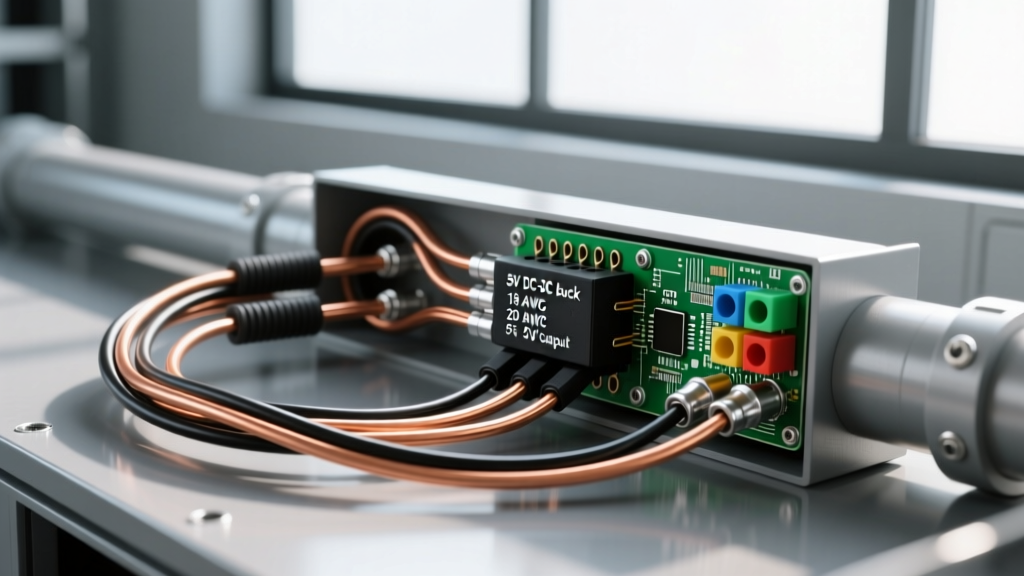
The most common failure point in a DIY Ring camera install on an RV or camper van is attempting to splice a 5V USB cable directly into a 12V lighting circuit. This will instantly destroy the camera's internal power management IC (PMIC) and void the warranty. To safely step down the 12V DC nominal voltage (which can spike to 14.4V during alternator charging or solar absorption phases) to a stable 5V DC, you must use a high-quality DC-DC buck converter.
Component Selection: DC-DC Buck Converter Specs
Do not use linear voltage regulators (like the LM7805), as they dissipate excess voltage as heat and will thermally throttle or fail in an enclosed RV sidewall. Instead, select a switching buck converter with the following minimum specifications:
- Input Voltage Range: 9V to 36V DC (Provides headroom for voltage spikes and 24V chassis compatibility).
- Output Voltage: 5.0V to 5.2V DC (Ring devices tolerate up to 5.25V; 5.1V is ideal to compensate for micro-USB cable voltage drop).
- Current Capacity: 3A continuous output. While the Ring camera draws roughly 0.8A at idle, peak draw during IR night-vision illumination and Wi-Fi transmission can spike to 1.8A. A 3A rating ensures the converter runs cool.
- Environmental Rating: IP67 or IP68 potted enclosure. Conformal-coated open PCBs will corrode rapidly due to the high humidity and condensation cycles inside RV walls.
Comprehensive 12V to 5V Wiring Diagram & Routing
Proper execution of this Ring camera install requires adherence to SAE J1128 Low Tension Primary Cable Standards for wire selection and Blue Sea Systems Circuit Protection Guidelines for overcurrent protection.
Phase 1: Power Tap and Circuit Protection
- Locate the 12V Distribution Panel: Access your RV's main DC fuse panel (commonly WFCO, Progressive Dynamics, or Blue Sea).
- Select a Switched Circuit: Tap into a circuit that is active only when the RV's main 12V disconnect is ON, or wire directly to the positive busbar if you want 24/7 security surveillance while in storage. If using a fuse panel slot, use a Mini ATO Add-A-Circuit (fuse tap).
- Install the Inline Fuse: The 12V positive feed to the buck converter must be protected by a 2A Mini Blade Fuse located within 7 inches of the power tap. This protects the 14 AWG feed wire from shorting to the chassis ground.
- Wire Selection: Use 14 AWG TXL (cross-linked polyethylene) wire for the 12V side. TXL insulation is rated for 125°C and resists abrasion against aluminum RV framing. Use 18 AWG for the 5V output side.
Phase 2: Sidewall Penetration and Weatherproofing
Routing the cable from the interior to the exterior requires meticulous sealing to prevent water intrusion and delamination of the RV sidewall.
- Drilling: Use a step bit to drill a 3/8" hole through the exterior fiberglass/aluminum and interior luan. Avoid drilling into the aluminum stud framing by using a stud finder or checking the exterior rivet lines.
- Cable Gland: Insert a marine-grade IP68 nylon cable gland into the hole. This provides strain relief and a secondary water seal.
- Sealant Application: Do not use standard silicone, which traps moisture and promotes black mold. Apply a generous bead of Dicor 501LSW-1 self-leveling lap sealant (for EPDM/TPO roof mounts) or Geocel ProFlexRV (for vertical sidewall mounts) over the cable gland flange.
Phase 3: USB Termination and Camera Pairing
Instead of cutting the factory USB cable (which voids the warranty and exposes fragile data lines), terminate your 5V DC-DC converter output into a weatherproof USB bulkhead connector mounted inside a small exterior junction box. Plug the Ring camera's factory micro-USB or USB-C cable into this bulkhead. This allows you to easily swap or service the camera without re-running wires through the RV wall.
Voltage Drop Calculations for Long Cable Runs
Voltage drop is the silent killer of 5V electronics. If the 5V output from your buck converter drops below 4.75V by the time it reaches the Ring camera, the device will enter a continuous boot loop or fail to activate its IR LEDs. The following table calculates voltage drop based on a peak 2A draw, adhering to NFPA 1192 Standard on Recreational Vehicles electrical guidelines.
| Wire Gauge (5V Side) | Total Wire Length (Out & Back) | Voltage Drop @ 2A | Voltage at Camera | Result |
|---|---|---|---|---|
| 18 AWG | 10 ft | 0.25V | 4.75V | Acceptable (Marginal) |
| 18 AWG | 20 ft | 0.51V | 4.49V | FAIL (Boot Loop) |
| 16 AWG | 20 ft | 0.32V | 4.68V | Acceptable |
| 14 AWG | 20 ft | 0.20V | 4.80V | Optimal |
Recommendation: Always use 16 AWG or 14 AWG for the 5V side of the circuit if the run from the buck converter to the camera exceeds 8 feet.
Real-World Troubleshooting: Wi-Fi Dropouts and Boot Loops
Symptom: Camera Disconnects Randomly at Night
Cause: When the Ring camera activates its infrared (IR) LEDs, current draw spikes. If your 12V source is shared with exterior awning lights or 12V LED strips, the voltage sag triggers the buck converter's low-voltage cutoff.
Fix: Move the 12V tap to a dedicated, unshared circuit on the DC distribution panel, or install a dedicated 12V 7Ah SLA (Sealed Lead Acid) battery buffer near the camera to handle transient peak loads.
Symptom: Severe 2.4GHz Wi-Fi Interference and Lag
Cause: Cheap, unshielded 12V LED drivers and solar charge controllers emit massive amounts of Electromagnetic Interference (EMI) in the 2.4GHz spectrum, drowning out the Ring camera's Wi-Fi signal.
Fix: Maintain a minimum 12-inch physical separation between the buck converter, the camera antenna, and any 12V LED ballasts. If the interference persists, install a ferrite choke bead on the 5V USB cable near the camera base to filter high-frequency noise.
Symptom: Condensation Inside the Camera Lens
Cause: Rapid temperature drops in RV environments cause internal condensation, especially if the camera's O-ring seal was compromised during mounting.
Fix: Open the camera's battery/sd card compartment, place a small desiccant silica gel packet inside, and seal the door. Ensure the camera is mounted vertically or with the drainage weep holes pointing strictly downward.