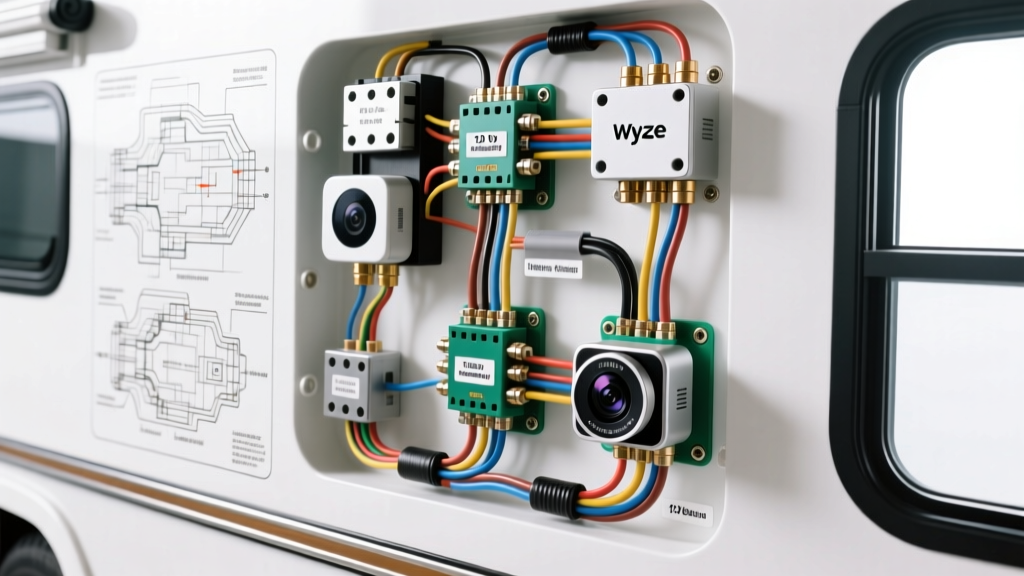
The Appeal and Danger of Adapting Smart Home Cams for Vehicles
The Wyze Cam V3 has become a highly popular choice for DIY RV backup cameras, trailer surveillance, and heavy-duty truck interior monitoring. With its IP65 weather resistance, starlight night vision, and compact form factor, it outperforms many expensive, dedicated automotive cameras. However, a custom wyze camera installation in a 12-volt automotive environment introduces severe electrical hazards if not executed with strict adherence to automotive engineering standards. The camera requires a stable 5V DC input at up to 2 amps (10 watts), typically delivered via USB-C. Vehicles, on the other hand, operate on a nominal 12V to 14.4V DC system that is riddled with voltage spikes, alternator ripple, and load dump transients. Failing to bridge this gap correctly will instantly destroy the camera's internal PMIC (Power Management IC) and potentially cause a chassis fire.
Fatal Mistake #1: Bypassing the Step-Down Converter (The 12V Fry)
The most catastrophic error in a wyze camera installation is attempting to hardwire the 5V USB cable directly to a 12V reverse light circuit or a 12V fuse box tap. Some installers mistakenly believe that the camera's internal circuitry can handle a slight overvoltage, or they attempt to use inline resistors to drop the voltage. This is a fundamental misunderstanding of Ohm's Law and dynamic current draw.
A camera's current draw fluctuates based on processor load, IR illuminator activation, and Wi-Fi transmission. A simple resistor voltage divider cannot compensate for dynamic current changes; as current drops, voltage spikes. Connecting a 5V device directly to a 14.4V alternator output will result in immediate thermal failure of the camera's USB-C power delivery IC, often venting toxic lithium smoke if the internal battery backup is compromised.
Fatal Mistake #2: Using Linear Regulators Instead of Buck Converters
Even when installers remember to step down the voltage, many reach for cheap Linear Drop-Out (LDO) regulators (like the LM7805) found in basic electronics kits. In an automotive environment, LDOs are a massive fire hazard. LDOs dissipate excess voltage as pure heat.
To understand the danger, we must calculate the thermal dissipation using the formula: Power (Heat) = (Input Voltage - Output Voltage) x Current.
- Input Voltage: 14.4V (Vehicle running)
- Output Voltage: 5.0V (Camera requirement)
- Current Draw: 2.0A (Camera with IR LEDs active)
- Heat Dissipation: (14.4V - 5.0V) x 2.0A = 18.8 Watts of heat
Dissipating nearly 19 watts of heat inside a sealed RV wall cavity or trailer junction box will melt standard wire insulation and ignite surrounding materials. You must exclusively use a DC-DC Switching Buck Converter (such as an LM2596 or automotive-grade equivalent), which steps down voltage by rapidly switching the current, achieving 85-95% efficiency and generating minimal heat. For deep technical topologies on switching regulators, refer to the Texas Instruments Buck Converter Design Guide.
Thermal Runaway Specification Chart: LDO vs. Buck Converter
| Regulator Type | Efficiency (14.4V to 5V) | Heat Dissipation @ 2A | Automotive Safety Rating |
|---|---|---|---|
| Linear (LDO 7805) | ~34% | 18.8 Watts (Fire Hazard) | FAIL - Do Not Use |
| Standard Buck (LM2596) | ~85% | ~2.5 Watts (Safe) | PASS (Requires TVS Diode) |
| Automotive Buck (w/ OVP) | ~92% | ~1.2 Watts (Optimal) | PASS (OEM Grade) |
Fatal Mistake #3: Ground Loops and Alternator Whine
When routing the camera cable from the rear of a 30-foot RV to the dashboard monitor, installers often ground the camera's power return to the nearest rear chassis bolt, while the dashboard monitor is grounded to the dash frame. Because the vehicle's steel chassis is used as the common ground return, the high-current return paths from the taillights and ABS modules will flow through the camera's USB shield. This creates a ground loop, resulting in severe video noise, alternator whine on the audio feed, and potential backfeeding that can fry the dashboard monitor's USB port.
The Fix: Implement a single-point star ground. Run a dedicated 16 AWG ground wire all the way from the camera's buck converter back to the main dashboard ground bus bar. Alternatively, use an isolated DC-DC buck converter that physically separates the input ground from the output ground via high-frequency transformers.
Proper 12V to 5V Step-Down Wiring Diagram & Pinout
A safe wyze camera installation requires transient voltage suppression. According to SAE J1113 Electromagnetic Compatibility Standards, automotive 12V systems can experience load dump spikes exceeding 40V when a dead battery is disconnected while the alternator is charging. A standard buck converter will fail at 35V, sending 14V+ straight to your camera.
Step-by-Step Safe Wiring Procedure
- Transient Suppression: Install a bidirectional TVS (Transient Voltage Suppression) diode (e.g., 1.5KE18CA) across the 12V input lines before the buck converter to clamp voltage spikes at 18V.
- Over-Current Protection: Install a 3A ATO blade fuse holder on the 12V positive wire, within 6 inches of the power source (fuse box or battery).
- Wire Selection: Use 16 AWG TXL (Cross-linked polyethylene) automotive primary wire for the 12V run. TXL insulation is rated for 125°C and resists melting against hot chassis components.
- Step-Down Conversion: Wire the 12V input to the automotive-grade buck converter. Adjust the potentiometer to output exactly 5.1V DC to compensate for voltage drop across the USB-C cable.
- Exterior Pass-Through: When drilling through the RV or trailer exterior, use a marine-grade cable gland and seal the entry point with Dicor self-leveling lap sealant to prevent water intrusion and subsequent galvanic corrosion.
- Termination: Crimp the 5V output to a high-quality USB-C pigtail using adhesive-lined marine heat shrink to prevent moisture from wicking into the copper strands via capillary action.
Wire Gauge and Voltage Drop Reference Table
Voltage drop is critical on the 5V side of the circuit. If the voltage at the camera's USB-C port drops below 4.75V under load, the camera will enter a continuous boot loop. Use the following chart to select the correct wire gauge for the 5V output side based on your cable run length.
| Wire Gauge (AWG) | Max Current Capacity | Voltage Drop @ 2A (5 ft run) | Voltage Drop @ 2A (15 ft run) |
|---|---|---|---|
| 22 AWG (Standard USB) | 1.5A | 0.10V (Marginal) | 0.31V (FAIL - Boot Loop) |
| 18 AWG | 3.0A | 0.04V (Safe) | 0.12V (Safe) |
| 16 AWG | 5.0A | 0.02V (Optimal) | 0.07V (Optimal) |
Note: Always measure voltage at the camera end of the cable while the IR night vision LEDs are actively drawing maximum current.
Troubleshooting Decision Tree: Camera Power Failures
If your wyze camera installation results in erratic behavior, follow this diagnostic tree before replacing hardware:
- Symptom: Camera powers on, but reboots when IR LEDs activate at night.
- Cause: Voltage drop on the 5V line. The IR array draws an extra 1A, dropping the USB-C voltage below 4.7V.
- Fix: Upgrade the 5V output wiring from 20 AWG to 16 AWG, or increase the buck converter output to 5.2V to compensate for the drop.
- Symptom: Camera works on the bench, but dies when the vehicle engine starts.
- Cause: Alternator load dump or ignition coil EMI (Electromagnetic Interference) resetting the camera's logic board.
- Fix: Add a 1000µF electrolytic capacitor across the 5V output terminals to act as a buffer, and ensure the signal cable is shielded and routed away from ignition coils.
- Symptom: Buck converter gets too hot to touch.
- Cause: You are using a linear regulator, or the buck converter's inductor is saturated due to a short in the USB-C cable.
- Fix: Verify component type. Check the USB-C cable for crushed pins causing a partial short.
Summary
Adapting consumer smart home technology for automotive use requires respecting the harsh realities of vehicle electrical systems. By utilizing switching buck converters, implementing TVS diode protection, and adhering to proper AWG sizing and star-grounding techniques, your wyze camera installation will provide reliable, crystal-clear surveillance for years without risking your vehicle's electrical integrity.