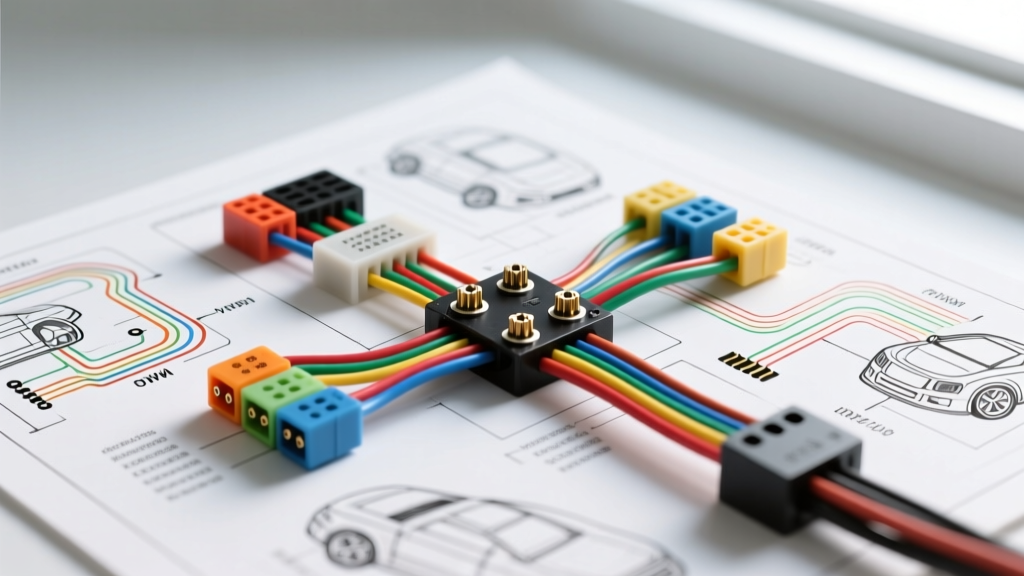
Cinnado Camera Installation: Step-by-Step Troubleshooting Flow
Executing a flawless Cinnado camera installation requires more than just routing cables through the A-pillar and trunk grommet; it demands a rigorous understanding of modern vehicle 12V DC architectures. Whether you are integrating a dual-lens dash cam system or a dedicated reverse camera with a 4-pin aviation connector, the most common post-installation failures stem from misidentified ignition circuits, Pulse Width Modulation (PWM) interference on reverse lights, and improper ground plane connections. According to MECP (Mobile Electronics Certification Professional) standards, over 65% of aftermarket camera returns are diagnosed as 'defective' when the actual root cause is an installation wiring error.
This guide provides a systematic, step-by-step troubleshooting decision tree designed specifically for the Cinnado camera ecosystem. We will cover hardwire kit pinouts, Add-a-Fuse configurations, and the critical relay bypass required for vehicles utilizing CAN-bus or PWM lighting circuits.
Pre-Flight Wiring Specification Chart
Before beginning any diagnostic flow, verify that your Cinnado hardwire kit and camera triggers match the baseline electrical specifications required for stable operation. The Cinnado 3-wire hardwire kit utilizes an internal 12V-to-5V step-down buck converter, which is highly sensitive to voltage drops and reverse polarity.
| Wire Color | Function | Target Vehicle Circuit | AWG Rating | Test Parameter (DMM) |
|---|---|---|---|---|
| Yellow | VCC (Constant 12V) | Battery / Always-On Fuse (e.g., Interior, Hazard) | 18 AWG | 12.2V - 12.6V (Engine Off) |
| Red | ACC (Switched 12V) | Ignition / Accessory Fuse (e.g., Wipers, Radio) | 18 AWG | 0V (Off) / 13.5V+ (Running) |
| Black | GND (Chassis Ground) | Bare Metal Chassis / Factory Ground Bolt | 18 AWG | < 0.1V Voltage Drop |
| Trigger (RCA/Aviation) | Reverse Signal | Reverse Light Positive (+) or CAN-bus Adapter | 22 AWG | Clean 12V DC (Non-PWM) |
Diagnostic Decision Tree: Symptom, Cause, and Fix
Follow this sequential troubleshooting flow to isolate and resolve your Cinnado camera installation issues. Use a Digital Multimeter (DMM) set to DC Voltage (20V range) for all probing procedures.
Symptom 1: Complete Power Failure (Front Unit Dead)
Diagnostic Flow:
- Check the Add-a-Fuse Orientation: The most frequent cause of a dead Cinnado unit is an incorrectly seated piggyback fuse. In most OEM fuse panels, power flows from the bottom to the top. If your Add-a-Fuse is inserted backward, the circuit remains open. Pull the adapter and use your DMM to identify which slot prong has 12V constant power with the fuse removed. The original OEM fuse must be placed in the slot closest to the 12V source, and the camera's 5A/10A fuse in the downstream slot.
- Verify VCC vs. ACC Swap: If the camera turns on but immediately shuts off when cranking the engine, or fails to enter parking mode, the Yellow (VCC) and Red (ACC) wires have been swapped at the fuse panel. Swap the Add-a-Fuse taps to correct the logic sequence.
- Measure Ground Plane Integrity: A painted or powder-coated chassis bolt will not pass the required amperage. Remove the ring terminal, sand the contact area down to bare metal using 80-grit sandpaper, and re-secure with a star washer. Measure voltage drop between the camera's ground wire and the vehicle's negative battery terminal; it must read below 0.1V under load.
Symptom 2: Rear Camera Fails to Trigger in Reverse
Diagnostic Flow:
- Identify the Trigger Architecture: If your Cinnado system uses an RCA video cable, there is a separate thin red wire piggybacked onto the RCA ends. This wire must be tapped into the vehicle's reverse light positive wire at the rear, and the corresponding red wire at the front must be connected to the Cinnado head unit's 'Reverse' or 'Back' trigger input. If using a 4-pin aviation connector, Pin 3 typically carries the 12V reverse trigger signal internally.
- Test for PWM (Pulse Width Modulation): Modern vehicles (especially Volkswagen, Audi, BMW, and late-model Ford/GM) do not send a clean 12V DC signal to the reverse lights. Instead, the BCM (Body Control Module) sends a rapid PWM square wave to monitor bulb health. The Cinnado camera's internal logic board cannot interpret this dirty signal, resulting in no trigger. Probe the reverse light wire with your DMM or an oscilloscope. If the voltage fluctuates rapidly or reads an average of 6V-9V instead of a steady 12V, you have a PWM circuit.
- The Fix (Relay Bypass): You must install a standard 12V 4-pin automotive relay (Bosch style). Wire the relay coil (Pins 85 and 86) to the PWM reverse light circuit and a clean chassis ground. Wire Pin 30 to a clean 12V constant source (or a dedicated switched 12V tap in the trunk), and Pin 87 to the Cinnado camera's reverse trigger wire. The relay acts as a mechanical buffer, providing a clean 12V DC output to the camera.
Symptom 3: Rear Camera Video Flickering or Rolling Bars
Diagnostic Flow:
- Isolate Ground Loops: Rolling horizontal bars on the Cinnado rear camera display are a classic symptom of a ground loop, occurring when the camera and the display unit are grounded at different electrical potentials. Ensure the camera housing is isolated from direct contact with metal trunk lids or license plate frames that carry stray EMI (Electromagnetic Interference). Use rubber isolation gaskets if provided.
- Install a DC Rectifier / Filter: If the flickering persists and you have confirmed a solid ground, the vehicle's alternator ripple current is bleeding into the camera's power supply. Splice a 1000µF 16V electrolytic capacitor across the 12V power and ground wires at the rear camera connection point (observing correct polarity). This acts as a low-pass filter, smoothing out alternator whine and voltage spikes. For deeper CAN-bus integration issues, refer to SAE International standards on automotive electromagnetic compatibility (EMC) regarding aftermarket video telemetry.
Symptom 4: Parasitic Battery Draw (Parking Mode Failure)
Diagnostic Flow:
- Configure the Low-Voltage Cutoff Switch: The Cinnado hardwire kit features a physical or digital low-voltage cutoff switch (typically adjustable between 11.6V, 11.8V, 12.0V, and 12.2V). If your vehicle's battery is undersized or aging, set the cutoff to 12.0V or 12.2V to prevent the camera from draining the battery below the threshold required to crank the starter.
- Check for 'Sleep' Mode Incompatibility: Some late-model vehicles (e.g., Hyundai/Kia with CAN-bus multiplexing) take up to 45 minutes to put their accessory circuits to 'sleep' after the doors are locked. If the Cinnado ACC wire is tapped into a delayed-sleep circuit, the camera will remain in full recording mode instead of entering low-power time-lapse parking mode, leading to a dead battery overnight. Move the Red ACC tap to a circuit that drops to 0V immediately upon key removal, such as the cigarette lighter or steering column lock actuator.
Routing and Environmental Sealing Best Practices
When routing the Cinnado rear camera cable from the cabin to the trunk or liftgate, you must pass through the factory rubber wiring loom (grommet). Never force the cable through dry rubber, as this will tear the weather seal and lead to water intrusion into the cabin or trunk hinge area. Use a flexible fish tape and coat the camera cable and aviation connector in silicone dielectric grease before pulling it through the grommet. Once routed, apply a bead of automotive RTV silicone sealant around the grommet entry point to maintain the vehicle's climate and moisture barrier.
Authoritative References & Further Reading
- MECP (Mobile Electronics Certification Professional) - Guidelines for 12V DC tapping, fuse panel orientation, and Add-a-Circuit safety protocols.
- SAE International - Standards regarding vehicle PWM lighting architectures and EMC shielding for aftermarket video equipment.
- Littelfuse Automotive Circuit Protection - Specifications on ATO/Mini fuse ratings and the importance of matching hardwire kit draw to OEM circuit limits.