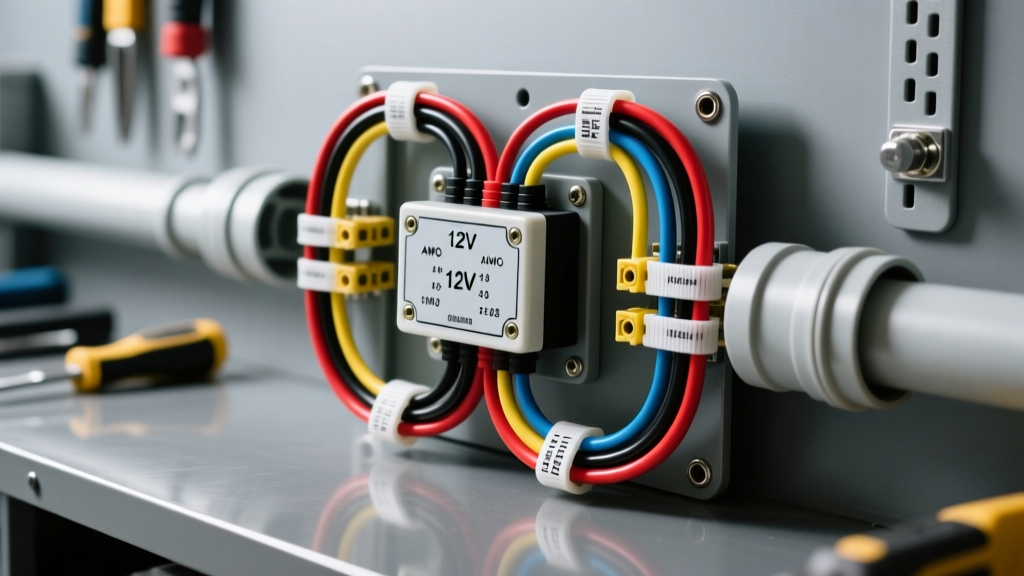
Project Overview: Wired Security Camera Installation for Vans
Upgrading a camper van, overland rig, or fleet vehicle with a dedicated surveillance system requires precise electrical planning. While wireless setups are common, a proper wired security camera installation eliminates the latency, signal degradation, and interference issues inherent in transmitting video through a metal chassis. For this upgrade project, we are focusing on a 12V DC hardwired security camera system utilizing a 4-pin aviation connector, commonly used in high-end RV and Sprinter van builds. This guide details the electrical topology, wire gauge calculations, chassis routing, and integration with auxiliary upfitter switch banks.
Unlike standard automotive backup cameras that only trigger on reverse, a security camera requires a constant or switched 12V power source capable of handling the inrush current of infrared (IR) night vision LEDs. Improper wiring leads to voltage drop, causing the camera to reboot endlessly when the IR array activates at dusk.
12V DC Power Requirements and Voltage Drop
Most 12V DC RV security cameras draw approximately 150mA during daylight operation. However, when ambient light drops and the IR LED array engages, current draw spikes to between 450mA and 650mA. If your wire gauge is insufficient for the length of the run, the voltage at the camera head will drop below the 10.5V threshold required by the internal DC-DC buck converter, resulting in a continuous boot loop.
According to SAE J1128 Low Tension Primary Cable Standards, automotive wire must withstand high-temperature environments, which is critical when routing cables through unventilated roof cavities or corrugated metal ribs. We recommend using SAE J1128 GXL (cross-linked polyethylene) or marine-grade tinned copper wire to resist galvanic corrosion.
AWG Wire Sizing Chart for 12V Camera Runs
| Cable Run Length (1 Way) | Max Current (IR Active) | Minimum AWG Size | Voltage Drop at 13.2V Source |
|---|---|---|---|
| 0 - 10 Feet | 0.65 Amps | 18 AWG | 0.16V (1.2%) |
| 10 - 18 Feet | 0.65 Amps | 16 AWG | 0.25V (1.9%) |
| 18 - 28 Feet | 0.65 Amps | 14 AWG | 0.32V (2.4%) |
| 28 - 40 Feet | 0.65 Amps | 12 AWG | 0.40V (3.0%) |
Note: Always measure the total round-trip distance (positive and ground) when calculating voltage drop, though the chart above simplifies this based on standard one-way physical routing distances assuming a shared chassis ground or parallel ground wire.
4-Pin Aviation Connector Pinout Diagram
The industry standard for external wired camera systems is the GX16 4-pin aviation connector. This threaded, locking barrel prevents the connection from vibrating loose on rough off-road trails. When performing your wired security camera installation, matching the pinout correctly is vital; reversing the power and ground pins will instantly destroy the camera's internal voltage regulator.
Standard GX16 4-Pin Configuration
| Pin Number | Wire Color | Function | Signal Type / Spec |
|---|---|---|---|
| Pin 1 | Red | 12V DC Power (+) | 10V - 15V DC |
| Pin 2 | White | Audio Input | Electret Mic Bias |
| Pin 3 | Yellow | Video Signal | NTSC/PAL CVBS (1Vp-p) |
| Pin 4 | Black | Ground (-) | Chassis / DC Return |
When soldering the male and female GX16 connectors, use a temperature-controlled iron set to 350°C (662°F). Apply a small amount of rosin-core flux to the solder cups before tinning the 18 AWG pigtails. Once soldered, inject dielectric grease into the connector barrel before threading the locking collar to prevent moisture ingress and galvanic oxidation.
Roof Routing and Chassis Penetration
Routing the camera cable into the van cabin requires a watertight roof penetration. Never drill directly into a structural roof rib. Locate a flat section of the roof skin, ideally near a cross-member for structural support. Use a 3/4-inch step bit to create the penetration hole.
- Deburr and Prime: Remove all metal shavings with a vacuum. Apply a coat of zinc-rich cold galvanizing spray to the bare metal edge to prevent rust.
- Cable Gland Installation: Feed the 14 AWG camera loom through a marine-grade nylon cable gland (PG-21 size). Thread the gland into the roof hole.
- Sealing: Apply a generous bead of marine-grade polyurethane sealant (such as Sikaflex-221 or 3M Marine Adhesive Sealant 5200) under the gland flange and over the threads. Do not use silicone, as it does not adhere well to automotive clear coats and will eventually peel, causing catastrophic roof leaks.
Tapping the Sprinter N10/10 Upfitter Module
For modern Mercedes-Benz Sprinter vans (W907 chassis, 2019+), tapping into the factory auxiliary power distribution module (N10/10) is the cleanest method for integrating your camera into the cab's auxiliary switch bank. This allows the driver to toggle the security camera on and off via the overhead console.
The N10/10 module is located under the driver's seat base. It features pre-fused auxiliary outputs designed specifically for aftermarket upfitters. According to the Mercedes-Benz Sprinter Upfitter Portal, you must use the designated AUX terminals and not back-probe existing CAN-bus or lighting circuits.
N10/10 Integration Steps
- Locate the AUX 3 or AUX 4 terminal block on the N10/10 module (typically rated for 5A or 10A, which is more than sufficient for a 650mA camera draw).
- Install a 5A Mini (ATM) fuse in the corresponding auxiliary fuse slot.
- Use a TE Connectivity MCP 2.8 female terminal to mate with the AUX output pin. Never use generic spade connectors, as vibration will cause them to back out and short against the chassis.
- Crimp the 14 AWG positive wire using a ratcheting open-barrel crimper. Verify the crimp with a pull-test (minimum 30 lbs of force).
- Route the ground wire to the dedicated W11 ground stud located on the B-pillar base. Scuff away the factory E-coat paint to ensure bare metal contact, and apply anti-corrosion grease over the secured ring terminal.
Troubleshooting Decision Tree
Even with meticulous wire prep, 12V CVBS video systems are susceptible to electrical noise. Use this diagnostic tree to resolve common installation anomalies:
- Symptom: Camera powers on in daylight, but reboots continuously at night.
Cause: Voltage drop under IR load.
Fix: Measure voltage at the camera pigtail while the IR LEDs are covered (forcing them on). If voltage is below 10.5V, upgrade the main power run to the next heaviest AWG size or install a localized 12V DC-DC buck converter near the camera head. - Symptom: Horizontal rolling bars or 'snow' on the monitor display.
Cause: Ground loop or alternator whine interference.
Fix: The CVBS video shield is picking up AC ripple from the vehicle's alternator. Install an inline 12V DC ground loop isolator on the power feed, or ensure the camera ground is tied directly to the head unit ground rather than a distant chassis point. - Symptom: Image is completely white/washed out at night.
Cause: IR reflection.
Fix: The camera is mounted too close to a reflective surface (like a ladder rack or roof vent), causing the IR light to bounce directly back into the lens. Relocate the camera or apply IR-blocking black tape to the nearest reflective edge.
Authoritative References
For further reading on automotive electrical standards and upfitter guidelines, consult the following resources:
- SAE J1128 Low Tension Primary Cable Standard - Specifications for automotive wire insulation and temperature ratings.
- Mercedes-Benz Sprinter Upfitter Portal - Official wiring diagrams and N10/10 auxiliary module integration guides.
- Ancor Marine-Grade Wire Specifications - Reference for tinned copper stranding and voltage drop charts in high-vibration environments.